Three months debugging firmware. You've finally got stable sensor telemetry—no crashes, clean data uploads, everything beautiful. Then purchasing asks which carrier contract to sign. You're comparing coverage maps that contradict each other, pricing spreadsheets with asterisks leading to footnotes about "fair use," and suddenly realizing you have no idea what "data pooling" actually means in practice.
An internet of things sim card isn't your phone's chip shrunk down. These things survive -40°F winters in North Dakota and 120°F summers inside cargo containers. When AT&T's tower goes down, the card automatically jumps to Verizon—no human intervention. Lose a device to theft? Disable it remotely while it's still in the thief's backpack. The economics, durability specs, and operational model have nothing in common with consumer cellular plans.
This guide walks through what actually matters for trackers, industrial sensors, or any hardware needing cellular connectivity in the real world.
What Is an IoT SIM Card and How Does It Work
Not just smaller phone chips. These are engineered for environments that kill regular electronics.
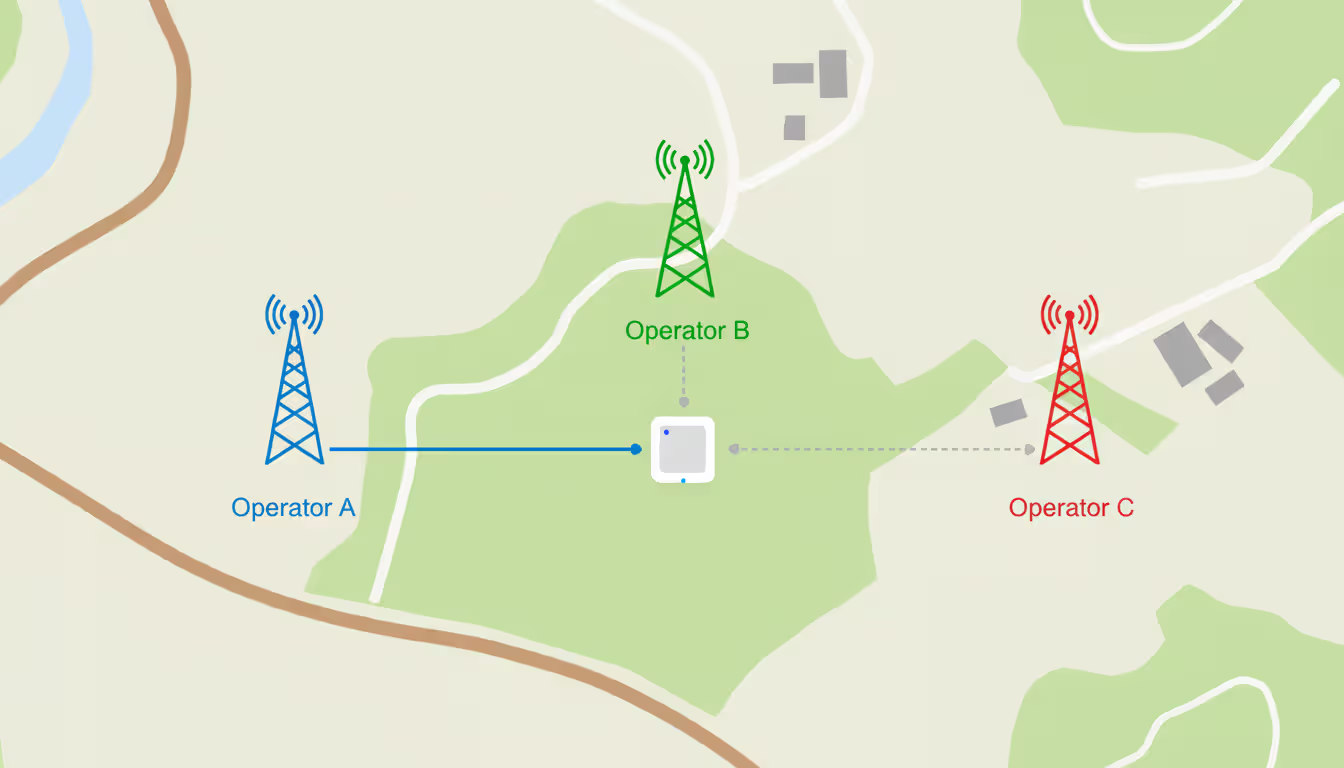
Consumer SIM locks you to one carrier. Slide an AT&T card into your phone, you're married to AT&T towers until you physically swap cards. IoT cards store multi-IMSI credentials—multiple carrier profiles on one chip. Your soil sensor in rural Kansas powers on, tries Verizon first. Signal's weak? Switches to T-Mobile automatically. The sensor doesn't care whose tower provides bars; it just needs connectivity.
What makes them different:
Temperature range: -40°C to +105°C operational. That shipping container tracker? Works fine through Saskatchewan January and Phoenix August.
Decade lifespan: Manufacturers rate these for 10–15 years continuous operation. Phone SIMs crap out after maybe three years because nobody designs them for that timeline.
Static IPs available: Simplifies firewall rules enormously. Direct device-to-server connections without NAT gymnastics.
Remote control: Kill a compromised card from your dashboard. Push config updates to 2,000 devices tonight. Change carriers without mailing technicians to Montana.
Network switching mechanics:
Device boots in Portland. SIM scans available towers, measures signal strength, picks the strongest carrier, authenticates using the matching stored credential. You drive that device to eastern Oregon—signal drops—card rescans, finds a better option, switches networks. Takes maybe ten seconds. Connection stays live throughout.
Author: Megan Holloway;
Source: baltazor.com
Management dashboards matter more than you'd expect:
You'll spend serious time in the carrier's portal. Which cards connected in the last hour? Where are they (rough cell-tower location)? Data consumption per card? Signal quality? Device burning 10x normal bandwidth? Suspend it now. Need to rotate authentication keys across 500 deployed units? Schedule it for 2 AM. These platforms replace what would otherwise require driving to every single installation site.
Common Use Cases for IoT SIM Cards
Asset Tracking and Fleet Management
Houston rental company: 200 portable generators spread across Texas, Louisiana, Oklahoma construction sites. Each has a GPS tracker reporting location and runtime every ten minutes. Single-carrier cards? Generators disappear into coverage holes for days at a time. Can't verify they're at authorized sites. Can't confirm someone didn't "borrow" one permanently.
Multi-network cards fix this. Tracker loses signal on T-Mobile, switches to AT&T, finds coverage. Internet of things asset tracking only works if you can actually track the asset continuously.
Pharmaceutical shipping hits this harder. Refrigerated trailer hauling vaccines cross-country. Temperature logger samples every 60 seconds, uploads every fifteen minutes. Temps climb above 8°C? You get an immediate alert—not six hours later when the driver reaches destination and connects to WiFi. That immediate notification prevents $200,000 in spoiled inventory.
Author: Megan Holloway;
Source: baltazor.com
Smart Manufacturing and Industrial Sensors
Auto parts plant outside Detroit: 800 vibration monitors on manufacturing motors. Each transmits about 4 KB hourly—RPM variations, bearing temps, anomalies. That's 3 MB monthly per sensor. Seems trivial until you realize those 800 sensors collectively prevent motor failures that halt production lines for entire shifts.
Why cellular instead of WiFi? Steel-reinforced industrial buildings where WiFi signals die miserably. NB-IoT and LTE-M penetrate concrete and metal where WiFi can't reach. Sensor mounted in a basement mechanical room—no line of sight to windows—maintains solid connectivity for years.
Healthcare and Remote Patient Monitoring
Home healthcare agencies distribute fall-detection pendants to elderly patients. You fall, device recognizes the impact pattern, transmits GPS coordinates plus emergency alert in under five seconds. Monitoring staff attempts phone contact. No answer triggers EMS dispatch to that exact address.
Only works if the pendant maintains signal everywhere—inside brick houses, at grocery stores, visiting relatives across town. Single-carrier gaps mean falls go undetected. Multi-carrier cards eliminate most blind spots.
HIPAA compliance complicates everything: encrypted end-to-end transmission mandatory, audit logs of every config change, carriers need SOC 2 Type II certification. Not all IoT providers meet those requirements.
How IoT SIM Cards Connect to Cloud Platforms
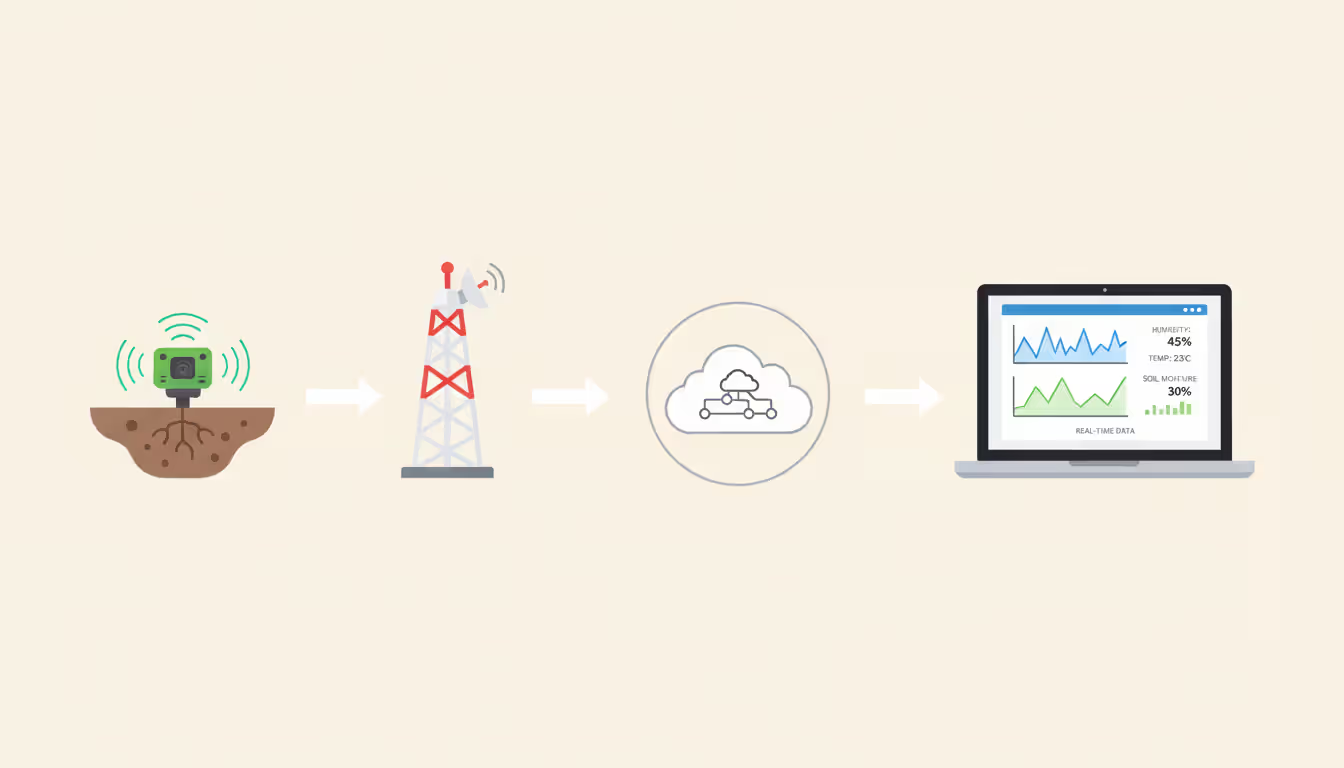
Follow one data packet from a moisture sensor in a California vineyard to your monitoring dashboard:
LTE-M upload: Device modem packages JSON—{"sensor_id": "V47", "moisture": 22, "timestamp": "2025-05-14T08:23:17Z"}—sends it to nearest tower.
Carrier routing: Mobile network routes packets through a private APN or dedicated VPN tunnel, never touching public internet.
Cloud reception: MQTT broker in AWS IoT Core receives message. AWS authenticates device using X.509 certificates tied to the SIM's IMSI.
Processing: Lambda function parses JSON, writes to DynamoDB, checks if moisture dropped below 20%, triggers API call to irrigation valves if needed.
Why MQTT beats HTTP: Battery-powered devices overwhelmingly use MQTT because smaller packets drain less power. More important: MQTT handles flaky connections gracefully. Signal drops mid-transmission? MQTT queues messages locally, retries when connection returns. HTTP just fails and discards everything.
Author: Megan Holloway;
Source: baltazor.com
Security layers:
SIM authenticates device to carrier network—invalid card, no access. Baseline security. Data packets travel encrypted via TLS 1.3 from device to cloud. High-security deployments (medical devices, financial trackers) route all traffic through private APNs using VPN tunnels, keeping data off public networks entirely. Minimizes interception risk dramatically.
API integration downstream:
Data reaches your internet of things cloud platform—Azure IoT Hub, Google Cloud, whatever infrastructure you picked—and you expose REST or GraphQL APIs. ERP system polls for fresh sensor readings every five minutes. Mobile app queries device status real-time. Third-party analytics tools ingest telemetry streams for ML analysis. Internet of things cloud computing becomes the hub where device data merges with business logic.
Choosing the Right IoT SIM Card for Your Project
Coverage first, everything else second.
Pull detailed carrier maps for every deployment region. Tracking delivery trucks on highways? Verify not just cities but also Interstate 90 through Montana badlands or rural Pennsylvania back roads where towers are sparse. Single-carrier cards run $3–5 monthly; multi-network options cost $4–7. That premium buys continuous connectivity where individual carriers have spotty coverage.
Calculate actual data consumption:
GPS trackers reporting every ten minutes: 5–10 MB monthly. Video doorbells uploading 30-second clips: 500 MB to 2 GB. Underestimate usage, you'll hit overage charges at $0.10–$0.50 per megabyte. Overestimate, you're paying for unused capacity. Build working prototype, measure real data volume over two weeks, add 30% safety margin.
Pooled versus individual allocations:
Pooled arrangements give you one shared bucket—maybe 50 GB split across 500 cards. Hundred cards sit idle while fifty transmit heavily? Pool absorbs the imbalance. Works beautifully when usage patterns fluctuate unpredictably. Individual allocations (each card gets 100 MB monthly) offer predictable billing but waste money on dormant devices.
Direct carrier or MVNO reseller?
Some providers are MVNOs—they don't own towers, they resell capacity from major carriers. Others offer direct carrier plans. MVNOs frequently provide better management dashboards and more responsive technical support. Direct carriers occasionally discount per-megabyte pricing at high volumes. Critical question: who owns the customer relationship? If the MVNO goes bankrupt, can you migrate cards elsewhere, or do they become expensive paperweights?
Development-friendly features:
You need sandbox cards with minimal data caps—free or under $2 monthly—for testing without locking into annual contracts. Verify the provider publishes APN configuration details, offers code examples for common modems (Quectel, Telit, u-blox), employs support engineers who actually understand embedded systems. Generic corporate help desks waste hours troubleshooting basic modem AT commands.
SIM form factor breakdown:
Type
Physical Format
Carrier Switching
Best For
Setup Complexity
Cost Tradeoffs
Standard SIM
Removable plastic card (2FF/3FF/4FF)
Locked to one carrier; need physical swap to change
30–50% premium per unit; eliminates SIM socket costs
eUICC
Embedded with remote provisioning
Switch carriers remotely anytime post-deployment
Global products, multi-year lifecycles
High—needs subscription management platform
Premium pricing but maximum long-term flexibility
Practical implications:
Standard cards let you swap during internet of things development—convenient for testing three different carriers. But ship 10,000 units and discover coverage sucks in the Pacific Northwest? You're physically replacing 10,000 cards. That's a logistics nightmare.
eSIMs eliminate the socket, saving circuit board space and improving waterproofing. You solder them during manufacturing. Once soldered, you're locked to that carrier unless you specified eUICC upfront.
eUICC provides the escape hatch: switch carriers over-the-air two years after deployment. German manufacturer selling devices in the US can remotely activate T-Mobile profiles instead of paying international roaming on Deutsche Telekom cards. Tradeoff? You need an RSP (Remote SIM Provisioning) platform, adding complexity and months to your internet of things product development timeline.
Author: Megan Holloway;
Source: baltazor.com
Cost Factors and Data Plan Considerations
Three billing models carriers use:
Pay-per-use: $0.01–$0.05 per megabyte, zero monthly baseline. Fine for pilot projects with twenty devices. Financially brutal at production scale.
Fixed allocation: $2–$10 per card monthly for set allowances—could be 10 MB, 100 MB, 1 GB. Unused data expires at month-end.
Shared pools: One collective bucket—$500 monthly for 10 GB divided among 500 cards. Inactive devices don't burn budget; heavy transmitters draw from shared capacity.
Overage charges arrive unexpectedly:
Carriers charge $0.10–$0.50 per megabyte beyond your limit. Firmware bug—sensor logging every second instead of every ten minutes—consumes 500 MB overnight. One customer racked up $1,200 in overage across 50 devices before noticing. Configure usage alerts at 80% capacity. Implement rate limiting in firmware.
Volume discounts kick in around 1,000 cards:
Order 100 units: $8 per card monthly. Order 5,000: drops to $3 per card monthly. Prepay twelve months? Some carriers knock off another 15–20%. Math: 5,000 cards at $3 monthly for one year totals $180,000. Negotiating 20% off saves $36,000—worth serious procurement effort.
Hidden expenses nobody mentions upfront:
Activation fees: $5–$25 per card. On 1,000 cards, that's $5,000–$25,000 before transmitting one byte.
Platform access: Some carriers charge $50–$200 monthly just for dashboard access.
International roaming: Device crosses into Mexico, costs jump from $0.02/MB to $0.10/MB.
Replacement cards: Device stolen or damaged? New card costs $10–$50 plus shipping.
Decade-long budget reality check:
You're deploying sensors with 10-year expected lifespans. Five-dollar monthly card costs $600 over that decade—frequently exceeding the sensor hardware cost. Factor in 3–5% annual price increases (standard in telecom) plus potential migration expenses if your carrier exits the market or gets acquired. Popular connectivity provider from 2019 got acquired in 2022; customers burned six months migrating thousands of cards to replacement platforms.
Common Mistakes When Deploying IoT SIM Cards
Testing only in comfortable office environments:
Your prototype transmits flawlessly on your desk. Ship 500 units to customers. Half report connectivity problems. What happened? Signal strength inside metal electrical enclosures or underground parking structures drops 20 dB below what you measured in your sunny office. Test in actual deployment conditions—bolted underneath truck chassis, inside steel shipping containers, buried in PVC conduit.
Believing "unlimited roaming" includes international:
Marketing says "unlimited roaming." Fine print clarifies "domestic partner networks only." Your device ships to a customer in Vancouver. Connects to Canadian carriers, generates $50 in roaming charges. Recently happened to a customer—200 devices in Canada produced a $10,000 surprise invoice first billing cycle.
Choosing carriers purely on lowest price:
Bargain-basement card is worthless if coverage stinks in your deployment geography. Customer saved $2 per card monthly switching to discount MVNO. Six months later, 30% of their Southeastern devices dropped offline repeatedly each day. Switched back, absorbed migration expense.
Managing cards via spreadsheet:
You're tracking 500 cards in Excel, emailing the carrier when you need to suspend one. Device starts malfunctioning—overheating, corrupted data. You need answers immediately: when did it last connect? Signal strength? Which carrier was it using? Spreadsheets can't answer these questions real-time. Management platforms can.
Skipping VPNs and private APNs:
You're using carrier's public APN with default authentication. Someone steals your device, extracts card, inserts it in a laptop, suddenly they're on your network probing for vulnerabilities. Private APNs isolate IoT traffic. VPN tunnels encrypt everything end-to-end. Mutual TLS authentication ensures both device and server verify each other's identity. Not optional extras for production.
Bricking devices with untested firmware updates:
You push new firmware over-the-air. Update file unexpectedly hits 5 MB instead of 2 MB. Half your devices hit monthly data caps mid-download, freeze. Now you've got 500 units running corrupted firmware in the field. Always pilot OTA updates on 10–20 test devices first, monitor data consumption real-time during rollout, verify plan can handle burst traffic spikes.
Biggest mistake in internet of things product development I consistently see: treating SIM selection as last-minute procurement checkbox. Teams invest eight months perfecting hardware and firmware, then scramble two weeks before manufacturing to grab whatever card purchasing found cheapest. Year later they're dealing with rural coverage gaps, unexpected overage bills, or carrier that doesn't service new markets they've expanded into. Treat your connectivity partner with same strategic care you'd give your cloud provider or PCB fabrication house—it's equally fundamental to whether your product actually functions in deployment conditions
— Elena Martinez
Frequently Asked Questions About IoT SIM Cards
How long do IoT SIM cards last?
Industrial-grade cards are rated 10–15 years continuous operation. Consumer phone cards start failing at 2–3 years because manufacturers don't design them for extended temperature cycling or high-vibration environments. Actual lifespan depends on conditions: card in climate-controlled office might function 20 years; one in commercial freezer cycling between -30°C and +10°C daily might degrade faster.
Can I use a regular SIM card for IoT devices?
Technically possible. You'll regret it. Consumer cards lack multi-network roaming, remote management, and temperature tolerance for outdoor installations. Worse: carriers actively monitor for machine-to-machine traffic patterns on consumer accounts—consistent small uploads with zero voice or SMS—and they'll throttle or terminate accounts violating terms of service. You'll also pay consumer data pricing, typically 3–10× higher per megabyte than IoT plans.
What happens if my IoT device roams internationally?
Depends entirely on your card. Multi-network IoT cards with global partnerships connect to local carriers in each country, treating it as domestic traffic—no roaming surcharges. Single-carrier cards connect if home carrier maintains roaming agreements, but you'll pay elevated rates—maybe $0.05–$0.15 per megabyte. Device in Germany uploading 50 MB monthly on US single-carrier card generates $7.50 roaming charges alone. Switch to global multi-network card, that identical traffic costs $0.50.
How do I monitor data usage across multiple devices?
Every carrier offers web dashboard or API displaying per-card usage—both real-time current consumption and historical trends. Configure alerts when card crosses 80% monthly allocation or when usage spikes 5× above normal patterns (frequently indicates bugs or security compromises). Export monthly reports to identify trends: if average consumption gradually increases, might need to optimize data payloads or upgrade plans before hitting overages.
Are IoT SIM cards secure?
Card-to-network authentication mechanism (mutual challenge-response using pre-shared cryptographic keys) is robust. Overall security also depends heavily on your configuration choices. Use TLS or DTLS for all transmissions. Route traffic through private APNs instead of public internet. Store sensitive credentials in device's secure element rather than firmware where they can be extracted through reverse engineering. Some cards offer built-in certificate storage, adding another security layer—valuable for devices authenticating to multiple cloud services.
Can I switch carriers after deployment?
With standard plastic cards, switching means physically replacing every single card—manageable for 50 units, logistical catastrophe for 5,000. eSIMs and eUICC allow remote carrier changes. If you anticipate needing to renegotiate pricing, shift to carrier with better regional coverage, or expand internationally, pay the extra 30–50% for eUICC-capable hardware upfront. That flexibility delivers compounding value across 10-year deployment lifecycle.
Selecting an IoT card means balancing coverage footprint, cost structure, long-term flexibility, and management tools. Multi-network cards cost more upfront but eliminate dead zones. eUICC adds initial complexity but enables carrier pivots post-deployment. Pooled data arrangements smooth usage spikes—assuming you monitor actively.
Start small. Order test cards for target environment, measure actual data consumption across 30 days. Verify signal strength in edge scenarios—inside metal buildings, underground parking, rural highways. Evaluate carrier's management platform thoroughly before signing multi-year contracts. Build financial slack into budget for international expansion, carrier migration scenarios, and inevitable usage spikes when someone misconfigures firmware.
Done correctly, connectivity decision fades into background. Devices stay online, data flows reliably, you spend time shipping product features instead of troubleshooting cellular connections. Done poorly? Endless customer complaints about devices going offline, surprise bills destroying your budget, late nights debugging mysterious connection failures. Invest effort upfront—pays dividends for years.
When you print thousands of product labels or engrave a QR code onto a memorial plaque, that code must work indefinitely. Learn which QR code types never expire, how to generate permanent codes, and mistakes that can make even 'permanent' codes fail
Organizations lose $5,600 per minute during network downtime. A network traffic monitor provides visibility into data flows, enabling IT teams to maintain performance, troubleshoot issues, and detect threats before escalation. This guide covers implementation, tool selection, and best practices
Network infrastructure failures cost enterprises an average of $9,000 per minute in 2026. This comprehensive guide covers network monitoring fundamentals, tool selection, deployment options, and alert configuration best practices to help organizations maintain optimal network performance
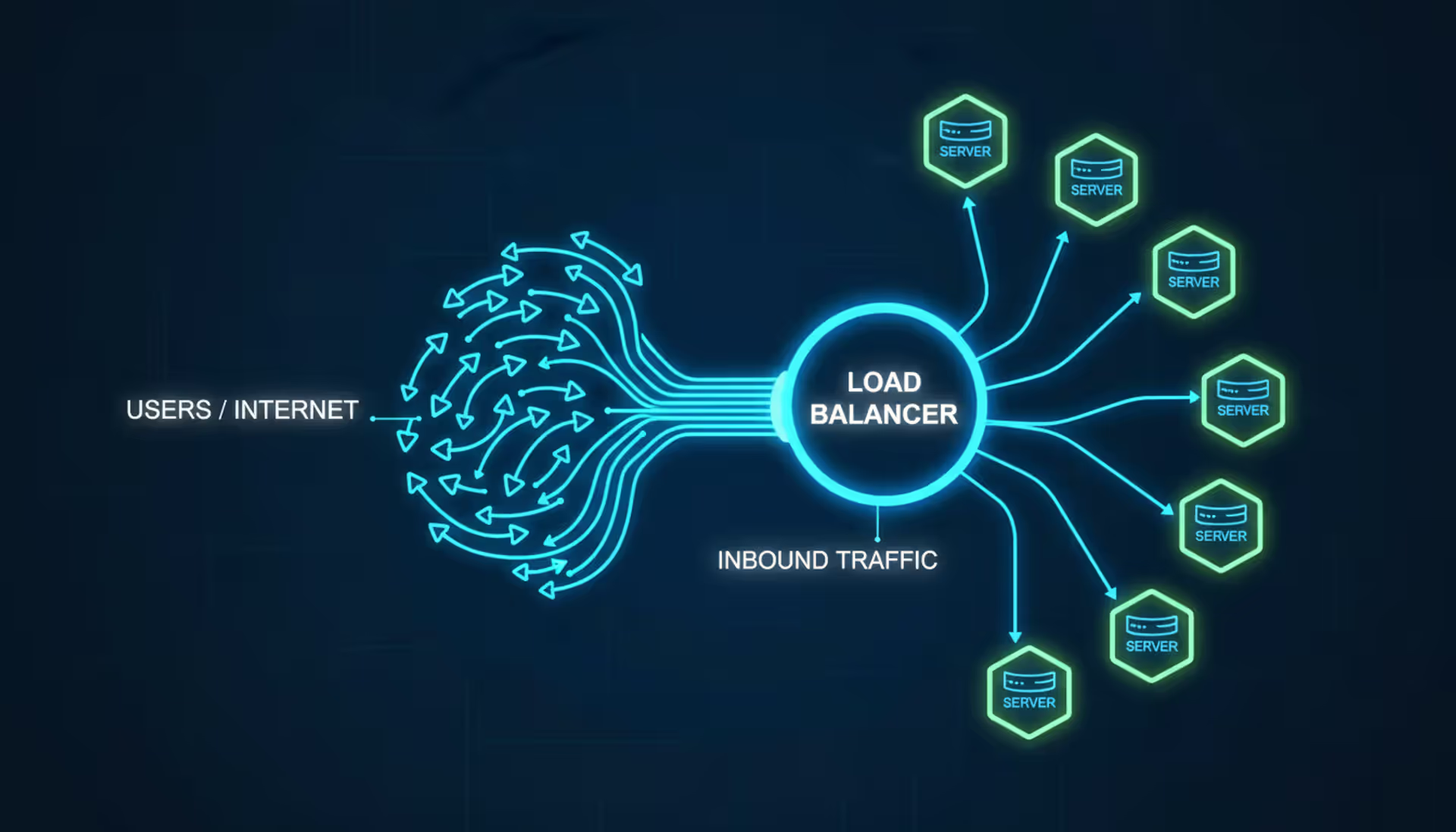
Load balancers distribute network traffic across multiple servers to prevent overload and ensure high availability. This guide covers load balancer architecture, algorithms, DNS-based methods, cloud services vs on-premises solutions, and implementation best practices for modern infrastructure
The content on this website is provided for general informational and educational purposes only. It is intended to explain concepts related to cloud computing, computer networking, infrastructure, and modern IT systems.
All information on this website, including articles, guides, and examples, is presented for general educational purposes. Technology implementations may vary depending on specific environments, business needs, infrastructure design, and technical requirements.
This website does not provide professional IT, engineering, or technical advice, and the information presented should not be used as a substitute for consultation with qualified IT professionals.
The website and its authors are not responsible for any errors or omissions, or for any outcomes resulting from decisions made based on the information provided on this website.