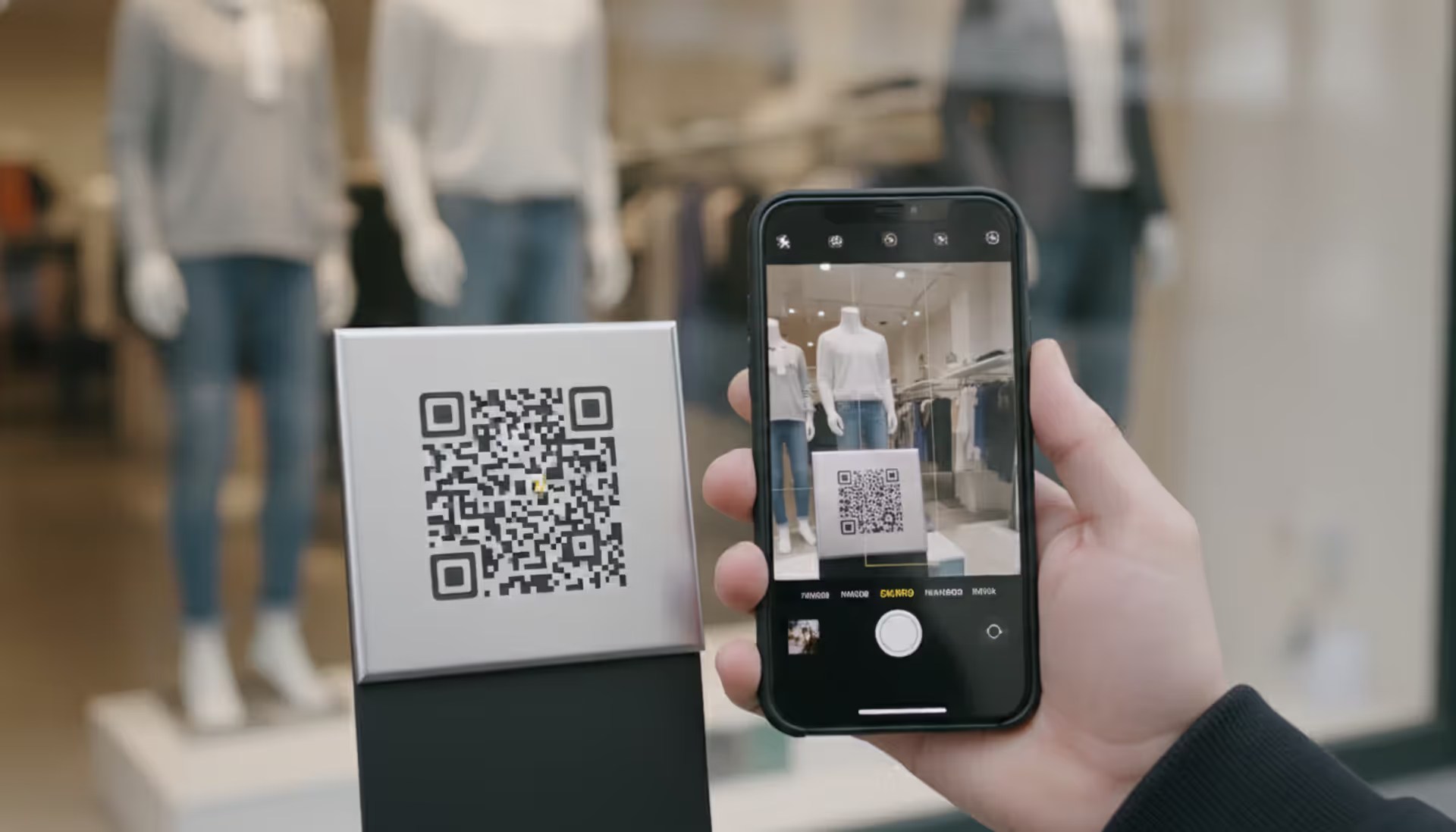
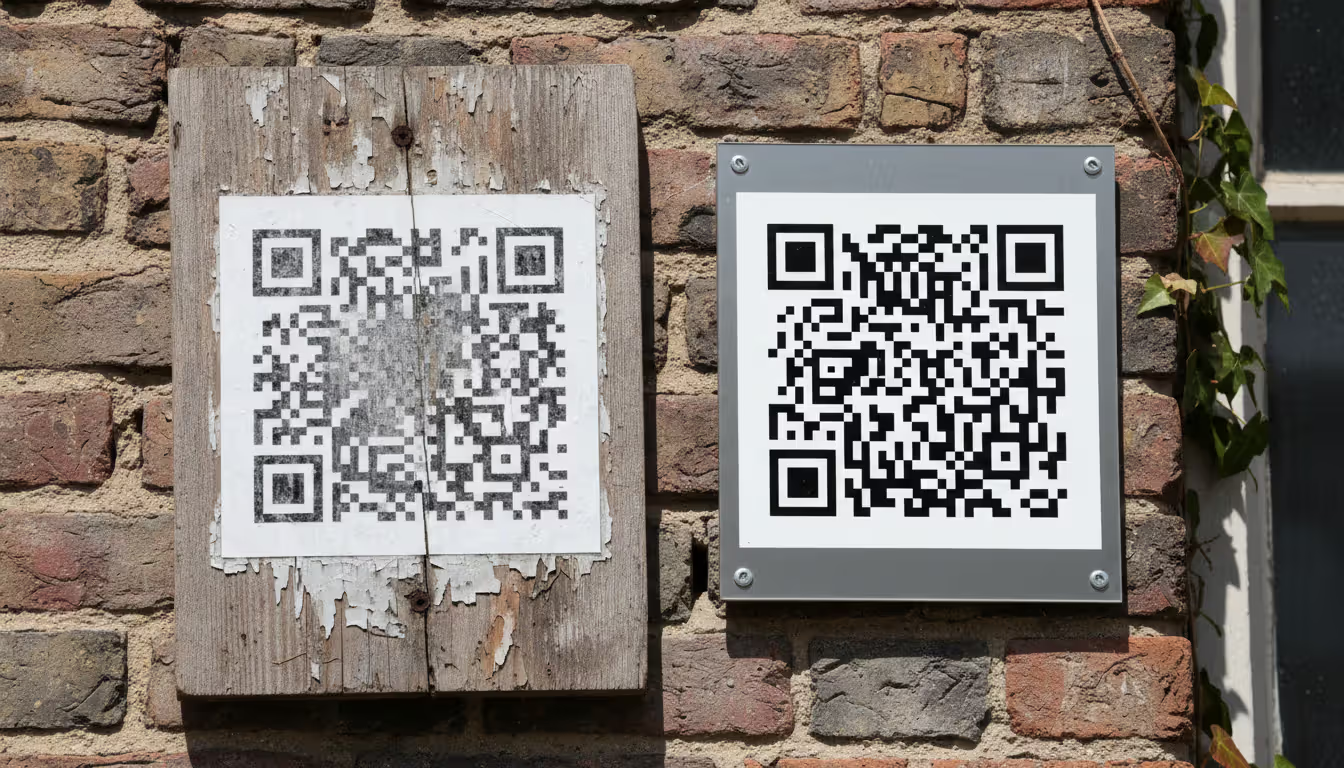
When you print 10,000 product labels or engrave a QR code onto a memorial plaque, the last thing you want is for that code to stop working. Yet every year, businesses discover their carefully placed QR codes lead nowhere—not because of damage, but because the code itself expired.
The good news? A properly created QR code can function indefinitely. The confusion stems from misunderstanding how these codes work and which type you're actually creating. Some QR codes contain the destination directly in their pattern, while others act as middlemen that can disappear when a service shuts down or a subscription lapses.
Understanding the difference between permanent and temporary QR codes will save you from costly reprints and frustrated customers. More importantly, it helps you choose the right solution before you commit to physical production.
What Makes a QR Code Expire or Last Forever
A QR code that doesn't expire contains all necessary information within its visual pattern. Think of it like the difference between writing a phone number directly on a business card versus writing "call my assistant for my number." The first works forever; the second only works as long as the assistant answers.
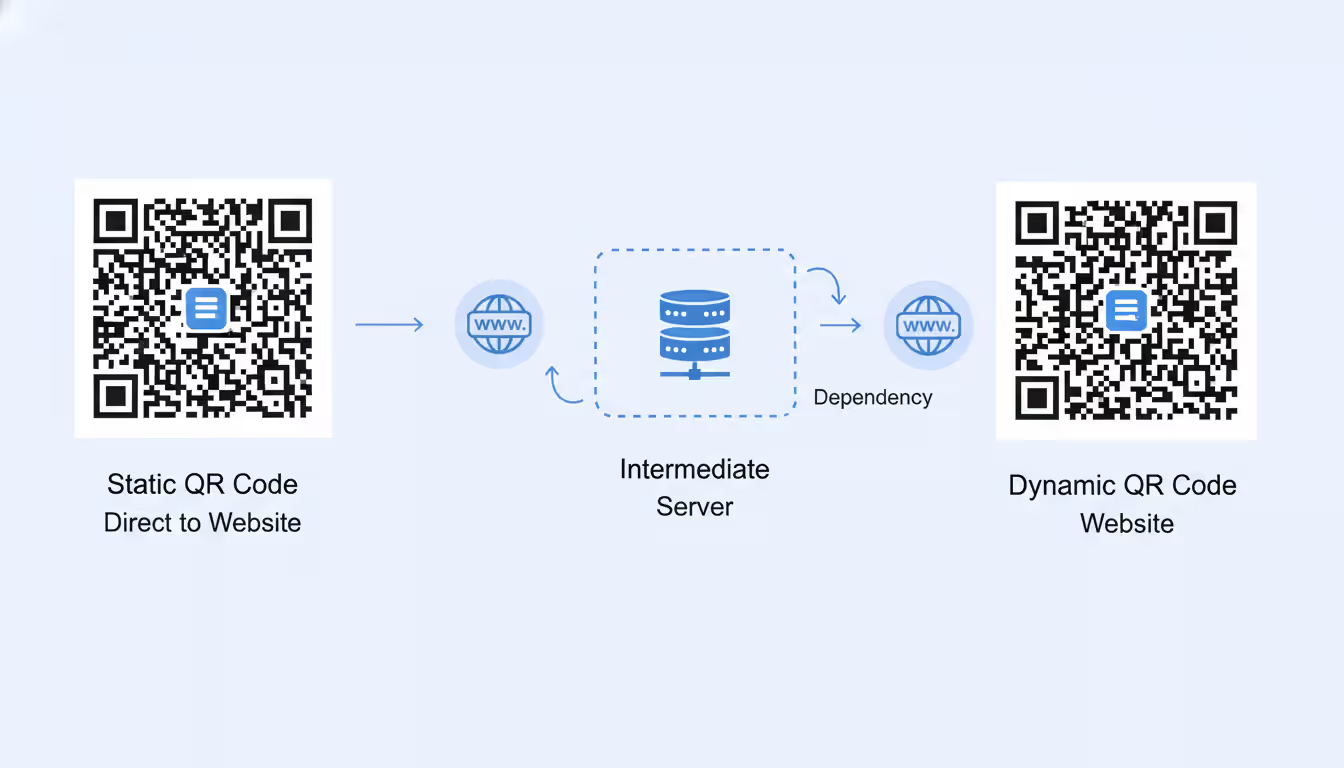
Static QR codes encode the destination URL, text, or data directly into the black-and-white squares. When someone scans the code, their device reads this embedded information and acts on it immediately. No external server processes the request. The code remains functional as long as the destination itself exists—if you encode "https://example.com/product" and that webpage stays live, the QR code works indefinitely.
Dynamic QR codes take a different approach. They encode a short redirect URL that points to a server maintained by the QR code service. When scanned, the request hits this intermediary server, which then forwards the user to your actual destination. This architecture enables powerful features like editing the destination after printing and collecting scan analytics. However, it creates a dependency: if the service provider goes out of business, increases prices beyond your budget, or terminates free accounts, every QR code you created through them stops working.
The expiration issue typically surfaces in three scenarios. First, free QR code services often impose time limits—30 days, 90 days, or one year—after which the redirect stops functioning unless you upgrade to a paid plan. Second, even paid dynamic QR services can shut down, leaving your codes pointing to dead servers. Third, if you create a dynamic code through your own domain but let that domain registration lapse, the redirect breaks.
Static codes avoid these pitfalls entirely because they contain no server dependency. The trade-off? You cannot change where they point after creation, and you get no data about who scanned them or when.
Author: Megan Holloway;
Source: baltazor.com
Types of QR Codes and Their Lifespan
Not all QR codes are built the same way. The format you choose determines whether your code will outlive your business or fail within months.
Static QR Codes
Static codes represent the original QR code concept. The encoded data lives entirely within the pattern of squares. When you generate a static QR code for a URL, that exact URL gets converted into the visual pattern using error correction algorithms and formatting rules established by the QR code standard.
These codes last forever in the technical sense. A static QR code created in 2010 still works perfectly in 2026 if the destination remains accessible. The physical medium might degrade—paper fades, plastic scratches—but the code itself never "expires" because there's no external service to maintain.
Static codes work best for unchanging information: WiFi credentials, geographic coordinates, permanent product pages, or simple text. Many businesses use them for "about this product" pages that won't change, contact information that remains stable, or links to evergreen content.
The limitation shows up when you need flexibility. If you print 5,000 brochures with a static code pointing to a landing page, then later want to redirect users to a different page, you're out of luck. The destination is literally embedded in the pattern.
Dynamic QR Codes
Dynamic codes solve the flexibility problem by introducing a redirect layer. The actual QR pattern contains a short URL (often called a "short link") that belongs to the QR service provider. This short URL redirects to your chosen destination, which you can change anytime through the service's dashboard.
A dynamic code might encode "qr.service.com/abc123" while your actual destination is "yourcompany.com/summer-promotion." When you want to switch to a fall promotion, you log into the service and update where "abc123" redirects—without changing the physical QR code.
This architecture enables scan tracking. Every scan hits the service's server first, allowing them to log the timestamp, approximate location, device type, and other metadata before forwarding the user. For marketing campaigns, this data proves invaluable.
The lifespan question becomes: how long will that redirect service exist? Paid enterprise services like those offered by major marketing platforms typically provide better longevity guarantees than free consumer tools. Some companies even offer service-level agreements promising uptime and data retention.
A middle-ground approach uses dynamic codes on your own domain. If you control "go.yourcompany.com" and create short URLs there, you maintain the redirect infrastructure yourself. The codes remain dynamic and trackable, but you're not dependent on a third-party service staying in business. This requires technical setup and ongoing server maintenance.
Author: Megan Holloway;
Source: baltazor.com
How to Generate a Permanent QR Code
Creating a QR code that doesn't expire requires choosing the right tool and configuration from the start. Changing your mind after printing thousands of codes becomes expensive quickly.
Start by deciding whether you truly need dynamic features. If you're printing codes on permanent installations—engraved signs, product packaging, business cards—and the destination won't change, static codes make sense. If you're running time-limited campaigns or need scan analytics, dynamic codes justify their complexity.
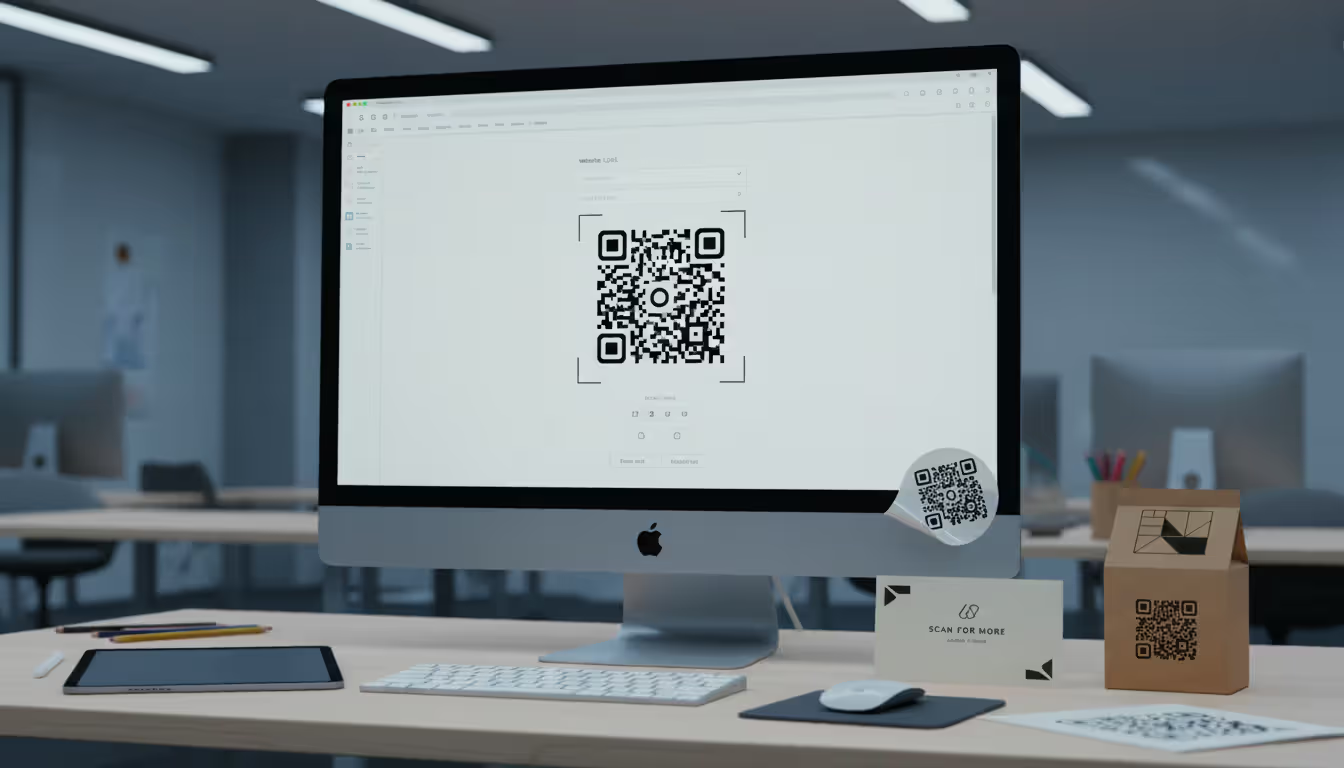
For static codes, numerous free generators create permanent codes without requiring accounts. Visit any reputable static QR generator, enter your URL or text, and download the resulting image. The code works immediately and forever. No login, no subscription, no expiration date. Save the high-resolution version (PNG or SVG format) for printing.
Before finalizing, test the code with multiple devices. Some generators produce malformed codes that certain scanners struggle to read. Verify that both iOS and Android devices can scan and process your code correctly.
For dynamic codes with permanence in mind, consider these approaches:
Option one: Use an enterprise QR platform with a strong track record and clear pricing. Companies that have operated for five-plus years and serve major brands are less likely to suddenly disappear. Read the terms of service carefully—some "lifetime" plans actually mean "lifetime of the company" or include asterisks about service changes.
Option two: Build your own redirect system. Register a short, memorable domain (like "go.yourcompany.com" or "scan.yourcompany.com"). Set up a simple redirect service using URL shortening scripts or redirect management tools. Create your dynamic QR codes pointing to this domain. You control the infrastructure, eliminating third-party risk. This approach requires technical capability or developer assistance.
Option three: Use static codes but build flexibility into your destination. Instead of pointing directly to "yourcompany.com/2026-spring-sale," point to "yourcompany.com/qr/product-a." Keep that URL live permanently, but change the content it displays. The QR code remains static, but you control what users see when they arrive. This gives you some dynamic-like flexibility without the infrastructure dependency.
When generating codes for physical production, export at the highest resolution available. Vector formats (SVG, EPS) scale infinitely and prevent quality loss during printing. For raster formats, aim for at least 300 DPI at the final print size.
QR Code Alternatives for Long-Term Use
Sometimes a QR code isn't the optimal long-term solution. Several alternatives offer different trade-offs between permanence, cost, and functionality.
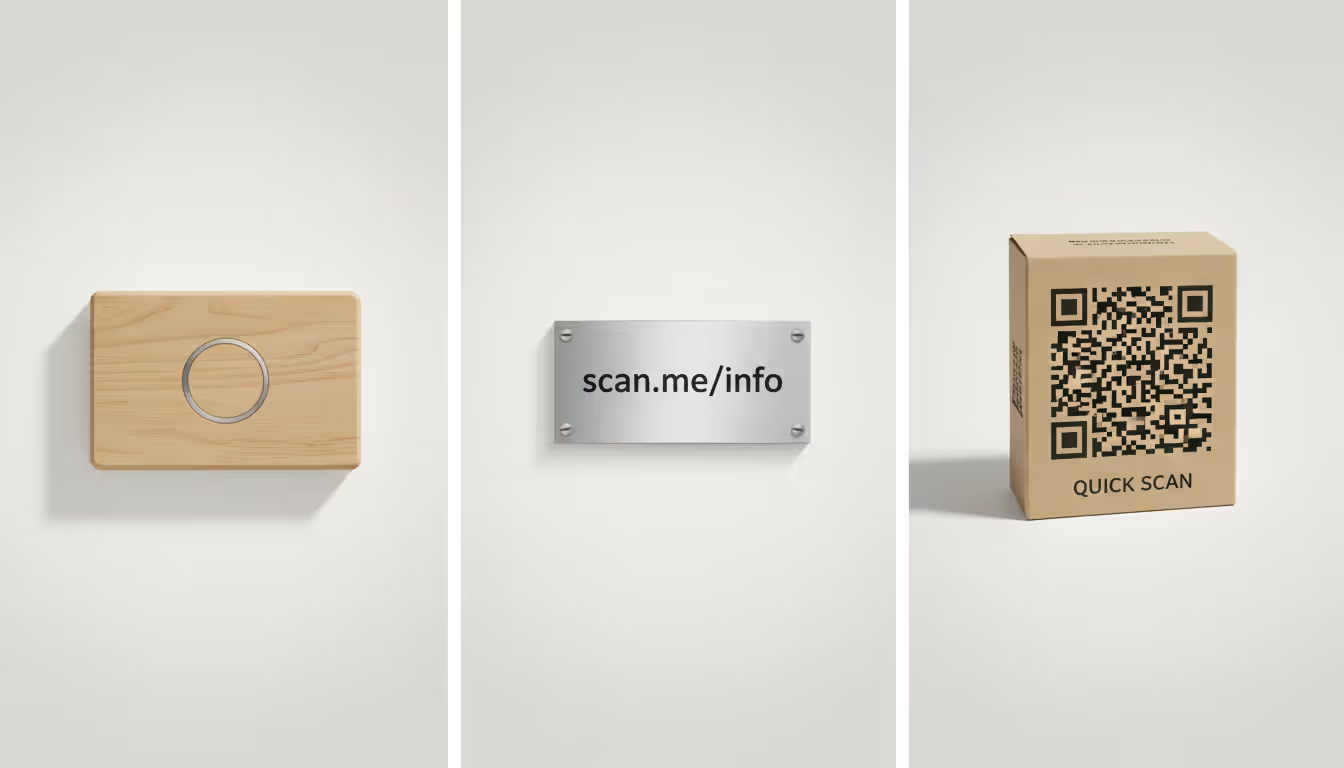
NFC tags provide a tap-instead-of-scan experience. These small chips can be embedded in products, cards, or signage. Users tap their phone against the tag to trigger an action—opening a URL, sharing contact information, or launching an app. NFC tags contain data directly on the chip (similar to static QR codes) or can redirect to a server (like dynamic codes). Physical durability often exceeds printed QR codes, making NFC suitable for harsh environments. The downside? Tags cost more per unit, and older phones lack NFC capability.
Short URLs printed as readable text offer surprising utility for permanent installations. "yourcompany.com/product" typed on a sign works as long as your domain exists. Users can manually type the URL if scanning fails. This redundancy matters for accessibility—some users prefer typing to scanning, and text URLs work even when cameras malfunction or lighting is poor.
Custom landing pages with memorable URLs eliminate the need for QR codes entirely in some contexts. Instead of putting a QR code on your product packaging, print "Learn more: product.yourcompany.com" in readable text. This approach works best when the URL is short and memorable. It also ages better—text remains readable even when faded or partially obscured in ways that would make a QR code unscannable.
Augmented reality markers represent the high-tech alternative. These visual patterns trigger AR experiences when viewed through specific apps. They offer richer interactions than simple URL redirects but require users to install particular software. Permanence depends on the AR platform's longevity.
The right choice depends on your use case. For business cards handed out at conferences, QR codes work well because recipients scan immediately. For a museum exhibit expected to last twenty years, engraved NFC tags or simple printed URLs might outlast any QR service. For product packaging, static QR codes pointing to permanent product information pages provide a good balance.
Author: Megan Holloway;
Source: baltazor.com
Common Uses for Non-Expiring QR Codes
Certain applications demand permanence. These scenarios illustrate where expiration would cause serious problems and how to avoid it.
Product packaging represents a classic permanent-code scenario. A bottle of wine might sit in someone's cellar for a decade before they scan the QR code to learn about the vineyard. Consumer electronics packaging might be stored in a garage for years before resale, at which point the new owner scans the code for setup instructions. These codes must be static or use rock-solid dynamic infrastructure.
Business cards with QR codes need longevity because you can't recall cards after handing them out. Someone might keep your card for two years before finally reaching out. A static code pointing to your professional website or a dynamic code on your own domain works; a free trial dynamic code does not.
Memorial plaques and gravestones increasingly feature QR codes linking to digital memorials, photo galleries, or biographical information. These must function for generations. Static codes are the only responsible choice—no family wants to discover their loved one's memorial code expired because a service shut down.
Museum and historical site exhibits use QR codes to provide detailed information without cluttering physical displays. A small plaque with a QR code can link to hours of audio content, historical photographs, or interactive timelines. These installations might remain unchanged for decades. Static codes pointing to institution-owned domains ensure long-term functionality.
Real estate signs benefit from QR codes that redirect to website listings with photos, virtual tours, and contact forms. While the property might sell quickly, the sign could be reused or might remain visible during extended listing periods. Using dynamic codes on the agency's own domain allows updating the destination for different properties while maintaining the same physical sign.
For businesses wanting to implement QR code location tracking, dynamic codes become necessary. A retail chain might place unique QR codes in each store location, with scans logged to understand which locations generate the most engagement. This requires dynamic infrastructure, but using the company's own redirect system ensures the codes outlive any third-party service.
Similarly, QR code redirect to website functionality often needs to be dynamic for marketing campaigns. A product might have one QR code printed on all packaging, but the destination changes seasonally—summer recipes, holiday gift guides, or spring cleaning tips. Owning the redirect infrastructure prevents expiration while enabling this flexibility.
QR Code Design Options That Don't Affect Permanence
Visual customization raises questions about longevity. Will a fancy-looking code expire faster than a plain one?
The answer: design choices don't affect expiration, but they can impact scannability—which is a different kind of failure.
QR codes in different shapes—circular frames, integrated into logos, or following brand-specific outlines—work fine as long as the core data pattern remains intact and readable. The QR standard includes significant error correction, allowing up to 30% of the code to be obscured or modified while remaining scannable. Designers exploit this tolerance to create branded codes.
Adding your logo to the center of a QR code doesn't make it expire sooner. The logo covers part of the data pattern, but error correction compensates. However, covering too much area or placing the logo in a critical position can make the code unscannable—a functional failure that resembles expiration from the user's perspective.
Color customization follows the same principle. Traditional black-on-white codes offer maximum contrast and reliability, but colored versions work if you maintain sufficient contrast. A dark blue pattern on a light yellow background scans fine; a light gray pattern on white might not. The code doesn't "expire," but poor contrast makes it effectively non-functional.
The permanence question remains entirely separate from design. A beautifully branded static QR code lasts forever. An ugly, plain dynamic QR code expires when the service dies. Design affects scannability and brand perception; the static-versus-dynamic choice affects longevity.
One design consideration does intersect with permanence: size. Printing a QR code too small can make it unscannable as the physical medium ages. A code that barely works when fresh might become unscannable after slight fading or wear. For permanent installations, err on the side of larger codes with higher error correction levels.
Mistakes That Can Make Your QR Code Stop Working
Even permanent QR codes can fail due to preventable errors. Understanding these pitfalls helps you avoid them.
Domain expiration kills more QR codes than any other single cause. You create a perfect static QR code pointing to "yourproductinfo.com," print 50,000 labels, then forget to renew the domain registration two years later. The QR code still works—it's static and permanent—but the destination disappeared. Always use domains you're committed to maintaining long-term, and set up auto-renewal with backup payment methods.
Service shutdowns affect dynamic codes. Free QR services have shut down with as little as 30 days' notice, leaving millions of codes pointing to error pages. Even paid services can close—companies get acquired, pivot to different products, or simply fail. If you must use third-party dynamic services, diversify across multiple providers for different campaigns, and maintain records of what codes point where so you can respond quickly if a service announces closure.
Author: Megan Holloway;
Source: baltazor.com
Broken redirects happen when you change website structure without updating codes. You create a dynamic QR code pointing to "yoursite.com/old-product-page," then redesign your website and remove that page. The redirect works fine, but the destination returns a 404 error. Maintain a redirect map for all URLs used in QR codes, and implement server-level redirects when restructuring your site.
Poor print quality creates codes that work initially but fail as they age. Insufficient resolution, low-contrast colors, or cheap materials cause codes to become unscannable over time. For permanent installations, use high-quality printing methods—engraving, screen printing, or professional digital printing on durable materials. Test printed samples with multiple devices before committing to large production runs.
Inadequate error correction makes codes vulnerable to minor damage. QR codes support four error correction levels: L (7% recovery), M (15%), Q (25%), and H (30%). Higher levels create more complex patterns but tolerate more damage. For permanent outdoor installations or products that might get scratched, use Q or H level error correction.
HTTPS versus HTTP mismatches cause problems on modern devices. If your QR code encodes "http://yoursite.com" but your website redirects to "https://yoursite.com," most browsers handle this gracefully. However, some security-conscious browsers or apps might block the transition or show warnings. Always encode the HTTPS version if your site supports it.
Assuming "permanent" means "maintenance-free" is the meta-mistake. Even static QR codes require monitoring. Check periodically that destinations remain live, test scannability of physical installations, and maintain documentation of what codes you've deployed and where. A quarterly audit of critical QR code destinations takes minimal time but prevents surprises.
The biggest mistake I see companies make is printing thousands of QR codes using free dynamic services without understanding the permanence implications. I've consulted with three different brands in the past year alone who faced five-figure reprint costs because their QR service shut down or changed terms. For anything going on physical materials with a lifespan beyond six months, you either need static codes or dynamic codes on infrastructure you own and control. The tracking features of third-party dynamic services are seductive, but they're not worth the risk for permanent installations
— Marcus Chen
FAQ
Do free QR codes expire?
It depends on the type. Free static QR code generators create codes that never expire because the data is embedded directly in the pattern. Free dynamic QR services often impose time limits—commonly 30 to 90 days—after which the redirect stops working unless you upgrade to a paid plan. Read the terms carefully before using any free service for permanent installations. If the service mentions "trial," "limited time," or requires an account, assume there's an expiration mechanism.
Can a static QR code ever stop working?
A properly created static QR code never expires on its own, but it can stop working if the destination disappears. If your static code points to "example.com/page" and that webpage is deleted or the domain expires, users will reach an error page even though the QR code itself remains functional. Physical degradation—severe fading, scratches, or damage—can also make a static code unscannable, but this is a material failure rather than code expiration.
What happens if the QR code service I used shuts down?
If you used dynamic QR codes through a third-party service that shuts down, those codes will stop working. The QR pattern itself contains only a redirect URL owned by the service (like "qrservice.com/abc123"), and when their servers go offline, scans lead nowhere. You cannot recover these codes—you must create new ones and replace the physical materials. This is why critical applications should use static codes or dynamic codes on infrastructure you control.
How long do printed QR codes last?
The physical lifespan depends entirely on materials and environment. Indoor codes on quality paper might remain scannable for 10-20 years. Outdoor codes face UV exposure, moisture, and temperature fluctuations that can fade or damage them within 1-3 years unless you use durable materials like engraved metal, UV-resistant vinyl, or ceramic. The code itself doesn't degrade—the physical medium does. High error correction levels help codes remain functional even as print quality deteriorates.
Can I track scans on a QR code that doesn't expire?
Static codes provide no tracking capability because scans never hit a server you control—they go directly from the user's device to the destination. To track scans on permanent codes, you need dynamic codes with reliable infrastructure. The best approach is creating dynamic codes on your own domain with redirect tracking, giving you both permanence (you control the infrastructure) and analytics (you log all redirect requests). This requires technical setup but eliminates dependence on third-party services.
Do custom-shaped QR codes have shorter lifespans?
No. Visual design doesn't affect expiration. A circular QR code integrated into your logo lasts just as long as a plain square one—the static-versus-dynamic choice determines longevity, not appearance. However, aggressive design modifications can reduce scannability, especially as the physical medium ages. If your custom design works with 15% error correction when fresh but the material degrades over time, it might become unscannable sooner than a conservative design with 30% error correction. Design affects reliability, not expiration.
Creating a QR code that doesn't expire comes down to understanding the difference between static and dynamic codes, then choosing the right approach for your specific needs. Static codes offer true permanence—they'll work as long as the destination exists and the physical medium remains scannable. Dynamic codes provide flexibility and tracking but introduce dependencies that can cause expiration.
For permanent installations like product packaging, business cards, or memorial plaques, static codes or self-hosted dynamic infrastructure provide the reliability you need. For marketing campaigns where you need analytics and the ability to update destinations, dynamic codes make sense—just ensure you're using a reliable service or your own domain.
The key is making an informed choice before production. Changing your mind after printing thousands of codes becomes expensive quickly. Test your codes thoroughly, choose high-quality materials for physical production, maintain the destinations your codes point to, and document what you've deployed. A few minutes of planning prevents years of headaches and costly reprints.
Your QR codes can absolutely last forever. You just need to build them that way from the start.
Organizations lose $5,600 per minute during network downtime. A network traffic monitor provides visibility into data flows, enabling IT teams to maintain performance, troubleshoot issues, and detect threats before escalation. This guide covers implementation, tool selection, and best practices
Network infrastructure failures cost enterprises an average of $9,000 per minute in 2026. This comprehensive guide covers network monitoring fundamentals, tool selection, deployment options, and alert configuration best practices to help organizations maintain optimal network performance
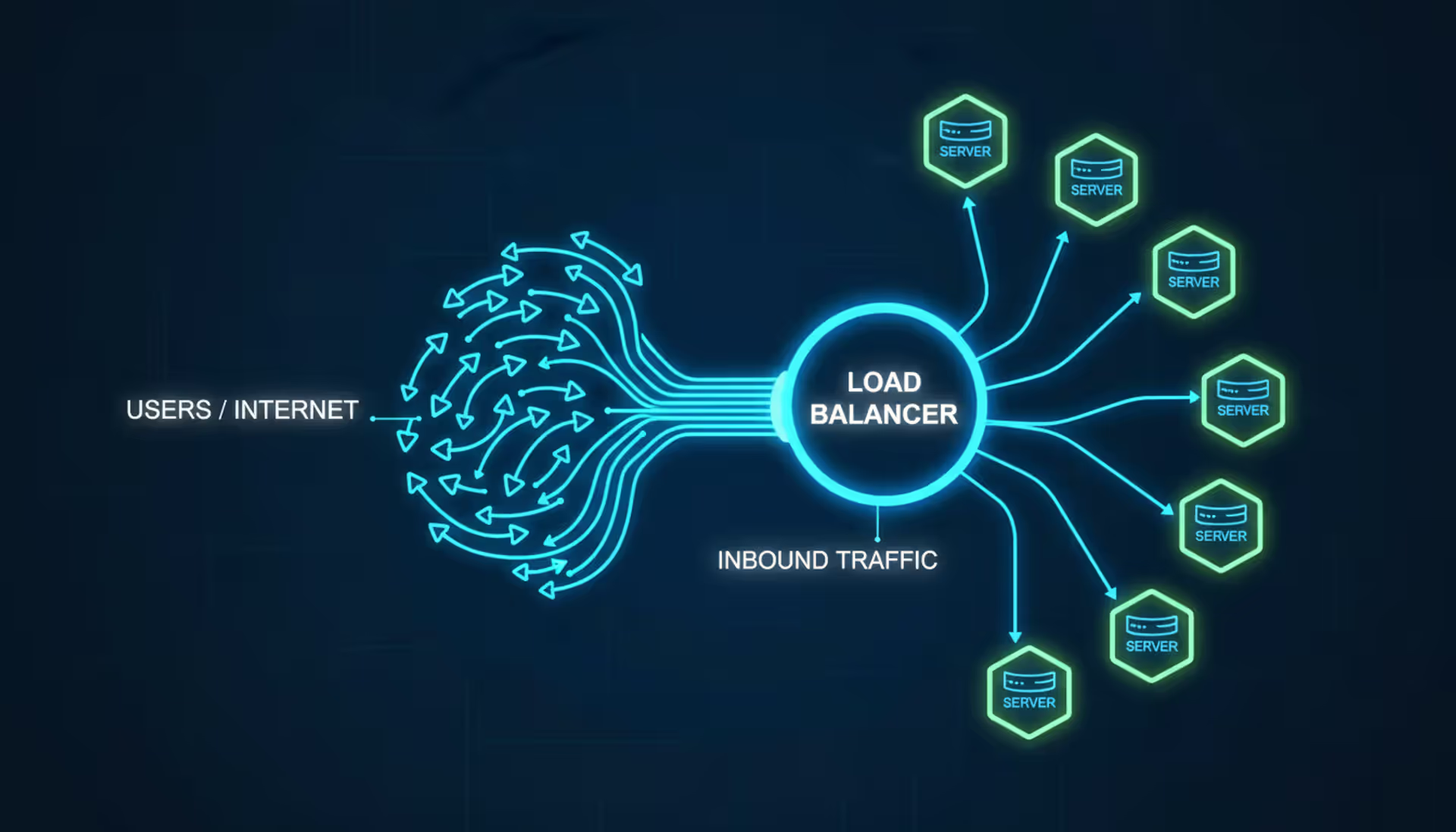
Load balancers distribute network traffic across multiple servers to prevent overload and ensure high availability. This guide covers load balancer architecture, algorithms, DNS-based methods, cloud services vs on-premises solutions, and implementation best practices for modern infrastructure
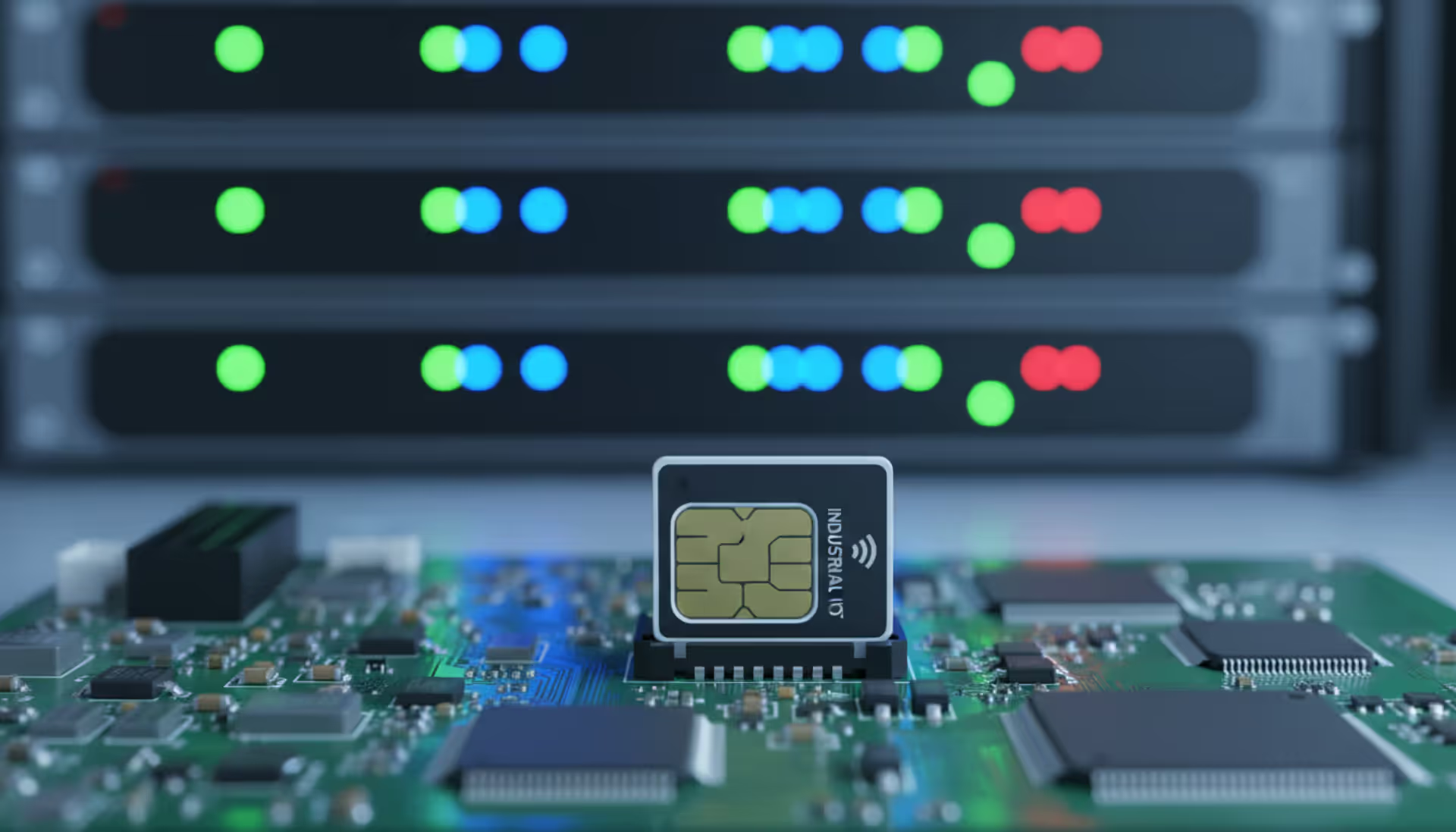
Deploying connected devices across states or countries requires more than a standard cellular plan. An internet of things sim card provides specialized connectivity for sensors, trackers, and industrial equipment—often for years without manual intervention
The content on this website is provided for general informational and educational purposes only. It is intended to explain concepts related to cloud computing, computer networking, infrastructure, and modern IT systems.
All information on this website, including articles, guides, and examples, is presented for general educational purposes. Technology implementations may vary depending on specific environments, business needs, infrastructure design, and technical requirements.
This website does not provide professional IT, engineering, or technical advice, and the information presented should not be used as a substitute for consultation with qualified IT professionals.
The website and its authors are not responsible for any errors or omissions, or for any outcomes resulting from decisions made based on the information provided on this website.