Want to spin up a server for testing without dropping cash? You're in luck—every major cloud company now throws free compute resources at new users. We're not talking about those useless 48-hour demos. These are real VMs you can actually use for building apps, running experiments, or hosting small projects.
But here's where it gets messy. Each platform structures their freebies totally differently. AWS might give you $300 to burn through. Google hands over a permanent micro instance. Oracle says "here's 24GB of RAM, go nuts." You need to decode what each provider actually offers before deploying anything serious.
What Qualifies as a Free Cloud Server
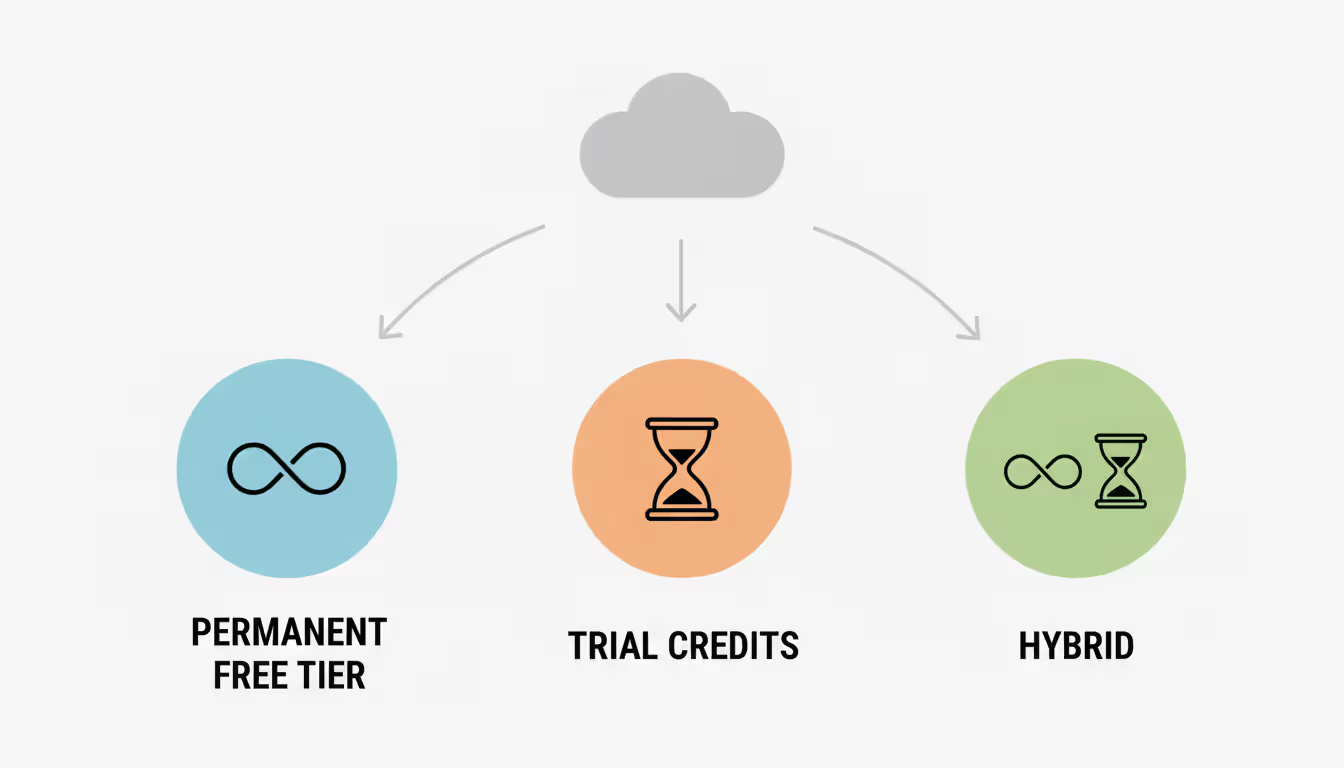
Cloud providers use "free" to describe three completely different arrangements. Mix them up and you'll either waste opportunities or get hit with surprise bills.
Permanent free tiers stick around indefinitely—assuming the company doesn't kill the program (looking at you, Heroku). Oracle Cloud gives you two 1GB AMD instances that never expire. They'll run 24/7 for years if you want. Google's e2-micro in certain US regions works the same way. The catch? These servers come intentionally hobbled. You're getting single-core machines with maybe 1GB RAM. Enough for small workloads, but forget about anything resource-intensive.
Trial credits work differently—platforms deposit cash in your account with a deadline attached. AWS drops $300 that expires after twelve months. Azure gives you $200 but you've got only thirty days to spend it. While the credits last, you can launch beefy instances—eight cores, 32GB RAM, whatever fits your budget. The clock ticks whether you spend $5 or $150 daily. Credits expire, infrastructure shuts down unless you add real payment info.
Author: Logan Kessler;
Source: baltazor.com
Hybrid programs combine both approaches in ways that confuse everyone initially. AWS Free Tier demonstrates this perfectly. You get 750 hours monthly of t3.micro instances for your first year (that's one instance running continuously). Plus you keep some stuff forever: a million Lambda invocations monthly, 25GB of DynamoDB storage that persists after year one. Google bundles a $300 credit valid for 90 days alongside their permanent e2-micro access.
Here's the annoying part: almost everyone demands your credit card upfront. Amazon, Google, Microsoft—they all require payment verification before you touch anything. They claim it prevents abuse, which honestly makes sense. But it also means a single config mistake could charge your card. Oracle lets some regional users skip verification, though you'll hit locked features without payment details. Your card sits untouched during normal free-tier use. Problems start when you accidentally cross limits or forget to kill a paid instance.
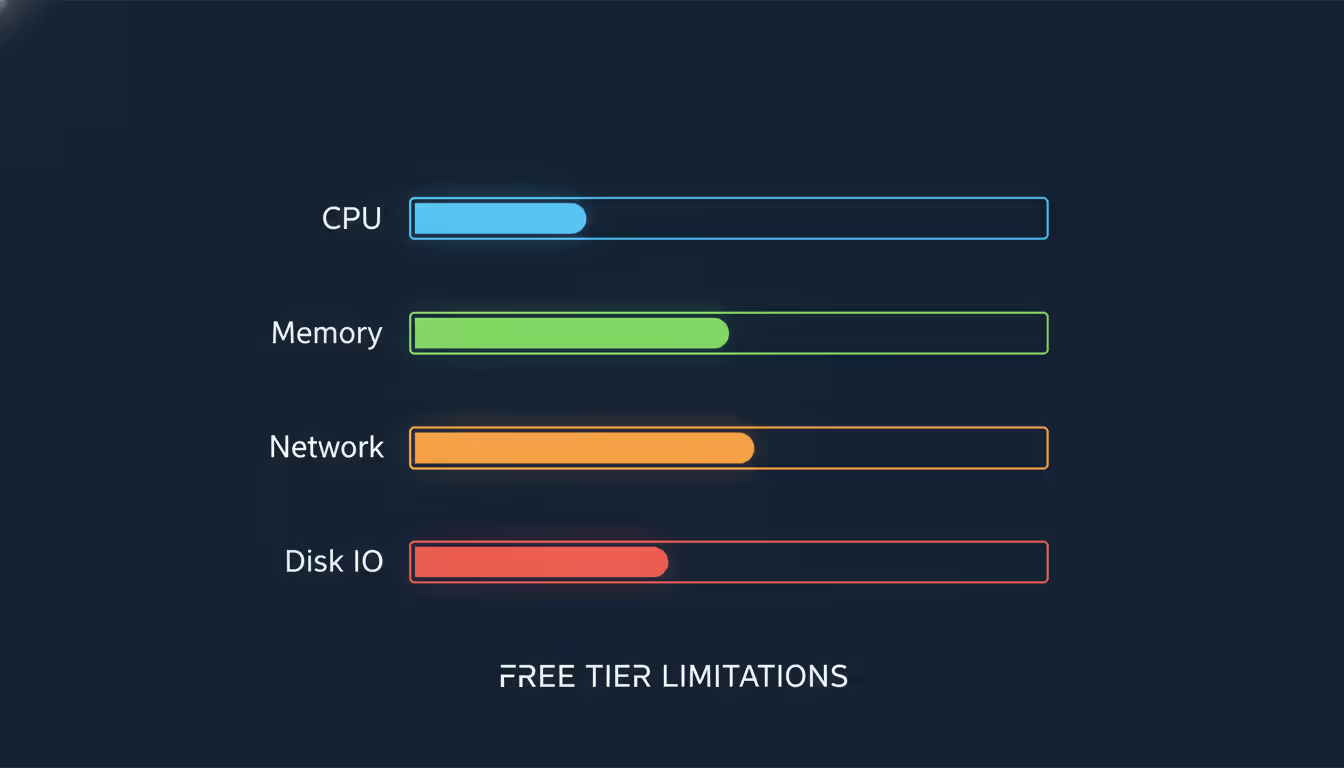
Watch your usage caps carefully. Compute instances throttle after you burn CPU credits. Memory ranges from a cramped 512MB up to maybe 2GB. Monthly hour allowances typically hit 720-750 hours—basically one instance running nonstop. Network egress (data leaving the cloud) caps around 1-5GB monthly. That's fine for SSH sessions and API calls. Try serving video or large downloads? You'll blow through limits immediately.
Major Providers Offering Free Cloud Computing Services
Five platforms matter most when hunting no-cost infrastructure. Each brings trade-offs worth understanding before committing.
Amazon Web Services spreads free stuff across 100+ different services. Their twelve-month intro includes 750 monthly hours of t3.micro Linux instances (one vCPU, 1GB memory), 30GB of EBS storage, and 5GB in S3 buckets. After year one, plenty stays free forever: a million Lambda calls monthly, 25GB DynamoDB storage, basic CloudWatch monitoring. The platform's complexity scares newcomers—AWS certifications command serious salaries because this stuff isn't simple. Upside? Community knowledge runs incredibly deep. Every obscure error message has Stack Overflow solutions.
Google Cloud Platform takes a cleaner approach. The $300 trial lasts ninety days before vanishing completely. But their always-free tier provides one e2-micro instance (0.25-1 vCPU, 1GB memory) in us-west1, us-central1, or us-east1, plus 30GB standard persistent disk, 5GB snapshot storage, and 1GB monthly data transfer to most locations. Cloud Functions (2 million invocations), Firestore (1GB storage), and Cloud Run (2 million requests) stay permanently available. The console feels less cluttered than AWS. Most first-timers get productive faster here.
Microsoft Azure targets folks already living in Microsoft's ecosystem. That $200 credit disappears after just thirty days—crazy short compared to competitors. Then you get twelve months of limited services: 750 hours of B1S VMs (one vCPU, 1GB memory), 64GB managed disk, 15GB outbound bandwidth, 5GB blob storage. Some stuff persists forever: 250GB SQL Database capacity, App Service hosting for ten web apps, and Functions with a million monthly executions. For teams shipping .NET apps or using GitHub Actions with Visual Studio, Azure feels like home.
Oracle Cloud Infrastructure delivers surprisingly beefy specs. Their permanent allocation includes two AMD VMs with 1GB memory each. Or—and this gets interesting—one Ampere Arm-based VM with four cores and 24GB memory. These resources never expire. Block storage adds 200GB while object storage throws in 10GB. Trade-offs? Fewer global regions than bigger competitors. Management tools feel dated. Smaller community means troubleshooting takes longer. But if your workload fits those Arm specs, you're getting insane value.
IBM Cloud and Alibaba Cloud serve niche audiences. IBM provides 180 monthly hours of virtual server time, 25GB block storage, and free Kubernetes cluster management. Alibaba Cloud runs twelve-month trial programs with stronger presence across Asia-Pacific versus North America. Both lag behind the big four in documentation quality and third-party integrations.
How to Choose the Right Free Cloud VM for Your Needs
Match compute resources to your actual workload instead of chasing whichever provider offers the biggest freebies on paper.
Learning environments run fine on minimal specs. Studying Kubernetes? Practicing Terraform? Teaching yourself Docker? A 512MB instance works perfectly. Prioritize platforms with solid tutorials over raw hardware. Google's Qwiklabs and Amazon's hands-on training beat extra RAM when you're just learning. Bonus points for picking the cloud your current employer uses—build skills that transfer to your day job.
Application prototypes need enough performance to demonstrate functionality without production-level reliability. Building a REST API for your mobile app idea? A t3.micro handles it easily. Training ML models needing 8GB memory? Free tiers won't cut it. Consider burning trial credits during concentrated development sprints, then archiving your code before credits expire.
Personal projects and side ventures can live indefinitely on permanent free infrastructure when traffic stays reasonable. Static site generators work beautifully. Personal blogs, Discord bots, portfolio sites—all solid candidates. Calculate bandwidth requirements first. Text-heavy content barely touches transfer meters. Photo galleries or embedded videos devour egress quotas fast.
Lightweight background services shine particularly well on always-free compute. Website monitors that ping URLs and send alerts. Scheduled jobs pulling data from third-party APIs. Simple webhook receivers listening for GitHub events. These apps consume minimal resources while delivering real utility. Oracle's Ampere instance surprises people—reported deployments successfully run small Nextcloud instances, multiplayer game servers supporting 5-10 concurrent players, and multiple Docker containers simultaneously.
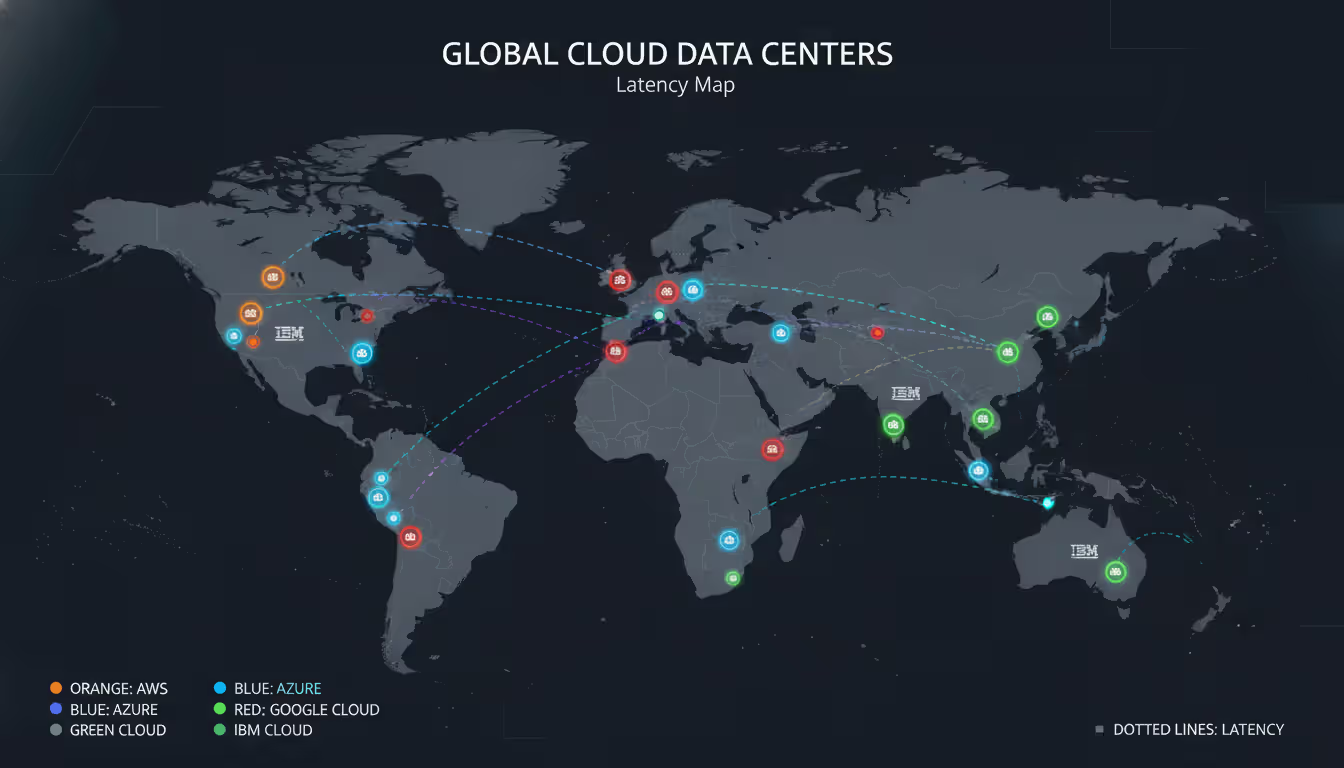
Geographic region availability matters more than you'd think. Free offerings frequently restrict deployment locations. Google's e2-micro only deploys across three specific US zones. When your users mostly live in Europe or Asia, expect noticeable latency. Regulatory compliance complicates this further—certain industries legally can't store sensitive data in specific jurisdictions. Verify your free tier region satisfies compliance before building anything serious.
Author: Logan Kessler;
Source: baltazor.com
Platform complexity varies wildly between providers. AWS demands understanding VPCs, security groups, and IAM roles before launching anything successfully. Google's Compute Engine assumes sensible defaults. Oracle's interface looks aesthetically dated but works reliably once you learn it. Need fast deployment without deep cloud expertise? Google or Azure provide gentler learning curves.
Performance Limitations to Expect
Free compute instances deliver acceptable performance for appropriate workloads. They also impose technical constraints that directly affect user experience.
CPU throttling creates the most noticeable impact. AWS t3.micro instances use credit-based throttling—your instance accumulates CPU credits during idle periods, then spends them during activity bursts. Sustain high CPU use long enough and you drain credits completely, throttling down to baseline performance (10% of one vCPU). That code compilation finishing in thirty seconds on paid infrastructure? Plan for five minutes after throttling kicks in. Oracle's always-free VMs skip this complicated system entirely, delivering consistent baseline performance.
Memory constraints force architectural choices you might not otherwise make. With 1GB total system memory, the OS itself eats 200-400MB depending on distribution. That leaves 600-800MB for your actual application. A typical Node.js app idles around 100-200MB, spiking higher during active requests. Add a database engine on the same instance—another 100-300MB gone. Memory pressure triggers disk swapping and performance collapses catastrophically. Split database and application layers across separate free instances whenever possible.
Network throughput rarely bottlenecks because monthly egress caps naturally limit total data transfer. Most providers throttle network connections at 1-2Gbps anyway—more than enough when you're capped at just a few gigabytes monthly total. Latency to other cloud services fluctuates based on geographic placement. Cross-region API requests add 50-100ms roundtrip. That becomes problematic for chatty API architectures making dozens of separate calls per user request.
Disk I/O on free storage delivers 50-100 IOPS typically. Fine for application code, config files, and static assets. Painfully slow for database-heavy workloads. A PostgreSQL database serving ten concurrent connections performs adequately. Scale up to one hundred simultaneous connections and queries start timing out regularly. Managed database services (many included in free tiers) optimize disk I/O separately from compute resources, effectively sidestepping this limitation.
Author: Logan Kessler;
Source: baltazor.com
Setting Up Your First Free Cloud Server
Walking through Google Cloud Platform shows the fundamental process. Most competitors follow remarkably similar steps.
Head to cloud.google.com and create a new account. You'll verify your email, confirm a mobile number, and provide credit card info (mandatory, though charges won't hit during legitimate free-tier usage). Accept the $300 trial credit offer—valid for ninety days from activation.
Open the console menu and navigate to Compute Engine. Click "Create Instance." Give it a meaningful name like "dev-server-01" or "staging-api-backend." Pick region us-central1 (Iowa datacenter) or us-west1 (Oregon)—both support the free e2-micro tier. Specific zone selection ("a" versus "b" versus "c") matters little for most cases.
Under "Machine configuration," select series "E2," then specifically choose "e2-micro" (two vCPUs, 1GB memory). The sidebar displays confirmation: "Your first 744 hours of e2-micro instance usage in us-west1, us-central1, or us-east1 are free this month"—verification you're within no-cost boundaries.
Pick your boot disk OS. Debian 12 or Ubuntu 22.04 LTS both work great. Configure disk size to thirty gigabytes (the max free allocation). Standard persistent disk type suffices—SSD upgrades trigger additional costs.
Expand "Networking" configuration and observe the ephemeral external IP assignment. For servers needing permanent IPs, reserve a static IP (one free per project). Your monthly bandwidth covers one gigabyte of outbound traffic to most global regions.
Within "Firewall" settings, check "Allow HTTP traffic" if deploying a web server. This automatically configures necessary firewall rules.
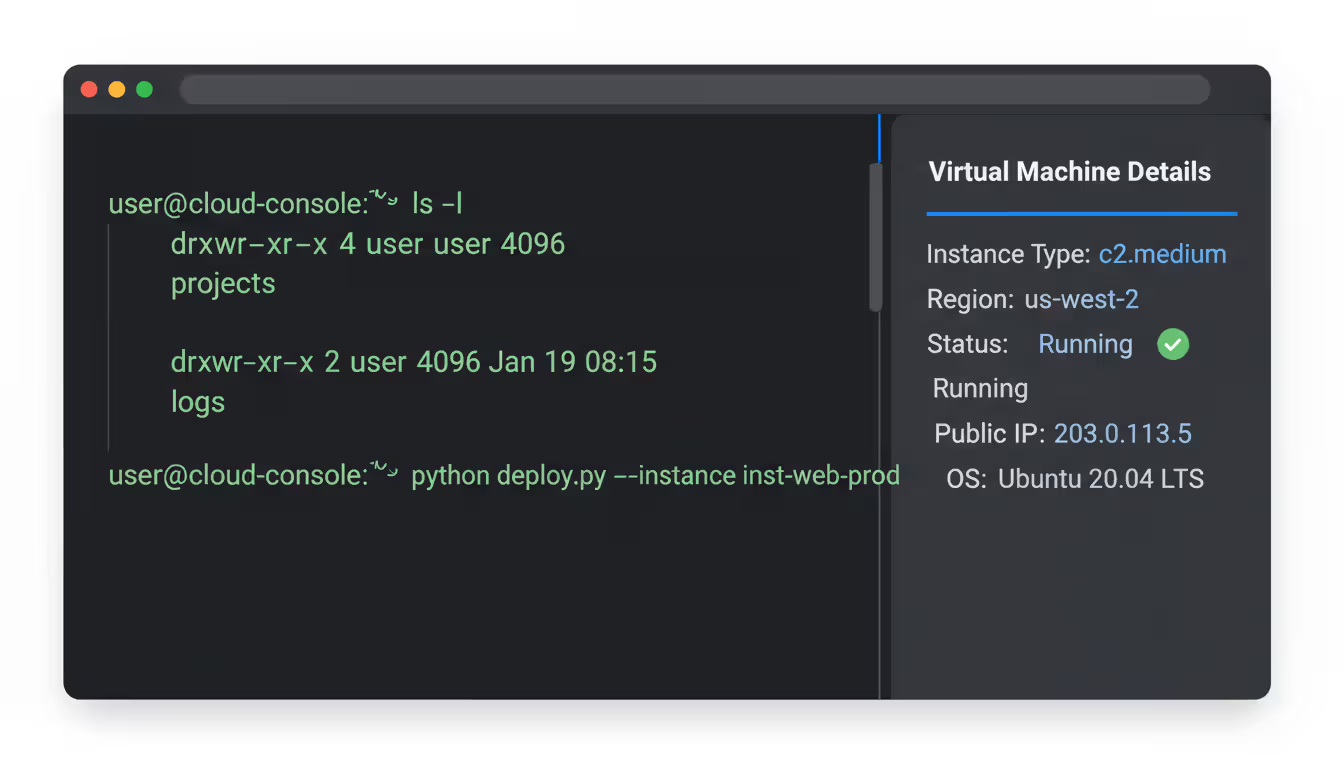
Click "Create" and wait. Provisioning typically finishes in 30-60 seconds. Once the instance shows running status, click the "SSH" button for a browser-based terminal. Zero SSH key management required—Google handles authentication automatically through your browser session.
First task: update system packages.
sudo apt update && sudo apt upgrade -y
Install your tech stack requirements. For Node.js apps:
sudo apt install nodejs npm -y
Configure your app to listen on port 80 (requires root privileges) or deploy a reverse proxy like nginx handling port forwarding. Set up a systemd service configuration so your app automatically restarts following system reboots.
For production-grade deployments, configure firewall rules manually and specifically instead of using the broad "Allow HTTP" checkbox. Create startup scripts automating instance configuration if you need to rebuild infrastructure.
Author: Logan Kessler;
Source: baltazor.com
Free Cloud Database and Storage Options
Most no-cost packages include database services, though specific capabilities vary considerably between platforms.
Relational databases appear in several forms. AWS delivers 750 monthly hours of db.t2.micro or db.t3.micro RDS instances (one vCPU, 1GB memory) for twelve months, supporting MySQL, PostgreSQL, or MariaDB engines with 20GB storage. Azure supplies 250GB of SQL Database with ten database transaction units. Google Cloud's managed Cloud SQL isn't included free, but you can manually install PostgreSQL or MySQL directly on your e2-micro compute instance.
NoSQL databases frequently provide better value within free tier constraints. AWS DynamoDB allocates 25GB storage, 25 read/write capacity units, and sufficient throughput supporting 200 million monthly requests—legitimately adequate for modest production apps. Google Firestore includes 1GB storage, 50,000 daily read operations, 20,000 writes, and 20,000 deletes. Azure's Cosmos DB supplies 1,000 request units per second alongside 25GB storage.
Object storage handles file uploads, backup archives, and static website hosting. AWS S3 includes 5GB storage, 20,000 GET requests, and 2,000 PUT requests monthly for twelve months. Google Cloud Storage provides 5GB regional storage plus 1GB monthly egress indefinitely. Azure Blob Storage offers 5GB locally redundant storage with 20,000 read operations and 10,000 writes.
The SQL versus NoSQL choice hinges primarily on your data model. Need complex table joins, transaction guarantees, or existing SQL expertise? Use RDS or Azure SQL. Does your data naturally fit key-value or document patterns? Prioritize horizontal scalability over strict relational integrity? DynamoDB or Firestore frequently perform better given free-tier resource constraints.
Storage limits directly shape architectural decisions. A user upload feature allowing 10MB images accommodates only 500 total uploads within a 5GB storage bucket. Implement aggressive file size restrictions, compress images server-side automatically, or plan free tiers exclusively for development while budgeting paid storage for production.
Database performance on free resources handles moderate traffic acceptably. DynamoDB's 25 capacity units support approximately 25 simple queries per second. A web app serving 1,000 daily active users making fifty requests each generates 50,000 total daily requests—comfortably within limits when evenly distributed across twenty-four hours, potentially problematic during concentrated peak traffic.
Common Mistakes When Using Free Cloud Trials
Four specific errors account for most unexpected bills and derailed project timelines.
Skipping billing alert setup causes the most financial damage. Configure monitoring notifications before deploying any infrastructure whatsoever. AWS enables billing alarms through CloudWatch—set up email notifications at $5, $10, and $20 spending thresholds. Google Cloud offers budget alerts at 50%, 75%, and 90% of your designated threshold. Azure's Cost Management dashboard provides equivalent functionality. Review these dashboards weekly throughout trial periods.
Crossing free-tier usage boundaries happens surprisingly easily through misconfigured resource specs. Launch a t3.small instead of the free t3.micro? That costs $0.0208 per hour—approximately $15 monthly. Forget deleting old disk snapshots? Storage charges accumulate silently. Enable detailed CloudWatch monitoring accidentally? Extra costs appear. Scrutinize your billing statement weekly and immediately investigate any unexpected line items. Most providers offer billing support teams that explain confusing charges.
Misreading automatic renewal policies generates surprise billing statements. AWS Free Tier benefits expire completely after twelve months, but deployed services keep running at standard commercial rates. Set a calendar reminder thirty days before expiration: systematically audit all running resources. Decide what to maintain (and budget appropriately) versus terminate permanently. Google's trial credits expire after ninety days but don't automatically enable billing—services stop functioning completely, preventing charges but also disrupting active projects unexpectedly.
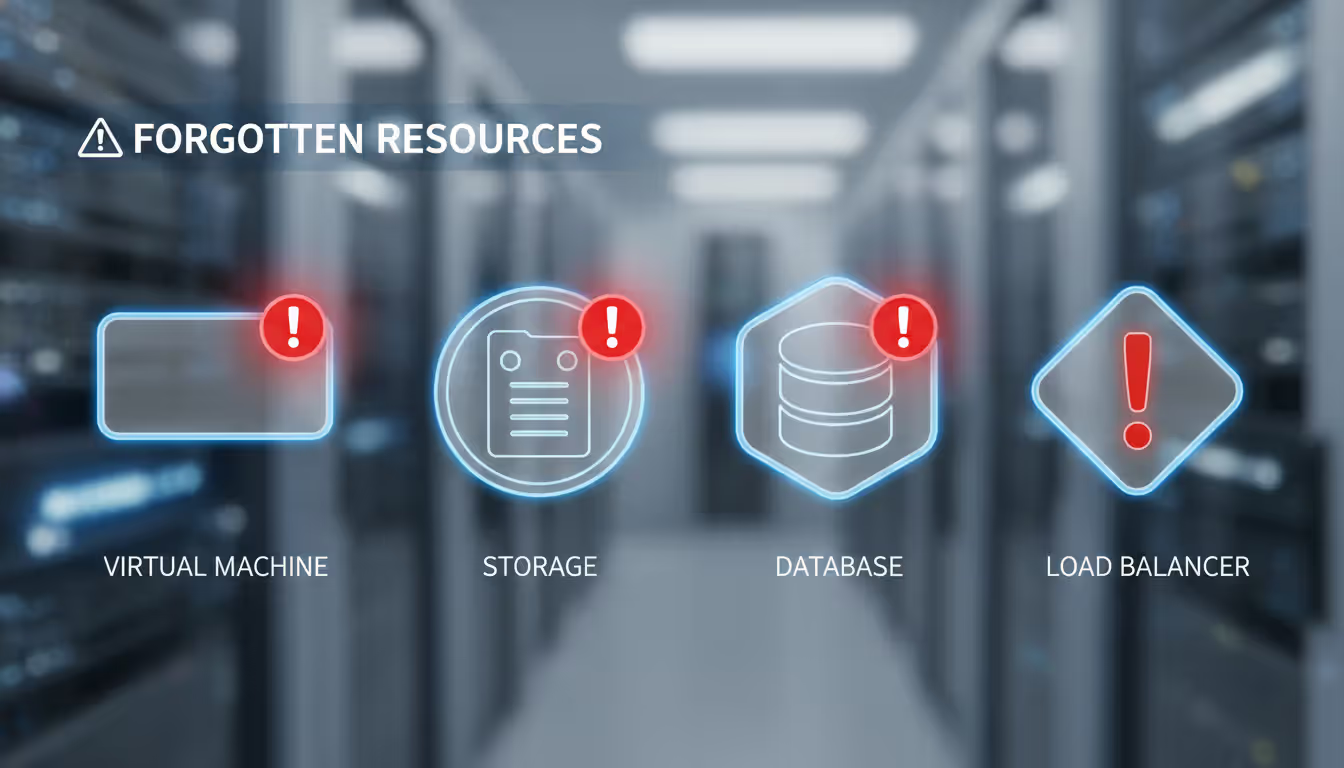
Abandoning orphaned resources wastes valuable free-tier allowances and creates unnecessary security exposure. Terminate test instances immediately after completing experiments. Delete obsolete snapshots and AMIs. Remove unused load balancers and elastic IPs (which incur charges when detached from running instances). Forgotten resources also present security vulnerabilities—outdated software packages on that abandoned instance become potential attack vectors.
Author: Logan Kessler;
Source: baltazor.com
Real scenario: You launch an AWS t3.micro instance and attach a 30GB EBS volume (both within free boundaries). Then you provision a second 100GB volume for database testing. After completing tests, you completely forget about it. EBS standard volumes cost $0.10 per gigabyte monthly—that's $10 monthly, $120 annually for completely unused storage. Regular infrastructure audits prevent this wasteful spending.
We prototype every new service concept on free tiers before committing any budget dollars. These aren't just marketing gimmicks anymore—they represent genuinely useful development platforms. The underlying economics make complete sense when you understand the business model. Cloud providers offer free resources intentionally to create sticky platform ecosystems. Once you've built substantial infrastructure on AWS or Google Cloud, migration friction naturally keeps you there when you eventually scale beyond free limits. Our team's strategy? Leverage free tiers aggressively for learning, experimentation, and concept validation, but architect deliberately for portability from day one. We containerize all applications, externalize configuration completely, and consciously avoid proprietary services we couldn't replicate on alternative platforms. That approach lets us maximize free resource utilization while maintaining negotiating leverage for better commercial rates or switching providers as our infrastructure needs grow
— Sarah Chen
Frequently Asked Questions About Free Cloud Computing
Do free cloud servers require a credit card?
Nearly universally, yes. Amazon, Google, and Microsoft all require payment card verification to prevent platform abuse and enable automatic billing when you exceed usage allowances. Oracle Cloud permits account creation without payment methods in certain geographic regions, though some platform features remain locked until verification occurs. Your card won't see charges during normal free-tier usage, but you're financially liable for costs if you accidentally exceed allowances or forget canceling services after trials expire. Virtual credit card numbers or prepaid debit options work with most cloud providers if you're worried about potential unexpected charges.
What happens when my free cloud trial expires?
Outcomes depend entirely on the specific provider and trial structure. AWS Free Tier services continue running seamlessly after twelve months but begin accruing standard commercial charges—a t3.micro instance costs roughly $7.50 monthly after trial expiration. Google's $300 trial credits expire after ninety days and deployed services stop functioning unless you explicitly upgrade to paid billing; you won't face charges, but you completely lose access until enabling payment methods. Permanent free tiers (like Google's e2-micro or Oracle's compute instances) continue indefinitely regardless of whether trial periods expired. Set a calendar reminder thirty days before expiration: decide whether to upgrade billing, downgrade infrastructure, or migrate workloads elsewhere.
Can I run a production website on a free cloud VM?
Technically feasible, practically depends heavily on traffic scale and risk tolerance. Personal blogs, professional portfolio sites, or small community projects serving under 1,000 daily visitors run comfortably on e2-micro or t3.micro instances. Performance degrades noticeably during unexpected traffic spikes. You lack infrastructure redundancy—hardware failures or provider maintenance windows cause complete downtime. For business-critical applications or e-commerce platforms, free tiers suit development or staging environments exclusively, never production deployment. The 1-5GB monthly bandwidth restriction also severely limits production viability—one viral social media post exhausts your entire allowance within hours.
How long do always-free tiers last?
As long as providers choose to maintain these programs. Google's e2-micro, Oracle's compute VMs, and AWS services like Lambda and DynamoDB carry no stated expiration in current terms of service. However, cloud providers can modify or completely cancel free tier programs with advance notice—typically ninety days minimum. Heroku eliminated their entire free tier offering in late 2022, forcing thousands of hobby projects to migrate platforms on short notice. Build applications on always-free infrastructure while maintaining migration contingency plans. Use infrastructure-as-code practices so you can redeploy elsewhere if necessary. Monitor provider blog posts and terms of service updates for program changes.
Are free cloud databases suitable for real applications?
DynamoDB's 25GB storage and 200 million monthly request allowance genuinely supports production workloads at modest scale. Apps serving several thousand users with moderate database interaction fit comfortably within limits. Azure SQL's 250GB capacity handles substantial data volumes effectively. Constraints appear primarily in throughput capacity and advanced features—free tiers typically lack automated backup systems, point-in-time recovery capabilities, or multi-region replication. For MVPs, side projects, or apps with clear upgrade migration paths, free database tiers work excellently. For apps handling sensitive data or requiring high availability guarantees, invest in paid tiers immediately to access backup, monitoring, and technical support features.
Can I upgrade from free to paid without losing my data?
Absolutely—all major cloud providers support seamless billing upgrades. AWS automatically transitions services to paid billing after free-tier expiration or credit depletion—your running instances, databases, and storage buckets continue operating uninterrupted. Google Cloud requires explicit upgrade to a paid account through the console, but all deployed resources persist unchanged. You enable billing and continue working immediately without disruption. Zero data migration becomes necessary. The upgrade process typically takes mere seconds in the management console. Before upgrading billing, carefully review actual resource usage patterns to estimate realistic monthly costs. Many users discover actual spending amounts to just $5-15 monthly, far less than initially feared, making the upgrade decision significantly easier.
Cloud computing freebies in 2026 provide legitimate infrastructure supporting learning, development workflows, and lightweight production workloads. Your solid options: Amazon for service breadth, Google Cloud for simplicity and permanent free instances, Azure for Microsoft ecosystem integration, Oracle for generous compute specifications.
Success requires understanding distinctions between time-limited trial credits versus permanent always-free tiers, monitoring usage to avoid unexpected charges, and matching application workload requirements to resource constraint realities. A 1GB RAM instance handles considerably more than you'd initially expect with proper optimization—static websites, API servers, scheduled background jobs, and small database deployments all run effectively within these constraints.
Start with one provider's free tier offering. Deploy a simple project. Learn that specific platform's operational quirks and management patterns. Configure billing alerts before creating any infrastructure resources. Document your infrastructure as code so you can recreate environments rapidly elsewhere if needed. When you eventually outgrow free resource allocations, you'll possess sufficient knowledge to make informed decisions about paid tier upgrades or alternative provider migrations.
The optimal free cloud server? Whichever platform you'll actually use to build something tangible. Stop researching endlessly. Start deploying infrastructure today.
When you print thousands of product labels or engrave a QR code onto a memorial plaque, that code must work indefinitely. Learn which QR code types never expire, how to generate permanent codes, and mistakes that can make even 'permanent' codes fail
Organizations lose $5,600 per minute during network downtime. A network traffic monitor provides visibility into data flows, enabling IT teams to maintain performance, troubleshoot issues, and detect threats before escalation. This guide covers implementation, tool selection, and best practices
Network infrastructure failures cost enterprises an average of $9,000 per minute in 2026. This comprehensive guide covers network monitoring fundamentals, tool selection, deployment options, and alert configuration best practices to help organizations maintain optimal network performance
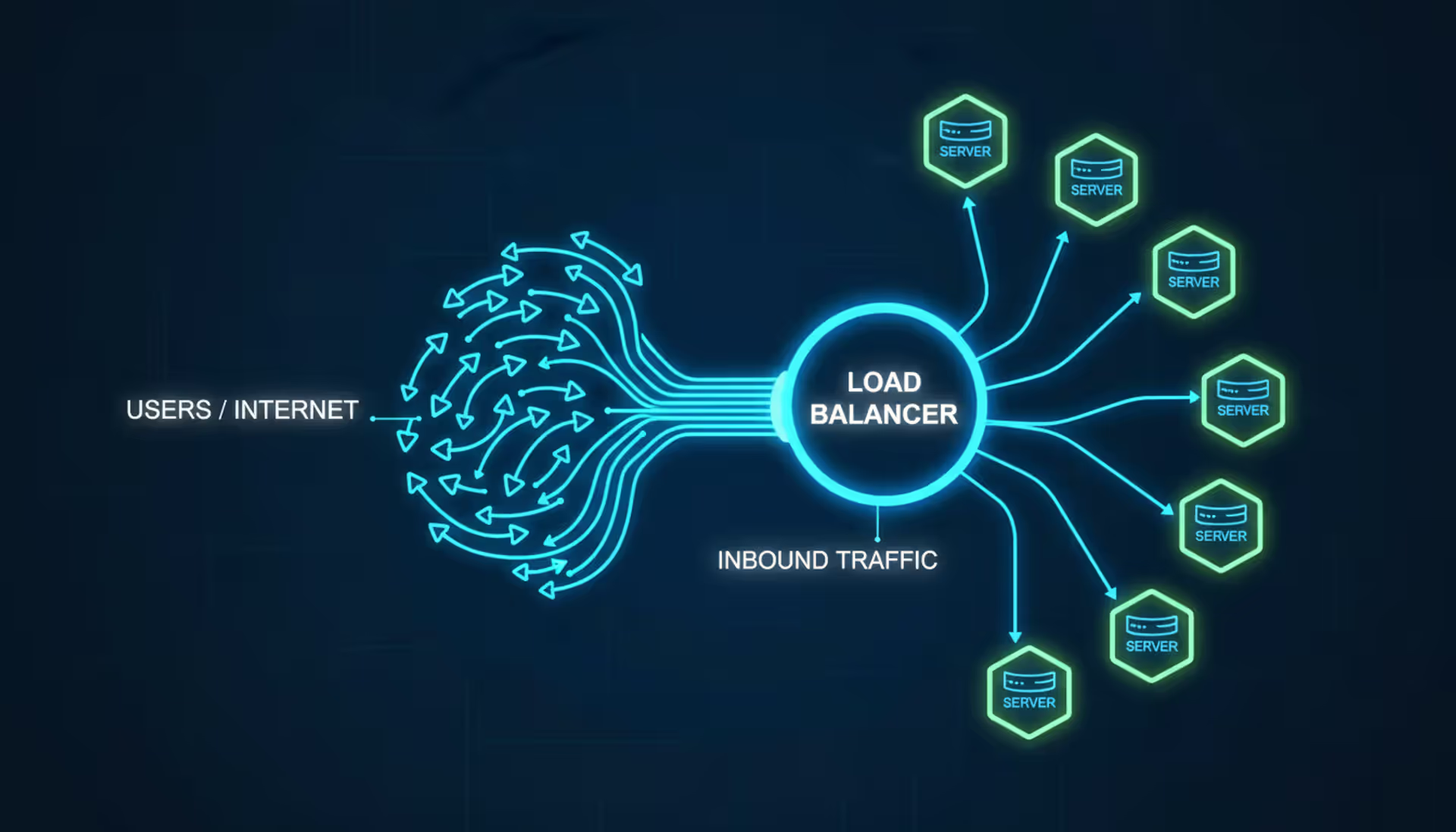
Load balancers distribute network traffic across multiple servers to prevent overload and ensure high availability. This guide covers load balancer architecture, algorithms, DNS-based methods, cloud services vs on-premises solutions, and implementation best practices for modern infrastructure
The content on this website is provided for general informational and educational purposes only. It is intended to explain concepts related to cloud computing, computer networking, infrastructure, and modern IT systems.
All information on this website, including articles, guides, and examples, is presented for general educational purposes. Technology implementations may vary depending on specific environments, business needs, infrastructure design, and technical requirements.
This website does not provide professional IT, engineering, or technical advice, and the information presented should not be used as a substitute for consultation with qualified IT professionals.
The website and its authors are not responsible for any errors or omissions, or for any outcomes resulting from decisions made based on the information provided on this website.