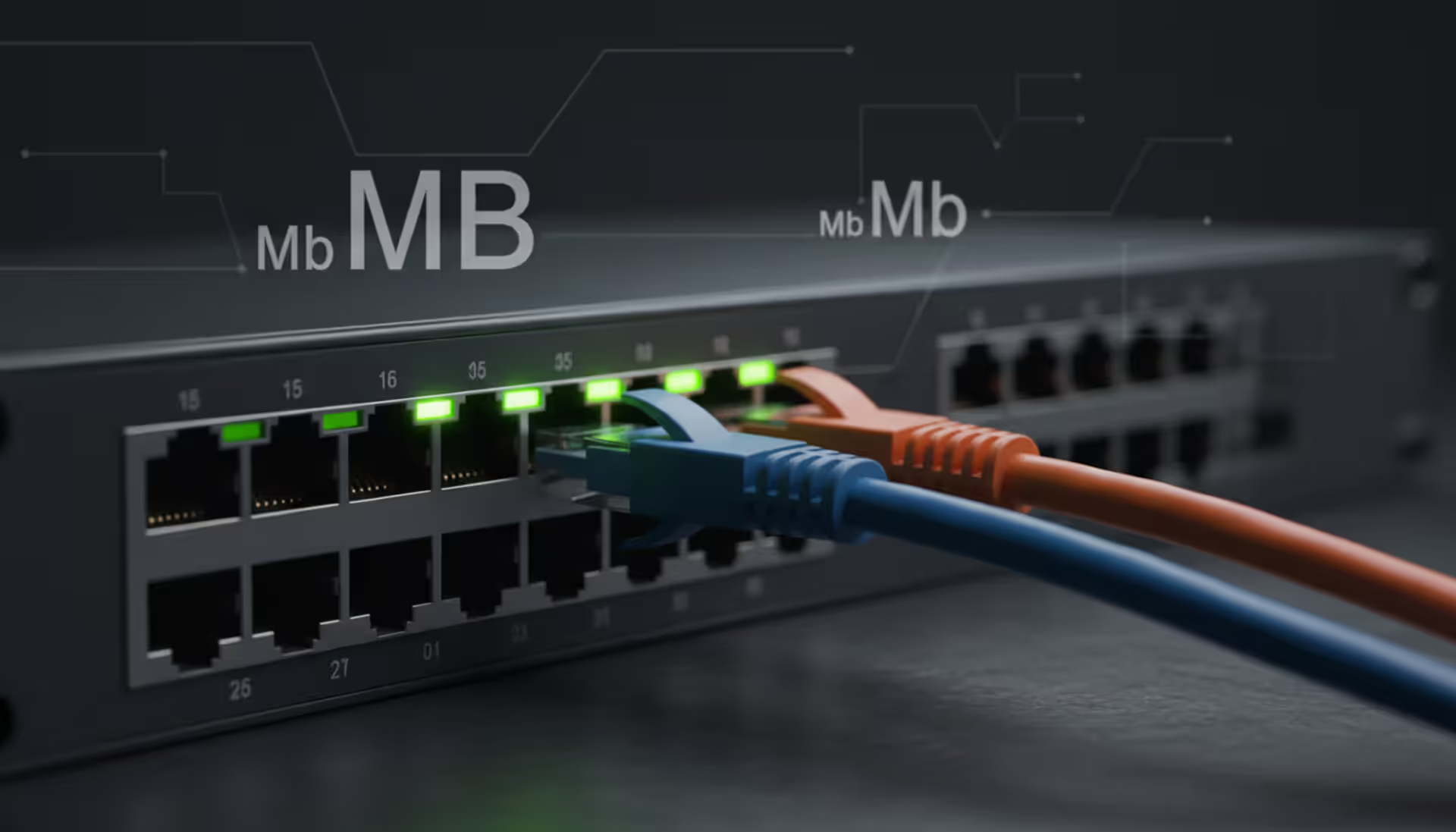
When you sign up for a 100 Mbps internet plan and try to download a 100 MB file, you might expect it to take one second. Instead, it takes closer to eight seconds. This isn't your internet provider misleading you—it's the difference between megabits (Mb) and megabytes (MB) at work. Understanding this distinction helps you interpret internet speeds correctly, estimate download times accurately, and avoid confusion when comparing service plans or troubleshooting connectivity issues.
What Are Mb and MB in Computing?
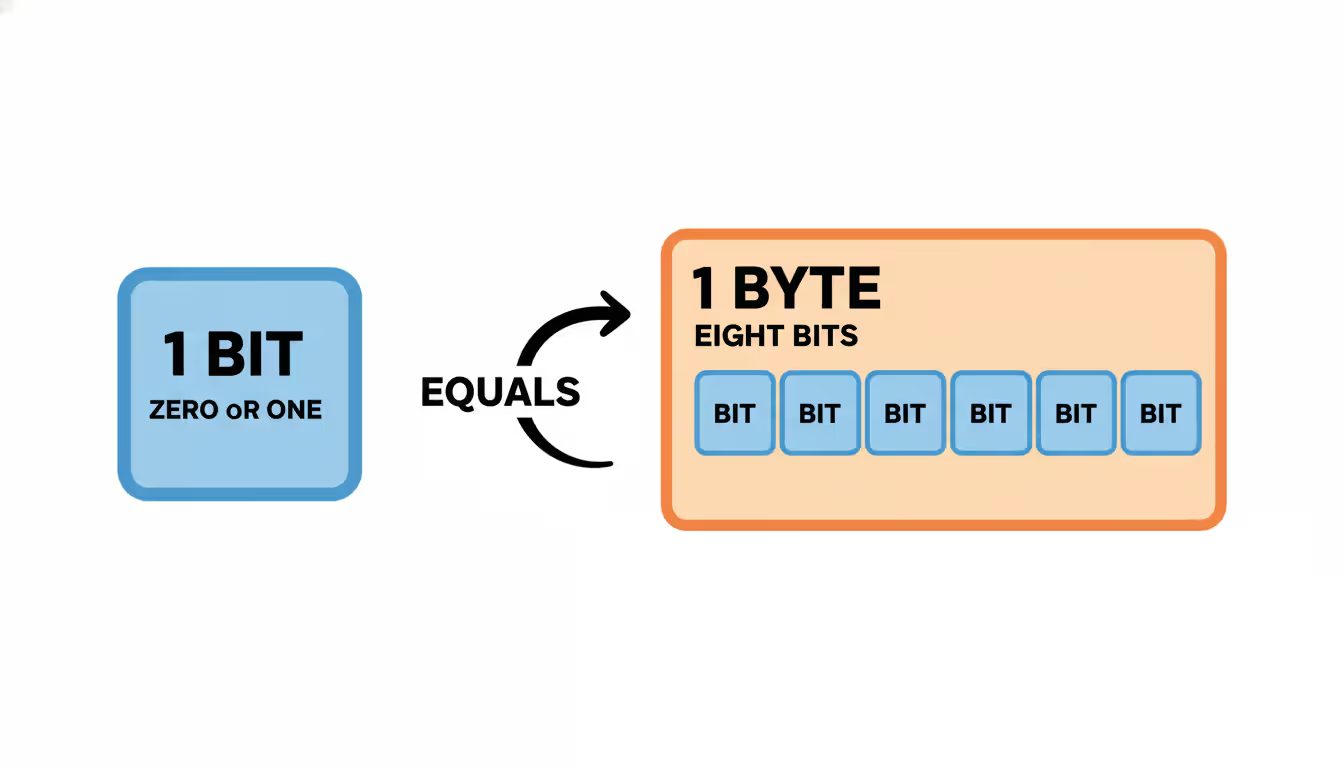
At the foundation of digital computing lies the bit—the smallest unit of data, represented as either a 0 or 1. Eight bits grouped together form one byte, which typically represents a single character of text. This 8-to-1 relationship creates the core difference between megabits and megabytes.
A megabit (Mb) equals one million bits. Internet service providers, network engineers, and telecommunications companies use megabits per second (Mbps) to measure data transfer rates. When you see "250 Mbps fiber connection," that specification tells you how many millions of bits travel through the network each second.
Author: Ethan Norwood;
Source: baltazor.com
A megabyte (MB) equals one million bytes, or eight million bits. Software developers, operating systems, and storage manufacturers use megabytes to quantify file sizes and storage capacity. Your photo might be 3.2 MB, your presentation 15 MB, and your video 450 MB.
Capitalization matters significantly in these abbreviations. A lowercase "b" always indicates bits, while an uppercase "B" designates bytes. Mixing them up leads to miscalculations by a factor of eight. Network equipment documentation, technical specifications, and professional communications maintain this distinction rigorously because the consequences of confusion can be expensive—imagine provisioning one-eighth the bandwidth a business actually needs.
The bit-versus-byte convention emerged from early telecommunications history. Phone lines and network cables transmit individual electrical signals (bits) sequentially, making bits the natural unit for measuring transmission speed. Storage devices and memory chips, however, organize data into byte-sized chunks for processing, making bytes the logical choice for capacity measurements.
How Mb and MB Differ in Real-World Use
Internet service providers advertise connection speeds in megabits per second because they're measuring the rate at which data flows through network infrastructure. A 500 Mbps cable connection can theoretically transmit 500 million bits every second. This measurement reflects the physical capability of the network equipment and cabling.
File sizes, downloads, and storage always appear in megabytes (or gigabytes) because they represent discrete quantities of data at rest. Your operating system reports that a software installer is 2,400 MB because that's how much storage space the file occupies. Cloud storage services sell plans in gigabytes (1,000 MB) or terabytes (1,000,000 MB) for the same reason.
Author: Ethan Norwood;
Source: baltazor.com
The conversion between these units follows a straightforward formula: 8 megabits equal 1 megabyte. To convert Mbps to MBps (megabytes per second), divide by 8. To convert MB to Mb, multiply by 8. A 100 Mbps connection transfers approximately 12.5 MB per second in ideal conditions (100 ÷ 8 = 12.5).
Real-world performance introduces additional variables. Network overhead—the extra data required for routing, error checking, and protocol management—typically consumes 5-15% of available bandwidth. A 200 Mbps connection might deliver 23 MB per second rather than the theoretical 25 MB per second. Server limitations, network congestion, and distance from routing equipment further impact actual transfer speeds.
Understanding this distinction prevents disappointment and helps set realistic expectations. Someone upgrading from a 50 Mbps plan to 100 Mbps should expect download speeds to increase from roughly 6 MB per second to 12 MB per second, not from 50 to 100.
Common Scenarios Where Mb vs MB Matters
Downloading Files and Streaming Media
When downloading a 4,000 MB video game on a 200 Mbps connection, you can estimate completion time by converting units. The connection delivers approximately 25 MB per second (200 ÷ 8), so the download takes roughly 160 seconds, or about 2 minutes and 40 seconds. Without understanding the Mb/MB difference, someone might incorrectly expect a 20-second download.
Streaming services provide another practical example. Netflix recommends 25 Mbps for 4K streaming—that's 3.125 MB per second of sustained data flow. A two-hour movie at this bitrate consumes approximately 22,500 MB (22.5 GB) of data. Budget-conscious users monitoring data caps need this conversion to track consumption accurately.
Author: Ethan Norwood;
Source: baltazor.com
File backup scenarios amplify the importance of correct calculations. Backing up 500,000 MB (500 GB) of family photos to cloud storage over a 50 Mbps upload connection takes approximately 22 hours of continuous transfer time, assuming 6.25 MB per second upload speed. Planning for overnight backups requires this level of precision.
Evaluating Internet Service Plans
Marketing materials for internet plans prominently display speeds in Mbps, but most consumers think in terms of file sizes (MB). A household evaluating whether 100 Mbps suffices for their needs should translate that to practical download capacity: roughly 12.5 MB per second, 750 MB per minute, or 45,000 MB (45 GB) per hour under ideal conditions.
Multiple simultaneous users complicate these calculations. If three household members each stream HD video requiring 5 Mbps (0.625 MB/s), they collectively consume 15 Mbps of the available bandwidth. A fourth person downloading a 1,200 MB software update on the same 100 Mbps connection would still have 85 Mbps (10.6 MB/s) available, completing the download in approximately 113 seconds.
Business internet requirements demand even more precise calculations. A company backing up 50,000 MB of data nightly needs to ensure their upload speed accommodates this within their backup window. With a 100 Mbps symmetric connection providing 12.5 MB/s upload, the backup completes in 4,000 seconds (about 67 minutes). A cheaper 100/10 Mbps plan with only 10 Mbps upload would require over 11 hours.
Understanding Storage Capacity
Storage specifications use megabytes, gigabytes, and terabytes exclusively. A 256 GB solid-state drive holds 256,000 MB of data. Understanding how quickly you can fill or transfer this storage requires converting between storage capacity (MB) and network speed (Mbps).
Transferring a full 256 GB drive over a local gigabit network (1,000 Mbps) takes approximately 34 minutes, assuming the theoretical maximum of 125 MB/s. Over a 100 Mbps internet connection, the same transfer requires roughly 5.7 hours. These calculations help IT professionals plan migration timelines and disaster recovery procedures.
Smartphone users encounter this distinction when managing storage. A phone with 128,000 MB of capacity might show 45,000 MB of photos. Backing these up over home Wi-Fi at 200 Mbps takes about 30 minutes, but doing so over a 4G LTE connection averaging 30 Mbps requires over 3 hours and consumes 45,000 MB of cellular data.
How to Convert Between Mb and MB
Converting megabits to megabytes requires dividing by 8. If your internet speed test shows 400 Mbps download speed, your maximum theoretical download rate is 50 MB per second (400 ÷ 8 = 50). This tells you how many megabytes of files you can download each second.
Converting megabytes to megabits requires multiplying by 8. A 3,200 MB video file contains 25,600 megabits of data (3,200 × 8 = 25,600). Dividing this by your connection speed in Mbps gives you the minimum theoretical download time in seconds.
Here's a practical step-by-step example: You need to download a 7,500 MB software package on a 150 Mbps connection.
Divide file size by transfer rate: 7,500 ÷ 18.75 = 400 seconds
Convert to minutes: 400 ÷ 60 = 6.67 minutes (approximately 6 minutes and 40 seconds)
Common mistakes include forgetting the factor of 8, confusing bits with bytes in calculations, and failing to account for network overhead. Another frequent error involves mixing units mid-calculation—starting with Mbps but forgetting to convert before dividing file size.
A useful rule of thumb: your download speed in MB/s is roughly one-eighth of your advertised Mbps rating. A 240 Mbps connection delivers about 30 MB/s, an 80 Mbps connection provides roughly 10 MB/s, and a 500 Mbps fiber line transfers approximately 62.5 MB/s.
For upload time calculations, remember that most residential connections are asymmetric. A 300/30 Mbps cable plan offers 300 Mbps download but only 30 Mbps (3.75 MB/s) upload. Uploading a 1,500 MB video to YouTube on this connection takes approximately 400 seconds, or about 6.5 minutes.
Mb vs. MB at a Glance
Feature
Megabit (Mb)
Megabyte (MB)
Full Term
Megabit
Megabyte
Abbreviation
Mb (lowercase 'b')
MB (uppercase 'B')
Equals
1,000,000 bits
1,000,000 bytes (8,000,000 bits)
Common Uses
Internet speeds, network bandwidth, streaming bitrates
File sizes, storage capacity, download sizes
Typical Context
"100 Mbps internet connection"
"250 MB video file"
Conversion
8 Mb = 1 MB
1 MB = 8 Mb
Example
200 Mbps download speed
1,600 MB game installer
Per-Second Rate
Mbps (megabits per second)
MB/s or MBps (megabytes per second)
Related Technology Distinctions You Should Know
Technical terminology in computing and networking often creates confusion similar to the Mb versus MB distinction. Several other commonly misunderstood concepts deserve clarification.
The difference between layer 2 and layer 3 switches relates to network architecture. Layer 2 switches operate at the data link layer, forwarding traffic based on MAC addresses within a single network segment. They're fast and inexpensive, suitable for connecting devices in the same local network. Layer 3 switches add routing capabilities, making decisions based on IP addresses and enabling communication between different network segments. They cost more but provide the intelligence needed for complex network topologies, VLANs, and inter-subnet routing.
Author: Ethan Norwood;
Source: baltazor.com
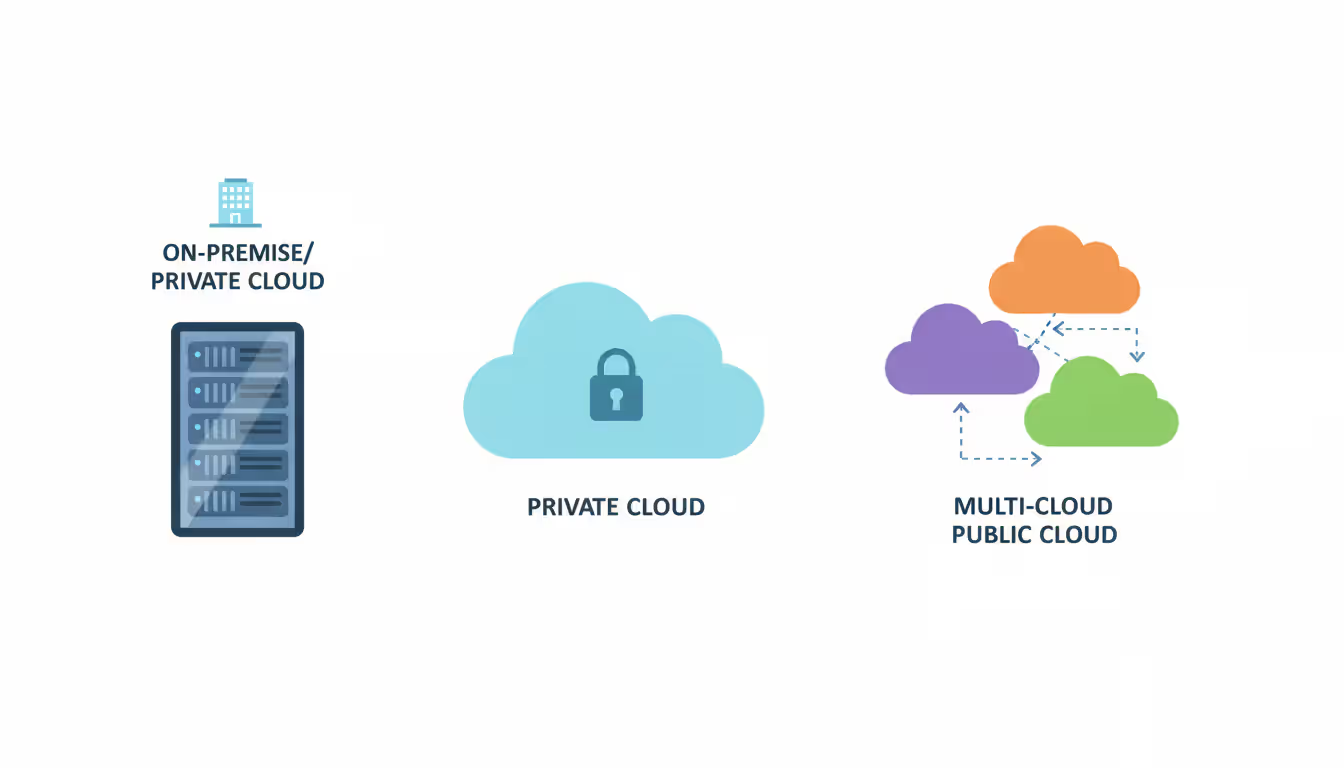
Understanding the difference between hybrid cloud and multi cloud helps organizations architect their infrastructure. A hybrid cloud combines private on-premises infrastructure with public cloud resources, typically from a single provider, creating an integrated environment where workloads move between environments based on demand, cost, or security requirements. Multi-cloud strategies use services from multiple public cloud providers simultaneously—perhaps AWS for compute, Google Cloud for machine learning, and Azure for enterprise applications—avoiding vendor lock-in but increasing management complexity.
The difference between private cloud and on premise infrastructure confuses many IT decision-makers. On-premise (or on-premises) refers to traditional infrastructure—servers, storage, and networking equipment—that an organization owns and operates in its own data center. Private cloud uses similar hardware but implements cloud architecture principles: virtualization, self-service provisioning, elastic scaling, and metered resource usage. Private cloud can exist on-premises or be hosted by a third party, but it's dedicated to a single organization rather than shared among multiple tenants.
Clarifying the difference between private and public cloud (or the difference between private cloud and public cloud) reveals fundamental architectural choices. Public clouds like AWS, Microsoft Azure, and Google Cloud Platform offer shared infrastructure where multiple customers' workloads run on the same physical hardware, separated by virtualization. They provide massive scale, pay-as-you-go pricing, and minimal capital expenditure. Private clouds dedicate infrastructure to a single organization, offering greater control, customization, and perceived security at higher cost and with scaling limitations. Many enterprises now adopt hybrid approaches, running sensitive workloads on private infrastructure while leveraging public cloud for development, testing, and variable-demand applications.
These distinctions, like Mb versus MB, significantly impact decision-making, budgeting, and performance expectations. Choosing layer 2 switches when layer 3 functionality is needed creates network bottlenecks. Conflating hybrid cloud with multi-cloud leads to architectural mismatches. Misunderstanding private cloud capabilities results in unrealistic cost or performance expectations.
Most consumers don't realize their 'slow internet' isn't slow at all—they're just confusing Mbps with MB/s.When someone complains their 100 Mbps connection only downloads at 12 MB per second, I have to explain that's exactly right. Understanding this difference is essential for anyone evaluating internet plans, troubleshooting downloads, or calculating data transfer times. It's the single most common source of confusion I encounter when helping clients assess their connectivity needs
— Marcus Chen
Frequently Asked Questions About Mb and MB
Is MB bigger than Mb?
Yes, significantly. One megabyte (MB) equals eight megabits (Mb). This means a 100 MB file contains 800 Mb of data. The byte is the larger unit because it comprises eight bits. When comparing internet speeds to file sizes, remember that your connection speed in Mbps must be divided by 8 to determine how many MB you can download per second.
Why do internet providers advertise speeds in Mbps?
Internet service providers measure bandwidth—the rate at which data flows through network infrastructure—in bits per second because that's how telecommunications equipment transmits data: one bit at a time in rapid succession. This convention dates back to early telephone and telegraph systems. Using Mbps also produces larger, more impressive-looking numbers than MBps would—a 200 Mbps connection sounds faster than 25 MBps, even though they're equivalent.
How long does it take to download a 500 MB file on a 50 Mbps connection?
On a 50 Mbps connection, you can download approximately 6.25 MB per second (50 ÷ 8). A 500 MB file would take 80 seconds, or about 1 minute and 20 seconds, under ideal conditions. Real-world factors like network congestion, server limitations, and protocol overhead typically add 10-20% to this time, so expect closer to 90-100 seconds in practice.
Does capitalization really matter when writing Mb or MB?
Absolutely. The capitalization distinguishes bits from bytes and changes the meaning by a factor of eight. Writing "100 MB/s connection" when you mean "100 Mbps" overstates speed by 800%. Technical documentation, network specifications, and professional communications strictly maintain this distinction. Mixing them up leads to serious miscalculations in capacity planning, performance troubleshooting, and cost estimation.
What is the difference between MBps and Mbps?
MBps (or MB/s) means megabytes per second—a measure of how many megabytes of data transfer each second. Mbps means megabits per second—how many megabits transfer each second. MBps is eight times larger than Mbps. Download managers and file transfer utilities often display speeds in MBps because it directly corresponds to file sizes, while internet service providers advertise connection speeds in Mbps. A 100 Mbps connection delivers approximately 12.5 MBps throughput.
How many Mb are in 1 GB?
One gigabyte (GB) contains 1,000 megabytes (MB), and since each megabyte equals 8 megabits, one gigabyte contains 8,000 megabits (Mb). For network transfer calculations, a 10 GB file contains 80,000 Mb of data. On a 100 Mbps connection, transferring this file requires at least 800 seconds (80,000 ÷ 100), or approximately 13 minutes and 20 seconds, not accounting for overhead.
The eight-fold difference between megabits and megabytes directly impacts how you interpret internet speeds, estimate download times, and evaluate service plans. Internet connections measured in Mbps deliver one-eighth that number in MB per second—a 400 Mbps fiber connection provides roughly 50 MB/s download speed. This conversion explains why that 800 MB movie takes 16 seconds to download rather than the 2 seconds you might expect if you confused the units.
Mastering this distinction gives you practical advantages. You can accurately calculate whether your current internet plan meets your household's needs, estimate how long large file transfers will take, and avoid overpaying for bandwidth you don't require. When evaluating a 500 Mbps upgrade from your current 100 Mbps service, you'll understand you're moving from approximately 12.5 MB/s to 62.5 MB/s—a meaningful improvement for large downloads and multiple simultaneous users, but perhaps unnecessary for basic browsing and email.
The confusion between Mb and MB mirrors other technical distinctions in computing and networking—layer 2 versus layer 3 switches, hybrid cloud versus multi-cloud architectures, private cloud versus on-premise infrastructure. In each case, seemingly small differences in terminology represent significant practical distinctions in functionality, performance, and cost. Taking time to understand these concepts prevents expensive mistakes and helps you make informed technology decisions.
Whether you're shopping for internet service, troubleshooting download speeds, planning data migrations, or simply trying to understand why your connection performs the way it does, remembering that 8 bits equal 1 byte provides the foundation for accurate calculations and realistic expectations.
When you print thousands of product labels or engrave a QR code onto a memorial plaque, that code must work indefinitely. Learn which QR code types never expire, how to generate permanent codes, and mistakes that can make even 'permanent' codes fail
Organizations lose $5,600 per minute during network downtime. A network traffic monitor provides visibility into data flows, enabling IT teams to maintain performance, troubleshoot issues, and detect threats before escalation. This guide covers implementation, tool selection, and best practices
Network infrastructure failures cost enterprises an average of $9,000 per minute in 2026. This comprehensive guide covers network monitoring fundamentals, tool selection, deployment options, and alert configuration best practices to help organizations maintain optimal network performance
Load balancers distribute network traffic across multiple servers to prevent overload and ensure high availability. This guide covers load balancer architecture, algorithms, DNS-based methods, cloud services vs on-premises solutions, and implementation best practices for modern infrastructure
The content on this website is provided for general informational and educational purposes only. It is intended to explain concepts related to cloud computing, computer networking, infrastructure, and modern IT systems.
All information on this website, including articles, guides, and examples, is presented for general educational purposes. Technology implementations may vary depending on specific environments, business needs, infrastructure design, and technical requirements.
This website does not provide professional IT, engineering, or technical advice, and the information presented should not be used as a substitute for consultation with qualified IT professionals.
The website and its authors are not responsible for any errors or omissions, or for any outcomes resulting from decisions made based on the information provided on this website.