Large organizations are rethinking how they handle computing infrastructure. A private cloud gives you an entire technology stack—just for your company. No sharing hardware with strangers. You control the security rules, decide how data moves, and tune performance exactly how you need it.
Think about what you're actually getting. Every server, storage drive, and network switch works exclusively for your teams. That level of control matters enormously when you're processing customer payment details, managing patient health records, or protecting trade secrets worth millions.
Here's what you need to figure out: Does dedicating all this infrastructure make financial sense? Can your IT team actually run it? And do your applications genuinely need this much isolation? We'll walk through the technical pieces, compare your platform choices, and help you decide if private cloud matches your situation.
What Is Private Cloud Computing?
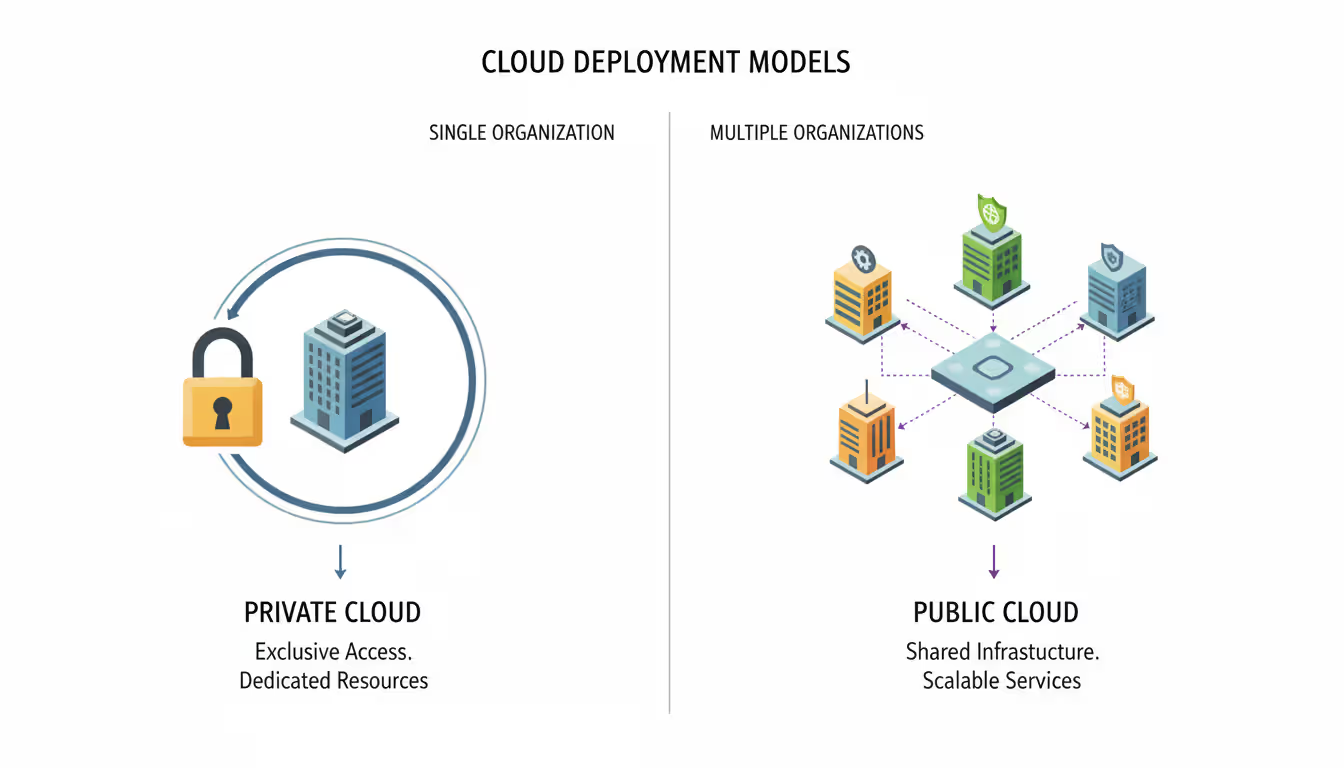
A private cloud means computing infrastructure—all the servers, storage arrays, network gear, and virtualization software—that serves only your organization. The whole setup sits behind your firewall. Maybe it's in your own data center. Maybe a hosting company runs it for you in their facility with hardware that's yours alone.
Single-tenancy is what makes it "private." Your developers spin up virtual machines that never, ever share physical processors or memory chips with another company's workloads. You get a hard security perimeter that makes compliance auditors much happier, whether you're dealing with HIPAA rules in healthcare or PCI DSS requirements for processing credit cards.
Public cloud works differently. AWS, Azure, and Google Cloud Platform run massive shared hardware pools. Your application might sit on the same physical server as a competitor's workload right now—separated only by virtualization technology. Those providers make huge profits from this sharing model. They pass some savings to customers through lower prices. With private cloud, you're trading those savings for control and predictability.
You still get cloud features, though. On-demand self-service? Check. Your engineering team can launch test environments in minutes instead of submitting hardware requests that take weeks. Resource pooling within your company? Absolutely. Rapid scaling up and down? Yes. Measured usage tracking? Of course. The difference is simple: nobody outside your organization touches the underlying hardware.
Author: Ethan Norwood;
Source: baltazor.com
How Private Cloud Architecture Works
Building a private cloud means stacking several technology layers so your environment acts like public cloud while keeping resources dedicated. Understanding these layers helps when you're evaluating vendor pitches or planning your deployment.
Infrastructure Components
Physical hardware forms the foundation. You're looking at commodity x86 servers loaded with CPUs and RAM, plus storage arrays (or software-defined storage clusters), and all the networking equipment to connect everything. Most organizations avoid proprietary hardware these days. Commodity gear lets you replace equipment whenever you want and prevents vendor lock-in at the hardware tier.
A hypervisor or container runtime sits on top of that hardware. Options like VMware ESXi, Microsoft Hyper-V, KVM, or Proxmox pool all those physical resources and slice them into virtual machines. If you're container-focused, maybe you run Kubernetes directly on bare metal with containerd or CRI-O handling the runtime.
The orchestration layer manages everything—resource allocation, workload scheduling, lifecycle operations for VMs. In VMware environments, that's vCenter Server's job. OpenStack uses multiple services working together: Nova handles compute, Neutron manages networking, Cinder provides block storage. This layer exposes APIs that tools and users interact with, hiding all the hardware complexity underneath.
Storage architecture usually splits into performance tiers. NVMe flash drives serve databases that need microsecond latency. SAS SSDs handle everyday workloads. High-capacity spinning disks archive stuff you rarely access. Software-defined storage products like VMware vSAN or Ceph spread data across multiple servers, eliminating dedicated storage arrays while keeping your data safe through replication or erasure coding techniques.
Networking typically uses overlay networks—VXLAN is common. This lets you run hundreds of isolated virtual networks across the same physical switches. Network functions virtualization (NFV) replaces hardware load balancers and firewalls with software versions, though plenty of enterprises still deploy physical security appliances at their network edges.
Security and Access Control Layers
Physical security comes first if you operate your own data center. We're talking biometric scanners, mantrap entries, security cameras running 24/7. With hosted private cloud, you depend on your provider's physical security—make sure they've earned SOC 2 Type II certification at minimum.
Identity and access management plugs into whatever directory service you already use. Active Directory, LDAP, SAML providers—they authenticate users before anyone touches the management portal. Role-based access control (RBAC) defines permissions. Maybe developers can create VMs within their quota but can't touch networking configs. Network engineers configure virtual switches but can't peek at application data.
Data protection uses encryption everywhere. Storage volumes get AES-256 encryption with keys managed through a key management service (KMS)—either built into your platform or provided by a hardware security module. Network traffic between components uses TLS. Many organizations now encrypt even VM-to-VM traffic inside the private cloud to satisfy zero-trust architecture requirements.
Micro-segmentation creates security zones throughout your environment. Instead of trusting everything inside the network perimeter (the "castle and moat" approach), you put firewalls between application tiers. A compromised web server can't directly attack your database tier if micro-segmentation rules block that traffic path.
Author: Ethan Norwood;
Source: baltazor.com
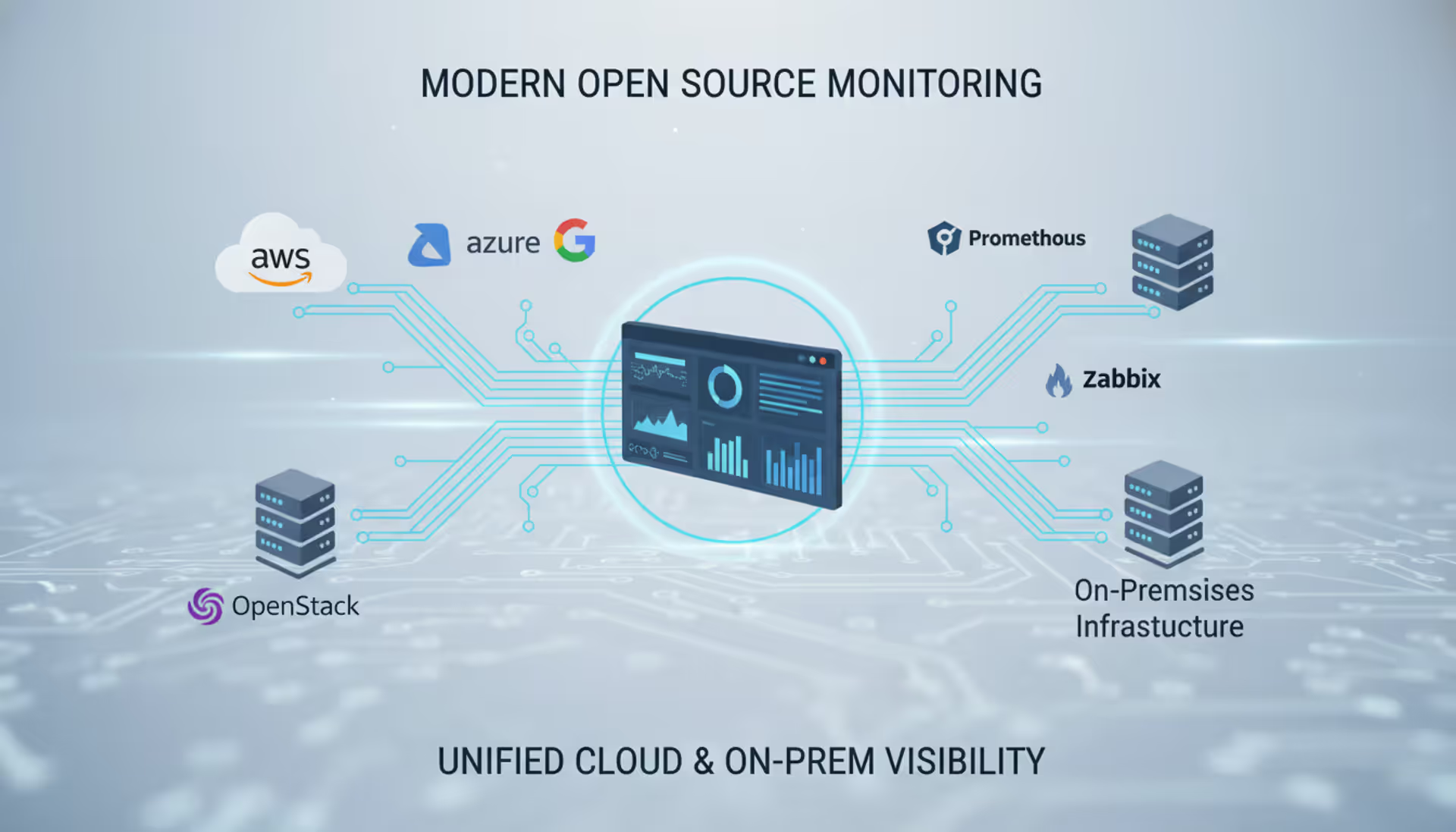
Logging and monitoring systems collect audit trails from every component. SIEM platforms aggregate these logs, correlating events to spot anomalies. When auditors show up, you pull compliance reports from these logs to prove you've implemented controls correctly.
Private Cloud Platform Options
You've got to choose between commercial platforms with vendor support versus open-source solutions that need more in-house expertise. This decision affects your licensing costs, what integrations you can use, and what kind of talent you need on payroll.
VMware vSphere with vCenter dominates enterprise deployments. The management tools are mature, third-party integrations are everywhere, and finding people who know VMware isn't hard. Licensing costs hurt, though—budget $3,000-$5,000 per CPU socket for Enterprise Plus edition, plus annual support fees around 20% of license cost. Organizations already running VMware usually expand what they have rather than switching platforms.
OpenStack gives you an open-source alternative with zero licensing fees. It supports various hypervisors and storage backends, so you avoid vendor lock-in. The catch? Complexity. OpenStack includes dozens of interrelated services, each with its own configuration files and quirks. Most organizations hire specialized consultants for initial deployment or pick a supported distribution like Red Hat OpenStack Platform or Canonical's Charmed OpenStack.
Microsoft Azure Stack HCI targets Microsoft-committed organizations. It brings Azure services into your data center, uses Hyper-V for virtualization, and integrates with Azure Arc for hybrid management. Licensing bundles Windows Server rights, which saves money if you already pay for Microsoft Enterprise Agreements. Works great for Windows workloads. Linux support exists but feels like an afterthought.
Nutanix combines compute and storage in hyperconverged appliances, which simplifies operations considerably. Their Acropolis hypervisor (AHV) comes free with the platform, though you can run VMware ESXi on Nutanix hardware if you prefer. The integrated approach reduces complexity but means you're buying Nutanix hardware when refresh time comes.
Here's how major platforms stack up:
Platform
Licensing Model
Scalability
Management Complexity
Typical Use Case
VMware vSphere
Commercial per-CPU
Excellent—scales to 1000+ hosts
Moderate
General enterprise workloads, organizations already invested in VMware
OpenStack
Open source, optional support contracts
Excellent—unlimited scaling
High
Large-scale deployments, organizations with custom requirements
Smaller organizations sometimes use Proxmox VE, which is open-source and combines KVM virtualization with LXC containers. It lacks some enterprise features like live migration across different storage types, but works well for teams comfortable with Linux system administration.
Benefits and Drawbacks of Private Cloud for Enterprises
Private cloud enterprise deployments solve particular problems while creating new ones. The architecture makes sense when its benefits align with what your organization actually needs.
Data sovereignty and control ranks at the top of the benefits list. Your data never leaves infrastructure you control—or at least infrastructure governed by contracts you've signed with a hosting provider. This matters tremendously when you're handling customer financial records, health information, or intellectual property where data location creates legal liability. When regulators audit your controls, you document the entire infrastructure stack yourself rather than depending on a public cloud provider's attestations.
Customization and performance tuning reach levels you can't achieve in multi-tenant environments. Need a VM with 768GB of RAM and 96 vCPUs? Configure it. Want to dedicate specific hardware to a latency-sensitive application? Pin VMs to particular hosts with local NVMe storage. Public cloud offers instance types in predetermined sizes. Private cloud lets you define exactly what each workload needs.
Compliance frameworks often get simpler. Healthcare organizations can build HIPAA-compliant environments without reviewing hundreds of pages of public cloud shared responsibility documentation. Financial services firms demonstrate PCI DSS compliance by controlling every layer themselves. Private cloud isn't automatically compliant—you still implement controls correctly—but the audit scope stays within your organization's boundaries.
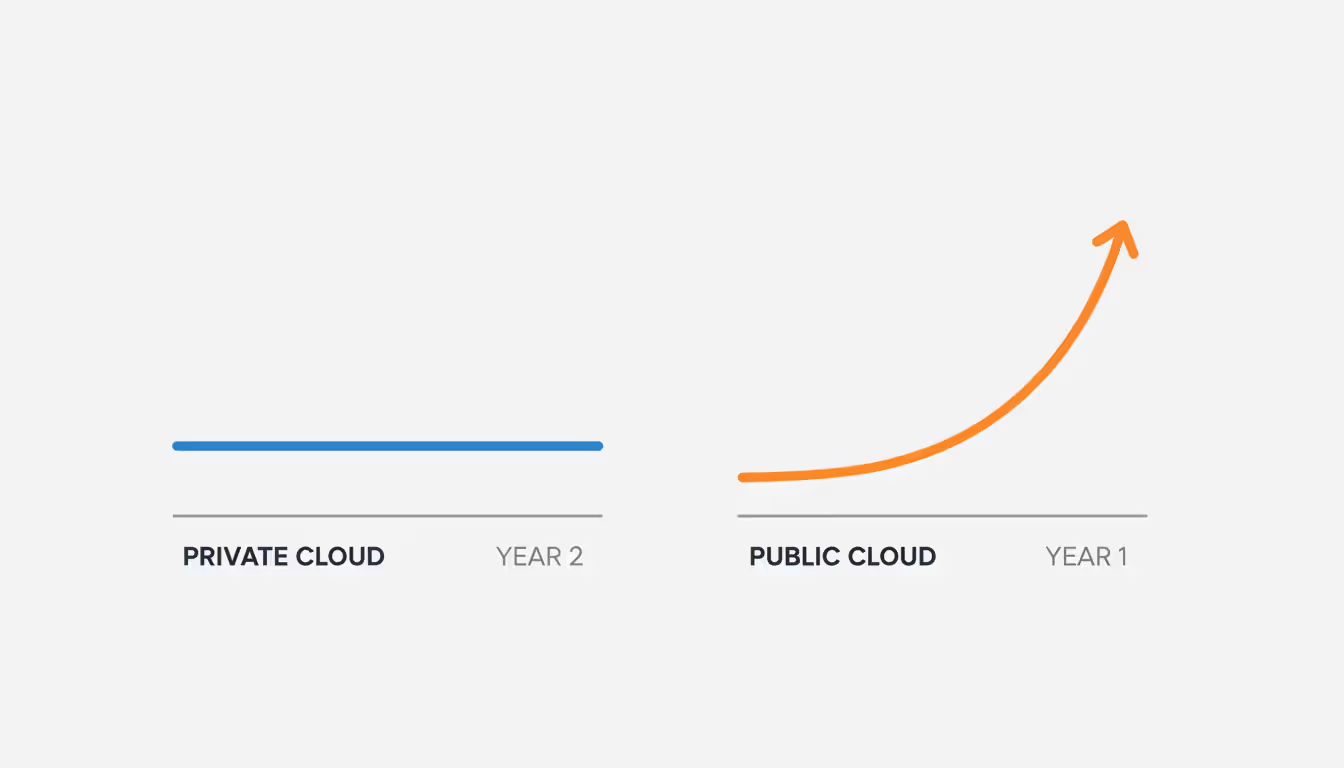
Predictable costs emerge for workloads that run steadily. Once you've purchased hardware and software licenses, running VMs costs only power and cooling. A database server running continuously for three years costs roughly the same in month one and month thirty-six. Public cloud charges accumulate hourly. That same always-on database might cost 3-4x more over its lifetime compared to private cloud hardware depreciation.
Author: Ethan Norwood;
Source: baltazor.com
The drawbacks hit hard, though. Capital expenditure requires significant cash or financing for hardware purchases. A mid-sized private cloud might need $500,000 to $2,000,000 in initial infrastructure spending before you host a single workload. Public cloud converts this to operational expenditure, spreading costs monthly and eliminating upfront investment.
Capacity planning becomes entirely your responsibility. Underbuy hardware and you'll run out of resources during a growth spurt, forcing emergency procurement. Overbuy and capital sits idle. Public cloud shifts this risk to providers with massive scale.
Operational overhead demands skilled staff on your payroll. Someone patches hypervisors, updates firmware, replaces failed drives, monitors performance. A private cloud team typically needs 5-8 full-time engineers for a mid-sized deployment. Factor in salaries, benefits, and training costs—you're looking at $750,000 to $1,200,000 annually. Managed services reduce this burden but add recurring costs.
Technology refresh cycles hit every 3-5 years. Hardware warranties expire. New CPU generations offer better performance per watt. Outdated equipment loses vendor support. Each refresh requires migration planning and capital allocation.
Private Cloud Managed Services vs. Self-Managed
The managed services decision determines whether your team focuses on infrastructure operations or delegates that responsibility to specialists.
Managed service providers for private cloud typically handle 24/7 monitoring, patch management, capacity planning, hardware replacement, and support escalation. They maintain the infrastructure stack—hypervisors, storage, networking—while you manage the workloads running on top. Some providers offer deeper management, handling guest OS patching and application monitoring if you want a more hands-off relationship.
Hosted private cloud takes this arrangement further. The provider owns the data center, owns the hardware, and often owns the software licenses too. You get dedicated physical infrastructure in their facility, managed by their operations team. This model eliminates capital expenditure and reduces your staff requirements to a few architects who design environments and troubleshoot application issues.
Self-managed private cloud gives you complete control but requires comprehensive internal capabilities. Your team handles absolutely everything: hardware selection, software licensing, installation, configuration, ongoing operations, troubleshooting at 3 AM. This makes sense when you have specialized requirements that managed service providers can't accommodate, or when you already employ a skilled infrastructure team with excess capacity.
Cost-benefit analysis depends heavily on scale and existing resources. A 200-VM environment might cost $15,000-$25,000 monthly for fully managed services. Self-managing requires 2-3 full-time engineers at $250,000-$400,000 annually in total compensation, plus hardware and software costs. Below 300-400 VMs, managed services often cost less than building an internal team. Above that threshold, self-management becomes economically viable—if you can attract and retain talent.
Hybrid approaches split responsibilities creatively. Maybe you manage day-to-day operations while the vendor handles hardware maintenance and quarterly patching windows. Or you self-manage during business hours with the vendor providing after-hours support. These arrangements work when you have some internal capability but need coverage gaps filled.
Organizations that successfully operate private cloud at scale treat infrastructure as a product, with dedicated teams, roadmaps, and user feedback loops. Those that struggle view it as a one-time project, underestimating the ongoing operational investment required
— Forrester analyst Richard Fichera
How to Decide If Private Cloud Is Right for Your Business
Private cloud fits particular scenarios better than alternatives. Evaluate your situation against these criteria before committing resources.
Regulatory compliance requirements often drive adoption. Healthcare providers dealing with HIPAA, financial institutions under PCI DSS or GLBA, government contractors navigating FedRAMP—they all find private cloud simplifies compliance work. Single-tenant architecture reduces audit scope and provides clear control boundaries. If your compliance framework allows public cloud with proper configuration, that option might cost less. But private cloud can be the pragmatic choice when audit complexity tips the scales.
Predictable, steady-state workloads favor private cloud economics. A core banking system running 24/7 with minimal variance in resource consumption costs less on owned hardware than hourly public cloud billing. Calculate the three-year total cost including hardware, software, and operations. If your workload utilization stays above 60-70% consistently, private cloud often wins financially.
Data gravity matters when you're processing massive datasets locally. A genomics research organization analyzing petabytes of sequencing data would pay enormous egress fees moving that data to public cloud for processing. Private cloud with high-speed storage keeps data local, avoiding transfer costs and time delays.
Performance requirements that public cloud can't satisfy justify private cloud. Ultra-low latency trading systems, real-time industrial control systems, high-performance computing clusters—these often need bare-metal access or specialized hardware configurations. Private cloud provides this flexibility.
Existing infrastructure investments influence the decision substantially. If you already operate a data center with power, cooling, and rack space available, adding private cloud infrastructure leverages sunk costs. Organizations without data centers face higher barriers—leasing colocation space and building from scratch might cost more than public cloud alternatives.
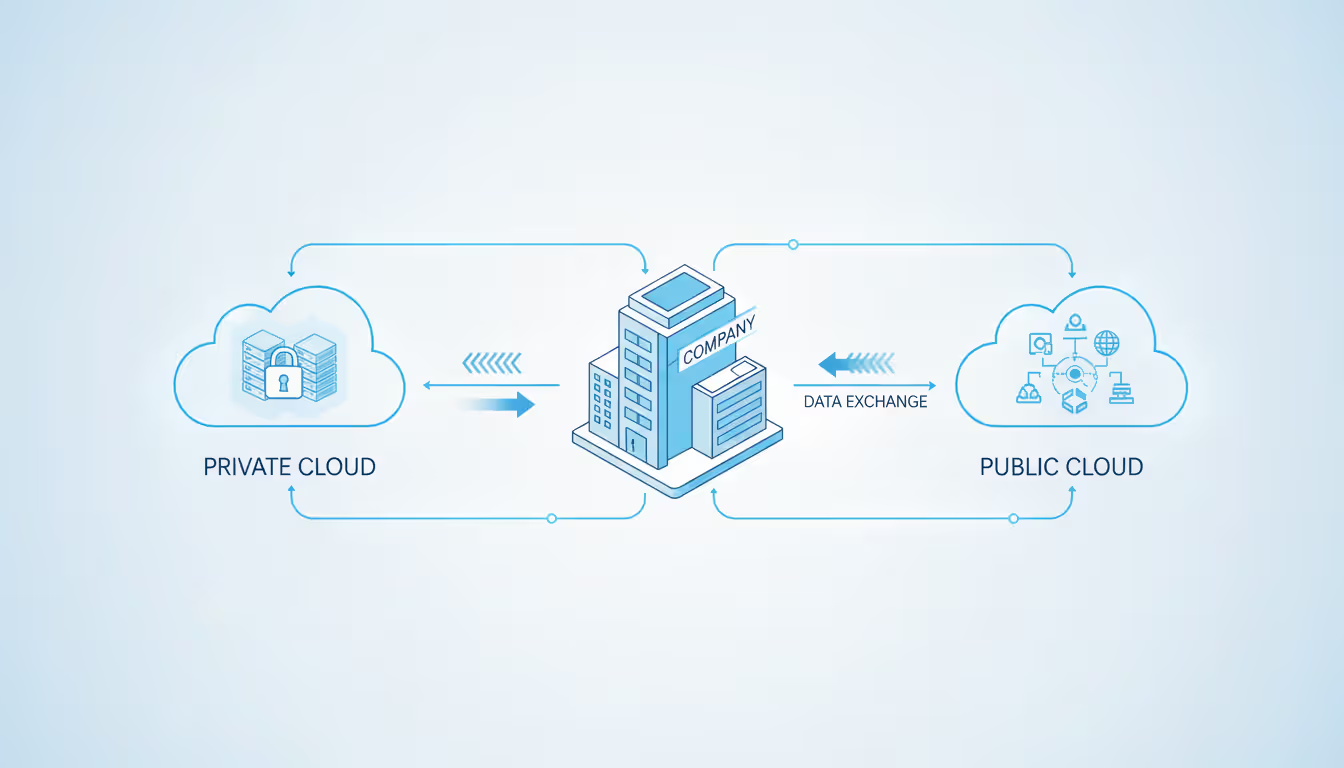
Hybrid cloud strategies frequently include private cloud as one component. You might run core systems privately while using public cloud for development environments, disaster recovery, or burst capacity during peak periods. This approach requires integration planning but combines private cloud's control with public cloud's flexibility.
A readiness checklist helps assess your position:
Do you have (or can you hire) staff with virtualization expertise?
Can you invest $500,000+ in initial infrastructure?
Will workloads run consistently for 3+ years to amortize costs?
Do compliance requirements genuinely complicate public cloud adoption?
Is your data center infrastructure adequate for additional equipment?
Can you commit to 3-5 year technology refresh cycles?
Three or more "no" answers suggest reconsidering. Public cloud or hybrid approaches might better match your capabilities and constraints.
Common mistakes? Underestimating operational complexity ranks first. Treating private cloud as a one-time project rather than ongoing service ranks second. Failing to plan for growth ranks third. Organizations succeed when they staff appropriately, automate operations from day one, and design for scale even if initial deployments are small.
Author: Ethan Norwood;
Source: baltazor.com
Common Questions About Private Cloud
What's the real difference between private cloud and public cloud?
Private cloud dedicates infrastructure to a single organization. Public cloud shares hardware among multiple customers through virtualization. With private cloud, you get greater control, deeper customization, and complete isolation—but you're paying higher upfront costs and handling operational overhead yourself. Public cloud provides pay-as-you-go pricing, unlimited scale, and minimal operational burden, but less control over the underlying infrastructure. The choice depends on your workload requirements, compliance needs, and what costs you're willing to tolerate.
How much does a private cloud actually cost?
Initial infrastructure costs range from $200,000 for small deployments (50-100 VMs) to $5,000,000+ for large enterprise environments (1,000+ VMs). That includes servers, storage, networking equipment, and software licenses. Annual operational costs add 15-25% of capital expenditure for self-managed environments—covering power, cooling, maintenance, staff salaries. Managed services run $100-$300 per VM monthly. Three-year total cost of ownership typically hits $3,000-$8,000 per VM depending on scale and management model you choose.
Can you host a private cloud off-site?
Absolutely. Hosted private cloud places dedicated infrastructure in a third-party data center. The provider supplies physical security, power, cooling, and network connectivity. You maintain control over the infrastructure stack. This model eliminates data center costs and reduces operational burden while preserving single-tenant architecture. Hosted private cloud costs more than public cloud but less than building your own facility, making it attractive for organizations wanting private cloud benefits without data center investment.
What industries benefit most from private cloud?
Healthcare organizations use private cloud to protect patient data under HIPAA. Financial services firms meet PCI DSS and regulatory requirements for customer financial information. Government agencies handle classified or sensitive data with private infrastructure. Manufacturing companies protect intellectual property and run industrial control systems. Any industry with stringent compliance requirements, sensitive data, or specialized performance needs finds value in private cloud architecture.
Is private cloud actually more secure than public cloud?
Private cloud provides greater isolation through single-tenant architecture, eliminating risks from neighboring tenants on shared hardware. This simplifies compliance and reduces attack surface. However, security depends entirely on implementation—a poorly configured private cloud can be less secure than a well-managed public cloud environment. Private cloud gives you complete control over security measures. That's an advantage if you have skilled security staff. It's a disadvantage if you lack that expertise. Neither model is inherently more secure. Security outcomes depend on configuration and operational practices.
How long does deploying a private cloud take?
Small deployments (2-4 hosts, 50-100 VMs) take 4-8 weeks from hardware arrival to production workloads. That includes racking equipment, installing software, configuring networking, and testing everything. Mid-sized environments (10-20 hosts) need 8-12 weeks. Large enterprise deployments (50+ hosts) require 3-6 months for planning, procurement, installation, and migration. Hosted private cloud reduces this timeline by 2-4 weeks since the provider handles physical installation. Organizations using managed services can accelerate further, focusing only on workload migration rather than infrastructure setup.
Private cloud infrastructure serves organizations with particular requirements that public cloud can't adequately address. The architecture provides control, customization, and compliance advantages that justify higher costs and operational complexity—in the right circumstances.
Success with private cloud demands realistic assessment. You need to honestly evaluate your technical capabilities, financial resources, and workload characteristics. Organizations with stable, long-running workloads, stringent compliance requirements, or specialized performance needs find private cloud delivers value that outweighs the investment. Those with variable workloads, limited capital, or small IT teams often fare better with public cloud or hybrid approaches.
The platform decision—VMware, OpenStack, Microsoft, or others—should align with your existing skills and ecosystem. Managed services reduce operational burden at added cost. Self-management provides control but requires comprehensive staffing. Most enterprises benefit from hybrid strategies that use private cloud where it excels and public cloud where flexibility and scale matter more than dedicated infrastructure.
Evaluate your specific situation against the criteria we've outlined here. Private cloud isn't universally superior or obsolete—it remains the right choice when your requirements match its strengths and you can commit the resources needed to operate it effectively.
A software defined network (SDN) separates control intelligence from physical equipment, enabling centralized management and programmable network behavior. Discover the three-layer architecture, key components, and how SDN transforms enterprise networking
A complete guide to setting up an intranet for your organization. Covers planning requirements, choosing between cloud and self-hosted platforms, technical setup steps, common mistakes to avoid, and strategies for maintaining and scaling your intranet over time
Remote desktop hosting delivers centralized desktop environments accessible from anywhere. This guide covers infrastructure selection, security implementation with multi-factor authentication and VPN, printing solutions, and common pitfalls to avoid when deploying remote desktop services for your business
Network infrastructure failures cost enterprises $9,000 per minute in 2026. Open source network monitoring delivers visibility without licensing fees or vendor restrictions. This guide covers how monitoring tools work, compares popular platforms, and provides implementation strategies for cloud environments
The content on this website is provided for general informational and educational purposes only. It is intended to explain concepts related to cloud computing, computer networking, infrastructure, and modern IT systems.
All information on this website, including articles, guides, and examples, is presented for general educational purposes. Technology implementations may vary depending on specific environments, business needs, infrastructure design, and technical requirements.
This website does not provide professional IT, engineering, or technical advice, and the information presented should not be used as a substitute for consultation with qualified IT professionals.
The website and its authors are not responsible for any errors or omissions, or for any outcomes resulting from decisions made based on the information provided on this website.