Here's something that would've seemed like science fiction 20 years ago: companies now rent computing power the same way they rent office space. Cloud computing lets businesses tap into massive data centers operated by tech giants, paying only for what they actually use. Think of it like switching from owning a power generator to plugging into the electrical grid.
This fundamental change ripples through everything—how startups launch products, how enterprises handle seasonal traffic spikes, even how IT budgets get allocated. You're no longer dropping $50,000 on servers that might sit half-empty.
Understanding Cloud Computing Fundamentals
Cloud computing means accessing servers, databases, storage, and software through the internet instead of running them on equipment you own. It's basically renting computing power from someone else's data center.
The consumption-based model works like your electric bill. Use more, pay more. Use less, pay less. No huge upfront purchases required.
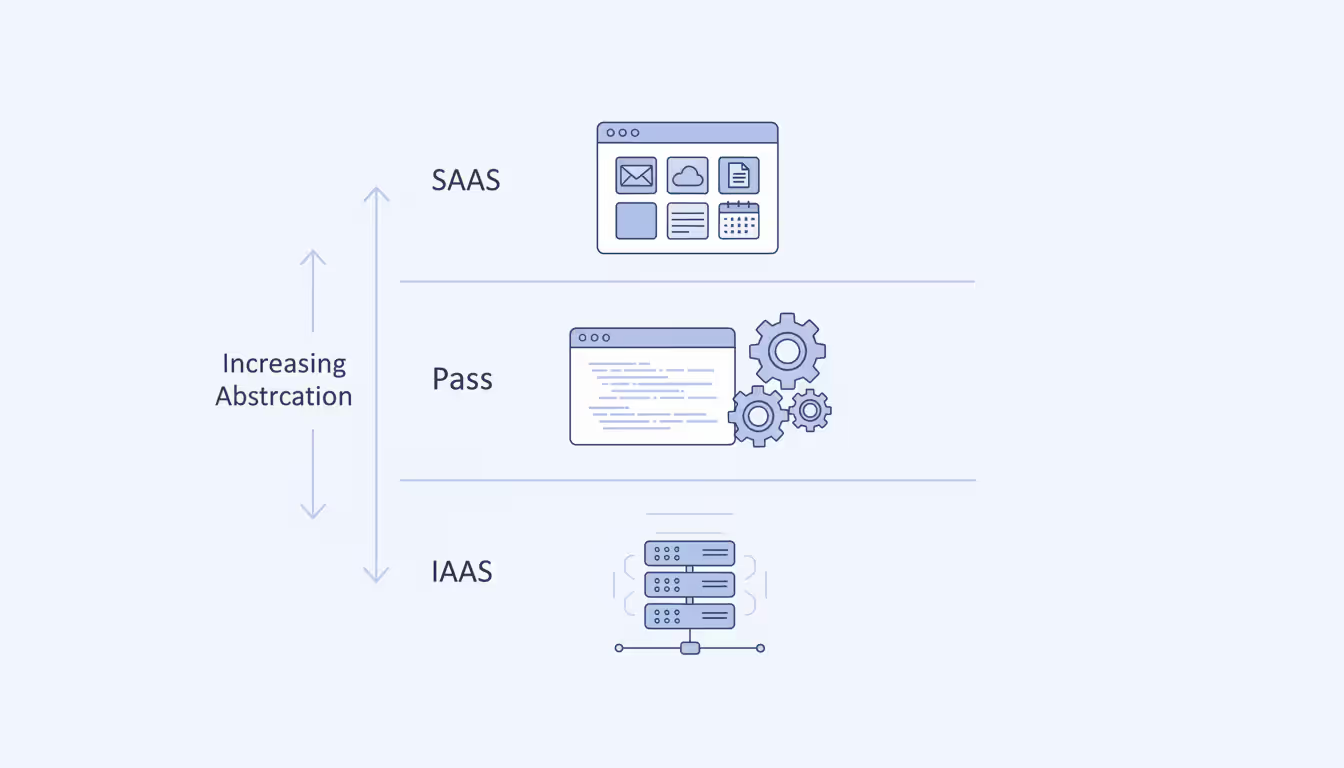
Three service models dominate the landscape, each handling different amounts of the technical heavy lifting:
Infrastructure as a Service (IaaS) gives you virtual machines and networking without the physical hardware headaches. You're essentially renting raw computing power. Your team still manages the operating system, installs updates, and configures everything—but you're not physically racking servers or replacing failed hard drives. Companies like DigitalOcean built their entire business on making IaaS dead simple for developers.
Platform as a Service (PaaS) removes even more grunt work. Developers write code and deploy it without worrying about server configurations, database tuning, or middleware updates. Heroku popularized this approach—developers push code, and everything else happens automatically. The tradeoff? Less control over the underlying environment.
Software as a Service (SaaS) delivers complete applications through your browser. Gmail, Salesforce, Slack—these are SaaS products. You don't install anything, manage any infrastructure, or handle updates. You just log in and work.
Now, deployment models determine who shares your infrastructure:
Author: Megan Holloway;
Source: baltazor.com
Public clouds pool resources across thousands of customers. AWS runs the same physical servers for Netflix, startups, and Fortune 500 companies simultaneously. This sharing drives costs way down. You're essentially benefiting from massive economies of scale.
Private clouds dedicate infrastructure exclusively to your organization. Banks and hospitals often go this route because regulators scrutinize how they handle sensitive information. You'll pay significantly more, but you control the environment completely.
Hybrid clouds mix both approaches. Maybe you keep customer financial records in a private cloud while running your marketing website on public infrastructure. Capital One does this—certain workloads stay private while others run on AWS.
Multi-cloud means juggling multiple providers simultaneously. Your email runs on Google Workspace, your website on AWS, and your analytics on Azure. Spotify famously uses both Google Cloud and AWS, carefully distributing different services across providers.
How Cloud Computing Platforms Operate
Virtual machines make the whole thing possible. One powerful physical server gets divided into dozens of separate virtual computers, each thinking it's running on dedicated hardware.
The hypervisor software orchestrates this magic trick. When you click "launch server" in AWS, you're not getting a physical machine pulled from inventory. You're getting a slice of resources carved from a shared pool—maybe 4 CPU cores from a 96-core machine, 16GB from 384GB of total RAM. VMware pioneered this technology in the late 1990s, but cloud providers have refined it into an art form.
Pooled resources create enormous flexibility. Picture a swimming pool instead of individual bathtubs. During European business hours, resources flow toward European data centers. When Americans wake up, the pool shifts westward. You're not paying for dedicated capacity sitting idle 16 hours daily.
Elasticity separates cloud from traditional hosting. Remember when Target's website crashed during Black Friday sales? That happens when traffic overwhelms fixed capacity. Cloud applications detect rising demand and automatically spin up additional servers within minutes. After the rush ends, those servers disappear and billing stops. Groupon learned this lesson the hard way—their 2011 outages during major promotions pushed them to rebuild everything for elastic scaling.
APIs drive everything programmatically. Instead of emailing IT to request a new server (which used to take weeks), developers write three lines of code and get a running machine in 90 seconds. This programmability transformed how software gets built and deployed.
Author: Megan Holloway;
Source: baltazor.com
Usage metering tracks everything with absurd precision. Cloud providers measure CPU by the second, storage by the gigabyte-hour, network traffic by the megabyte. AWS bills data transfer in fractions of a cent. This granularity lets providers charge exactly for consumption while giving customers detailed visibility into spending patterns.
Major Cloud Computing Vendors Compared
Amazon stumbled into this market almost accidentally. They'd built massive infrastructure for holiday shopping spikes, then realized that capacity sat mostly unused the rest of the year. In 2006, AWS launched, and suddenly anyone could rent Amazon's excess capacity. That head start gave them an advantage they've never relinquished.
Microsoft came late but leveraged their existing enterprise relationships brilliantly. If you're already running Windows Server and Active Directory, Azure integration feels seamless. Microsoft will even give you discounts for bringing existing licenses to their cloud—a deal that saved many companies millions during migration.
Google brought their search and advertising infrastructure expertise to cloud services. Their global fiber network, built to serve Gmail and YouTube, now carries customer data with exceptional performance. Companies processing massive datasets—genomics research, financial modeling, AI training—often choose Google Cloud for raw computational horsepower and networking speed.
IBM targets a specific niche: Fortune 500 companies running decades-old mainframes alongside modern applications. If you've got COBOL code from 1985 that still processes payroll for 100,000 employees, IBM helps bridge that legacy system with cloud services without a risky full replacement.
Oracle aggressively pursues database customers. They've essentially said "if you're running Oracle databases, we'll make migration to Oracle Cloud incredibly cheap and easy." Their autonomous database service handles tuning and maintenance automatically—impressive technology, even if their overall market share trails the leaders.
Provider
Approximate Market Position
Key Advantages
How They Charge
Ideal Customer
AWS
Roughly one-third of cloud infrastructure spending
Largest selection of services (200+), most mature tooling, data centers in 30+ regions
Per-second billing, volume discounts, 1-3 year commitments reduce costs 30-70%
Organizations heavily using Oracle databases or enterprise applications
Market shares shift constantly as providers compete aggressively. These figures represent infrastructure-focused spending patterns observed through 2026.
Choosing the Right Cloud Computing Platform for Your Business
Picking a platform based solely on brand recognition or pricing charts usually ends badly. What matters is fit.
Workload analysis comes first. Run a scientific simulation? You need serious CPU power. Hosting a WordPress blog? CPU matters less than storage costs. Streaming video requires massive bandwidth. Every application has a resource fingerprint—understanding yours prevents both overspending and performance problems. One e-commerce company I consulted for was running high-memory instances because "that's what we used on-premises." Their actual memory usage? About 30% of capacity. They cut costs 40% by rightsizing.
True costs hide in unexpected places. That $50/month server looks cheap until you discover data transfer fees. Move 10TB of data out of AWS monthly? Add $900. Need premium support because your app generates revenue 24/7? That's another $5,000+ monthly minimum. Storage snapshots, load balancers, DNS queries—everything has a line item. I've seen companies lured by cheap compute only to get hammered by auxiliary charges they never anticipated.
Compliance requirements eliminate options fast. Healthcare companies handling patient data must verify HIPAA compliance certifications. European companies face GDPR's data residency requirements—customer data sometimes legally cannot leave specific countries. Defense contractors need FedRAMP authorized services. Check compliance attestations before getting emotionally attached to any provider's features.
Existing technology stacks matter enormously. Migrating from a Windows-based infrastructure to Azure costs less and causes fewer headaches than switching to AWS or Google Cloud. Microsoft offers hybrid benefits letting you reuse existing licenses, potentially saving 40% on compute costs. Conversely, if you've standardized on Linux and open-source tools, AWS or Google Cloud might fit better. Don't fight your existing technology investments without compelling reasons.
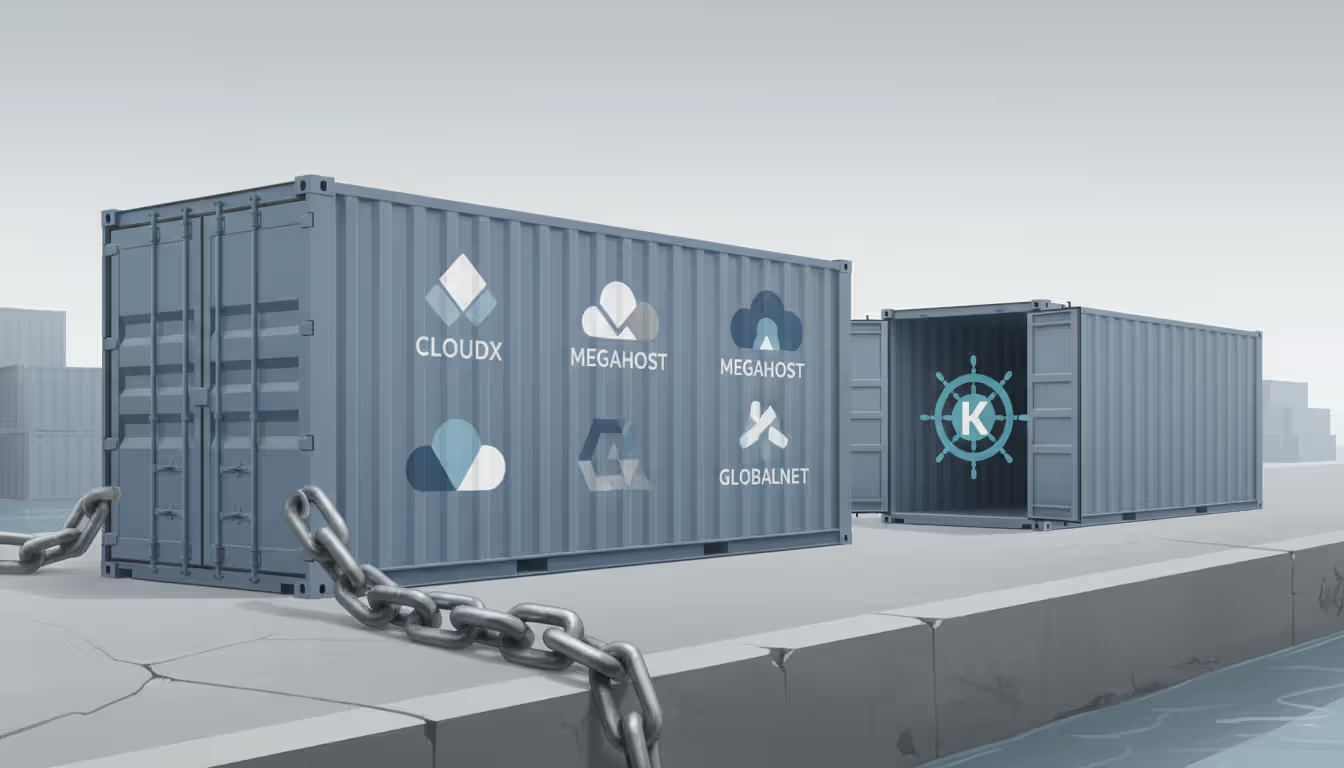
Vendor lock-in deserves serious thought. AWS Lambda functions only run on AWS. Azure Functions only run on Azure. Once you've built applications using these proprietary services, switching providers means rewriting code—potentially millions of dollars in engineering work. Kubernetes containers, by contrast, run anywhere. PostgreSQL databases migrate between providers more easily than proprietary database services. Balance the convenience of provider-specific tools against future flexibility.
Author: Megan Holloway;
Source: baltazor.com
Geographic distribution affects performance and legal compliance. Serving customers in Australia from U.S. data centers creates noticeable latency. Some countries legally require citizen data stay within borders. Check provider data center locations before committing. AWS operates in the most regions globally, but competitors are catching up.
Support quality varies wildly between tiers. Basic free support might take 24-48 hours to respond to critical production outages. Enterprise support costs thousands monthly but gets you responses within 15 minutes and a dedicated technical account manager. For mission-critical applications, cheap support is expensive when downtime costs thousands per hour.
What Is Cloud Computing Security and Why It Matters
Security concerns kept many enterprises out of the cloud initially. Ironically, most organizations now achieve better security in the cloud than they ever managed on-premises.
Responsibility splits between you and your provider—but that division confuses people. Your cloud provider secures the physical facilities, network infrastructure, and hypervisor software. You secure everything you control: your data, access permissions, application configurations, and network settings.
This split causes most breaches. Capital One's 2019 breach exposed 100 million customer records, but AWS infrastructure wasn't compromised. A misconfigured firewall rule—Capital One's responsibility—allowed unauthorized access. The provider built secure infrastructure; the customer configured it insecurely.
Identity management determines who accesses what. Stolen credentials cause more breaches than sophisticated hacking. Enable multi-factor authentication everywhere, especially for administrative accounts. An intern at Code Spaces (a now-defunct code hosting company) had admin credentials stored insecurely. When attackers got those credentials in 2014, they deleted all backups and held the company hostage. Code Spaces shut down permanently.
Use principle of least privilege religiously. Your marketing team doesn't need database deletion permissions. Developers shouldn't access production customer data during routine work. Create narrowly scoped permissions for each role.
Encryption protects data even if someone bypasses other defenses. Modern providers encrypt data moving between their data centers automatically—you get this protection whether you configure it or not. Stored data requires explicit encryption configuration. Enable it for databases, file storage, and backups. Manage encryption keys carefully because losing them means permanently losing data. Some companies use hardware security modules (HSMs) for critical keys—essentially tamper-proof devices that handle encryption without exposing keys to software.
Network controls isolate resources from public internet access. Place databases in private subnets with no direct internet routing. Only application servers should be publicly accessible. Configure security groups (virtual firewalls) to block all traffic except specifically needed communications. One company I worked with left their MongoDB database exposed to the internet with default credentials—they discovered the breach when ransomware attackers deleted everything and demanded Bitcoin.
Compliance frameworks provide security blueprints. SOC 2 audits verify security controls exist and operate effectively. ISO 27001 certification demonstrates information security management. PCI DSS governs payment card data handling. FedRAMP authorizes cloud services for U.S. government use. Providers maintain these certifications for infrastructure, but you must implement equivalent controls in your applications and data.
Monitoring detects breaches early, limiting damage. Cloud platforms generate extensive audit logs tracking every action—who accessed what, when, from where. Configure alerts for suspicious patterns: API calls from unexpected countries, privilege escalations, resource deletions. Netflix famously built an entire security team that does nothing but analyze cloud logs for anomalies.
Most organizations obsess over choosing providers with the best security certifications, then completely botch the implementation. The cloud isn't magically more or less secure than your own data center. Security outcomes depend entirely on how well you configure and manage it. I've seen spectacular security from companies that invested in cloud-native security tools and staff training. I've also seen disasters from companies that just migrated their bad on-premises habits to expensive cloud infrastructure
— Sarah Chen
Building an Effective Cloud Computing Strategy
Successful migrations follow deliberate strategies. Rushed migrations waste money and create problems that persist for years.
Start by inventorying everything you currently run. Document every application, its dependencies, performance requirements, and compliance constraints. I worked with a retailer who thought they had 200 applications. Deep discovery found 340, many undocumented and critical to operations. Skipping this step leads to surprise outages when you migrate something connected to systems you didn't know existed.
Categorize applications by migration difficulty. A stateless web application running on Linux migrates easily. A Windows application hard-coded with specific IP addresses and tight coupling to 15 other systems? That's a complex migration requiring careful planning and testing.
Migration approaches follow six patterns:
The "six Rs" framework helps decide how to move each application:
Rehost means moving applications to cloud infrastructure without modifications—also called "lift and shift." It's fast and low-risk but misses cloud-specific benefits. You'll pay cloud prices while operating like you're still in a data center.
Replatform makes small optimizations during migration. Swap your self-managed MySQL database for AWS RDS, gaining automated backups and patching without application rewrites. Moderate effort, meaningful improvements.
Repurchase replaces existing software with SaaS equivalents. Maybe you're running Exchange Server for email—switch to Google Workspace instead. Eliminates maintenance but requires user retraining.
Refactor rebuilds applications using cloud-native services. Highest effort, maximum benefit. Transforms a monolithic application into microservices using containers and managed services.
Retire decommissions applications nobody actually uses anymore. Every company has zombie applications consuming resources despite serving zero users. Identify and eliminate them.
Retain keeps applications on-premises when migration doesn't make sense—regulatory restrictions, specialized hardware dependencies, or economics don't work out.
Cost optimization prevents budget disasters. Cloud bills can spiral out of control frighteningly fast. Start with rightsizing—matching allocated resources to actual usage patterns. Many organizations provision cloud resources the same way they bought physical servers: massively oversized "just in case." Monitor actual CPU, memory, and storage utilization for a few weeks, then adjust allocations accordingly.
Reserved instances slash costs dramatically for predictable workloads. Commit to one or three years of usage and save 30-70% compared to on-demand pricing. Use reserved capacity for baseline load, on-demand for traffic spikes.
Stop running non-production systems 24/7. Development and testing environments rarely need to operate nights and weekends. Automated schedules can shut down these resources outside business hours—one company I advised saved $47,000 annually just by stopping development servers Friday evening and restarting Monday morning.
Governance prevents chaos. Without policies, every team spins up resources differently, creating management nightmares and security gaps. Establish naming conventions, mandatory tagging for cost allocation, and approval workflows for production resources.
Separate accounts or subscriptions by department, project, or environment. Put development in one account, production in another. This separation improves security through isolation and simplifies cost tracking. When finance asks how much the mobile app costs, you can answer definitively instead of guessing.
Training addresses critical skills gaps. Cloud operates fundamentally differently than traditional IT. Your sysadmins who are experts at racking servers and configuring switches need to learn infrastructure-as-code, API-driven provisioning, and cloud-native architectures. AWS, Azure, and Google Cloud all offer free training resources and certification programs. Budget time and money for education—undertrained staff make expensive mistakes.
Infrastructure-as-code becomes mandatory for ongoing management. Clicking through web consoles to create resources doesn't scale and creates inconsistencies. Define infrastructure using code templates (Terraform, CloudFormation, etc.) that teams can review, version control, and replicate consistently. When your production database mysteriously performs differently than your test database, infrastructure-as-code reveals configuration differences immediately.
Author: Megan Holloway;
Source: baltazor.com
Common Cloud Computing Mistakes to Avoid
Organizations repeat the same expensive mistakes constantly:
Over-provisioning burns money on unused capacity. Teams accustomed to physical servers that take weeks to acquire naturally request oversized cloud resources "just in case we need them." Those safety margins cost real money every hour. I've seen companies running instances with 64GB RAM when monitoring showed 8GB actual usage. Start conservative and scale up based on metrics, not anxiety.
Copying on-premises security practices creates vulnerabilities. Default cloud configurations prioritize ease-of-use over security because providers can't know your specific requirements. You must harden systems explicitly—disable unused services, restrict network access to essential communications only, enable comprehensive logging. Leaving security groups wide open "temporarily" during testing, then forgetting to lock them down before launch causes breaches.
Ignoring cost monitoring until bills arrive leads to nasty surprises. Cloud spending accumulates continuously unlike quarterly server purchases. A misconfigured autoscaling rule once spun up 500 instances for a startup instead of the intended 5. They discovered this on Monday morning when AWS billed $18,000 for the weekend. Set up billing alerts, review spending weekly during initial migration, and investigate any unexpected charges immediately.
Skipping disaster recovery planning because "the cloud is reliable" risks data loss. Cloud infrastructure fails too. Availability zones experience outages, services encounter bugs, and human errors delete critical resources. In 2017, an AWS engineer typo'd a command and took down much of the internet. Design applications to tolerate failures—distribute across multiple availability zones, maintain backups in separate regions, practice recovery procedures before you desperately need them.
Neglecting load testing in production-like environments causes launch failures. Cloud performance characteristics differ from on-premises infrastructure in subtle ways. Network latency patterns change. Storage IOPS behave differently. An application performing beautifully on physical hardware might struggle in virtualized environments. Load test thoroughly before migration cutover, not after angry customers report problems.
Treating cloud providers as utility vendors rather than partners complicates crisis management. Understand support tier response times, escalation procedures, and service level agreements before production outages. Establish relationships with technical account managers if running enterprise workloads. During a critical outage isn't when you want to be learning how to open a high-priority ticket.
Frequently Asked Questions About Cloud Computing
What are the main benefits of cloud computing?
Cloud eliminates the upfront capital expense of buying servers and networking equipment. You avoid the 3-month procurement cycles typical of traditional IT, launching new projects in days instead of quarters. Infrastructure scales up during traffic spikes and back down afterward—you pay only for what you actually consume. Geographic distribution becomes simple, letting you deploy applications closer to users worldwide for better performance. Perhaps most importantly, small companies access enterprise-grade infrastructure and security capabilities they could never afford to build themselves.
How much does cloud computing cost for small businesses?
Costs vary wildly based on what you're running, but small businesses typically spend anywhere from $100 to $5,000 monthly. A simple WordPress blog with modest traffic might run $100-200 monthly including hosting, database, and backups. An e-commerce site processing transactions needs more robust infrastructure—probably $800-2,000 monthly depending on traffic volumes. A SaaS startup serving hundreds of customers might hit $3,000-5,000 monthly for applications, databases, storage, and network services. Unlike physical servers, these costs scale directly with your business growth rather than requiring big upfront investments.
Is cloud computing secure for sensitive data?
Cloud platforms provide robust security infrastructure—physical security, network protection, encryption capabilities, compliance certifications. However, security outcomes depend entirely on correct implementation. Providers secure the infrastructure; you secure your configurations, access controls, and data. Healthcare organizations successfully run HIPAA-compliant applications handling protected health information. Banks process financial transactions in the cloud while meeting stringent regulatory requirements. The key is understanding the shared responsibility model and implementing appropriate controls for your specific risk profile. Many organizations actually achieve better security in the cloud than they maintained on-premises because providers invest far more in security than typical IT departments can afford.
What's the difference between public and private cloud?
Public clouds share physical infrastructure across thousands of customers, dramatically reducing costs through economies of scale. You're running virtual machines on the same physical hardware as other companies, though strong isolation prevents any cross-customer access. Private clouds dedicate infrastructure exclusively to your organization—either equipment you own or infrastructure a provider operates solely for you. Private clouds cost significantly more but provide complete control over the environment. Most workloads run perfectly well on public cloud infrastructure. Private clouds make sense when regulatory requirements mandate specific controls, when existing architecture can't be easily refactored for public cloud, or when you've got specialized performance requirements that shared infrastructure can't meet.
How long does cloud migration typically take?
Simple applications might migrate in 2-4 weeks. Complex enterprise environments with hundreds of interconnected systems often require 12-24 months for complete migration. Timeline depends on application complexity, team experience, how thoroughly you plan, and whether you're doing simple rehosting or complete refactoring. Most organizations adopt phased approaches, migrating applications incrementally rather than attempting big-bang cutovers. Expect to spend 30-40% of the timeline on planning and assessment, 40-50% on actual migration work, and 20-30% on optimization and cleanup after cutover. Realistic planning, adequate testing, and proper training dramatically impact whether you finish on schedule or face delays and cost overruns.
Can I use multiple cloud providers simultaneously?
Absolutely—multi-cloud strategies are increasingly common. You might run compute workloads on AWS, use Google Cloud for big data analytics because their BigQuery service excels at it, and run Microsoft 365 on Azure. This approach prevents vendor lock-in and lets you choose the best service for each specific need. Spotify uses both Google Cloud and AWS, carefully distributing services based on each provider's strengths. The tradeoff is increased complexity—your team needs expertise across multiple platforms, you manage separate billing relationships, and integrating services across providers requires additional networking configuration. Start with a single provider until you have specific compelling reasons to add another, rather than making everything multi-cloud from day one.
Cloud computing moved from "emerging technology" to "default infrastructure choice" over the past decade. Success requires understanding more than marketing materials and feature comparisons. You need to analyze your specific workload requirements, honestly assess your team's capabilities, implement proper security controls, and plan migration methodically rather than rushing toward cost savings that may not materialize.
Organizations that treat cloud as a strategic initiative—investing in planning, training staff, establishing governance, and continuously optimizing—typically see substantial benefits: lower costs, improved agility, faster innovation cycles, and access to advanced capabilities. Those treating it as "someone else's servers" often end up disappointed, overspending on poorly architected systems that don't deliver expected value.
Cloud isn't a destination where you arrive and declare victory. It's an operational model requiring continuous adaptation as technologies evolve, business requirements change, and new services emerge. Start with clear objectives tied to business outcomes, migrate incrementally while measuring results, and adjust based on real-world experience rather than assumptions. The flexibility to change approaches based on evidence represents cloud's most valuable characteristic—use it.
Software-defined WAN transforms network architecture by enabling intelligent traffic routing across multiple connection types. Learn how SD-WAN works, security considerations, deployment options, and when your business should adopt this technology for improved performance and cost savings
Remote work has made remote access essential for millions. This comprehensive guide explains remote access meaning, compares VPN solutions against remote desktop programs, covers security risks, and helps you choose the right remote access program for your needs
Multi cloud architectures now power 87% of enterprise infrastructure strategies. This comprehensive guide examines how multi cloud works, why businesses adopt it, key components including platforms, storage, data architecture, and IAM, plus practical strategies for implementation and management
Hybrid cloud combines on-premises infrastructure with public cloud services through secure, orchestrated connections. This comprehensive guide covers hybrid cloud architecture, common deployment models, security best practices, implementation challenges, and when organizations should choose a hybrid cloud environmen
The content on this website is provided for general informational and educational purposes only. It is intended to explain concepts related to cloud computing, computer networking, infrastructure, and modern IT systems.
All information on this website, including articles, guides, and examples, is presented for general educational purposes. Technology implementations may vary depending on specific environments, business needs, infrastructure design, and technical requirements.
This website does not provide professional IT, engineering, or technical advice, and the information presented should not be used as a substitute for consultation with qualified IT professionals.
The website and its authors are not responsible for any errors or omissions, or for any outcomes resulting from decisions made based on the information provided on this website.