Modern data center with server racks connected by three colored glowing lines leading to three different cloud icons symbolizing multi cloud architecture
Organizations running critical workloads face a fundamental question: should they trust a single cloud provider or distribute resources across multiple platforms? The answer increasingly points toward multi cloud architectures, which now power approximately 87% of enterprise infrastructure strategies according to recent industry surveys.
Multi cloud environments deliver flexibility that single-vendor approaches cannot match. When AWS experiences an outage in US-EAST-1, your customer-facing application continues running on Google Cloud. When Azure offers better GPU pricing for your machine learning workloads, you can shift compute resources without abandoning your existing infrastructure investments.
This guide examines how multi cloud architectures work, why businesses adopt them, and what it takes to implement them successfully. You'll find practical frameworks for building your strategy, managing complexity, and avoiding common pitfalls that derail deployments.
What Is Multi Cloud and How Does It Work
Multi cloud refers to an architecture that uses computing services from two or more public cloud providers simultaneously. Rather than consolidating all workloads with AWS, Azure, or Google Cloud, organizations split applications, data, and infrastructure across multiple vendors based on specific requirements.
The architecture operates through several layers. At the foundation, each cloud provider maintains its own infrastructure—data centers, networking equipment, and physical servers. Your organization connects to these providers through dedicated network links, VPNs, or internet connections. Applications and workloads run independently on each platform, though they often communicate through APIs, messaging queues, or data synchronization tools.
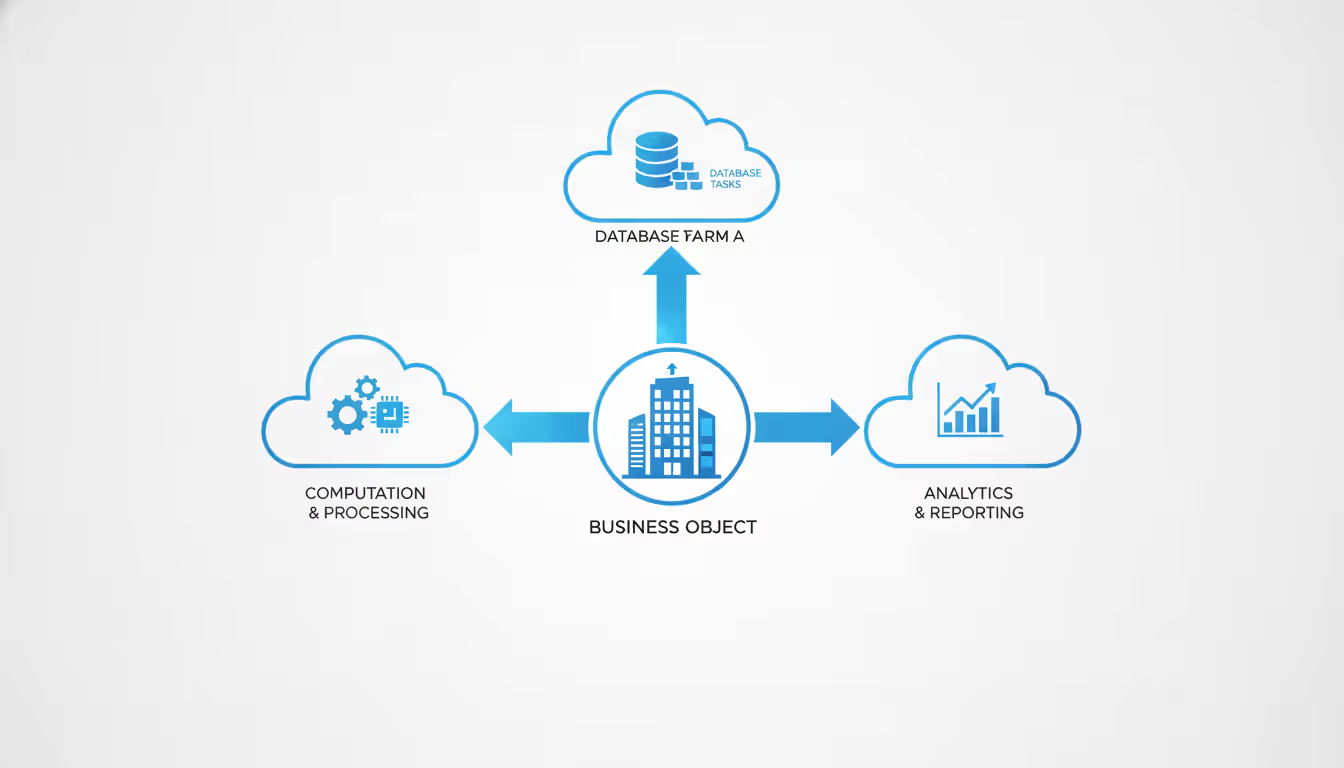
A common mistake: assuming multi cloud means running identical copies of the same application on different clouds. True multi cloud architectures typically assign different workloads to different providers. Your e-commerce platform might run on AWS, while your analytics pipeline processes data on Google Cloud's BigQuery, and your Windows-based enterprise applications remain on Azure.
Multi cloud differs fundamentally from hybrid cloud, though people often confuse the terms. Hybrid cloud combines public cloud resources with on-premises infrastructure or private cloud environments. You might run sensitive customer data on your own servers while using AWS for overflow capacity. Multi cloud, by contrast, exclusively uses public cloud services—just from multiple vendors. The distinction matters when planning network architecture, security controls, and compliance frameworks.
Single-cloud approaches offer simplicity but create dependency. If your sole provider changes pricing, deprecates a service you rely on, or suffers a regional outage, your options are limited. Multi cloud distributes that risk across vendors, though it introduces management complexity in return.
The technical implementation varies widely. Some organizations use cloud-native services from each provider—Lambda functions on AWS, Cloud Functions on Google Cloud—accepting that workloads won't easily port between platforms. Others build on abstraction layers like Kubernetes, which runs consistently across providers and simplifies application portability. Neither approach is universally better; the choice depends on your team's skills, application requirements, and tolerance for vendor-specific features.
Why Organizations Adopt a Multi Cloud Strategy
Business drivers for multi cloud adoption extend beyond technical considerations into strategic territory. Risk mitigation tops the list for many enterprises. When a major cloud provider experiences extended downtime, companies with multi cloud architectures maintain partial or full operations while single-cloud competitors go dark. The financial services sector particularly values this resilience—a trading platform that goes offline for hours can lose millions and face regulatory penalties.
Vendor lock-in avoidance represents another powerful motivator. Cloud providers design services to work best within their own ecosystems, making migration difficult and expensive. Once you've built applications using AWS's proprietary database services, switching to Azure requires substantial re-engineering. A multi cloud strategy lets you negotiate from a position of strength. When contract renewal approaches, your ability to shift workloads to competitors gives you leverage on pricing and terms.
Author: Chloe Bramwell;
Source: baltazor.com
Cost optimization drives adoption more than many organizations initially expect. Cloud pricing varies dramatically across providers and changes frequently. GPU compute for machine learning might cost 40% less on Google Cloud than AWS during certain periods. Storage pricing, data egress fees, and specialized services each have different cost structures across vendors. Companies that actively manage multi cloud environments can shift workloads to capture these pricing advantages, though the management overhead must be factored into the equation.
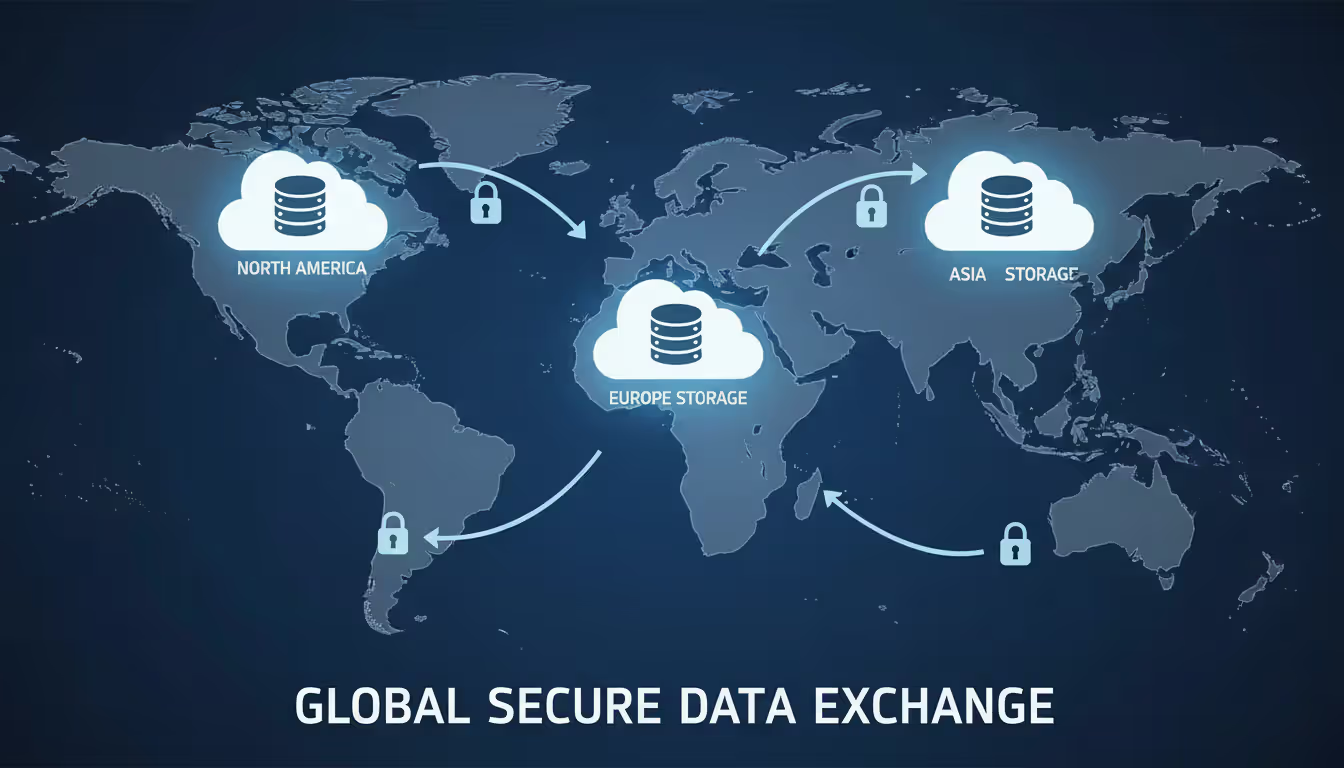
Performance benefits matter for latency-sensitive applications. If you serve customers globally, one provider might have better data center coverage in Southeast Asia while another dominates European markets. Routing users to the geographically optimal provider reduces latency and improves user experience. Content delivery networks have operated on this principle for years; multi cloud extends the concept to compute and storage resources.
Regulatory compliance sometimes mandates multi cloud approaches. Data sovereignty laws in certain countries require that citizen data remain within national borders. If your primary cloud provider lacks sufficient in-country infrastructure, you'll need a second provider to maintain compliance while serving that market.
Access to best-of-breed services motivates technically sophisticated organizations. AWS offers the broadest service catalog, Google Cloud leads in data analytics and machine learning tools, and Azure integrates seamlessly with Microsoft enterprise software. Rather than accepting the second-best solution from a single vendor, multi cloud architectures let you combine each provider's strengths.
The trade-off: increased complexity. Every additional cloud provider multiplies the number of security controls, billing systems, support contracts, and technical interfaces your team must manage. Organizations that adopt multi cloud without adequate planning often discover that management costs exceed the benefits they sought.
Key Components of a Multi Cloud Environment
Multi Cloud Platform Selection
Choosing which cloud platforms to include in your architecture requires matching provider capabilities to workload requirements. Start by cataloging your applications and their specific needs—compute intensity, storage volume, network throughput, specialized services like machine learning APIs or IoT device management.
AWS remains the market leader with the deepest service catalog and most mature ecosystem. Organizations choose AWS for its breadth, extensive third-party integrations, and large talent pool. The platform excels at general-purpose computing, serverless architectures, and applications requiring access to niche services.
Google Cloud Platform attracts organizations with heavy data analytics needs. BigQuery processes petabyte-scale datasets faster and often cheaper than alternatives. Google's machine learning services, built on the same infrastructure that powers their consumer products, offer sophisticated capabilities. Companies with Kubernetes-heavy architectures appreciate GCP's native support for the container orchestration system that Google originally developed.
Microsoft Azure wins enterprises already invested in the Microsoft ecosystem. Azure Active Directory integration, seamless Windows Server licensing, and native support for .NET applications reduce friction for organizations migrating from on-premises Microsoft infrastructure. Azure's hybrid cloud tools also lead the market for companies maintaining significant on-premises presence.
Smaller providers like Oracle Cloud, IBM Cloud, and Alibaba Cloud serve specific niches. Oracle Cloud attracts organizations running Oracle databases who want optimized performance and simplified licensing. Alibaba Cloud dominates the Chinese market and offers advantages for companies operating there.
Platform selection criteria should include: geographic coverage matching your user base, availability of services your applications require, pricing structure alignment with your usage patterns, compliance certifications for your industry, and existing team expertise or training availability.
Multi Cloud Storage Solutions
Storage represents one of the most straightforward multi cloud components to implement, yet organizations frequently underestimate the complexity. Object storage services—AWS S3, Azure Blob Storage, Google Cloud Storage—offer similar capabilities with different pricing models and performance characteristics.
Distributing storage across providers requires careful planning around data gravity. Data transfer between clouds incurs egress fees that can quickly become expensive. A common mistake: storing data on one cloud while running the applications that access it on another. The resulting cross-cloud data transfer fees often exceed storage costs by an order of magnitude.
Effective multi cloud storage strategies typically follow one of three patterns. Geographic distribution places data close to users in each region, with each cloud provider serving specific geographies. Workload-specific distribution stores data on the same cloud where the applications consuming it run, minimizing cross-cloud transfer. Redundancy-focused distribution replicates critical data across multiple clouds for disaster recovery, accepting the synchronization costs for the resilience gained.
Storage class selection matters more in multi cloud environments because each provider offers different tiers with varying access speeds and costs. Hot data accessed frequently belongs in standard storage classes. Warm data accessed occasionally should move to cheaper infrequent-access tiers. Cold data for compliance or backup purposes belongs in glacier-style archival storage. Managing these transitions across multiple providers requires either custom automation or third-party tools.
Data consistency across clouds presents challenges for applications that write to multiple storage locations. Without careful coordination, users might see different data depending on which cloud serves their request. Solutions range from accepting eventual consistency for non-critical data to implementing distributed coordination systems for applications requiring strong consistency guarantees.
Author: Chloe Bramwell;
Source: baltazor.com
Multi Cloud Data Platform Architecture
Data platforms in multi cloud environments must solve the problem of making information accessible across provider boundaries while controlling costs and maintaining performance. The architecture typically includes data ingestion pipelines, storage layers, processing engines, and analytics interfaces distributed across multiple clouds.
Centralized approaches funnel data from all sources into a single cloud provider's data warehouse or data lake. This simplifies analytics and reduces data movement, but creates a single point of failure and concentrates vendor dependency. Organizations choose this pattern when one provider offers significantly superior analytics tools or when data gravity naturally pulls information to a single location.
Federated architectures keep data distributed across clouds with a metadata layer that tracks where information resides. Queries route to the appropriate cloud based on data location, and results consolidate before returning to users. This approach minimizes data movement but requires sophisticated orchestration and accepts higher query latency.
Replicated patterns maintain synchronized copies of data across multiple clouds. Critical datasets exist on each platform, enabling applications to query locally without cross-cloud network hops. Replication costs include storage duplication and synchronization overhead, but the performance and resilience benefits often justify the expense for high-value datasets.
Real-world implementations typically combine these patterns. Customer transaction data might replicate across clouds for resilience, while large media files remain on a single provider to avoid duplication costs, and a federated query layer provides unified access to both.
Multi Cloud IAM and Security Controls
Multi cloud IAM (Identity and Access Management) addresses the challenge of controlling who can access what resources across different cloud providers, each with their own authentication systems and permission models. Without unified IAM, organizations end up managing separate user accounts, roles, and policies on each platform—a recipe for security gaps and operational overhead.
The foundation of multi cloud IAM typically starts with a centralized identity provider. Solutions like Okta, Azure Active Directory, or Google Workspace serve as the single source of truth for user identities. Each cloud provider federates authentication to this central system, allowing users to sign in once and access resources across all platforms.
Permission management proves more complex than authentication. AWS uses IAM policies, Azure employs role-based access control (RBAC), and Google Cloud implements IAM with different syntax and concepts. Organizations need a consistent framework for defining who can perform which actions across all providers. Some adopt a least-privilege approach, granting minimal permissions and expanding access only when needed. Others start with role-based templates that map job functions to appropriate permissions across clouds.
Common mistakes include replicating overly permissive permissions from single-cloud environments to multi cloud setups, failing to implement cross-cloud audit logging, and neglecting to revoke access when employees change roles or leave. The blast radius of a compromised credential expands in multi cloud environments, making tight access controls critical.
Security controls must extend beyond IAM to network segmentation, encryption, and threat detection. Ideally, your security architecture treats all clouds as untrusted networks, encrypting data in transit between providers and implementing zero-trust principles. Monitoring tools need visibility across all platforms to detect anomalous behavior regardless of where it occurs.
How to Build Your Multi Cloud Strategy
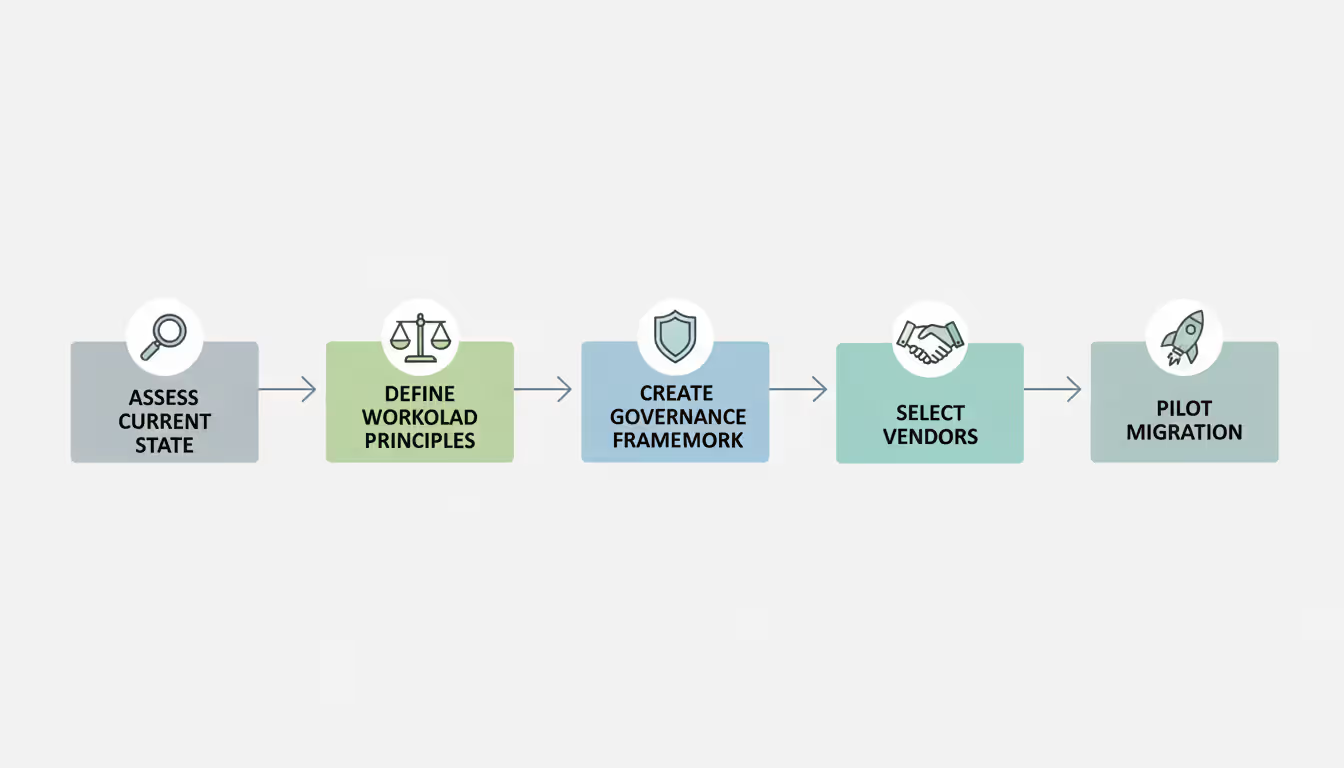
Building a coherent multi cloud strategy requires more than deciding to use multiple cloud providers. Start with a clear-eyed assessment of why you're pursuing multi cloud. Organizations that adopt it because "everyone else is doing it" typically struggle with the complexity and costs. Valid reasons—resilience requirements, best-of-breed service access, geographic coverage needs—should drive the decision.
Assess your current state before planning the future state. Catalog existing applications, their dependencies, and their cloud provider utilization if you're already using cloud services. Identify which workloads are candidates for multi cloud deployment and which should remain where they are. Not every application benefits from multi cloud distribution. Tightly coupled systems that communicate frequently may perform poorly if split across providers due to network latency.
Define workload distribution principles that guide placement decisions. Some organizations adopt a "primary and secondary" model where most workloads run on a preferred provider, with a secondary provider handling specific use cases or serving as a failover target. Others pursue "best tool for the job," placing each workload on whichever cloud offers optimal capabilities. The former simplifies management; the latter maximizes technical benefits but increases complexity.
Establish a governance framework before deploying workloads. Define who can provision resources on which clouds, how costs will be tracked and allocated, what security standards apply across all platforms, and how architectural decisions get made. Without governance, teams will make expedient choices that create long-term problems—like provisioning resources on whatever cloud they know best rather than what fits the workload.
Author: Chloe Bramwell;
Source: baltazor.com
Vendor selection criteria should balance technical capabilities, pricing, support quality, and strategic considerations. Evaluate each provider's service level agreements, their track record for reliability in your required regions, their pricing transparency and cost management tools, and their roadmap alignment with your technical direction. Request proof-of-concept environments to test critical workloads before committing.
Plan for skills development. Your team needs expertise across multiple cloud platforms, which requires either training existing staff or hiring specialists. Consider whether to develop deep expertise across all platforms or maintain working knowledge with vendor-specific specialists. The right answer depends on your organization's size and technical complexity.
Migration planning for existing workloads should be incremental. Attempting to move everything to a multi cloud architecture simultaneously creates unacceptable risk. Identify pilot workloads with clear success criteria, migrate them, learn from the experience, and expand gradually. Good pilot candidates are important enough to justify attention but not so critical that problems cause major business impact.
Cost modeling must account for the full picture. Calculate not just cloud service costs but also management tools, additional staff time, training expenses, and data transfer fees between clouds. Organizations frequently underestimate these hidden costs and discover that multi cloud economics are less favorable than projected.
Multi Cloud Management Challenges and Solutions
Complexity represents the primary challenge of multi cloud environments. Each additional cloud provider multiplies the number of services, APIs, security controls, and operational procedures your team must understand. A single-cloud organization might manage 20 different service types; a three-cloud environment could involve 60 or more.
The solution starts with standardization where possible. Adopt common frameworks that work across providers. Kubernetes provides consistent container orchestration across AWS, Azure, and Google Cloud. Terraform enables infrastructure-as-code deployments to multiple clouds using similar syntax. Prometheus and Grafana offer monitoring across platforms. These tools don't eliminate differences between clouds, but they reduce the cognitive load on your team.
Cost tracking becomes significantly harder in multi cloud environments. Each provider uses different pricing models, billing cycles, and cost allocation mechanisms. Without proper tooling, understanding your total cloud spend and attributing it to specific teams or projects is nearly impossible.
Author: Chloe Bramwell;
Source: baltazor.com
Third-party cost management platforms like CloudHealth, Cloudability, or Flexera aggregate billing data across providers and normalize it for comparison. They enable cost allocation by project, department, or application regardless of which cloud hosts the resources. The platforms also identify optimization opportunities—idle resources, overprovisioned instances, or cheaper alternatives.
Building your own cost tracking system is possible but requires substantial effort. You'll need to collect billing data from each provider's API, normalize the data into a common format, and build dashboards that provide actionable insights. Most organizations find that commercial tools pay for themselves through the optimizations they enable.
Security gaps emerge when organizations fail to implement consistent controls across all clouds. A well-secured AWS environment doesn't help if your Azure deployment has misconfigured network rules that expose sensitive data. The attack surface expands with each additional cloud, and attackers target the weakest link.
Cloud security posture management (CSPM) tools scan configurations across multiple clouds and flag security issues. They check for common misconfigurations—publicly accessible storage buckets, overly permissive IAM roles, unencrypted databases—and provide remediation guidance. Tools like Prisma Cloud, Wiz, or cloud-native options from each provider help maintain consistent security standards.
Integration problems arise when applications on one cloud need to communicate with services on another. Network latency between clouds is higher than within a single provider's network. API rate limits, authentication mechanisms, and data formats may differ. Applications designed for single-cloud deployment often perform poorly when components spread across providers.
Solving integration challenges requires architectural planning. Use asynchronous communication patterns where possible to tolerate higher latency. Implement caching layers to reduce cross-cloud API calls. Design APIs with retry logic and circuit breakers to handle transient failures. For high-throughput integrations, consider dedicated network connections between clouds rather than routing traffic over the public internet.
Tool sprawl becomes a problem as each cloud provider offers their own management console, CLI tools, and SDKs. Engineers waste time context-switching between different interfaces and remembering provider-specific commands.
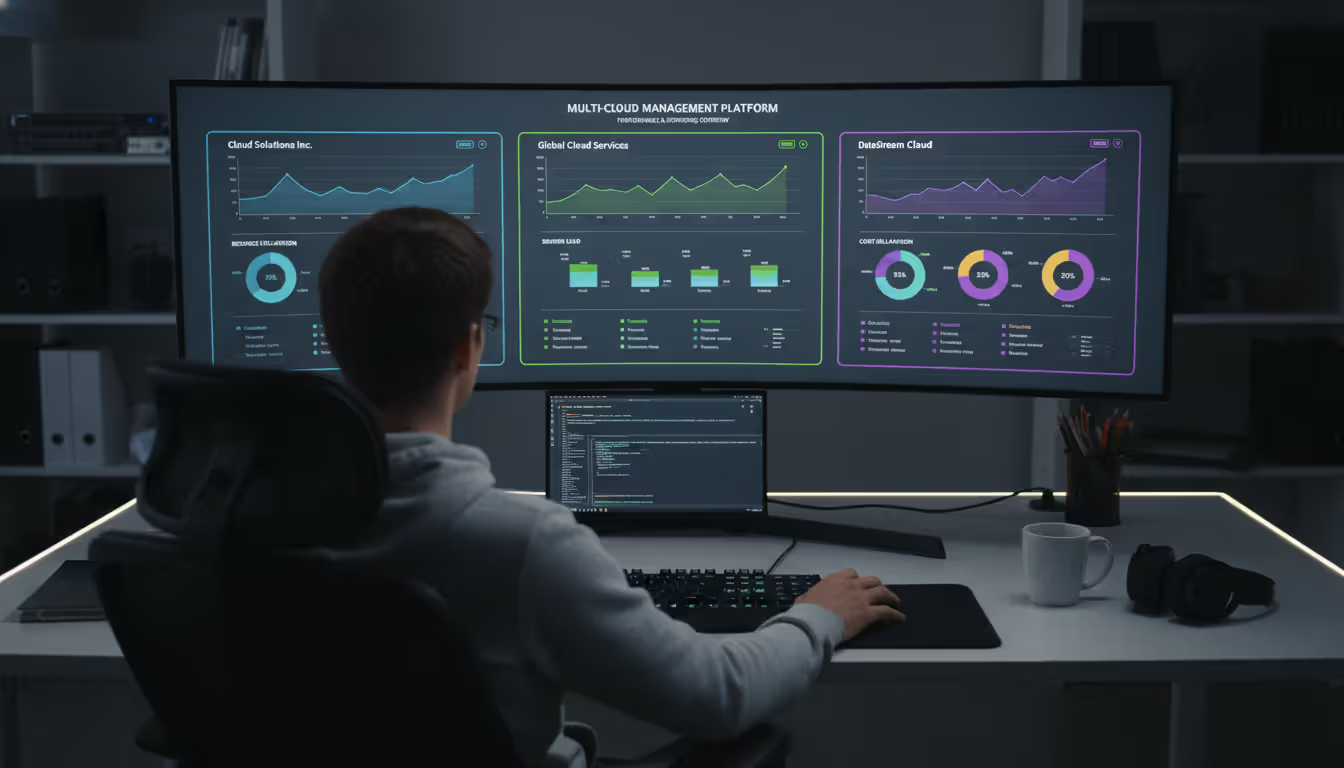
Unified management platforms provide a single pane of glass for multi cloud operations. Options range from cloud-agnostic infrastructure-as-code tools to comprehensive management platforms that handle provisioning, monitoring, cost tracking, and security across providers. The right choice depends on your team's size, technical sophistication, and specific requirements.
Multi Cloud vs Single Cloud vs Hybrid Cloud
Aspect
Multi Cloud
Single Cloud
Hybrid Cloud
Deployment Model
Multiple public cloud providers
One public cloud provider
Public cloud + on-premises/private cloud
Typical Use Cases
Risk mitigation, best-of-breed services, global reach
Simplicity, deep integration, focused expertise
Data sovereignty, gradual migration, specialized hardware
Complexity Level
High—multiple platforms to manage
Low—single set of tools and services
Medium—bridging cloud and on-premises
Cost Structure
Variable across providers, requires active management
Predictable within one pricing model
Split between cloud and capital expenses
Vendor Flexibility
High—can shift workloads between providers
Low—migration is expensive and time-consuming
Medium—cloud portion is flexible, on-premises is fixed
Best For
Large enterprises, regulated industries, global companies
Startups, single-region businesses, teams with limited resources
Enterprises with existing data centers, compliance-driven organizations, specialized workload requirements
The comparison reveals that no approach is universally superior. Single cloud makes sense for organizations that value simplicity over redundancy, have limited technical resources, or operate primarily in a single geographic region. A startup building its first product often benefits from focusing on one cloud provider and leveraging their full service catalog rather than spreading resources across multiple platforms.
Multi cloud suits organizations where resilience justifies complexity, where access to specific services from different providers delivers competitive advantages, or where vendor negotiating leverage matters. Financial services firms, large e-commerce platforms, and global SaaS providers frequently find multi cloud architectures worthwhile despite the management overhead.
Hybrid cloud serves organizations that can't or won't move all workloads to public clouds. Banks with core banking systems running on mainframes, healthcare providers with specialized medical equipment, and manufacturers with factory floor systems often maintain on-premises infrastructure while using public clouds for appropriate workloads.
Cost implications vary significantly. Single cloud environments have the most predictable costs but potentially miss optimization opportunities. Multi cloud can reduce costs through competitive pricing but requires investment in management tools and expertise. Hybrid cloud splits costs between cloud operating expenses and on-premises capital expenses, complicating financial planning.
Organizations sometimes evolve through these models. A company might start with single cloud for simplicity, add a second cloud provider for specific capabilities, and eventually develop a full multi cloud strategy as their needs grow and their team's expertise deepens. Others begin with hybrid cloud to bridge legacy systems and public cloud, then gradually shift toward multi cloud as they retire on-premises infrastructure.
The most successful multi cloud implementations aren't about using every provider for everything—they're about matching specific workloads to the cloud that serves them best while maintaining manageability. Organizations that try to achieve perfect portability across all clouds typically sacrifice too much capability for theoretical flexibility they'll never use
— Sarah Chen
Frequently Asked Questions About Multi Cloud
What's the difference between multi cloud and hybrid cloud?
Multi cloud uses multiple public cloud providers—like AWS, Azure, and Google Cloud—while keeping all infrastructure in public clouds. Hybrid cloud combines public cloud with on-premises data centers or private cloud infrastructure. You might use hybrid cloud to keep sensitive data on your own servers while running applications in public clouds. Multi cloud focuses on avoiding vendor lock-in and accessing best-of-breed services across providers, while hybrid cloud addresses data sovereignty, compliance requirements, or integration with legacy systems that can't move to public clouds.
How much does a multi cloud strategy cost?
Costs vary dramatically based on your workload size, number of providers, and management approach. Beyond direct cloud service fees, budget for management tools ($10,000-$100,000+ annually depending on scale), additional staff time (typically 20-40% more operational overhead than single cloud), training expenses ($2,000-$5,000 per engineer per platform), and data transfer fees between clouds (often $0.08-$0.12 per GB). Organizations with well-executed multi cloud strategies often reduce total cloud spending by 15-30% through competitive pricing and optimization, but those savings require active management to realize.
What are the biggest challenges of multi cloud?
Complexity tops the list—managing multiple sets of services, APIs, and security controls demands more expertise and time than single-cloud environments. Cost visibility becomes difficult when spending spreads across providers with different billing models. Security gaps emerge when teams fail to implement consistent controls across all platforms. Data transfer between clouds incurs fees that can become surprisingly expensive. Skills gaps affect teams that must master multiple platforms rather than specializing in one. Integration challenges arise when applications need to communicate across cloud boundaries with higher latency and different authentication mechanisms.
Do I need special tools to manage multi cloud?
While you can manage multi cloud using each provider's native tools, most organizations benefit from third-party platforms that provide unified visibility and control. Cloud management platforms (CMPs) offer single-pane-of-glass views of resources across providers. Infrastructure-as-code tools like Terraform enable consistent provisioning across clouds. Cost management platforms aggregate billing data and identify optimization opportunities. Security posture management tools scan configurations across all clouds for vulnerabilities. The right toolset depends on your scale—small deployments might manage with native tools and scripts, while large enterprises typically need commercial platforms to maintain control.
Which industries benefit most from multi cloud?
Financial services organizations use multi cloud for resilience and regulatory compliance, ensuring trading platforms and banking systems remain available during provider outages. Healthcare providers leverage multi cloud to meet data sovereignty requirements while accessing advanced analytics capabilities. Retail and e-commerce companies use multi cloud to handle traffic spikes during peak shopping periods by distributing load across providers. Global SaaS providers deploy multi cloud to reduce latency for international users by serving each region from the optimal provider. Media and entertainment companies use multi cloud for content delivery and processing, matching workloads to providers with the best capabilities for specific tasks.
How does multi cloud IAM work?
Multi cloud IAM typically centers on a federated identity provider that serves as the single source of truth for user identities. Services like Okta, Azure Active Directory, or Google Workspace authenticate users once, then grant access to resources across all cloud providers through federation protocols like SAML or OIDC. Each cloud provider trusts the central identity system rather than maintaining separate user accounts. Permission management requires mapping user roles to provider-specific access controls—AWS IAM policies, Azure RBAC roles, and Google Cloud IAM bindings. Organizations define consistent policies that translate to appropriate permissions on each platform, though the underlying implementation differs across providers. Centralized audit logging tracks access across all clouds to maintain security visibility.
Multi cloud architectures deliver real benefits—resilience against provider outages, access to best-of-breed services, leverage in vendor negotiations, and performance optimization through geographic distribution. These advantages come at the cost of increased complexity in management, security, cost tracking, and integration.
Success requires honest assessment of whether multi cloud fits your organization's needs and capabilities. Small teams with limited resources often find that single-cloud simplicity outweighs multi cloud flexibility. Large enterprises with critical uptime requirements and sophisticated technical teams typically find the investment worthwhile.
Organizations that succeed with multi cloud share common characteristics: clear strategic rationale beyond "everyone's doing it," strong governance frameworks that prevent chaos, investment in management tools and training, incremental adoption that allows learning before scaling, and realistic expectations about costs and complexity.
The cloud landscape continues evolving rapidly. Providers add services, change pricing, and improve interoperability. What works today may need adjustment tomorrow. Treat your multi cloud strategy as a living framework that adapts to changing business needs, technology capabilities, and competitive dynamics rather than a fixed architecture set in stone.
Start small, learn continuously, and expand deliberately. Multi cloud done well can deliver significant competitive advantages. Multi cloud done poorly creates expensive complexity without corresponding benefits. The difference lies in strategic planning, disciplined execution, and willingness to adapt as you learn what works for your specific context.
Software-defined WAN transforms network architecture by enabling intelligent traffic routing across multiple connection types. Learn how SD-WAN works, security considerations, deployment options, and when your business should adopt this technology for improved performance and cost savings
Remote work has made remote access essential for millions. This comprehensive guide explains remote access meaning, compares VPN solutions against remote desktop programs, covers security risks, and helps you choose the right remote access program for your needs
Hybrid cloud combines on-premises infrastructure with public cloud services through secure, orchestrated connections. This comprehensive guide covers hybrid cloud architecture, common deployment models, security best practices, implementation challenges, and when organizations should choose a hybrid cloud environmen
Building an intranet from scratch might sound intimidating, but with the right approach and planning, even small organizations can deploy a secure internal network that transforms how teams collaborate. This comprehensive guide walks through every step from planning to implementation
The content on this website is provided for general informational and educational purposes only. It is intended to explain concepts related to cloud computing, computer networking, infrastructure, and modern IT systems.
All information on this website, including articles, guides, and examples, is presented for general educational purposes. Technology implementations may vary depending on specific environments, business needs, infrastructure design, and technical requirements.
This website does not provide professional IT, engineering, or technical advice, and the information presented should not be used as a substitute for consultation with qualified IT professionals.
The website and its authors are not responsible for any errors or omissions, or for any outcomes resulting from decisions made based on the information provided on this website.