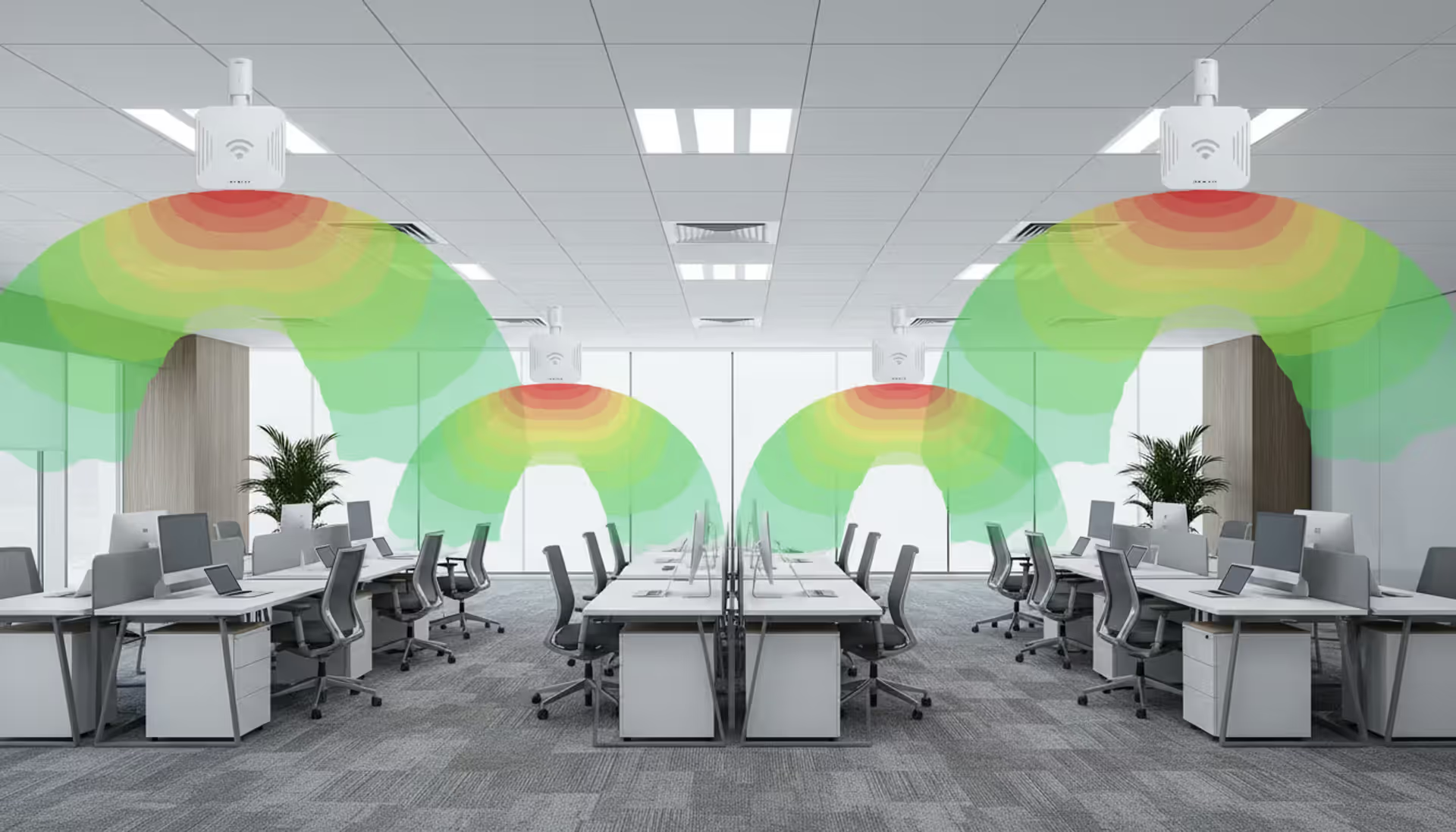
Building a wireless network without planning software? You're basically throwing darts blindfolded and hoping they land somewhere useful. Sure, you'll get some access points mounted on the ceiling. Whether anyone can actually connect to them—or stream a video call without freezing—becomes a very expensive guessing game. Planning software shows you exactly how radio waves bounce around your building before you drill a single hole.
What Is Wireless Network Planning Software
Think of this software as a crystal ball for Wi-Fi signals. You feed it your floor plan and wall types, drop some virtual access points onto the map, and it shows you precisely where coverage will be strong, weak, or nonexistent. No more "let's mount this AP here and see what happens."
Network architects use these tools daily. So do IT consultants who'd rather not get callback complaints about dead zones in the conference room. Managed service providers love them because accurate predictions mean accurate quotes—no awkward conversations about why the client needs three more APs than originally budgeted.
Here's what the software actually tells you: You need seven access points, not five. They go here, here, and here—not where you initially thought looked good. Each one runs at 17 dBm transmit power on channels 36, 44, 52, 149, and 157. That metal stairwell you forgot to mention? Yeah, it'll block signals completely, so we're adding an eighth AP.
The applications combine RF propagation math—based on actual physics, not wishful thinking—with your building's physical characteristics. Every wall material absorbs radio signals differently. Drywall barely notices Wi-Fi passing through. Concrete slabs laugh at your 2.4 GHz signals and attenuate them into uselessness.
Small retailers use simplified versions to plan their 3,000-square-foot stores. Universities model sprawling campuses with 40 buildings and 15,000 concurrent devices. Wireless ISPs design outdoor point-to-multipoint systems covering rural areas where cellular doesn't reach. The same fundamental principles scale from a dental office to an Amazon fulfillment center.
How Wireless Network Planning Software Works
First step: get your floor plan into the system. Drop in a PDF from your architect, import a DWG file from AutoCAD, or sketch something by hand if that's all you've got. Set the scale—tell it that line represents 50 feet in reality, not 2 inches on screen.
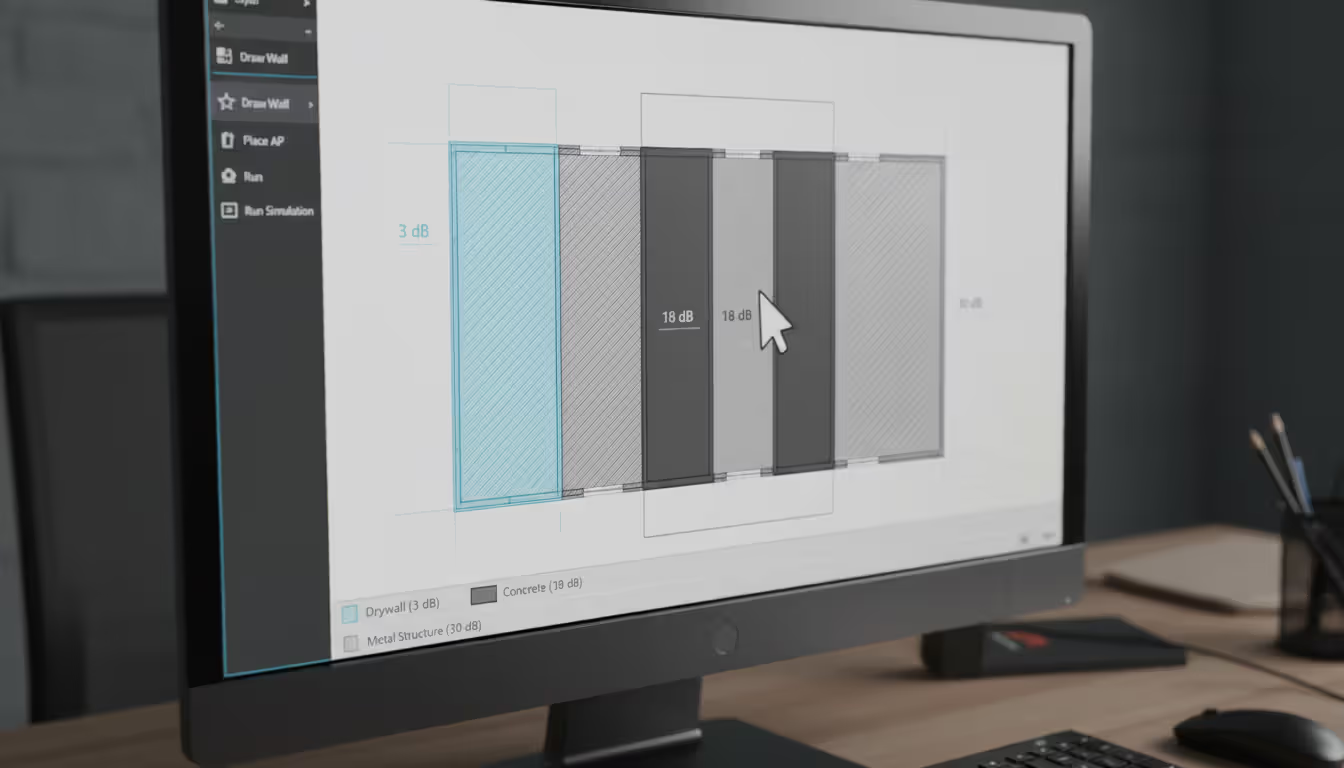
Now comes the crucial part most people skip: marking what your walls are actually made of. That interior partition? Wood studs with drywall means about 3 dB signal loss. The elevator shaft? Reinforced concrete will eat 18 dB of your signal. The decorative metal panels in the lobby? Congratulations, you just created a Faraday cage that blocks RF almost completely.
Drop virtual APs onto your map wherever you're considering placement. The RF engine calculates propagation using ITU models and free-space path loss equations—fancy terms meaning "math that predicts how signals weaken over distance and when hitting obstacles." You get heat maps showing predicted coverage, color-coded so even executives understand that red zones mean angry users.
Capacity planning separates amateur tools from professional platforms. Coverage alone doesn't cut it anymore. An AP might blast a strong signal to 80 devices, but if half of them stream 4K video while the other half run Teams calls, airtime exhaustion crushes performance. Good software models this, calculating how much bandwidth each application consumes and when you'll hit capacity limits.
Interference detection highlights where your own APs will fight each other. The 2.4 GHz band offers exactly three non-overlapping channels—1, 6, and 11. Place two APs too close on channel 6, and they'll spend more time waiting for clear airtime than actually transmitting data. Modern platforms also handle DFS channels in 5 GHz, accounting for radar detection rules that force channel switches.
Walk the space after installation with survey mode active. The software compares predictions against reality, showing you where actual signal strength diverges from models. Usually means someone installed a metal cabinet that wasn't on the original floor plan, or construction crews changed materials mid-project.
Author: Megan Holloway;
Source: baltazor.com
Key Features to Look For
RF modeling accuracy makes or breaks the tool. Free-space calculations—pretending radio waves travel through empty air—produce laughably wrong results in real buildings. You want multiple propagation models that account for walls, floors, furniture, even people. Best platforms let you customize attenuation values, critical when planning networks in walk-in freezers, medical imaging rooms with lead shielding, or server rooms with metal racks everywhere.
Heat maps need to show more than just signal strength. You want SNR (signal-to-noise ratio), data rate predictions, and channel overlap visualizations—all toggled between 2.4 GHz, 5 GHz, and the new 6 GHz band that Wi-Fi 6E unlocked. In early 2026, ignoring 6 GHz planning is like buying a car and never using fifth gear.
Multi-floor support isn't optional unless you work exclusively in warehouses. The software must model vertical propagation—signals bleeding upward through ceiling tiles or downward through floor slabs. An AP on floor three affects coverage on floors two and four, sometimes in surprising ways.
Smart placement recommendations save days of trial-and-error. You input requirements—500 users, 200 Mbps minimum per client, roaming-optimized for VoIP—and the engine suggests AP locations, mounting heights, and configuration settings. Some platforms spit out Bills of Materials listing exact cable lengths and PoE switch port counts.
Compliance templates matter in regulated industries. Healthcare networks need HIPAA-compliant segmentation. Retailers handling credit cards face PCI-DSS requirements. Schools chasing E-Rate funding follow specific design guidelines. Software with built-in templates accelerates approvals and keeps auditors happy.
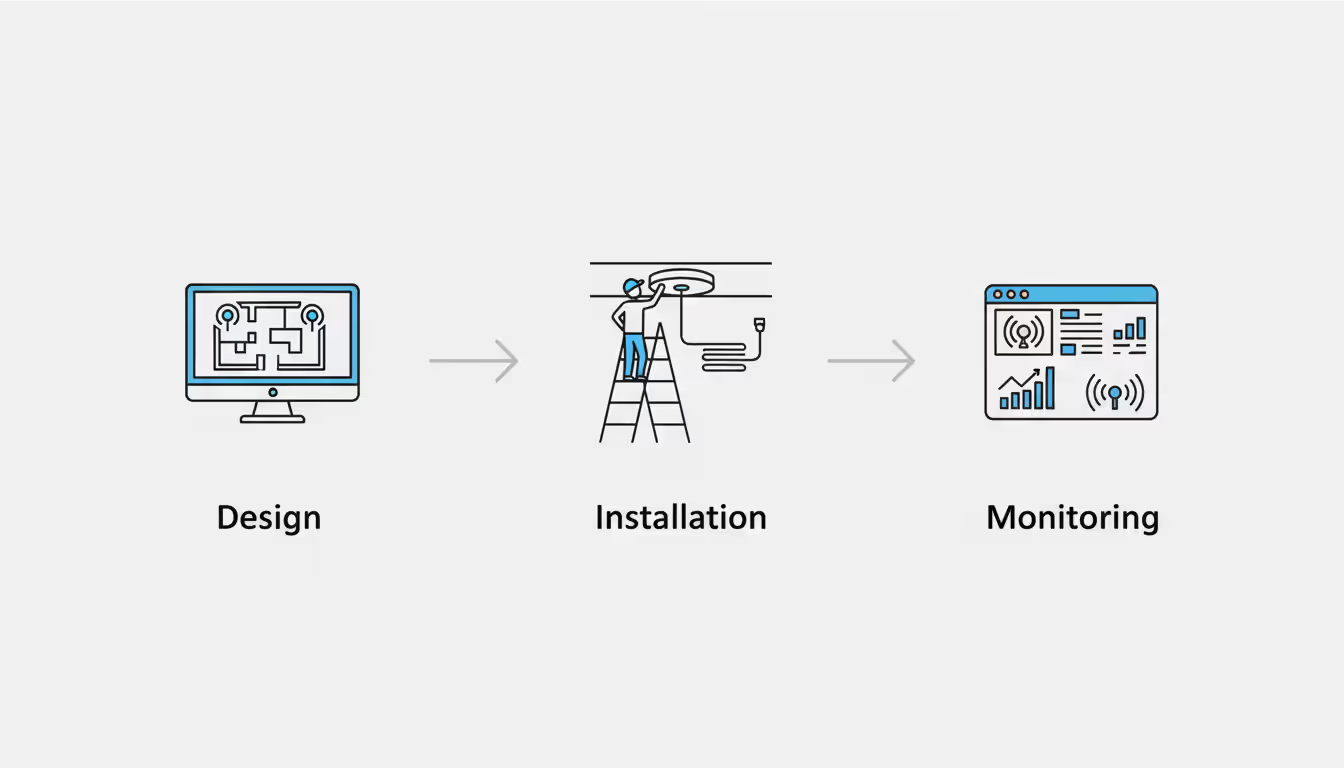
Wireless Network Design vs. Installation vs. Monitoring
These three phases get confused constantly, so let's untangle them.
Design happens entirely before anyone touches hardware. You're building a blueprint using planning software—modeling coverage, picking equipment, calculating how many APs you need and exactly where they'll mount. Deliverables include annotated floor plans with AP coordinates measured from walls, equipment lists with part numbers, and configuration templates. Zero physical installation occurs during design.
Installation is the sweaty part. Running CAT6 through ceilings, mounting APs to junction boxes, punching down cables in the server room, configuring SSIDs and RADIUS authentication. Planning software still helps by generating installation guides: "Mount AP-07 on the ceiling 12.5 feet from the north wall, 8 feet from the west wall, 9 feet AGL." Mobile apps let installers photograph actual placements, syncing locations back to the planning database for documentation.
Author: Megan Holloway;
Source: baltazor.com
Monitoring starts after go-live and never stops. Network monitoring platforms track real-time metrics: 247 clients connected right now, average throughput 145 Mbps, three roaming events in the last minute, interference detected on channel 40. These are completely different tools than planning software. A wireless network manager handles daily operations—pushing firmware updates, adjusting transmit power, investigating why Susan in accounting can't connect her laptop.
The confusion exists because some vendors bundle everything into unified platforms. You design in module A, deploy using module B's guided installation, then monitor with module C's dashboards. But the underlying functions remain distinct. Planning predicts what should happen; monitoring measures what actually happens.
Smart teams close the loop. After six months of monitoring data showing actual user density and application mix, you feed that reality back into planning software. Refine your models based on truth instead of assumptions. Next network design gets even more accurate.
Choosing Software for Small Business Wireless Networks
Small businesses face a brutal reality: enterprise-grade planning platforms cost $4,000+ annually. That's absurd for a 15-person accounting firm, no matter how much they love Excel.
Good news—vendors offer stripped-down versions at $300/year or even free tiers with basic features. You lose advanced capabilities like detailed capacity modeling or outdoor planning, but honestly, you didn't need those for your 4,000-square-foot office anyway.
Author: Megan Holloway;
Source: baltazor.com
Ease of use matters more than feature count when you're the "IT person" because you're decent with computers, not because you studied RF engineering. Look for wizard-driven workflows: answer six questions, get a recommended design. Pre-built templates for common scenarios—"retail store," "office suite," "medical clinic"—eliminate guesswork. If the interface demands you understand antenna azimuth patterns, run away.
Scalability becomes relevant if you plan to grow. Software handling one location beautifully might choke on five branch offices with centralized management. Cloud platforms typically scale better because project data lives in vendor servers, accessible from anywhere. Desktop applications work great until you need your colleague across town to review the design.
Cloud versus on-premise depends on your paranoia level and internet reliability. Cloud tools require zero local installation, update themselves automatically, and work from phones, tablets, or any browser. On-premise software appeals to defense contractors handling classified data or rural businesses with spotty internet. By 2026, probably 85% of planning software runs cloud-native, but desktop holdouts exist.
Integration with existing gear reduces friction dramatically. Already running Cisco Meraki APs and controllers? Their planning tool imports equipment profiles automatically and can push configurations directly to hardware after installation. Third-party tools offer vendor-neutral flexibility—use any manufacturer's APs—but you'll configure everything manually.
Free tools from Ekahau, Ubiquiti, TP-Link, and others handle straightforward single-floor deployments adequately. They won't model multi-floor propagation, detailed interference analysis, or high-density capacity, but they'll prevent you from mounting an AP inside a metal storage closet.
Common Mistakes in Wireless Network Planning
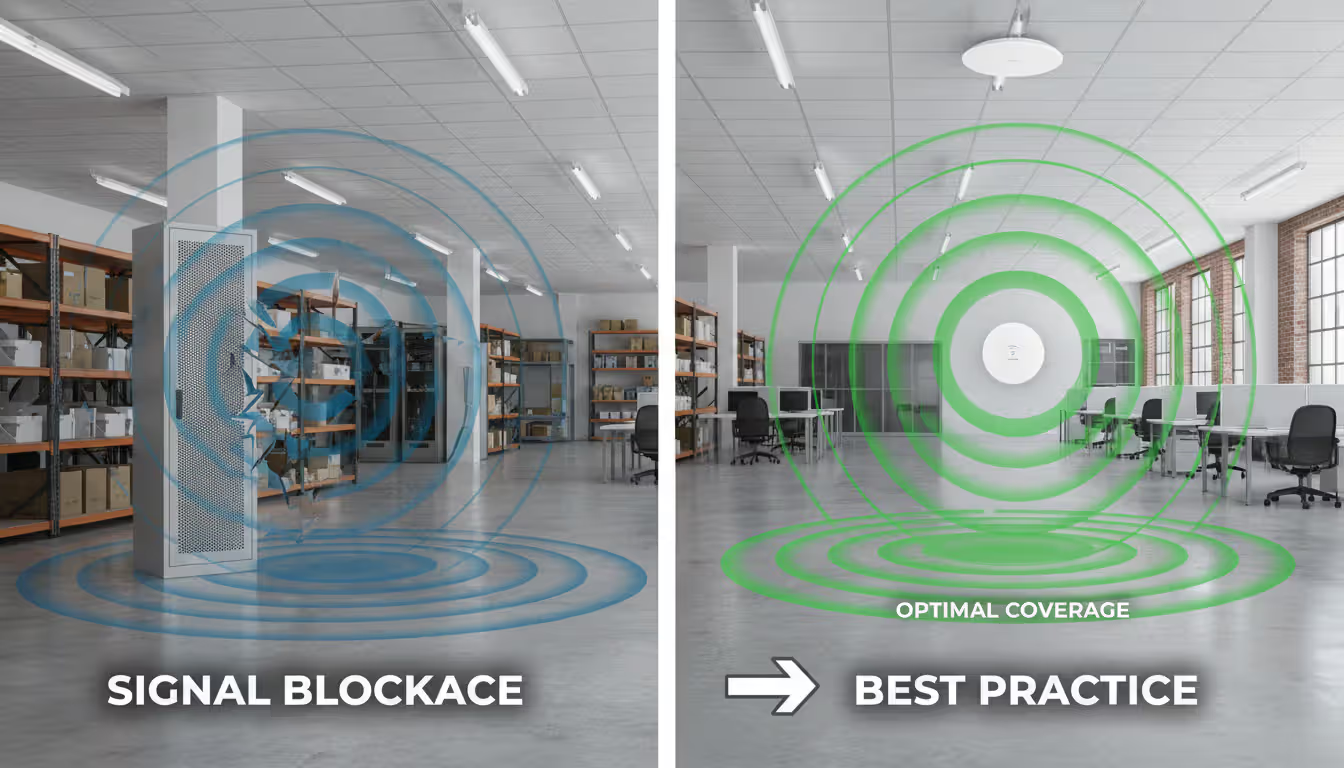
Ignoring physical obstacles kills more networks than any other mistake. Your floor plan shows a big open area, so you space APs evenly at 75-foot intervals. Perfect! Except you didn't notice the HVAC ductwork running through the ceiling, the concrete utility chase, or the 8-foot-tall metal shelf units the warehouse team installed last month. Conduct a physical site walk before finalizing designs. Bring the floor plan, mark obstacles that aren't on the drawing.
Underestimating user density creates the "plenty of coverage, terrible performance" problem. The AP broadcasts a strong signal to 60 devices simultaneously. Great! Until all 60 start downloading OS updates during lunch hour, airtime utilization hits 95%, and everyone's throughput drops to dial-up speeds. Planning software models this—but only if you input realistic numbers. "One AP per 2,500 square feet" works in low-density offices. Conference rooms, lecture halls, and stadium seating need density-based planning.
Author: Megan Holloway;
Source: baltazor.com
Poor AP placement usually stems from aesthetic concerns overruling RF physics. Mounting APs in closets keeps them out of sight. Also keeps their signals blocked by walls, doors, and shelving units. Hiding them above drop ceilings filled with cable trays and HVAC equipment creates the same problem. APs belong in central locations with clear line-of-sight to where users actually work. A visible AP in the middle of a ceiling outperforms a hidden one every time.
Neglecting future growth guarantees premature upgrades. Design a network running at 90% capacity on day one? You'll blow the budget on expansion within six months when the company hires 20 people. Build in 40% headroom—more if you're experiencing rapid growth. Planning software lets you model "current state" versus "three-year projection" scenarios. Design for the future state.
Skipping post-installation validation is construction malpractice. You built the network based on models and assumptions. Did reality cooperate? Conduct a proper site survey after installation—measure actual signal strength, verify throughput, identify interference sources that didn't show up in predictions. Most planning platforms include validation overlays comparing predicted versus measured data. Discrepancies reveal construction changes, undocumented obstacles, or modeling errors you'll avoid next time.
Cost Factors and Licensing Models
One-time purchases are nearly extinct. A handful of desktop applications still sell perpetual licenses at $800–$2,500, but vendors love subscription revenue too much. Expect annual licensing ranging from $1,000 to $7,500 depending on feature tiers and support levels.
Per-site versus per-user pricing creates different economics. Some vendors charge based on how many physical locations you plan—great for consultants juggling multiple clients. Others license by concurrent software users—better for internal IT teams where three people collaborate on a single campus.
Free tools versus paid platforms present obvious trade-offs. Free versions handle simple deployments fine: single floor under 8,000 square feet, moderate user density, standard office construction. Paid tools become mandatory when you need multi-floor modeling, outdoor site planning, high-density calculations, or equipment libraries containing 3,000+ AP models with exact antenna patterns.
ROI calculations are straightforward. Planning software costs $2,200. Avoiding one truck roll to relocate misplaced APs saves $1,800 in labor and materials. Preventing a complete redesign after failed deployment saves $35,000+. Consultants hit payback on the first project. Internal teams break even on their first major installation.
Educational and nonprofit discounts slash costs 40–80% for qualifying organizations. Most vendors offer 14–30 day free trials—long enough to plan a real project and determine if the tool fits your workflow. Some provide free viewer licenses so stakeholders review designs without paying for full editing seats.
Proper wireless network planning cuts post-installation support tickets by 65% or more. The cost of planning software is negligible compared to troubleshooting a poorly designed network for months after go-live. I've watched organizations spend $60,000 on equipment, skip the $2,200 planning tool to save money, then burn another $25,000 fixing completely preventable coverage gaps and capacity problems. Planning software isn't optional anymore—it's the difference between professional network design and expensive guesswork
— Marcus Chen
Frequently Asked Questions
Do I need wireless network planning software for a small office?
A basic single-floor office under 4,000 square feet with normal drywall construction and 25 users? You could get away with rules of thumb: one AP per 2,000 square feet, centrally mounted, avoiding obvious metal obstacles. But planning software—even free tools—costs nothing except 90 minutes of your time and dramatically cuts the risk of dead zones. Your office grows, construction gets more complex, user count climbs, or applications get more demanding? Planning software transitions from "nice to have" to "absolutely essential."
Can planning software help with existing network upgrades?
Absolutely works for upgrades. Import your floor plan, place virtual APs matching current installation locations, run a validation survey to capture actual coverage. The software highlights weak zones and recommends solutions: add two APs in the warehouse, relocate the break room AP 15 feet east, upgrade conference rooms to Wi-Fi 6E. Model "what-if" scenarios before spending money. What happens if we add three APs? What if we upgrade half the network to new APs? Prevents wasting budget on changes that don't fix the actual problem.
What's the difference between planning software and a network manager?
Planning software is a design tool used before and during deployment. It models RF behavior in your specific building, recommends equipment placement, validates coverage predictions. A network manager is an operational tool for live networks that are already running. It monitors connected clients right now, tracks performance trends, alerts you when things break, manages configurations across hundreds of APs. Some platforms bundle both functions under one login, but they serve completely different purposes. Planning is predictive and happens before installation. Management is reactive and handles ongoing operations.
How accurate are RF prediction models?
Typical office environments with standard construction materials? Modern planning software predicts signal strength within 4 dB of actual measurements—close enough for reliable designs. Accuracy improves when you customize attenuation values instead of using defaults. Unusual environments reduce accuracy: warehouses where inventory moves daily, hospitals with lead-lined imaging rooms, factories generating RF noise from machinery. Post-installation surveys identify discrepancies, letting you tune models for future projects. Third or fourth network design in similar buildings? You'll hit ±2 dB accuracy consistently.
Is free wireless planning software sufficient for business use?
Free tools handle straightforward scenarios adequately: single-floor layouts, standard office construction, moderate user density, no mission-critical applications. You lose advanced features like precise capacity planning, detailed interference analysis, multi-floor modeling, and extensive equipment libraries. If your deployment is simple and you're comfortable with some experimentation during installation, free software works fine. Complex environments, high user density, or applications where downtime costs serious money? Pay for professional tools with vendor support.
Does planning software work with all access point brands?
Professional planning platforms include libraries containing thousands of AP models from major manufacturers: Cisco, Aruba, Ruckus, Juniper Mist, Ubiquiti, and dozens more. Each entry has antenna radiation patterns, transmit power specs, supported standards, and frequency bands. Vendor-specific free tools—like Ubiquiti's design center—only support that manufacturer's equipment, pushing you toward their hardware. Obscure or brand-new AP models might not exist in libraries yet. Check if your planning software includes them or allows custom equipment profiles where you manually input specifications.
Comparison of Wireless Network Planning Software Types
Software Type
Annual Cost
Best Fit
What You're Missing
Delivery Method
Free vendor tools
$0
Single-brand deployments, simple layouts, businesses under 30 users
Locked to one manufacturer's APs, basic features only, no advanced RF modeling, limited support
Mostly cloud-based
Entry-level paid
$250–$750/year
Small business, single-site planning, consultants with straightforward projects
Wireless network planning software transforms deployment from expensive experimentation into predictable engineering. The gap between networks that function adequately and networks that perform reliably under heavy load comes down to understanding RF behavior before mounting hardware.
Whether you're managing a 40-person office network or designing multi-building corporate campuses, the core principles stay constant: model your environment accurately, account for physical obstacles, plan for realistic capacity demands, validate after installation. Skipping any step introduces risk.
The investment pays back immediately. Fewer site visits correcting mistakes. Accurate equipment quotes that don't need revision. Installation crews confident they're mounting APs in correct locations. Users who don't flood the helpdesk complaining about dead zones in the break room or crawling speeds during video calls.
Wireless networks aren't supporting just email anymore. They're handling VoIP systems where dropped packets mean lost calls. IoT sensors transmitting critical facility data. Real-time collaboration tools enabling hybrid work. Inventory management systems tracking thousands of items. The cost of poor planning escalates when business operations depend on reliable wireless connectivity.
Start by defining your specific requirements: building size and construction type, concurrent user count, application bandwidth demands, budget constraints. Match those needs to the appropriate software tier. Many small businesses find free or entry-level tools perfectly adequate. Complex environments with unusual construction, high density, or mission-critical applications justify professional platforms with advanced modeling and vendor support.
The absolute worst choice? No planning at all. Relying on intuition, hoping for the best, then spending months troubleshooting preventable problems.
The wireless landscape keeps evolving. Wi-Fi 6E opened 6 GHz spectrum in 2020. Wi-Fi 7 arrives throughout 2024-2025 with multi-link operation and even higher throughput. Planning software evolves alongside standards, updating propagation models and equipment libraries. Your investment in learning a planning platform compounds over time as you build a library of validated designs and deepen your understanding of RF behavior in different building types. That expertise becomes a competitive advantage—whether you're an IT professional supporting your organization or a consultant serving multiple clients.
Network topology defines how devices connect and communicate in your infrastructure. This guide covers topology types (star, mesh, ring, tree, hybrid), creating accurate network topology diagrams, choosing mapping tools, and avoiding common planning mistakes that impact performance and reliability
Network downtime costs US businesses $9,000 per minute. This comprehensive guide covers network management fundamentals, deployment models, key features, provider selection, and solutions to common challenges for modern IT infrastructure
Network diagrams map how devices connect and communicate in your infrastructure. This guide covers everything from basic diagrams to professional documentation, including tool selection, templates, and best practices that prevent costly troubleshooting delays
Load balancing distributes network traffic across multiple servers to prevent overload, improve performance, and ensure high availability. This guide covers load balancing methods, compares hardware vs software vs cloud solutions, and explains how to choose the right tools for your infrastructure needs
The content on this website is provided for general informational and educational purposes only. It is intended to explain concepts related to cloud computing, computer networking, infrastructure, and modern IT systems.
All information on this website, including articles, guides, and examples, is presented for general educational purposes. Technology implementations may vary depending on specific environments, business needs, infrastructure design, and technical requirements.
This website does not provide professional IT, engineering, or technical advice, and the information presented should not be used as a substitute for consultation with qualified IT professionals.
The website and its authors are not responsible for any errors or omissions, or for any outcomes resulting from decisions made based on the information provided on this website.