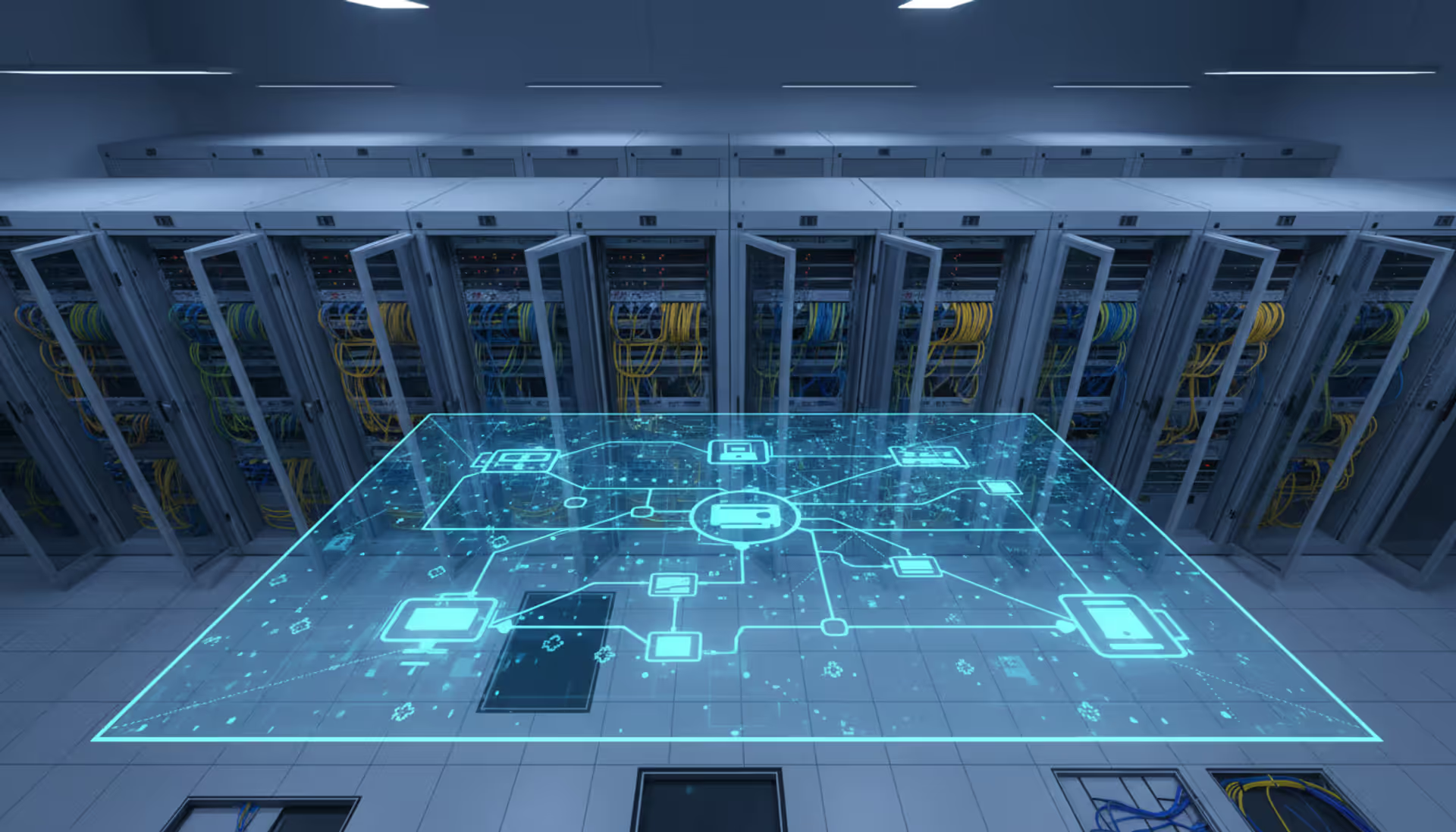
IT engineer standing in a modern server room monitoring a large network topology map displayed on a wall-mounted screen with glowing rack equipment in the background
According to recent industry data, the average US business hemorrhages roughly $9,000 every sixty seconds when networks fail. That's $540,000 per hour. Yet walk into most companies and you'll find IT teams still fighting fires instead of preventing them. The gap between reactive scrambling and structured oversight determines which organizations thrive and which watch competitors pull ahead.
What Is Network Management and Why It Matters
Network management means controlling, monitoring, and maintaining the digital highways your business runs on. Think of it as the combination of processes, software platforms, and operational practices that keep routers, switches, firewalls, servers, and endpoints running smoothly. You're tracking everything—device health metrics, bandwidth consumption patterns, switch configurations, security breach attempts.
This discipline typically splits into five operational areas. When you adjust device settings and document changes, that's configuration management at work. Fault management kicks in when you spot problems and fix them before your CEO's video call drops. You're doing performance analysis when measuring things like network latency, data throughput speeds, and how many packets get lost in transit. Security management covers defending against hackers and unauthorized access. Finally, accounting management watches who uses what resources, which matters for billing customers or planning capacity upgrades.
The business consequences reach far beyond your server room. Consider a manufacturing plant where industrial sensors lose connectivity—production lines stop. Retail stores see point-of-sale terminals freeze during Black Friday rushes. Hospitals face patient safety risks when medical devices disconnect. Banks pay regulatory fines after network failures expose customer data.
Companies with mature oversight report 63% fewer surprise outages than those winging it. When problems hit, resolution speed jumps dramatically—issues that used to take hours now get fixed in minutes. Your network team stops spending entire days troubleshooting and starts planning strategic improvements. Executives finally get real-time dashboards showing infrastructure health instead of learning about problems from angry customers.
The numbers tell the story. Organizations running comprehensive management maintain uptime above 99.9%. Those without struggle to hit 98%, which translates to 87+ hours down annually versus under 9. That difference represents millions in lost revenue for enterprise operations.
Author: Chloe Bramwell;
Source: baltazor.com
How Network Management Works
Everything starts with discovery—figuring out what you actually have. Automated scanning tools sweep through IP address ranges, identifying active equipment and mapping how your routers, switches, firewalls, servers, and workstations connect together. You end up with a complete inventory and a topology diagram showing your network's architecture.
Once you know what's there, continuous monitoring begins. Your network management system checks in with devices using protocols like SNMP, WMI, or modern APIs. Software agents gather measurements—CPU load, RAM usage, interface status, error counts, temperature sensors. Enterprise systems typically collect this data every 30-60 seconds from mission-critical infrastructure.
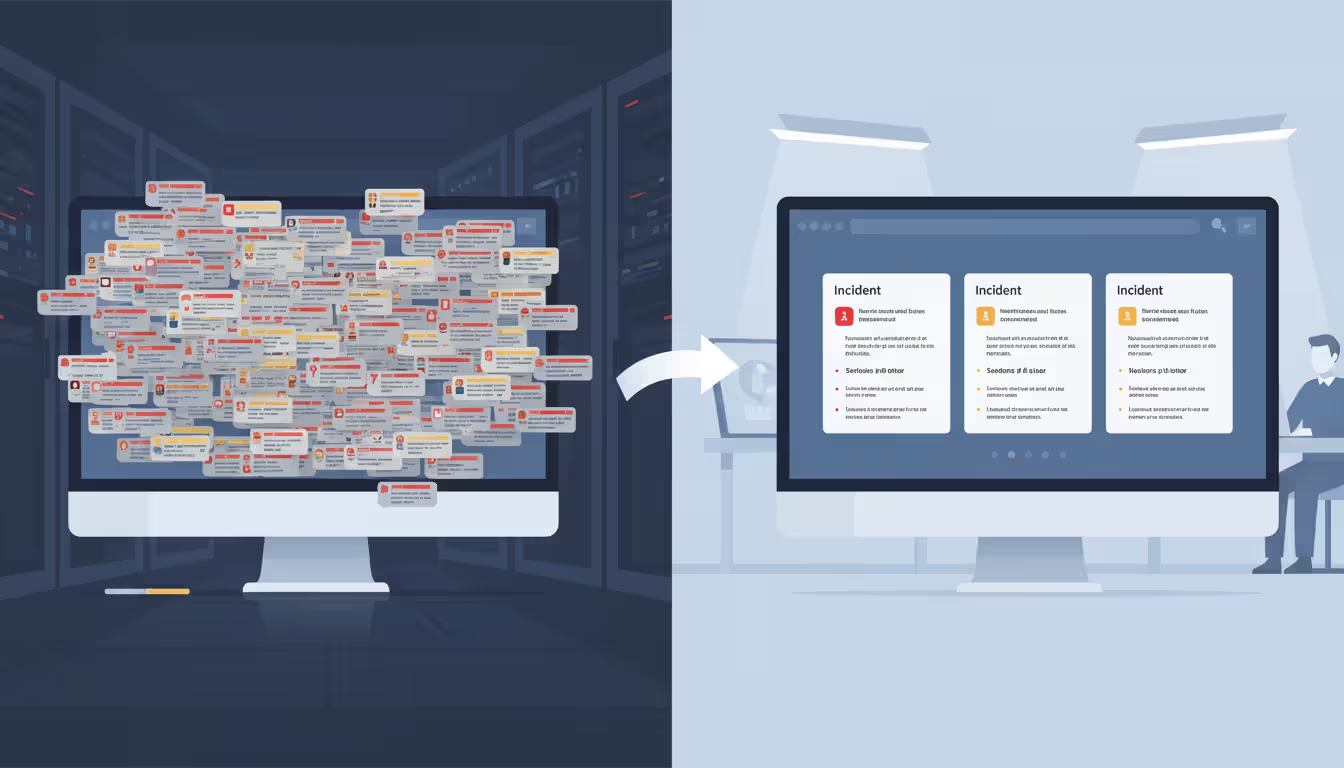
Alerts fire when measurements exceed limits you've set. Maybe a router interface stays above 80% capacity for five straight minutes—that triggers a warning. A completely dead link generates a critical alert. Smart systems connect the dots across multiple alerts to pinpoint root causes. When a core switch dies, you don't want 47 separate notifications about downstream devices going offline—you want one alert identifying the actual problem.
Reports turn millions of data points into decisions. Historical trends might reveal bandwidth demand climbing 15% each quarter, telling you when to upgrade. Availability summaries document uptime for service level agreements. Capacity forecasts predict when you'll max out resources.
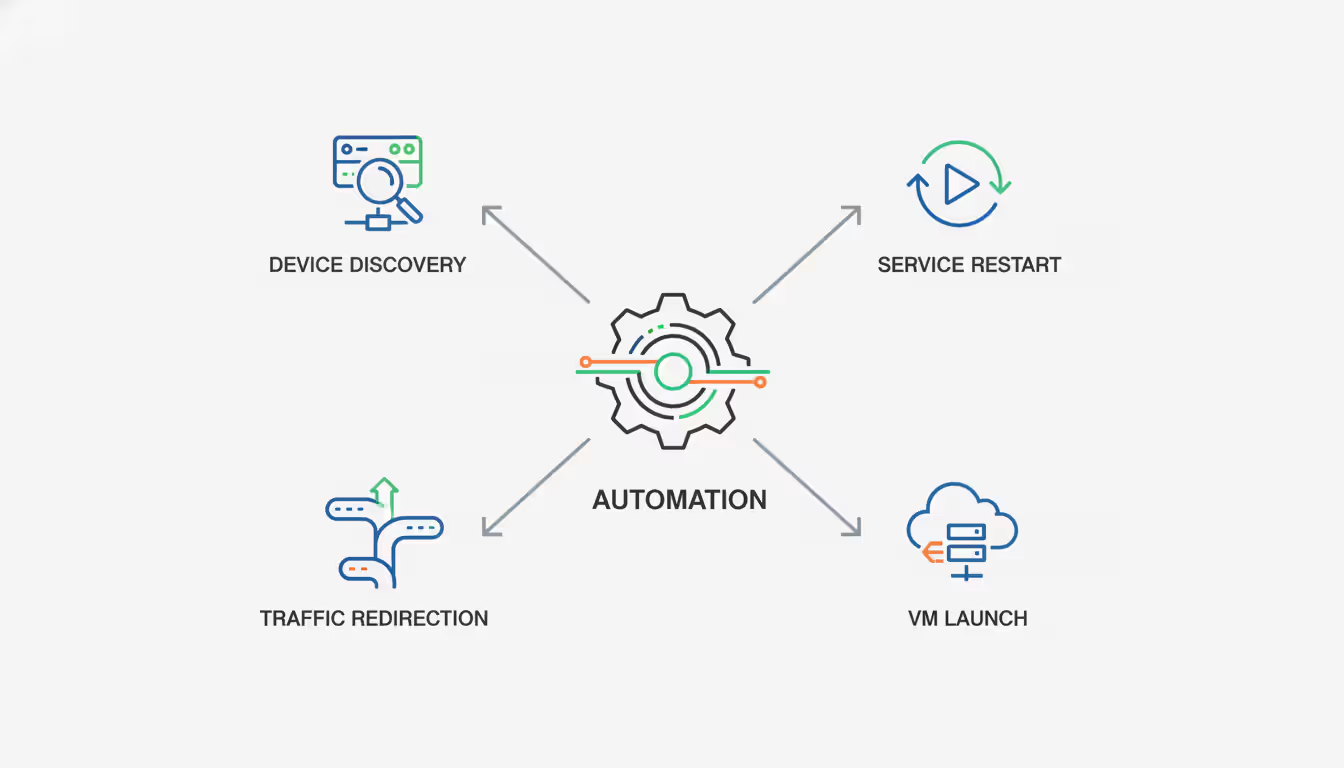
The remediation piece closes the loop. Basic automation might restart crashed services or reroute traffic around failures. Advanced orchestration spins up new cloud resources when demand spikes. Integrations with ticketing systems create work orders when human intervention becomes necessary.
This cycle never stops. Networks pump out millions of measurements daily. Effective systems filter the noise, spotlight anomalies, and show each person what they need—executives see business impact scores while engineers examine packet-level diagnostics.
Author: Chloe Bramwell;
Source: baltazor.com
Types of Network Management Solutions
On-Premise vs. Cloud-Based Platforms
On-premise platforms install inside your datacenter. You buy perpetual software licenses, rack up servers, and maintain the entire stack yourself. Total control over your data and deep customization options come with this territory. Banks and government agencies with strict data residency mandates often go this route. The downsides? Hefty upfront capital expenditures, ongoing maintenance headaches, and scaling difficulties when your network doubles in size.
Cloud-based platforms run as SaaS offerings. The vendor hosts everything and pushes updates automatically. You pay monthly or yearly based on monitored devices. Getting started takes days, not months. Scaling happens automatically as your network grows—no capacity planning spreadsheets required. The catch involves depending on internet connectivity to reach management dashboards and ship telemetry to vendor clouds.
Hybrid setups blend both approaches. You run local collectors inside your network that gather data, then forward condensed information to cloud analytics engines. This cuts bandwidth needs while maintaining centralized visibility across dozens of branch offices.
Managed Services vs. In-House Tools
In-house tools give your team full control. You pick the software, write monitoring rules, and handle alerts around the clock. Maximum flexibility for unusual requirements and complete data privacy. You'll need skilled staff willing to take on-call rotations plus continuous training budgets as technology shifts.
A managed network management service outsources daily operations to specialists. Third-party NOCs watch your infrastructure 24/7/365. They handle routine upkeep, respond to alerts, and escalate tricky issues to your team. Monthly costs typically run less than hiring full-time engineers—especially for mid-size networks with 100-500 devices.
Co-managed arrangements split duties. The provider tackles commodity monitoring and first-response while your team focuses on strategic projects and complex escalations. You balance cost savings against keeping internal expertise.
Your decision depends on team size, budget realities, and infrastructure complexity. A 50-employee company rarely justifies a dedicated network engineer's salary. A 5,000-person enterprise with multi-cloud infrastructure needs in-house experts supplemented by managed services for global time zone coverage.
Key Features to Look For in Network Management Tools
Real-time monitoring forms your foundation. The best network management tools gather measurements at sub-minute intervals and update dashboards instantly as conditions shift. Historical data sticks around for at least a year so you can compare this January's performance against last year's.
Automation separates modern platforms from dinosaurs. Auto-discovery spots new devices minutes after they connect. Self-healing scripts restart failed services or tweak routing protocols. Workflow engines orchestrate complex fixes—detecting a dead server, launching a replacement virtual machine, and updating load balancer settings without waking anyone up.
Scalability determines whether you'll need to rip and replace in three years. Your system should handle 10x growth without architectural surgery. Distributed polling prevents single points of failure. Database partitioning keeps queries fast as data volumes explode. Cloud-native designs scale elastically based on actual demand.
Integration capabilities multiply value beyond standalone monitoring. REST APIs enable two-way conversations with ticketing platforms, configuration databases, and automation tools. Pre-built connectors work with ServiceNow, Jira, Ansible, Terraform right out of the box. Webhooks trigger external workflows based on network events.
Dashboards need to serve multiple audiences simultaneously. Your CEO wants uptime percentages and business service health scores. Network engineers need interface statistics and latency heat maps. Compliance officers demand audit trails and change histories. Role-based access shows each person relevant information without drowning them in irrelevant details.
Security features protect both the management platform and monitored infrastructure. Encrypted communications stop credential theft. Multi-factor authentication guards admin access. Vulnerability scanning flags devices running outdated firmware. Anomaly detection catches unusual traffic patterns suggesting breach attempts.
Vendor reputation starts with market presence and customer count. Providers serving thousands of organizations prove product maturity and financial staying power. Check Gartner and Forrester analyst reports for side-by-side comparisons. Online reviews expose common frustrations—platform outages, slow support responses, painful migrations.
Support quality makes or breaks daily operations. Look at contractual response commitments for different problem severities. Critical issues should get acknowledged within 15 minutes, not the next business day. Confirm available channels—phone, email, chat, web portals. Verify 24/7 coverage actually includes Saturday nights and holidays. Ask for customer references and grill them about support experiences.
Pricing models vary wildly across the industry. Device-based pricing charges per monitored endpoint. Bandwidth-based pricing scales with network capacity. User-based pricing fits organizations with massive device counts but small admin teams. Understand exactly what counts as billable—some vendors charge separately for servers, network gear, and virtual machines. Watch for hidden fees like professional services, training courses, or premium support tiers.
Scalability needs extend beyond current requirements. Your network management provider should accommodate 3-5 year growth projections without platform swaps. Ask about architectural ceilings—maximum devices per instance, data retention limits, query performance at massive scale. Multi-region deployments demand multi-tenant capabilities and unified reporting.
Compliance certifications matter in regulated industries. SOC 2 Type II attestations prove security controls work. ISO 27001 shows organized information security practices. HIPAA compliance enables healthcare use cases. FedRAMP authorization allows federal government deployments. PCI DSS compliance supports payment card environments.
Trial periods and proof-of-concept projects reduce buying risk. Solid providers offer 30-day trials with complete feature access. POCs should monitor representative network chunks under realistic conditions. Test alert precision, dashboard usability, and integration functionality before signing contracts.
Common Network Management Challenges and Solutions
Alert fatigue crushes teams when systems blast out excessive notifications. Typical enterprise networks generate thousands of alerts daily. Most represent meaningless noise rather than actionable problems. Engineers develop "alert blindness" and miss critical issues buried in spam folders.
Contemporary solutions apply machine learning to understand normal patterns and flag genuine weirdness. Correlation engines bundle related alerts into single incidents. Smart suppression rules silence expected conditions—like backup jobs pegging CPUs or planned maintenance windows. The payoff comes as 90% fewer alerts with dramatically higher accuracy.
Author: Chloe Bramwell;
Source: baltazor.com
Network complexity explodes with cloud adoption, remote work, and IoT expansion. Traditional tools built for datacenter networks choke on hybrid environments spanning on-premise gear, AWS, Azure, SaaS applications, and SD-WAN overlays simultaneously.
Unified platforms deliver single-pane visibility across mixed environments. Cloud-native architectures monitor containerized workloads and serverless functions properly. API connections pull telemetry from cloud provider consoles. Application performance monitoring extends past network layers into actual user experience.
Skills shortages plague IT departments as veteran engineers retire while technologies evolve faster than training programs. A 2026 industry survey found 68% of organizations struggle hiring qualified network professionals. Remaining staff lack training time while juggling daily emergencies.
Managed network management services plug expertise gaps without lengthy recruiting cycles. Providers maintain specialized knowledge across diverse technologies. Automated playbooks encode expert procedures into repeatable workflows. Self-service portals let junior staff resolve common issues using guided walkthroughs.
Legacy system integration creates technical obstacles. Older equipment lacks SNMP support or uses proprietary management protocols. Vendors that went bankrupt decades ago obviously stopped providing updates. Yet these systems remain business-critical and can't get replaced immediately.
Modern platforms offer flexible collection methods beyond standard protocols. CLI scraping pulls information from command-line interfaces. Syslog parsing interprets log messages. Custom scripts bridge gaps for unsupported devices. Gradual migration strategies prioritize monitoring critical systems while planning eventual legacy retirement.
Network management has shifted from putting out fires to predicting them.Companies using AI-driven platforms catch issues 40 minutes before users feel any impact. Moving from reactive troubleshooting to prevention fundamentally transforms how IT creates business value
— Jennifer Martinez
Frequently Asked Questions About Network Management
What does network management include?
You're looking at five functional buckets: configuration management (adjusting device settings and tracking changes), performance analysis (checking speed and capacity), fault management (finding and fixing problems), security management (blocking threats), and accounting management (measuring resource consumption). Day-to-day activities range from watching router CPU levels to writing firewall rules, creating uptime summaries, and investigating security incidents.
How much does network management cost?
Pricing depends on your approach and network size. Software licenses for self-hosted tools run $5,000 to $50,000+ yearly based on device counts. Cloud platforms typically charge $5-$50 monthly per device. Managed services cost $100-$500 annually per device, bundling 24/7 monitoring with support. A 200-device network might spend $15,000-$40,000 yearly on software or $30,000-$100,000 for fully managed options. Don't forget hidden expenses like staff time, training budgets, and servers to host management platforms.
Do small businesses need network management?
Small operations with 10+ employees and multiple network devices benefit from basic oversight. Even simple monitoring prevents extended outages that shut down operations. A restaurant chain with five locations needs cross-site visibility to troubleshoot POS failures. A 30-person consulting firm requires monitoring to keep client-facing apps running. Free or budget tools provide essential monitoring for businesses not ready for enterprise platforms. The calculation boils down to this: when network downtime costs exceed monitoring expenses, management pays for itself.
What's the difference between network monitoring and network management?
Monitoring observes and reports network status—tracking device availability, bandwidth consumption, performance numbers. It tells you what's currently happening. Management includes monitoring plus active control—configuring equipment, making changes, fixing problems. It covers both observation and action. Monitoring represents a component of management. You can monitor without managing actively, but you can't manage effectively without monitoring as your information foundation.
How does cloud-based network management differ from traditional systems?
Network management cloud platforms host software in vendor datacenters you access through web browsers. Traditional on-premise setups install on your own servers. Cloud options offer quicker deployment (days instead of months), automatic updates, and elastic scaling. They need internet connectivity and transmit telemetry externally. On-premise systems give you complete data sovereignty, function during internet outages, and support deeper customization. Cloud platforms usually charge subscriptions while traditional systems involve upfront license purchases. Hybrid approaches combine local collection with cloud analytics.
What certifications should a network management provider have?
SOC 2 Type II certification confirms security controls and operational practices meet standards. ISO 27001 proves structured information security management. Industry-specific requirements include HIPAA for healthcare data, PCI DSS for payment processing, and FedRAMP for government contracts. Technical certifications like Cisco, Juniper, or vendor-neutral CCNP validate staff expertise levels. Geographic compliance such as GDPR matters for international operations. Request actual attestation reports instead of trusting marketing claims—legitimate providers share audit documentation with potential customers.
Her perspective captures broader industry transformation. Network infrastructure stopped being isolated technology years ago—it now powers digital business models, distributed workforces, and customer-facing services. When networks fail, revenue stops, reputations suffer, and competitors gain ground.
Forward-thinking organizations view network management as strategic investment rather than operational overhead. They establish performance baselines, set improvement targets, and measure business outcomes directly. A logistics company cut delivery delays 23% by optimizing network performance across warehouse facilities. A healthcare system boosted patient satisfaction scores through reliable telemedicine connectivity.
The technology landscape keeps evolving. Software-defined networking separates control from hardware. Intent-based networking automates policy enforcement automatically. AIOps platforms analyze millions of measurements to predict failures before they materialize. Zero-trust architectures demand granular visibility into every network flow.
These advances make sophisticated management accessible to more organizations. Cloud platforms democratize enterprise-grade capabilities for mid-market companies. Managed services provide expertise without hiring challenges. Open-source tools offer credible alternatives for budget-conscious deployments.
The real question isn't whether to implement network management but how to execute it effectively. Begin by documenting current infrastructure and identifying visibility gaps. Set concrete objectives—cutting downtime, accelerating incident response, ensuring regulatory compliance. Evaluate solutions against actual requirements instead of feature checklists.
Pilot projects cut risk while proving value quickly. Monitor critical segments first, then expand coverage methodically. Measure outcomes quantitatively—mean time to detection, mean time to resolution, percentage of issues caught before user impact. Refine your approach based on what the data shows.
Network management capabilities mature through iterative improvement. Initial rollouts focus on visibility and basic alerting. Intermediate phases add automation and third-party integrations. Advanced implementations use predictive analytics and self-healing capabilities. Each stage builds on prior investments while delivering measurable value.
Organizations mastering network management gain competitive edges through reliability, agility, and operational efficiency. Those neglecting it accumulate technical debt, face escalating costs, and remain vulnerable to disruptive outages. The infrastructure supporting digital business demands structured oversight—not as an optional enhancement but as operational necessity.
Deploying wireless networks without planning software risks coverage gaps and expensive rework. This guide explains how RF modeling tools predict signal behavior, recommend access point placement, and validate designs before installation—saving time and money across small business and enterprise deployments
Network topology defines how devices connect and communicate in your infrastructure. This guide covers topology types (star, mesh, ring, tree, hybrid), creating accurate network topology diagrams, choosing mapping tools, and avoiding common planning mistakes that impact performance and reliability
Network diagrams map how devices connect and communicate in your infrastructure. This guide covers everything from basic diagrams to professional documentation, including tool selection, templates, and best practices that prevent costly troubleshooting delays
Load balancing distributes network traffic across multiple servers to prevent overload, improve performance, and ensure high availability. This guide covers load balancing methods, compares hardware vs software vs cloud solutions, and explains how to choose the right tools for your infrastructure needs
The content on this website is provided for general informational and educational purposes only. It is intended to explain concepts related to cloud computing, computer networking, infrastructure, and modern IT systems.
All information on this website, including articles, guides, and examples, is presented for general educational purposes. Technology implementations may vary depending on specific environments, business needs, infrastructure design, and technical requirements.
This website does not provide professional IT, engineering, or technical advice, and the information presented should not be used as a substitute for consultation with qualified IT professionals.
The website and its authors are not responsible for any errors or omissions, or for any outcomes resulting from decisions made based on the information provided on this website.