Moving your business applications to the cloud? You're probably drowning in vendor pitches, security frameworks, and pricing calculators right now. The cloud promised simplicity—instead, IT teams get hundreds of service options, shared responsibility models that nobody quite understands, and billing statements that require a finance degree to decode.
Here's what actually matters: understanding the building blocks of cloud infrastructure, locking down your security posture before something breaks, and picking providers based on your real workload needs rather than whatever's trending on Hacker News.
We'll walk through the fundamentals without the marketing fluff, then dig into security assessments, choosing vendors, and the specific services you'll actually use.
What Is Cloud Infrastructure and How Does It Work
Think of cloud infrastructure as the physical and virtual guts—servers, drives, network switches, virtualization software—that power those on-demand computing resources everyone keeps talking about. You're renting server capacity by the hour instead of buying Dell equipment and babysitting it in a closet somewhere.
Three fundamental layers make everything work:
Compute resources give you processing muscle. Need a machine with 32 cores and 128GB of memory? Spin one up in three minutes. Traffic dies down at night? Scale back to two small instances. This flexibility kills the old-school approach where you'd buy servers in February for capacity you won't need until November.
Storage systems come in flavors matched to specific jobs. Block storage acts like a hard drive bolted to your virtual machine—databases love this. Object storage swallows unstructured stuff like video files and backup archives. File storage handles cases where multiple applications need shared access to the same data pool.
Networking infrastructure ties everything together using software-defined networks. Virtual private clouds wall off your resources, load balancers split traffic across server pools, and CDNs cache content near your users. The killer feature? Reconfiguring a network takes an API call instead of someone crawling under desks with ethernet cables.
Author: Megan Holloway;
Source: baltazor.com
Your service model choice determines what you actually manage versus what the provider handles:
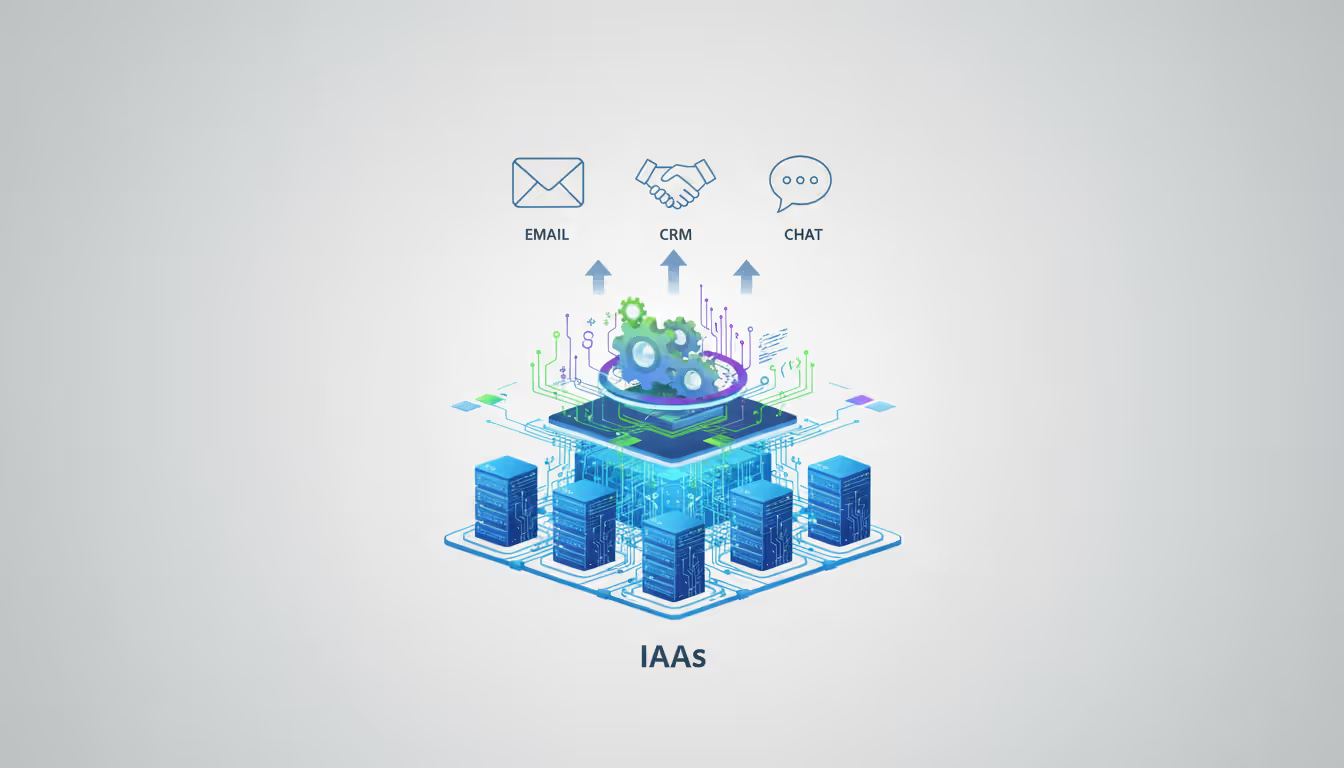
Infrastructure as a Service (IaaS) hands you virtual machines, storage volumes, and network configs. You own everything from the OS up—patching, security, scaling, the works. Maximum control, maximum headaches.
Platform as a Service (PaaS) abstracts the operating system away. Deploy your application code while the provider handles patching, scaling infrastructure, and keeping the runtime environment healthy. Managed database services fit here.
Software as a Service (SaaS) means using complete applications—Gmail, Salesforce, whatever—without touching infrastructure at all.
Reality check: you'll use all three simultaneously. Your e-commerce site runs on IaaS virtual machines, connects to a PaaS-managed PostgreSQL database, and integrates with SaaS tools like Zendesk for customer support.
By 2026, more than 75% of organizations will have adopted a cloud-first principle, but fewer than 30% will have the necessary governance frameworks to manage multi-cloud complexity effectively
— Gartner analyst Ed Anderson
Types of Cloud Infrastructure Models
Deployment models involve trade-offs between control, cost, and complexity. There's no universal "best" choice.
Public cloud means your workloads run on shared hardware at AWS, Azure, or Google's data centers. Other companies' applications execute on the same physical servers—virtualization keeps everyone separated. You pay for exactly what you consume with zero upfront hardware investment. Public cloud shines for variable workloads and rapid scaling, though you can't customize the underlying infrastructure.
Private cloud dedicates infrastructure exclusively to your organization—either on-premises hardware running VMware or dedicated servers at a provider's facility. Regulated industries like healthcare often go this route for physical isolation. Works well for steady workloads that won't benefit from public cloud's elastic pricing.
Hybrid cloud bridges on-premises infrastructure with public cloud resources through dedicated network links. Maybe your customer database stays on-premises for compliance reasons while web servers run in AWS. Or you handle normal traffic locally but burst to cloud capacity during holiday peaks. The catch? Maintaining consistent security policies across both environments gets messy fast.
Multi-cloud spreads workloads across AWS, Azure, and Google Cloud simultaneously—analytics on GCP, web apps on AWS, Microsoft workloads on Azure. Avoids vendor lock-in and lets you cherry-pick each provider's strengths. But you've just tripled your operational complexity and your team needs expertise across multiple platforms.
Model
How You Pay
What You Control
Security Model
Scaling Limits
Works Best For
Public
Usage-based (no upfront cost)
Service configs only
Provider secures hardware, you secure applications
Healthcare, finance, workloads with steady capacity needs
Hybrid
Mixed upfront and usage costs
Selective based on workload placement
Split responsibility across environments
Flexible within each environment
Apps with compliance requirements, burst capacity scenarios
Multi-Cloud
Usage costs across multiple vendors
Different controls per provider
Separate security frameworks per platform
Maximum but complex
Avoiding vendor lock-in, using specialized services from each provider
By 2026, most enterprises landed somewhere in the hybrid or multi-cloud camp—though many regret the decision when they realize what "managing three cloud platforms simultaneously" actually costs in staffing and tools.
How to Assess Cloud Infrastructure Security
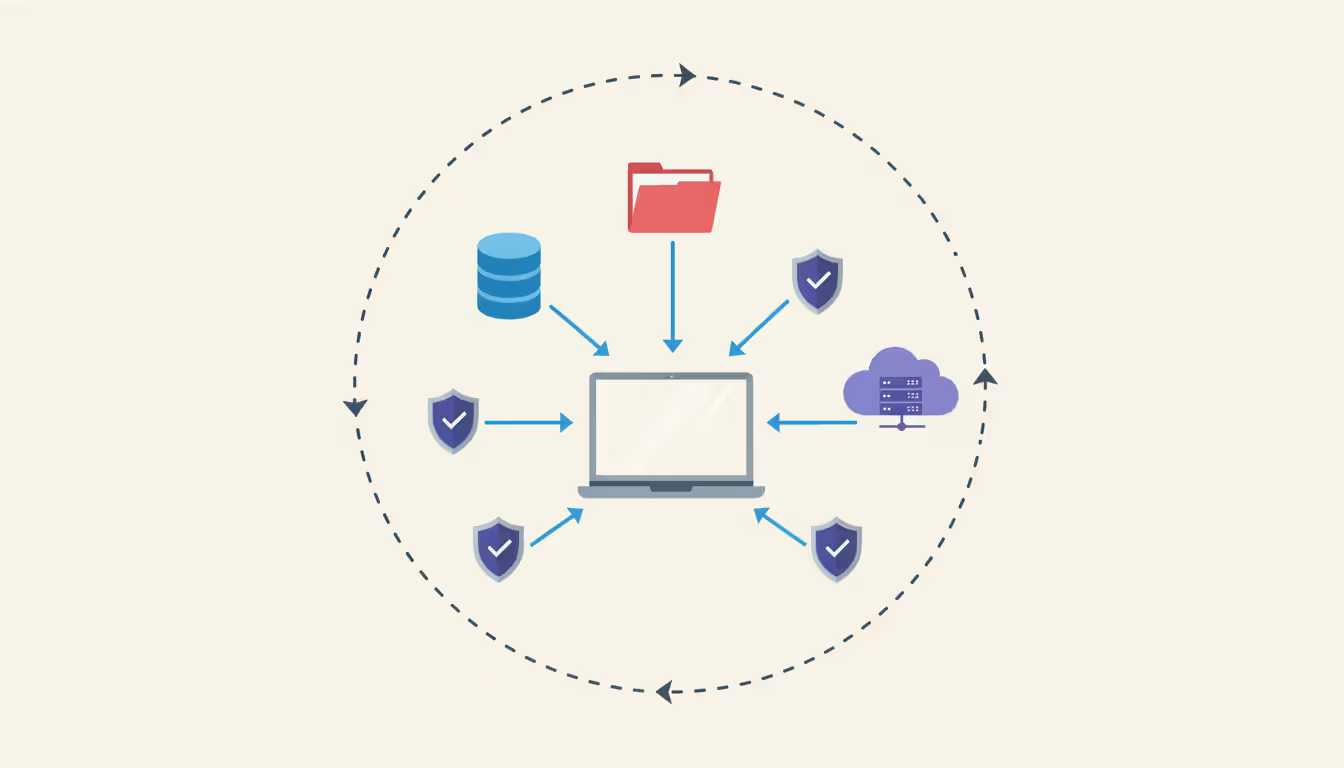
A cloud infrastructure security assessment figures out whether your deployment meets your security requirements, spots vulnerabilities before attackers do, and proves compliance with whatever regulations apply to your business. Unlike traditional security audits focused on firewalls and perimeter defenses, cloud assessments must account for shared responsibility—providers secure the physical infrastructure while you secure everything running on top.
Define your scope first. Are you auditing one application? Your entire cloud footprint? Comparing providers before migrating? Document which compliance frameworks matter: SOC 2 for SaaS companies, HIPAA for patient data, GDPR for European customers, PCI DSS for processing credit cards.
Here's how assessments typically flow:
Inventory and visibility: Catalog every resource—compute instances, storage buckets, databases, network rules. Most breaches happen because teams forget about resources. That test server someone spun up six months ago with default credentials? Perfect attack vector.
Configuration review: Check security settings against benchmarks like CIS Cloud Foundations. Common problems include storage buckets accidentally set to public access, security groups allowing SSH from anywhere, and logging disabled so you're blind to attacks.
Access analysis: Audit who can access which resources and how. Hunt for excessive permissions, shared credentials, and accounts missing multi-factor authentication. Service accounts tend to accumulate permissions over time without anyone pruning obsolete access.
Data protection audit: Verify encryption at rest and in transit, validate backup configs, test whether you can actually restore from backups. Encryption doesn't help if you store the decryption keys right next to the encrypted data.
Threat detection capabilities: Confirm monitoring tools capture security events and alerts actually reach someone who'll respond. Plenty of organizations enable logging but never look at it until after a breach.
Key Security Controls to Evaluate
Focus on these controls during assessment:
Identity and access management (IAM) governs who can do what to which resources. Check whether you've implemented least privilege—users get only the permissions their job requires. Look for hardcoded credentials in application code, which exposes API keys to anyone with Git access.
Network segmentation contains breaches by isolating workloads. Your production database shouldn't accept connections from dev servers. Micro-segmentation goes further with granular rules between individual application components.
Encryption coverage needs to protect data at rest, in transit, and ideally during processing through confidential computing. Verify you control encryption keys instead of relying solely on provider-managed keys, especially for sensitive data.
Logging and monitoring makes security events visible. Logs should capture authentication attempts, configuration changes, data access, and network flows. Store logs in a separate account so attackers can't delete them after compromising your application environment.
Vulnerability management requires scanning virtual machine images, containers, and application dependencies regularly. Automated scanning should flag outdated packages with known exploits before deployment.
Author: Megan Holloway;
Source: baltazor.com
Common Cloud Security Vulnerabilities
Real breaches reveal predictable patterns:
Misconfigured storage leads more data exposure incidents than everything else combined. Default settings on S3 buckets often allow public access unless explicitly locked down. Always double-check access controls after creating storage resources.
Excessive IAM permissions let attackers move laterally after initial compromise. That web server exploited through an application bug shouldn't have permissions to read database backups or modify network settings.
Unpatched systems offer easy targets. Cloud infrastructure doesn't automatically patch your virtual machines—you still own operating system updates and application security fixes.
Inadequate secrets management happens when developers hardcode API keys or drop passwords in config files. Dedicated secrets management services provide audit trails and credential rotation.
Insufficient logging prevents detection and forensics. Enable comprehensive logging before incidents occur—you can't retroactively capture events that were never recorded.
Cloud Infrastructure Security Best Practices
Effective security balances protection with operational efficiency. Lock things down too tight and teams route around your controls.
Adopt zero-trust architecture by verifying every access request regardless of network location. Old-school perimeter security assumed everything inside your network was trustworthy—an approach that collapses in cloud environments where "inside the network" barely means anything. Verify user identity, device health, and request context before granting access to each resource.
Implement strong identity and access management using centralized identity providers with single sign-on and multi-factor authentication. Define roles based on job functions instead of granting permissions to individual users. When someone switches teams, their access updates automatically based on new role assignments.
Enforce encryption everywhere for data at rest and in transit. Use TLS 1.3 for network traffic and AES-256 for stored data. Managing your own encryption keys satisfies certain compliance requirements but increases operational burden—lose the keys and your data's permanently inaccessible.
Deploy comprehensive monitoring and alerting that catches anomalous behavior. Baseline normal activity, then alert on deviations like unusual data transfers, authentication from weird locations, or privilege escalation attempts. Feed cloud provider security services into your SIEM for unified visibility.
Automate security controls through infrastructure as code. Manual security configurations drift as teams make undocumented changes. Defining security settings in code ensures consistent application and creates an audit trail.
Establish incident response procedures tailored to cloud environments. Your playbook should cover credential rotation, snapshot preservation for forensics, and procedures for isolating compromised resources without nuking unaffected workloads. Run tabletop exercises—discovering gaps during an active breach is too late.
Maintain security boundaries between environments. Production and development need separate accounts or subscriptions with no cross-environment access. A vulnerability in dev shouldn't provide a path to production data.
Regular security assessments catch configuration drift and new vulnerabilities. Schedule quarterly IAM permission reviews, monthly vulnerability scans, and annual third-party penetration testing.
Author: Megan Holloway;
Source: baltazor.com
Practical guideline: if enabling a security control takes more than five minutes of manual work per deployment, automate it. Manual processes fail when teams are rushing to ship.
How to Choose the Best Cloud Infrastructure Provider
Selecting a provider means evaluating technical capabilities, business terms, and strategic fit. The "best" provider depends entirely on your workload characteristics and organizational needs.
Performance and reliability form the baseline. Examine SLAs for uptime guarantees—major providers typically promise 99.95% to 99.99% availability for compute services. Look past the headline percentage at what happens when SLAs miss. A 10% service credit doesn't compensate for a three-hour outage that torches customer trust.
Test actual performance with your real workloads. Network latency varies by provider and region. Storage throughput differs between equivalent service tiers. Run proof-of-concept deployments before committing.
Geographic coverage matters for latency-sensitive applications and data residency compliance. Count regions where providers operate data centers and verify they offer the services you need in those locations. Some providers list regions but only offer limited services outside core markets.
Service breadth and maturity determines how much you can accomplish with one provider. Evaluate specialized services beyond basic compute and storage: managed databases, ML platforms, IoT services, analytics tools. Single-provider consolidation simplifies billing and support but risks vendor lock-in.
Pricing transparency and cost management separates providers dramatically. Some publish detailed pricing; others force you through sales calls for quotes. Calculate costs for typical workloads, not just headline compute prices. Data transfer fees, API charges, and support costs add up shockingly fast.
Support quality and response times depends on support tier. Basic support might mean 24-hour response for non-critical issues. Premium support delivers faster response and technical account managers. Consider whether your team can troubleshoot independently or needs responsive vendor support.
Compliance certifications prove providers meet security and regulatory standards. Verify certifications matching your industry: FedRAMP for government work, HITRUST for healthcare, ISO 27001 for general security management.
Provider
Pricing Approach
Data Center Footprint
Notable Strengths
Ideal Customer Profile
AWS
Usage-based, reserved capacity, savings plans available
32 regions with 102 availability zones
Deepest service catalog, mature third-party ecosystem, extensive documentation
Don't optimize solely for today's requirements. Evaluate each provider's innovation velocity and investment in technologies relevant to your roadmap. Switching providers later involves significant migration effort.
Cloud Infrastructure Services You Should Know
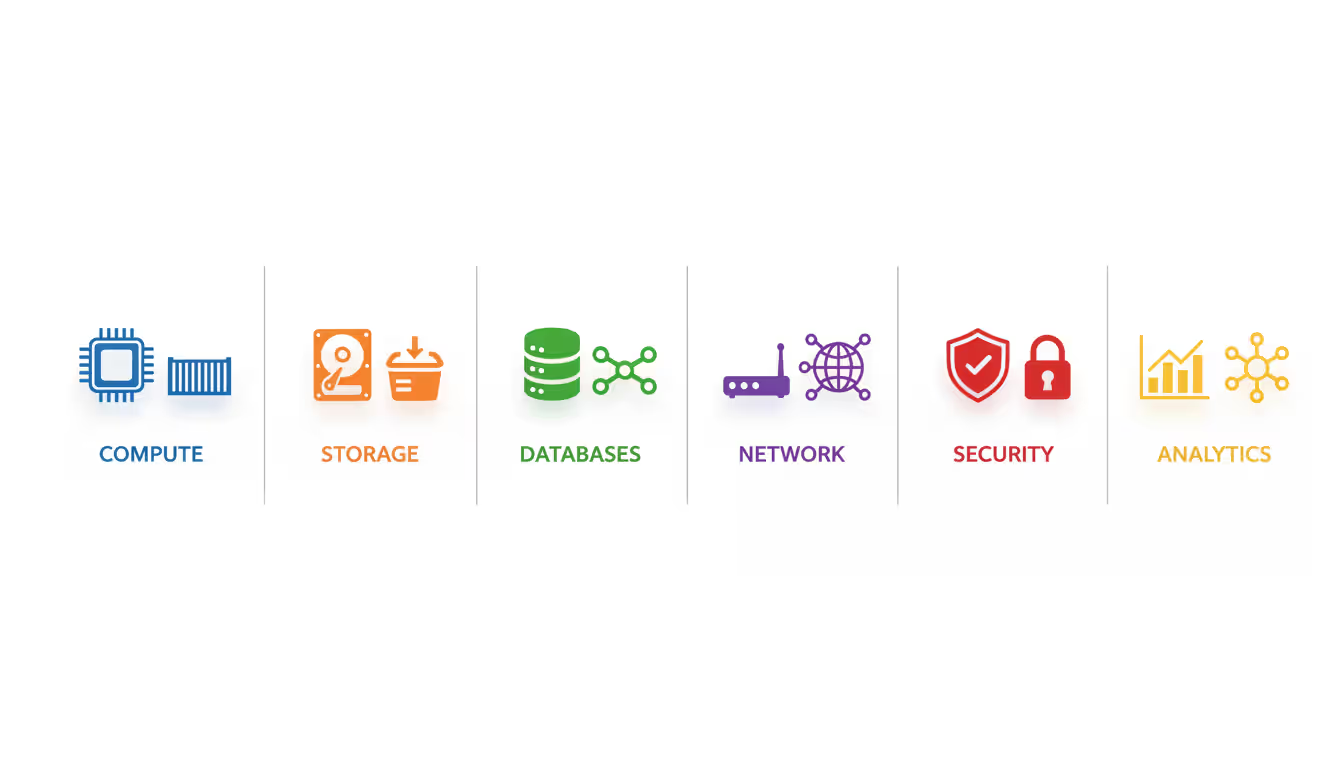
Providers offer dozens of service categories, but these core services underpin most deployments:
Compute services deliver processing power in multiple forms. Virtual machines provide maximum control and compatibility with legacy applications. Containers bundle applications with dependencies for consistent behavior across environments. Serverless functions execute code triggered by events without server management—you're billed only for execution time.
Storage solutions match different access patterns and performance needs. Block storage bolts onto virtual machines for databases and applications needing low-latency disk access. Object storage scales to petabytes for unstructured data like media files and backup archives. File storage enables shared access through standard protocols when applications need concurrent file access.
Database services eliminate operational toil around database management. Managed relational databases handle backups, patching, and replication automatically while you focus on schema design and queries. NoSQL databases support document, key-value, and graph models for applications that don't fit relational structures. Data warehouses optimize for analytics queries across massive datasets.
Networking services connect resources and control traffic flow. Virtual private clouds isolate your workloads. Load balancers split incoming traffic across server pools for availability and performance gains. VPN and dedicated connections link cloud resources to on-premises infrastructure. DNS services route users to optimal data centers.
Content delivery networks (CDN) cache static content at edge locations worldwide, cutting latency for users and reducing traffic to origin servers. Essential for media-heavy sites and global applications.
Serverless computing extends beyond simple functions to managed container orchestration, event-driven workflows, and API gateways. Build applications without infrastructure management, though you're adopting new architectural patterns and potential vendor lock-in.
Security services provide native protection. Web application firewalls filter malicious traffic, DDoS protection absorbs attack traffic, security monitoring services detect threats across your environment.
Analytics and machine learning services process large datasets and build predictive models. Data lakes centralize raw data from multiple sources. Stream processing analyzes data in real-time. ML platforms provide tools for training and deploying models without requiring deep data science expertise.
The service catalog expands constantly. Adopt services solving specific problems instead of chasing shiny new technology. Common mistake: using serverless architecture everywhere when traditional VMs would be simpler and cheaper for steady-state workloads.
Author: Megan Holloway;
Source: baltazor.com
Frequently Asked Questions About Cloud Infrastructure
What is the difference between cloud infrastructure and cloud services?
Cloud infrastructure represents the foundational computing resources—servers, storage, networks—providing the platform for running applications. Cloud services are specific capabilities built on that foundation, like managed databases, ML platforms, or email systems. Infrastructure forms the base layer; services are what you build or consume on top. Most organizations blend both approaches: infrastructure services like virtual machines for custom applications, plus higher-level managed services like databases to reduce operational overhead.
How much does cloud infrastructure cost?
Cloud spending ranges wildly based on workload characteristics—anywhere from $50 monthly for a basic website to millions annually for enterprise deployments. A typical small business application might cost $500-2,000 monthly covering compute, storage, and data transfer. Costs scale with usage: compute charges accumulate hourly, storage by gigabyte-month, data transfer by gigabyte. The pay-as-you-go model eliminates upfront capital expense but demands active cost management. Organizations routinely overspend 30-40% through idle resources, oversized instances, and inefficient architectures. Use provider cost calculators for estimates, then watch actual spending closely during initial deployment.
Is cloud infrastructure more secure than on-premises?
Cloud infrastructure delivers better security than most organizations achieve on-premises, assuming proper configuration. Major providers pour billions into physical security, network protection, and threat detection—resources few enterprises can match. However, the shared responsibility model leaves you accountable for securing applications, data, and access controls. Most cloud breaches stem from customer misconfiguration rather than provider vulnerabilities. Cloud infrastructure offers superior security tools, but you must implement them correctly. Small to mid-sized organizations typically achieve stronger security in cloud than on-premises; large enterprises with mature security programs may reach comparable security in both environments.
What are the biggest risks in cloud infrastructure?
Misconfiguration triggers more cloud security incidents than any other factor. Publicly accessible storage buckets, overly permissive access controls, disabled logging—these create vulnerabilities attackers exploit constantly. Loss of control over data location raises sovereignty concerns when providers store data across jurisdictions. Vendor lock-in complicates switching providers once you've built applications using proprietary services. Service outages impact multiple customers simultaneously—a provider's regional failure can take down hundreds of applications. Compliance complexity grows when regulations mandate specific data handling that doesn't align with provider capabilities. Cost overruns happen when usage grows faster than expected without adequate monitoring. Insider threats expand to include provider employees with infrastructure access. Mitigate these through proper architecture, continuous monitoring, and governance frameworks.
How do I migrate to cloud infrastructure?
Start with comprehensive inventory of applications, dependencies, and data. Categorize workloads by migration difficulty and business value. Begin with straightforward stateless applications or development environments to build team expertise before tackling complex production systems. Pick a migration strategy per workload: rehost (lift-and-shift) moves applications unchanged, replatform makes minimal modifications to leverage managed services, refactor redesigns applications for cloud-native architecture, retire eliminates applications no longer needed. Establish your cloud foundation first—account structure, networking, security controls, monitoring—before migrating workloads. Migrate in waves, validating each application before proceeding. Plan for 6-18 months for typical enterprise migrations, though simple deployments can complete in weeks. Expect roughly 20-30% of time spent on planning, 50-60% on execution, 10-20% on post-migration optimization.
Which cloud infrastructure provider is best for small businesses?
AWS, Azure, and Google Cloud all work for small businesses—the best choice depends on your specific needs and existing technology stack. AWS provides the deepest service catalog and most mature ecosystem but steeper learning curve. Azure integrates seamlessly with Microsoft 365 and other Microsoft products many small businesses already use. Google Cloud offers competitive pricing and strong data analytics. For small businesses with limited cloud expertise, start with whichever provider offers the best startup credits or has accessible local support. Many small businesses successfully use multiple providers for different purposes—Azure for Microsoft workloads, AWS for web applications, Google Cloud for analytics. Focus less on choosing the "perfect" provider and more on starting with one, building expertise, and expanding strategically based on actual needs rather than theoretical capabilities.
Cloud infrastructure matured from experimental technology into the standard platform for modern applications. Success requires more than migrating workloads from on-premises data centers—it demands understanding shared responsibility, implementing proper security controls, and choosing services aligned with your workload characteristics.
Organizations extracting maximum value from cloud infrastructure treat it as strategic capability rather than a cost center. They invest in team training, establish governance frameworks before problems emerge, and continuously optimize based on actual usage patterns.
Start with clear objectives: cost reduction, faster deployment, improved reliability, or access to advanced services. These goals shape architecture decisions and measure success. Build incrementally instead of attempting complete transformation overnight. Small wins generate momentum and expertise for larger initiatives.
Don't treat security as an afterthought—make it foundational. The flexibility and scale that make cloud infrastructure powerful also create attack surfaces if improperly secured. Implement security controls from day one, automate through infrastructure as code, and review regularly as your environment evolves.
Choose providers based on your specific requirements instead of popularity or vendor marketing. Test performance with realistic workloads, understand total cost beyond headline compute pricing, and evaluate maturity of services you'll actually use. Most importantly, maintain flexibility to adjust strategy as your needs evolve and the cloud landscape continues advancing.
Deploying wireless networks without planning software risks coverage gaps and expensive rework. This guide explains how RF modeling tools predict signal behavior, recommend access point placement, and validate designs before installation—saving time and money across small business and enterprise deployments
Network topology defines how devices connect and communicate in your infrastructure. This guide covers topology types (star, mesh, ring, tree, hybrid), creating accurate network topology diagrams, choosing mapping tools, and avoiding common planning mistakes that impact performance and reliability
Network downtime costs US businesses $9,000 per minute. This comprehensive guide covers network management fundamentals, deployment models, key features, provider selection, and solutions to common challenges for modern IT infrastructure
Network diagrams map how devices connect and communicate in your infrastructure. This guide covers everything from basic diagrams to professional documentation, including tool selection, templates, and best practices that prevent costly troubleshooting delays
The content on this website is provided for general informational and educational purposes only. It is intended to explain concepts related to cloud computing, computer networking, infrastructure, and modern IT systems.
All information on this website, including articles, guides, and examples, is presented for general educational purposes. Technology implementations may vary depending on specific environments, business needs, infrastructure design, and technical requirements.
This website does not provide professional IT, engineering, or technical advice, and the information presented should not be used as a substitute for consultation with qualified IT professionals.
The website and its authors are not responsible for any errors or omissions, or for any outcomes resulting from decisions made based on the information provided on this website.