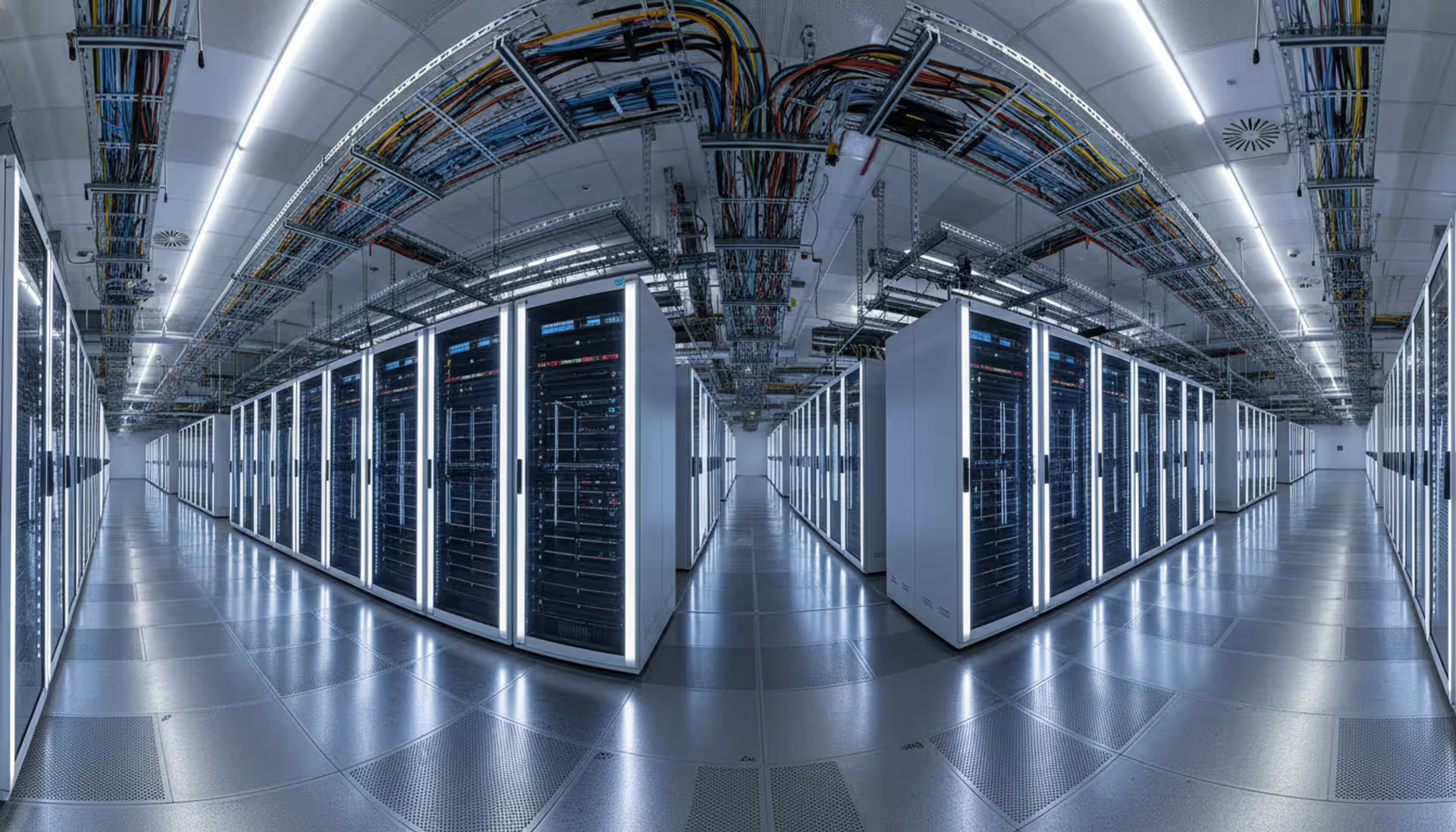
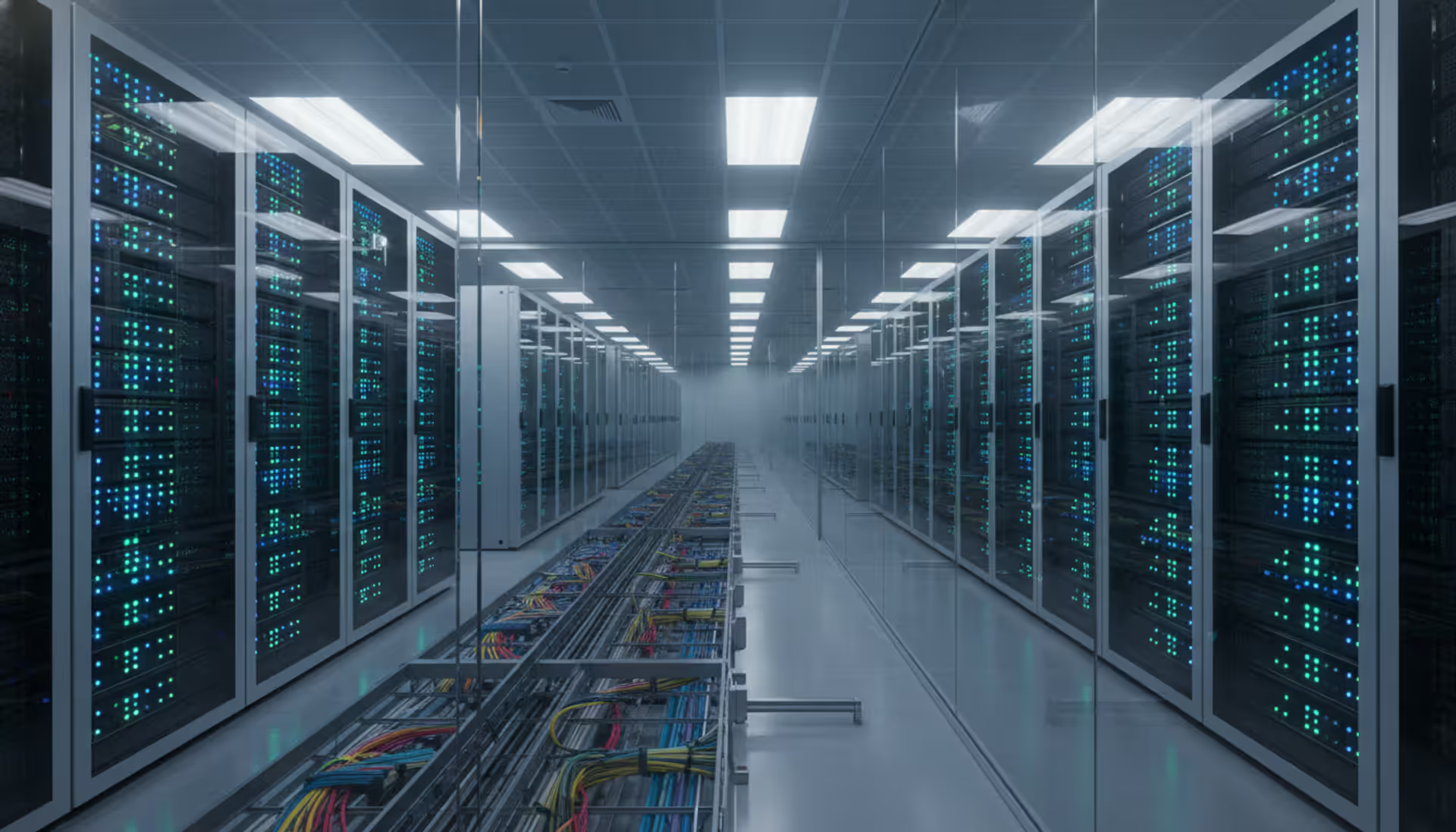
Panoramic view of a modern hyperscale cloud data center with long rows of illuminated server racks, cable trays on the ceiling, and perforated floor tiles
Think of cloud data as your company's information living in someone else's professionally managed facility instead of the server closet down the hall. Amazon, Microsoft, and Google operate massive warehouses full of computers that you can rent by the hour. Your files, databases, and applications run on their hardware while you pay a monthly bill based on usage.
Here's what actually happens when you work with cloud data. You click "save" on a document. That file gets chopped into encrypted pieces and sent over your internet connection to a data center that might be hundreds of miles away. Virtualization software lets dozens of companies share the same physical machine without seeing each other's data. The machine stores your file, confirms receipt, and you keep working. If you need that file later, the whole process runs in reverse.
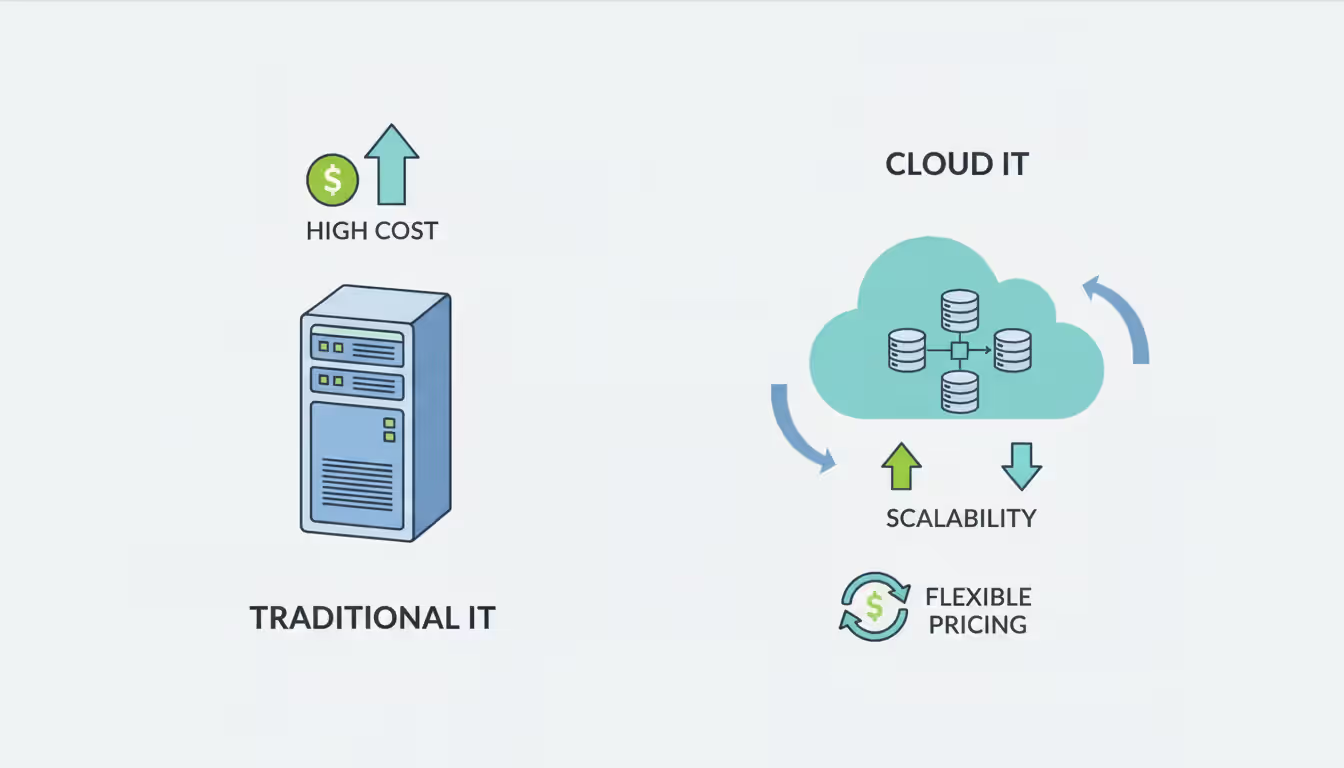
Compare this to traditional IT infrastructure. Your company buys a $50,000 server, installs it in a climate-controlled room, hires someone to maintain it, and hopes you estimated future capacity correctly. Pay everything upfront. The hardware depreciates whether you use 10% or 100% of its capacity. When traffic spikes during the holiday season, your system crashes because you can't instantly add more servers.
Cloud providers flip this model. Need more storage tonight? Add it through a web interface. Traffic died down? Scale back and stop paying for unused capacity. You're renting infrastructure the way you'd rent a car—pay for what you use, return it when you're done, let someone else handle oil changes.
Most companies today run split operations. Customer-facing websites live in the cloud because traffic fluctuates wildly. Proprietary manufacturing processes stay on local servers because the CEO doesn't want that data leaving the building. The division isn't about technology—it's about which risks you're willing to accept and which you prefer to manage yourself.
Author: Megan Holloway;
Source: baltazor.com
Cloud Data Storage Options and When to Use Each
Three storage architectures dominate cloud platforms, each designed for radically different problems.
Storage Type
Best For
Typical Use Cases
Cost Structure
Object Storage
Massive unstructured datasets
Video libraries, medical imaging, website backups, machine learning archives
Pay for reserved capacity plus input/output speed tier
File Storage
Teams sharing documents
Development codebases, content management workflows, legacy app compatibility
Pay per gigabyte plus data throughput volume
Object storage works like an infinite filing cabinet. Each file becomes a standalone object with metadata tags. You can't open a video file and edit frame 1,247—you must download the whole thing, make changes, and upload a new version. That limitation is the price you pay for unlimited scalability. Netflix stores billions of movie files this way. During the pandemic, Zoom kept petabytes of recorded meetings in object storage because it costs $0.023 per gigabyte per month versus $0.10+ for faster storage types. Access happens through web APIs, not traditional folder browsing.
Block storage divides your data into uniform chunks (usually 4KB or 16KB), each with its own address. Your database can update a single customer record by rewriting just the blocks containing that information. This speed matters when processing thousands of credit card transactions per second. You're paying for guaranteed performance—provision 10,000 IOPS (operations per second), and the provider reserves physical disk capacity to deliver that speed whether you use it constantly or sporadically.
File storage gives you the familiar folder structure you've used since Windows 95. Multiple servers can mount the same network drive simultaneously. One developer commits code changes while another reviews the same repository. Performance lands between the other two options. Costs depend on both how much you store and how fast you read/write data. A 5TB archive you access monthly costs less than 5TB you actively edit daily.
Choose object storage when you're accumulating data faster than you can process it. Use block storage when every millisecond of delay costs you money or customers. Pick file storage when migrating legacy applications that expect traditional file systems.
How Cloud Data Servers Process and Manage Information
The phrase "cloud server" is marketing speak. You're actually renting slices of a very powerful computer that's simultaneously serving 30 other customers.
Launch a virtual machine, and the cloud platform allocates some CPU cores, a chunk of RAM, and network bandwidth from its physical hardware pool. Hypervisor software creates walls between your virtual environment and everyone else's. You can install whatever operating system you want, configure firewall rules, and generally behave like you own the machine. Meanwhile, the same physical box is running virtual machines for a bakery in Portland, a law firm in Singapore, and a game studio in Montreal.
These virtual instances handle your actual computing work. Web servers responding to customer clicks. Database engines executing complex queries. Background jobs processing uploaded images. Batch scripts generating monthly reports. A typical e-commerce site might deploy fifteen instance types simultaneously—tiny ones handling simple web requests, memory-heavy ones caching frequently accessed data, and compute-optimized monsters crunching fraud detection algorithms.
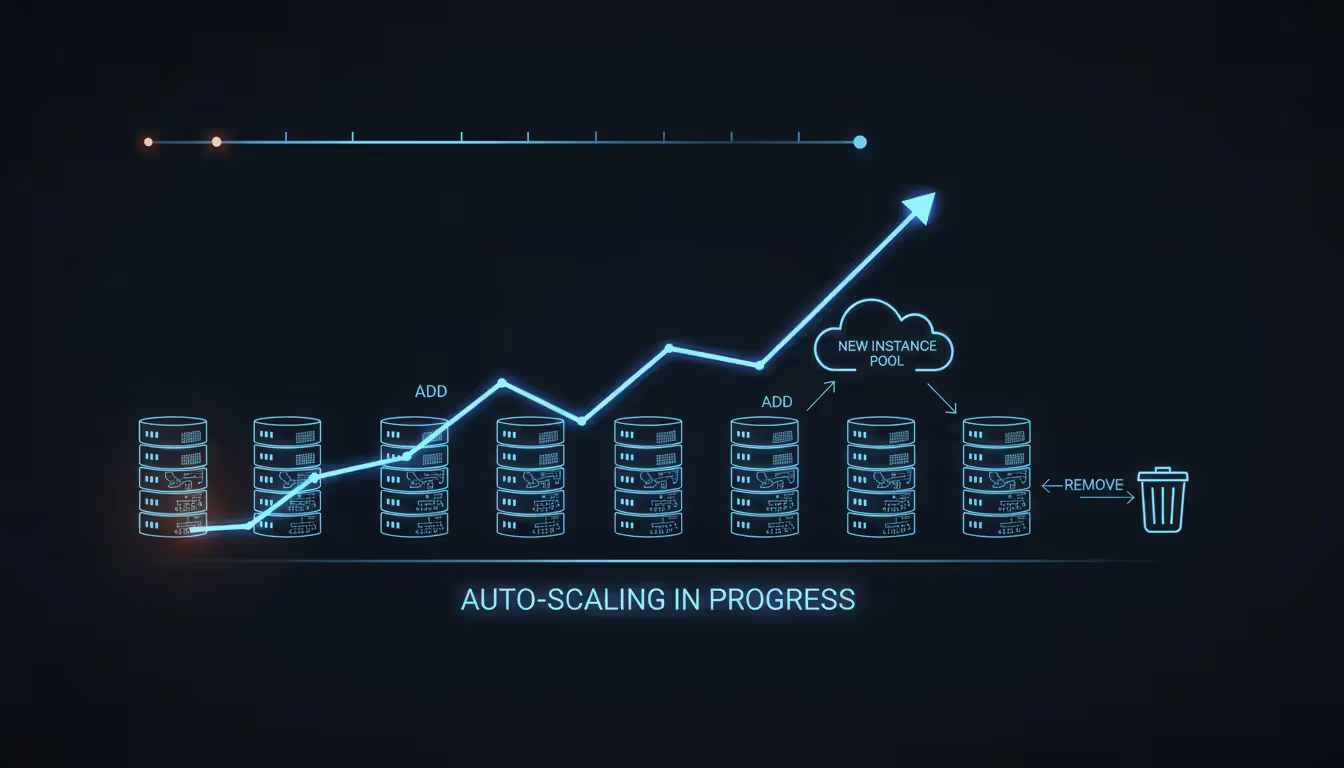
Scaling happens automatically if you configure it correctly. Black Friday arrives, and traffic jumps 10x. Your infrastructure notices the surge and provisions 40 additional web servers within three minutes. Customers get fast page loads. Traffic drops Sunday night, and those extra servers terminate themselves. You paid for 72 hours of compute capacity instead of maintaining 40 idle servers all year.
Author: Megan Holloway;
Source: baltazor.com
Serverless computing pushes this abstraction further. Upload your code and forget about servers entirely. When someone uploads a profile photo, your image-resizing function wakes up, processes the file, and goes back to sleep. You're billed for 340 milliseconds of execution time. Great for sporadic workloads. Terrible for applications that need consistent sub-10-millisecond response times.
The "managed" part remains time-consuming despite marketing promises. Someone still monitors CPU utilization graphs, patches security vulnerabilities, configures network access rules, and optimizes instance selection based on workload patterns. You're not racking physical servers in a freezing data center at 2 AM anymore, but infrastructure engineering didn't disappear—it just moved up the stack.
Cloud Data Infrastructure Components You Need to Know
Network and Connectivity Layer
Virtual private clouds let you carve out isolated network space within the provider's infrastructure. Define your IP address scheme (10.0.0.0/16, for example), split it into subnets across different availability zones, and set up routing exactly like configuring a Cisco router—except it happens through JSON configuration files instead of command-line interfaces.
Dedicated network connections bypass the public internet entirely. A hedge fund might pay $5,000 monthly for a 10 Gbps fiber line between their trading floor and AWS's New York region because routing through regular internet introduces unpredictable latency. You can achieve 3-5 millisecond consistent roundtrip times versus 15-50 milliseconds over standard connections. That variability matters when executing trades where microseconds determine profit or loss.
Content delivery networks cache your data in 200+ global locations. Someone in Sydney requests your product catalog. Instead of pulling it from your Virginia data center (180ms roundtrip), they get it from the Sydney edge location (18ms). This geographic distribution makes your site feel fast everywhere. Most CDNs charge around $0.08 per gigabyte delivered, which seems expensive until you calculate the bandwidth costs of serving everything from a central location.
Traffic distribution systems spread requests across multiple backend servers. The basic concept is simple—server A is overwhelmed, send the next request to server B. Real implementations get complex fast. Application-aware balancers can route requests based on URL patterns (send "/api/" to the API servers, "/.jpg" to the image servers), inspect cookies to maintain session affinity, and enable zero-downtime deployments by gradually shifting traffic from old to new application versions.
Security and Access Controls
Permission systems control who can do what to which resources. Give your junior developer read-only database access so they can debug production issues without accidentally running "DELETE FROM customers WHERE 1=1". Grant your senior architect permission to modify networking rules but not to spin up expensive compute instances. Sounds simple. In practice, large organizations manage thousands of permission rules across hundreds of services, and subtle misconfigurations create security gaps.
Encryption scrambles data so thieves can't read it. Encryption at rest protects stored files—someone steals a hard drive from the data center and finds only gibberish without your decryption keys. Encryption in transit protects data moving across networks using TLS/SSL certificates. Both should be enabled always, yet breach reports constantly cite unencrypted databases as the vulnerability. Why? Encryption adds complexity during initial development, and teams skip it planning to "add it later," which never happens.
Network access controls function as firewalls defining allowed traffic. Your database server should accept connections only from application servers on port 5432, never from random internet addresses. Seems obvious. Yet incorrect firewall rules cause 30% of cloud security incidents according to recent research. Someone opens SSH access from anywhere during troubleshooting, fixes the immediate problem, and forgets to remove the rule. Automated scanners find that opening within hours.
Web application firewalls inspect incoming HTTP requests for attack patterns. They recognize SQL injection attempts ("SELECT * FROM users WHERE username='admin'--"), cross-site scripting payloads, and credential stuffing campaigns. Position them in front of web servers to block malicious traffic before it reaches application code. A good WAF stops 95% of automated attacks. The remaining 5% are sophisticated enough to require human attention.
Backup and Disaster Recovery Systems
Snapshots freeze storage at a specific moment. Your intern accidentally drops the customer table at 2:47 PM. You restore from the 2:00 PM snapshot, losing 47 minutes of data instead of everything. Automated policies might keep hourly snapshots for 24 hours, daily snapshots for a week, weekly snapshots for a month, and monthly snapshots for a year. This approach generated 5TB of snapshot storage that cost one company $115 monthly—reasonable insurance against data loss.
Cross-region replication continuously copies data to geographically distant data centers. Hurricane hits the Miami data center, taking it offline for 36 hours. Your application fails over to the backup region in Oregon, and customers keep working with minimal interruption. Define your recovery targets explicitly: Can you tolerate four hours of downtime? Ten minutes of data loss? Zero data loss but eight hours of downtime? Each requirement has dramatically different costs. Five-minute recovery time with zero data loss might cost 10x more than four-hour recovery with 30 minutes of acceptable data loss.
Geographic backup strategies protect against regional disasters but introduce complications. Transferring 100TB between US and European regions costs $9,000 in data transfer fees. Privacy regulations complicate things further—European customer data often cannot be backed up to US facilities under GDPR, requiring region-specific backup architectures that increase complexity and cost.
Most organizations focus on migrating data and applications but overlook the operational transformation required to run infrastructure effectively in the cloud. You need different skills, processes, and tools. The technology migration is actually the easy part—changing how your team works is the real challenge
— Sarah Chen
Understanding Cloud Data Pipeline Architecture
Data pipelines move information from source systems through transformation steps to final destinations—think assembly line for your company's data.
Traditional extract-transform-load (ETL) approaches pulled data from sources, cleaned and restructured it, then loaded the results into warehouses. This made sense when storage was expensive and analytical databases were slow. Modern extract-load-transform (ELT) flips the order: dump everything into cheap object storage first, transform it later using powerful cloud data warehouses. Why store data twice? Storage costs dropped from dollars per gigabyte to pennies while analytical engines got fast enough to transform data on-demand.
Batch processing runs on schedules. Every night at 2 AM, pull yesterday's sales transactions, calculate summaries by product and region, update executive dashboards. You're optimizing for throughput—process five million records efficiently even if it takes 45 minutes. The trade-off is latency. Sales that happened at 4 PM yesterday don't appear in reports until this morning.
Stream processing handles events continuously. Customer adds item to cart, that event immediately flows through the pipeline, updating recommendation algorithms and inventory systems within seconds. Stock levels reflect real-time activity instead of yesterday's snapshot. This requires fundamentally different architecture—you need to handle events arriving out of order, guarantee each event processes exactly once, and maintain state across distributed systems. Much harder than batch processing but necessary for real-time applications.
Common tools include Airflow for orchestration (scheduling tasks, monitoring failures, retrying failed steps), Spark for distributed transformations (process terabytes of data by splitting work across hundreds of machines), and Kafka for event streaming (buffer millions of events per second between producers and consumers). Managed services like AWS Glue or Azure Data Factory handle infrastructure complexity, though you sacrifice some flexibility compared to self-managed solutions.
Pipelines fail constantly. Source database goes offline during maintenance. Data arrives in unexpected formats because someone deployed changes without notice. Transformation code hits an edge case the developers didn't anticipate. Professional pipelines anticipate failures through retry logic, dead letter queues for messages that fail repeatedly, and monitoring alerts when data volumes fall outside normal ranges. Amateur pipelines crash and wake up the on-call engineer at 3 AM.
Cloud Data Center Architecture Explained
Physical buildings remain the foundation despite "cloud" marketing suggesting your data floats in the sky. Understanding data center design explains why providers charge what they do and what availability guarantees actually mean.
Hyperscale facilities occupy 300,000+ square feet—picture three football fields under one roof. Server racks stretch in rows as far as you can see. Each rack holds 42 units of space, typically filled with 40-50 individual servers. Power consumption per rack runs 10-15 kilowatts. A single building might house 75,000 physical servers consuming 50+ megawatts—enough electricity to power 37,000 homes.
Redundancy appears in every system. Two separate power substations feed the facility, each capable of handling full electrical load. Utility power fails, diesel generators start within 10 seconds. Uninterruptible power supplies use batteries to bridge that gap. Some facilities store 2 million gallons of diesel fuel, enough to run generators for weeks if necessary. Cooling systems similarly include redundant chillers, backup pumps, and multiple air handling units.
Availability zones are separate buildings within a region, each with independent power, cooling, and networking. They're positioned 10-60 miles apart—close enough for low latency (under 2 milliseconds between zones), far enough that a tornado hitting one facility won't damage others. Deploying your application across three zones protects against building-level failures while maintaining fast inter-component communication.
Edge locations are smaller facilities in metro areas focused on reducing latency. They don't offer full cloud services but excel at content delivery and latency-sensitive computing. Riot Games runs edge servers in 30+ cities so League of Legends players get consistent 20-30ms ping times instead of 80-120ms routing to central data centers. Lower latency translates directly to competitive advantage in gaming.
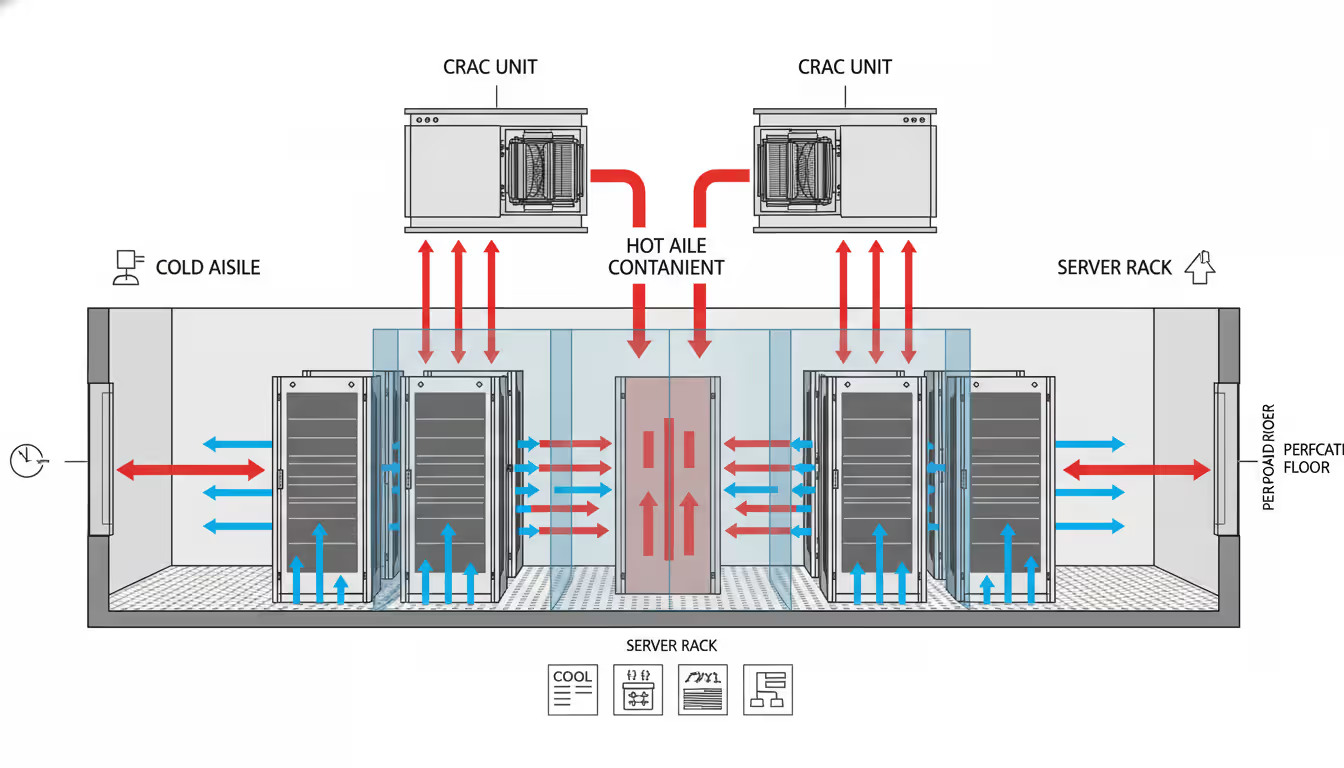
Cooling represents a massive engineering challenge. Traditional air conditioning can't handle the heat density modern servers generate. Data centers use hot aisle/cold aisle layouts—racks face each other in alternating rows. Cold air flows through perforated floor tiles in front of servers, absorbs heat passing through equipment, exits through the rear into hot aisles. Some facilities experiment with liquid cooling or even submersion in dielectric fluid for maximum efficiency.
Author: Megan Holloway;
Source: baltazor.com
Power usage effectiveness measures efficiency. PUE of 2.0 means you're using one watt for IT equipment and another watt for cooling and overhead. Leading providers achieve 1.15 PUE through advanced techniques, meaning 87% of electricity directly powers compute and storage. That efficiency advantage translates to lower prices and environmental impact.
Common Cloud Data Migration Mistakes to Avoid
Miscalculating data transfer timelines and expenses. Moving 100TB over a 1 Gbps connection requires roughly 10 days assuming you can sustain full bandwidth 24/7. Most corporate connections can't dedicate entire capacity to migration—you need some bandwidth for daily operations. Realistic timeline stretches to 3-6 weeks. Then you discover data transfer out of the cloud costs $0.09 per gigabyte. Moving data back on-premises after a failed migration costs $9,000 per 100TB.
Physical shipping becomes cheaper at scale. AWS Snowball devices hold 80TB and ship via FedEx. For petabyte migrations, Snowmobile deploys an actual shipping container holding 100PB that parks outside your data center. Costs run 20-30% of network transfer fees for large datasets.
Replicating on-premises architecture without rethinking design. That Oracle database running on a 96-core server with 768GB RAM probably doesn't need those resources in the cloud. You're paying for fixed capacity whether you use it or not. Cloud-native architectures use multiple smaller instances that scale horizontally. Applications designed for static infrastructure perform poorly without refactoring for dynamic environments.
Ignoring data residency regulations. HIPAA restricts where healthcare data can be stored. GDPR imposes strict controls on European personal information. Some countries legally require customer data to remain within national borders. Migrating first and addressing compliance later triggers expensive remediation or worse—regulatory fines and legal exposure. Research requirements before moving data.
Launching without cost controls. Cloud spending spirals quickly. Developer spins up 20 large instances for load testing Friday afternoon, forgets about them over the weekend, racks up $3,400 in charges by Monday. Implement tagging policies (every resource must identify owner and purpose), budget alerts (notify when spending exceeds $10,000 monthly), and approval workflows (manager approval required for instances larger than 8 cores) before migration.
Neglecting network architecture redesign. Applications designed for local networks assume high bandwidth and low latency between components. Database and application server on the same gigabit LAN? Response times under 1 millisecond. Split them across availability zones? Latency jumps to 2-3 milliseconds. That might seem trivial, but chatty protocols making 100 database calls per request now add 200-300 milliseconds. User experience degrades noticeably.
Frequently Asked Questions About Cloud Data
What separates cloud data storage from traditional approaches?
Traditional storage means you purchase hardware, install it in your building, and handle all maintenance yourself. Large upfront costs. Fixed capacity that's expensive to expand. Your IT team handles everything from physical security to disk failures. Cloud storage operates as a utility—pay for what you consume, scale up or down through software interfaces, and let the provider manage hardware. You eliminate capital expenditure and gain flexibility. The trade-off: dependency on internet connectivity and the provider's operational competence.
How safe is storing data in the cloud?
Security depends mostly on configuration rather than the platform itself. Amazon, Microsoft, and Google invest billions in physical security, network protection, and compliance certifications that typical companies cannot match. However, misconfigured permissions cause most breaches—someone grants "public read access" to a database, thinking it means "public within the company." Shared responsibility models mean providers secure infrastructure while you secure access controls and data encryption. Properly configured cloud storage often exceeds on-premises security, but achieving that requires expertise and ongoing vigilance.
What costs should I expect for cloud data infrastructure?
Storage runs $0.02-$0.10 per gigabyte monthly depending on type and region. Compute instances range from $0.03 per hour for small machines to $8+ hourly for high-performance configurations. Data transfer leaving the cloud costs $0.05-$0.12 per gigabyte while same-region transfers are typically free. Additional charges include load balancers ($0.025/hour), static IP addresses ($3.65/month), backup retention, and support plans. Many organizations find actual spending runs 30-50% above initial estimates due to overlooked charges and inefficient usage patterns.
Does running multiple cloud providers simultaneously make sense?
Multi-cloud strategies use AWS, Azure, and Google Cloud concurrently. Benefits include avoiding vendor lock-in and leveraging each provider's strengths—maybe AWS for general compute, Google Cloud for machine learning, Azure for Microsoft integration. Downsides include complexity (your team needs expertise across platforms), higher networking costs (data transfer between clouds is expensive), and operational overhead. Most organizations struggle managing one cloud provider effectively. Multi-cloud makes sense for specific scenarios like disaster recovery or regulatory requirements, but it's not automatically superior to concentrating on one platform.
What's a realistic timeline for cloud migration?
Timelines vary wildly based on data volume, application complexity, and architectural changes. Simple migration of 10TB with minimal application modifications might complete in 4-8 weeks. Enterprise migrations involving hundreds of terabytes, dozens of interconnected applications, and significant redesign typically require 12-24 months. Plan for discovery and assessment (1-3 months identifying dependencies and risks), pilot programs (2-4 months testing approaches on non-critical systems), and phased production rollout (6-18 months moving applications in waves). Organizations rushing to meet arbitrary deadlines usually create problems requiring expensive cleanup later.
Which compliance certifications matter for cloud providers?
SOC 2 Type II demonstrates security and availability controls through independent audits. ISO 27001 shows comprehensive information security management. Healthcare requires HIPAA compliance. Payment processing needs PCI DSS certification. Government contracts require FedRAMP authorization. European operations demand GDPR compliance capabilities. Industry-specific regulations like FINRA (financial services) or ITAR (defense contractors) impose additional requirements. Major providers maintain extensive certifications, but you must still configure your environment correctly—certifications cover the platform, not your specific implementation. Understand which compliance aspects remain your responsibility under shared responsibility models.
Cloud data transforms how organizations store, process, and manage information by shifting infrastructure responsibility from internal teams to specialized providers. Success requires understanding architectural components—storage types, compute instances, networking, security, and physical data centers—plus how they interact to deliver scalable, reliable services.
Migration involves more than technical challenges. Teams must adapt operational practices, develop new capabilities, and rethink application design to leverage cloud advantages. Organizations treating cloud adoption as purely a technology project typically struggle with cost overruns, security incidents, and performance problems.
Start with explicit objectives. Reducing capital expenditure? Improving disaster recovery? Enabling global expansion? Accelerating development cycles? Different goals demand different architectural approaches. Pilot small projects to build expertise before migrating critical systems. Invest in training and governance frameworks early—preventing mistakes costs far less than fixing them.
The cloud landscape evolves constantly. Edge computing, serverless architectures, and specialized machine learning services emerge regularly. Build flexible architectures that adapt as technology and business requirements change. The choices you make now will constrain or enable your organization's capabilities for years ahead.
Virtual desktop infrastructure represents a fundamental shift in how organizations deliver computing resources. Learn about VDI architecture, deployment models (on-premises, cloud, hybrid), implementation costs, use cases, and how to select the right solution for remote work and centralized management needs
Network administrators who rely on hourly snapshots discover problems only after users complain. A real time network traffic monitor shows what's happening at this exact moment—every packet, every connection, every anomaly as it occurs. Learn how these systems work and how to implement them effectively
Public cloud storage has become the backbone of modern data infrastructure, powering everything from smartphone photo backups to enterprise disaster recovery systems. Learn how it works, key benefits and limitations, security considerations, and how to choose the right provider for your needs
Choosing between on-premise and cloud infrastructure affects budget, security, compliance, and agility. Understand cost structures, security trade-offs, and migration planning to make informed decisions aligned with your business requirements and strategic goals
The content on this website is provided for general informational and educational purposes only. It is intended to explain concepts related to cloud computing, computer networking, infrastructure, and modern IT systems.
All information on this website, including articles, guides, and examples, is presented for general educational purposes. Technology implementations may vary depending on specific environments, business needs, infrastructure design, and technical requirements.
This website does not provide professional IT, engineering, or technical advice, and the information presented should not be used as a substitute for consultation with qualified IT professionals.
The website and its authors are not responsible for any errors or omissions, or for any outcomes resulting from decisions made based on the information provided on this website.