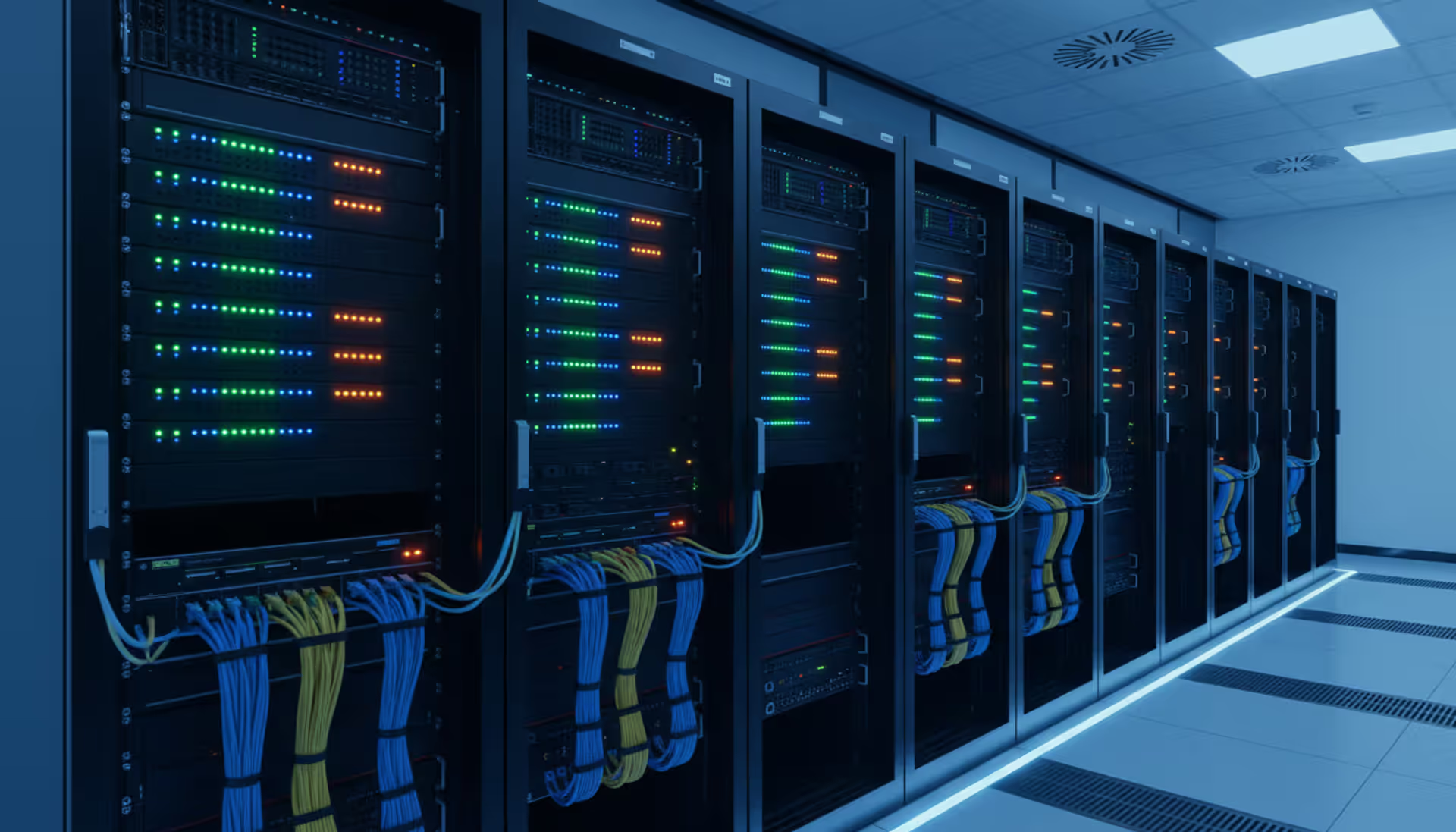
Modern server room with rows of network racks, blinking LED indicators on switches and routers, neatly organized colorful network cables, cool blue ambient lighting
Walk into any office and watch someone print a 40-page report from their laptop to a printer three rooms away. Nobody bats an eye. Try explaining that feat to someone from 1985—they'd think you were describing science fiction. The invisible plumbing connecting our devices hums along unnoticed, right up until your quarterly presentation freezes because the boardroom access point decided to quit during slide three.
I've watched companies lose five-figure deals because their network couldn't handle a simple video demo. Others spend fortunes on redundant systems they'll never actually need. If you're running a business that depends on reliable connectivity (which describes pretty much everyone at this point), evaluating IT career paths, or troubleshooting why your team can't access shared drives half the time, getting beneath the surface of how this stuff actually operates stops being theoretical really fast.
What Is Computer Networking and How Does It Work
The basic job of networking? Let different machines talk to each other and swap resources they need. A printer here, a database there, internet access for everyone—networking stitches it all together.
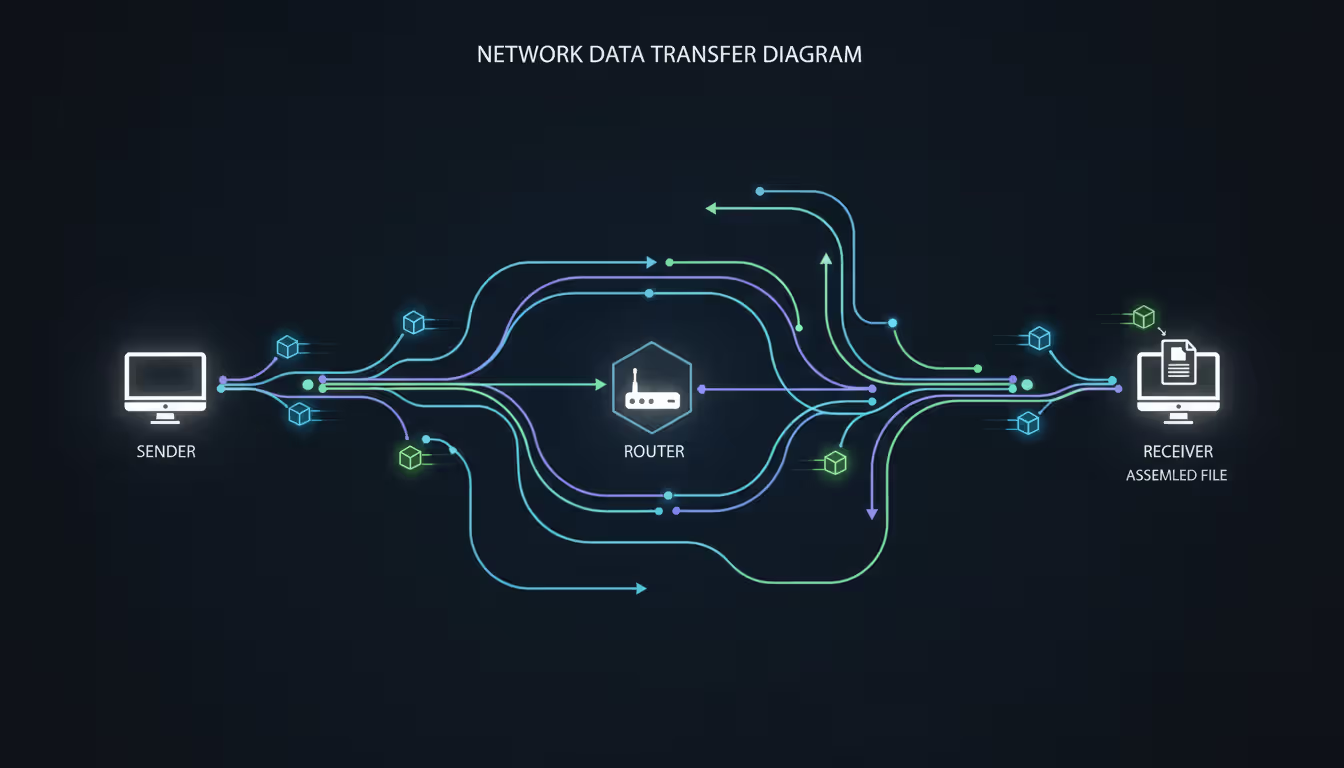
Here's where it gets interesting. Your email to a client doesn't travel as one complete package. Instead, your computer chops that message into dozens of tiny fragments we call packets. Picture ripping a photograph into puzzle pieces, mailing each piece in separate envelopes, then trusting the postal service to deliver everything so someone else can reassemble your picture. Seems inefficient, right?
Actually, this packet-switching method solves a huge problem. Those cables running through your walls carry thousands of simultaneous conversations—your Zoom call, Jim's file transfer, Sarah downloading updates, the warehouse streaming inventory data. Breaking everything into packets and interleaving them means one slow transfer doesn't block everyone else. Your video conference shares the same wire with fifty other tasks, each getting their turn in microsecond slices.
Every packet includes its payload (the actual chunk of your spreadsheet or video segment) plus routing metadata. Routers read those digital address labels and make instant decisions about the smartest next hop toward the destination, sometimes choosing between dozens of possible paths.
Author: Megan Holloway;
Source: baltazor.com
Geographic reach determines network categories:
LANs (Local Area Networks) operate inside single buildings or small campuses. Your apartment's Wi-Fi? That's a LAN. So is the wired network connecting 200 desks across three floors of an office tower. Short physical distances deliver serious speed advantages—transfers often hit 1,000 megabits per second or faster. Data barely travels 50 feet, so delays measure in tiny fractions of a second.
WANs (Wide Area Networks) bridge cities, countries, entire continents. Connecting your Seattle headquarters to suppliers in Taiwan requires WAN technology. The internet itself qualifies as one massive WAN linking billions of endpoints globally. Building WANs means leasing fiber-optic lines from telecommunications carriers, using satellite links, or renting capacity on undersea cables. Expect slower performance than LANs and noticeable lag as information traverses thousands of miles.
MANs (Metropolitan Area Networks) occupy the middle zone—typically covering city-scale areas. A state university operating seven campuses scattered around town might interconnect them via MAN infrastructure. Municipal governments sometimes deploy MANs linking courthouses, libraries, and administrative offices throughout metro regions.
Wireless networks eliminate physical cables completely, substituting radio signals instead. Your phone switching from home Wi-Fi to cellular data while you drive downtown? Both wireless, just different radio technologies. Even that Bluetooth mouse on your desk forms a miniature wireless network, albeit one spanning only a few feet.
Architectural approaches vary too. Many networks designate certain powerful machines as dedicated servers—they store company files, run email systems, host databases. Regular workstations act as clients, requesting services from those servers. Some smaller setups (common in homes or tiny offices) skip dedicated servers entirely. Any computer shares directly with any other in a peer arrangement. Most businesses mix both models depending on what each situation requires.
Core Components of a Computer Network
Functional networks marry physical equipment with software standards. Understanding both layers helps when you're explaining problems to support staff or evaluating vendor proposals.
Network Hardware Essentials
Routers figure out where your data should travel next on its journey across the internet. Visiting Reddit? Your router calculates the most efficient path through potentially thirty intermediate networks between you and Reddit's data centers. Consumer routers sold at electronics stores typically cram multiple functions into one cheap box—routing, switching, wireless access points, even built-in modems. Business-class routers focus exclusively on sophisticated packet forwarding across complex network topologies.
Switches manage traffic flow within your local environment. Rather than blasting every message to every connected device (creating total chaos), switches deliver packets only to their intended recipients. Imagine an office switch with 48 ports connecting 48 different computers. Computer A sends data toward Computer D—the switch forwards those specific packets straight to port 4 where Computer D connects, ignoring the other 46 machines completely. Managed switches let network administrators create virtual network segments, prioritize bandwidth for critical applications, and lock down individual ports for security. Unmanaged switches just forward traffic with zero configuration required—plug them in and walk away.
Modems translate between your digital network and whatever physical medium your internet provider uses. Cable modems interface with coaxial cable systems. DSL modems work over telephone wiring. Fiber modems connect to fiber-optic infrastructure. They bridge your internal systems to your ISP's wider network.
NICs (Network Interface Cards) give individual machines connectivity capability. Modern computers integrate these directly onto motherboards—you'll spot an Ethernet jack for wired connections plus internal Wi-Fi radios for wireless. Older systems sometimes required separate expansion cards.
Wireless access points spread Wi-Fi coverage across larger spaces. Depending on one router's radio signal to blanket a 10,000-square-foot office guarantees dead zones and complaints. Businesses position multiple access points strategically, creating overlapping coverage bubbles. As people walk around with laptops or phones, devices seamlessly hop between access points while maintaining active connections.
Firewalls (the hardware kind) guard network boundaries by inspecting every packet attempting to cross. They block traffic based on security policies you configure—stopping known attack signatures, restricting which internal systems outsiders can reach, logging suspicious patterns. Software firewalls protect individual computers. Hardware firewalls defend your entire network perimeter at once.
Author: Megan Holloway;
Source: baltazor.com
Network Protocols and Software
Protocols establish shared communication languages so different manufacturers' equipment can understand each other. Without these universal standards, your Samsung laptop couldn't connect to a Netgear router.
TCP/IP actually pairs two separate protocols working in tandem. The IP component (Internet Protocol) manages addressing and route selection. Every networked device gets assigned a unique numerical IP address—basically a street address for computers. IP determines how to shuttle packets between these numerical addresses. TCP (Transmission Control Protocol) ensures reliability. It verifies packets actually arrive intact and get reassembled in correct sequence. Missing packets? TCP automatically requests retransmission until every piece arrives safely.
HTTP and HTTPS control how web browsers retrieve pages from servers. HTTP works fine for public content. HTTPS adds encryption that scrambles data, so eavesdroppers capturing network traffic see meaningless noise instead of your login credentials or payment details. Any website handling sensitive information should use HTTPS—check for the padlock symbol in your browser's address bar.
DNS (Domain Name System) tackles a fundamental usability problem. Computers love numerical addresses (142.250.185.46 points to Google), but humans can't memorize number sequences for every website. DNS servers maintain enormous directories matching memorable names to numerical addresses. You type "google.com" and DNS instantly translates that friendly name to the corresponding IP address your computer actually uses for connecting. Without DNS, we'd memorize number strings like phone numbers for every single site we visit.
DHCP (Dynamic Host Configuration Protocol) automates address assignment. Without DHCP, administrators manually configure every laptop, smartphone, printer, and smart thermostat with unique IP addresses, maintaining spreadsheets to prevent conflicts when two devices claim identical addresses. DHCP handles this automatically whenever devices join your network, distributing addresses from an available pool while preventing duplicates.
Network operating systems coordinate these protocols while providing services like file sharing, print management, and access permissions. Windows Server dominates corporate environments. Various Linux distributions power countless web servers and networking gear. Cisco IOS runs on most enterprise routers and switches. Each brings different capabilities suited to particular scenarios.
Why Computer Networking Matters for Businesses
Network quality directly controls whether your staff spends their day productive or cursing at spinning progress wheels. Companies treating networking as "just make the Wi-Fi work" learn this attitude costs them through outages, security breaches, and competitive disadvantages.
Everything stops when people can't reach shared information. Five salespeople need simultaneous access to the same customer records. Your warehouse crew needs live inventory numbers. Accounting can't close monthly books without pulling data from six different regional databases. A retail chain operating 80 locations depends on networks constantly synchronizing inventory—otherwise your website advertises products that sold out last Tuesday, or distribution centers overflow with items nobody wants.
Security strength flows from network architecture decisions. Properly designed networks isolate your payroll system from the guest Wi-Fi visitors use in your reception area. When attackers compromise one segment, good segmentation contains the damage instead of handing them unfettered access to your entire environment. Intrusion detection monitors traffic flows, flagging unusual patterns suggesting ransomware spreading or confidential data leaking out.
Growth capacity determines whether doubling headcount proceeds smoothly or forces emergency infrastructure rebuilds. Bootstrapped startups often survive initially on consumer-grade equipment, but scaling from 15 employees to 30 frequently exposes chokepoints that strangle productivity. Planning ahead—even with uncertain growth forecasts—costs substantially less than panicked overhauls when systems collapse under load.
Remote work infrastructure shifted from nice-to-have perk to operational requirement. VPNs extend secure access to employees' homes. Collaboration platforms need adequate bandwidth plus intelligent traffic management preventing choppy video calls. Your network either enables location flexibility or forces everyone back to the office because remote connections perform terribly.
Customer experience frequently depends on network performance. E-commerce platforms hemorrhage sales when sluggish networks delay page rendering. Medical imaging systems endanger patients when networks can't deliver diagnostic scans promptly. Manufacturing assembly lines stop producing when networks controlling robotic equipment stutter.
Author: Megan Holloway;
Source: baltazor.com
Take a regional accounting firm with 50 employees hitting peak tax season. Everyone's simultaneously pulling client records from shared storage, running resource-intensive tax preparation software that constantly queries databases, and conducting video consultations with anxious clients. Network congestion turns routine five-minute tasks into hour-long ordeals. Proper bandwidth planning plus redundant connections prevent these productivity disasters that networking service providers witness repeatedly during crunch periods.
How to Choose a Computer Networking Service or Company
Selecting the right networking partner means weighing technical competence, business fit, and long-term support quality. Poor decisions mean expensive do-overs plus operational chaos.
Industry specialization carries tremendous weight because different sectors face unique challenges. Healthcare networks must satisfy strict HIPAA regulations protecting patient privacy. Financial services need ultra-low latency—milliseconds matter for trading platforms. Manufacturing facilities require networks integrating with industrial controllers using specialized protocols. When a networking company shows you case studies from businesses resembling yours, they've already navigated your regulatory environment and technical constraints.
Professional credentials validate real expertise beyond marketing claims. Cisco certifications (CCNA establishes foundational knowledge, CCNP demonstrates advanced competence, CCIE represents expert-level mastery) matter tremendously because Cisco equipment dominates enterprise installations. CompTIA Network+ covers vendor-neutral fundamentals. Microsoft certifications prove depth in Windows-centric environments. Security credentials like CISSP signal serious infosec training, not superficial familiarity. Ask specifically about individual technician certifications—not just corporate partnership logos displayed on websites.
Service scope varies dramatically between providers. Some companies exclusively design and install, then leave daily management to your internal team. Managed providers handle ongoing monitoring, maintenance, troubleshooting, and crisis response. Break-fix services bill per incident—workable for stable networks but expensive when problems emerge frequently. Clarify what's genuinely covered: Does 24/7 support mean someone answers phones at 2am, or do certified technicians physically arrive on-site? Who handles weekend emergencies?
Reference conversations reveal how companies perform in reality versus sales presentations. Request contacts at organizations matching your size and vertical market. Critical questions: What's their actual emergency response time? Do projects finish on schedule and within budget? How do they react when you challenge technical recommendations? Past clients share war stories that polished brochures never mention.
Choosing between consultants and full-service providers depends on internal capabilities plus project complexity. Engage networking consultants for specific challenges—designing architecture, auditing security posture, troubleshooting persistent gremlins your team can't solve. You'll need staff implementing their recommendations though. Consultants cost less initially but demand more internal resources. Full-service companies handle everything from planning through installation and daily operations. They charge higher fees but deliver complete solutions requiring minimal contribution from your team.
Pricing models include fixed project bids, monthly retainers, and hourly consulting rates. Fixed pricing suits well-defined projects like new office buildouts. Monthly agreements fit ongoing management relationships. Hourly billing makes sense for occasional expert consultation. Watch for hidden costs: Are software licenses bundled? Who absorbs equipment upgrade expenses? What triggers supplemental charges? Demand itemized proposals separating labor, equipment, licensing, and support costs explicitly.
Support responsiveness should align with your downtime tolerance. Architecture firms might weather occasional hiccups, but call centers bleed massive revenue every minute phones stay offline. Service level agreements spell out response times and uptime commitments—scrutinize the fine print carefully. Some SLAs promise quick ticket acknowledgment but not quick problem resolution.
Computer Networking Online Degree Programs
Formal networking education unlocks career trajectories from entry-level help desk positions through senior security architect roles. Online delivery lets working professionals and career switchers study without abandoning current employment.
Associate degrees (typically two-year programs) establish foundational knowledge for technician and support roles. Coursework addresses networking fundamentals, operating systems, basic security concepts, plus hands-on laboratory exercises. Community colleges offer affordable associate programs where credits frequently transfer toward bachelor's degrees later. Graduates commonly pursue CompTIA A+ and Network+ certifications that strengthen employment prospects.
Bachelor's degrees (four-year programs) prepare students for network administrator, systems engineer, or security analyst positions. Curriculum encompasses advanced routing concepts, network design principles, cybersecurity practices, database management, and often programming. Accredited programs from established institutions carry more credibility with hiring managers. Online bachelor's programs from Western Governors University, Southern New Hampshire University, or Arizona State University blend self-paced coursework with proctored examinations and virtual lab environments simulating actual networking equipment.
Master's degrees target professionals pursuing leadership positions, deep specialization in cybersecurity or cloud infrastructure, or teaching careers. Programs typically require 18-24 months and assume students already bring technical backgrounds. Curriculum emphasizes strategic planning, risk management, emerging technologies, and research methodologies. Master's graduates frequently advance into IT director, security architect, or senior consultant roles.
Accreditation status critically impacts degree value. Regional accreditation from bodies like the Higher Learning Commission ensures quality standards and credit transferability between institutions. Programmatic accreditation from ABET for engineering and computing programs adds another credibility layer. Certification boards and numerous employers explicitly require degrees from accredited institutions.
Career trajectories vary by education level and specialization focus. Bureau of Labor Statistics projects modest expansion for network administration positions through 2030, while cybersecurity roles demonstrate much stronger demand. Network administrators earn median salaries around $90,000 annually. Network architects pull in $120,000 or more. Geographic location dramatically affects compensation—Silicon Valley pays premium salaries but housing expenses consume those gains.
Financial commitment ranges from under $10,000 for community college associates to $60,000-plus for private university bachelor's programs. Financial aid, employer tuition reimbursement programs, and military education benefits can dramatically slash out-of-pocket expenses. Calculate total costs including fees, textbooks, and certification examination fees. Competency-based programs like WGU charge flat tuition per six-month term, potentially reducing costs for students who accelerate through material they already grasp from work experience.
Time investment challenges working adults. Most full-time programs expect 15-20 hours weekly. Accelerated tracks and competency-based models let students progress faster by demonstrating mastery rather than sitting through fixed-duration courses. Part-time enrollment extends graduation timelines but eases weekly workload pressures for people juggling jobs and families.
Common Computer Networking Mistakes to Avoid
Author: Megan Holloway;
Source: baltazor.com
Even experienced organizations make networking decisions that generate expensive headaches later. Learning from widespread errors saves money and frustration.
Single-layer security leaves networks vulnerable. Relying exclusively on perimeter firewalls ignores threats from infected laptops brought from home, malicious insiders with legitimate access, and compromised user credentials. Deploy defense in depth: perimeter firewalls, intrusion detection monitoring internal traffic, endpoint protection on every device, network segmentation isolating sensitive systems, plus periodic security assessments. Multiple security layers cost less than recovering from one serious breach.
Documentation neglect haunts organizations when knowledgeable employees leave or emergencies strike. Without current network diagrams, IP address inventories, secure password vaults, and configuration backups, troubleshooting becomes expensive guesswork. Document while constructing systems, not afterward when memory's fuzzy. Automated network mapping tools handle much tedious work.
Lack of redundancy for mission-critical systems means single component failures halt operations entirely. Dual internet connections from separate providers, redundant power supplies, backup servers, and automatic failover configurations cost more initially but prevent catastrophic outages. Calculate hourly downtime expenses—for many businesses, redundancy investments pay for themselves after preventing a single major outage.
Bandwidth constraints emerge as usage expands. That 100 Mbps connection seemed generous initially, but adding cloud backups, video conferencing, and VoIP phones quickly maxes out capacity. Bandwidth requirements grow faster than most organizations anticipate. Build in 50-100% overhead from launch.
Consumer-grade equipment in business environments fails under sustained heavy usage. Home-market routers and switches lack management features, offer minimal support options, and break more frequently under constant stress. Professional equipment costs more upfront but includes warranties, vendor technical support, and capabilities like VLAN segmentation and quality-of-service controls that become essential as networks expand.
DIY complex projects lead to expensive mistakes. A business owner comfortable with home networking might successfully wire a tiny office but lacks expertise in security hardening, wireless coverage planning, or scalability design. Money saved skipping professional assistance often gets spent fixing problems proper design would have prevented.
Wireless guesswork creates dead zones and performance complaints. Radio signals don't propagate uniformly—concrete walls block them, metal fixtures deflect them, neighboring networks interfere. Professional site surveys using spectrum analyzers identify optimal access point locations. Trial-and-error approaches waste money and frustrate users.
What strikes me most is businesses treating networks as afterthoughts until disaster hits. Organizations will spend months agonizing over office furniture arrangements but give IT staff one week to 'get the internet running.' Solid network design demands understanding current operations, forecasting growth trajectories, and building adaptability. Networks serving businesses successfully five years later share one trait—someone asked difficult questions upfront about security requirements, bandwidth projections, and disaster recovery plans. Shaving a few thousand off network infrastructure budgets to save money often generates tens of thousands in lost productivity and emergency fixes down the road
— Jennifer Martinez
Frequently Asked Questions About Computer Networking
What separates LANs from WANs?
LANs cover compact areas—your house, one office building, or a campus. Everything connects over short distances through direct cabling or close-range wireless signals. These short hops deliver fast speeds (commonly 1-10 Gbps) with minimal delays. WANs connect distant locations across cities or continents. Your office network represents a LAN. Connections linking your headquarters with branch offices create a WAN. WANs depend on telecom infrastructure like leased lines or internet connections, generally providing slower speeds with noticeable latency compared to local connections.
What should I budget for networking services?
Pricing fluctuates wildly based on project scope and organization size. Designing and installing a basic network for 20 employees might run $5,000-$15,000 including equipment. Managed providers typically charge $100-$200 per user monthly for comprehensive support covering monitoring, maintenance, and problem resolution. Consulting rates span $100-$300 hourly depending on expertise and regional markets. Security audits typically cost $3,000-$10,000. Large enterprise implementations easily hit six figures. Always request detailed quotes breaking out labor, equipment, licensing, and ongoing support separately.
Should I engage a consultant or hire a full-service company?
Your internal IT capabilities and project complexity determine the better path. Consultants make sense when you have technical staff capable of implementing recommendations but need expert guidance on architecture, security, or specific technical challenges. Consultants cost less but require your team to execute their designs. Choose full-service companies when you lack internal expertise or want complete solutions where one vendor handles planning, installation, and ongoing management. Companies charge more but deliver turnkey implementations demanding less from your staff.
Which certifications matter when evaluating networking firms?
Look for Cisco credentials (CCNA for foundational knowledge, CCNP for advanced skills, CCIE for expert-level mastery) since Cisco equipment dominates enterprise markets. CompTIA Network+ validates vendor-neutral core competencies. Microsoft certifications prove expertise in Windows-heavy environments. Security credentials like CISSP or CEH indicate real cybersecurity expertise beyond marketing talk. Vendor partnerships (Cisco Partner, Microsoft Partner) show companies meet minimum training and support standards. Ask specifically about individual technician credentials, not just corporate certifications—multiple certified staff members indicate team depth versus one expert carrying the whole operation.
Does pursuing an online networking degree make financial sense?
Online degree programs deliver structured learning, recognized credentials, and advancement opportunities that self-study and certifications alone may not provide. Bachelor's degrees qualify candidates for mid-level positions and typically serve as prerequisites for management tracks. Online formats let you earn while learning, reducing opportunity costs compared to full-time campus programs. However, degrees demand substantial time and financial investments. If you already work in IT, professional certifications might advance your career faster and cheaper. For career changers or those targeting senior positions, degrees carry more employer weight and generally lead to higher lifetime earnings.
How much time does implementing a business network require?
Timelines depend heavily on complexity and scale. A straightforward network for 10 people with basic needs might take 1-2 days for installation after equipment arrives. A 100-person office with multiple VLANs, extensive wireless coverage, and security requirements might need 2-3 weeks. Enterprise implementations spanning multiple locations can consume several months. Planning and design phases often take longer than physical installation work. Common delays stem from equipment lead times (especially specialized hardware), construction for cable runs, and coordination with internet providers. Always budget extra time for thorough testing before going live—rushed deployments create more problems than they solve.
Computer networking powers our connected reality, enabling everything from basic file sharing to sophisticated cloud applications. Understanding networking fundamentals empowers smarter decisions whether you're weighing education paths, managing IT infrastructure, or hiring professionals to build and maintain systems.
The essential skill involves matching networking solutions to actual requirements instead of buying the most expensive equipment or cheapest service. Small businesses don't need enterprise-grade infrastructure, but they absolutely need reliable equipment, solid security foundations, and expansion capacity. Large organizations require sophisticated networks while balancing capabilities against manageability and budgets.
When vetting networking companies, consultants, or service providers, prioritize relevant experience, appropriate certifications, and clear communication over rock-bottom pricing. The cheapest bid frequently becomes most expensive after factoring in downtime, security incidents, and eventual rebuilds.
For those weighing formal education, online networking degree programs offer flexible paths to rewarding careers in a field demonstrating strong sustained demand. Whether pursuing an associate degree for entry-level work or a master's for leadership roles, structured education provides both knowledge and credentials that open professional doors.
Most importantly, treat your network as essential infrastructure deserving proper planning, professional implementation, continuous maintenance, and timely upgrades. Networks built on solid foundations scale smoothly, resist security threats, and support business growth instead of constraining it. The investment pays dividends through reduced downtime, enhanced productivity, and competitive advantages that weak networks simply cannot deliver.
When you print thousands of product labels or engrave a QR code onto a memorial plaque, that code must work indefinitely. Learn which QR code types never expire, how to generate permanent codes, and mistakes that can make even 'permanent' codes fail
Organizations lose $5,600 per minute during network downtime. A network traffic monitor provides visibility into data flows, enabling IT teams to maintain performance, troubleshoot issues, and detect threats before escalation. This guide covers implementation, tool selection, and best practices
Network infrastructure failures cost enterprises an average of $9,000 per minute in 2026. This comprehensive guide covers network monitoring fundamentals, tool selection, deployment options, and alert configuration best practices to help organizations maintain optimal network performance
Load balancers distribute network traffic across multiple servers to prevent overload and ensure high availability. This guide covers load balancer architecture, algorithms, DNS-based methods, cloud services vs on-premises solutions, and implementation best practices for modern infrastructure
The content on this website is provided for general informational and educational purposes only. It is intended to explain concepts related to cloud computing, computer networking, infrastructure, and modern IT systems.
All information on this website, including articles, guides, and examples, is presented for general educational purposes. Technology implementations may vary depending on specific environments, business needs, infrastructure design, and technical requirements.
This website does not provide professional IT, engineering, or technical advice, and the information presented should not be used as a substitute for consultation with qualified IT professionals.
The website and its authors are not responsible for any errors or omissions, or for any outcomes resulting from decisions made based on the information provided on this website.