Modern enterprises depend on reliable, scalable facilities to house their IT equipment and deliver digital services around the clock. Whether you're planning a new facility, upgrading an existing one, or evaluating colocation options, understanding the foundational systems that keep servers running is essential for minimizing downtime and controlling costs.
What Is Data Center Infrastructure
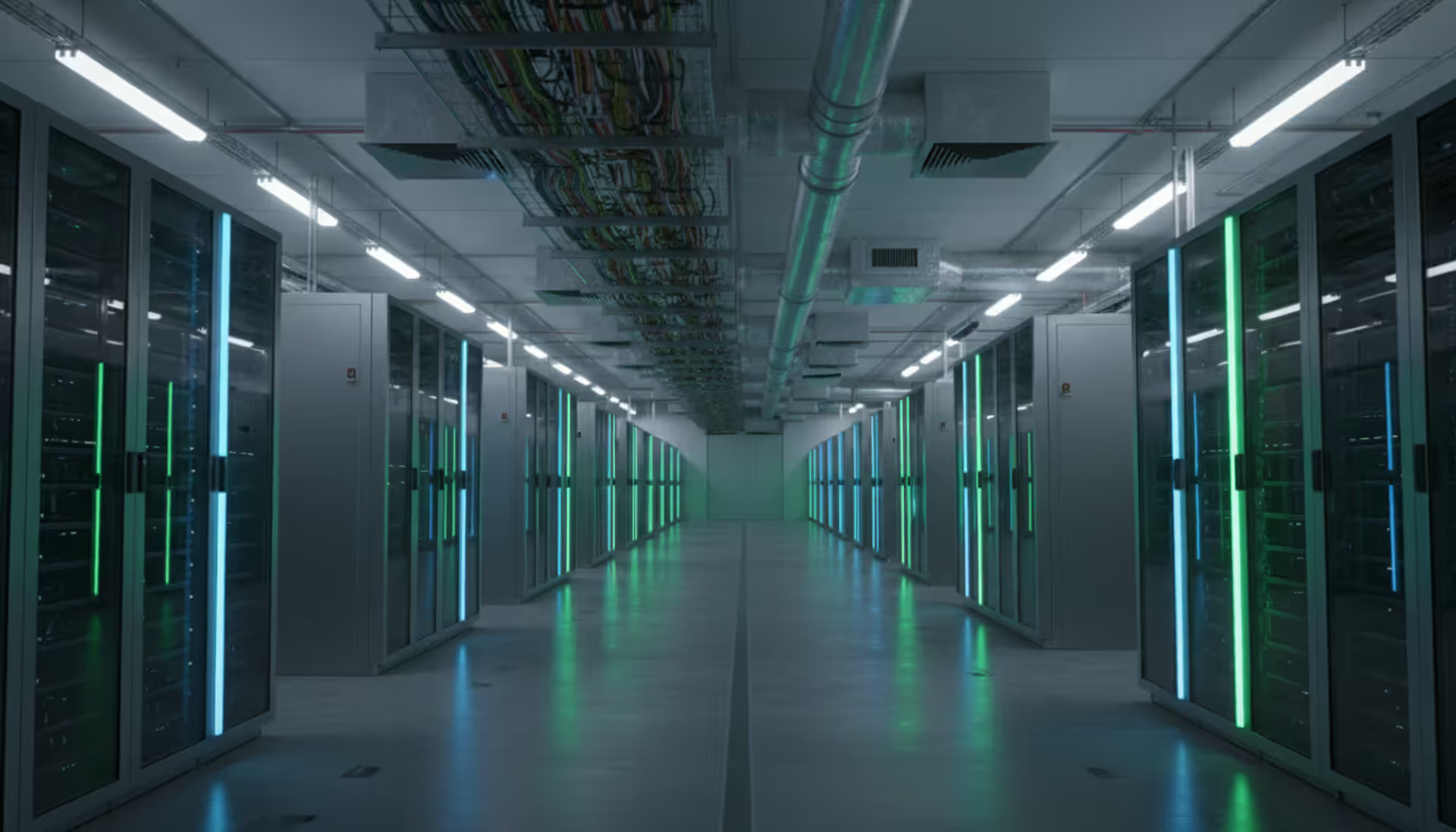
Data center infrastructure encompasses all the physical and logical systems required to operate a facility that houses servers, storage arrays, and networking equipment. At the physical layer, this includes power distribution systems, cooling equipment, fire suppression, physical security controls, and the building structure itself. The logical layer covers network topology, virtualization platforms, management software, and orchestration tools that control how resources are allocated and monitored.
Power systems typically start with utility feeds that connect to uninterruptible power supplies (UPS) and backup generators. These systems ensure continuous operation during grid outages or voltage fluctuations. Cooling infrastructure removes heat generated by computing equipment—a single rack can produce 10-15 kW of heat, and high-density deployments push that figure above 30 kW per rack.
Networking hardware forms the connective tissue: top-of-rack switches, aggregation switches, core routers, and load balancers that direct traffic between servers and out to the internet. Storage systems range from direct-attached storage (DAS) on individual servers to network-attached storage (NAS) and storage area networks (SAN) that pool capacity across multiple hosts.
Physical security layers include biometric access controls, mantrap entries, video surveillance, and 24/7 security personnel in many facilities. Logical security involves firewalls, intrusion detection systems, and microsegmentation that isolates workloads from each other even when they share physical hardware.
The distinction between physical and logical infrastructure matters when planning upgrades. You might have ample physical space and power capacity but hit performance bottlenecks in your network fabric. Conversely, you could have a well-designed network topology but run out of cooling capacity as server densities increase. Balancing both layers prevents one from becoming a constraint on the other.
Core Components of Data Center Architecture
Architecture decisions made during initial design have lasting consequences. A poorly planned layout forces expensive retrofits later; well-designed facilities adapt to changing workloads without major reconstruction.
Physical Layout and Space Planning
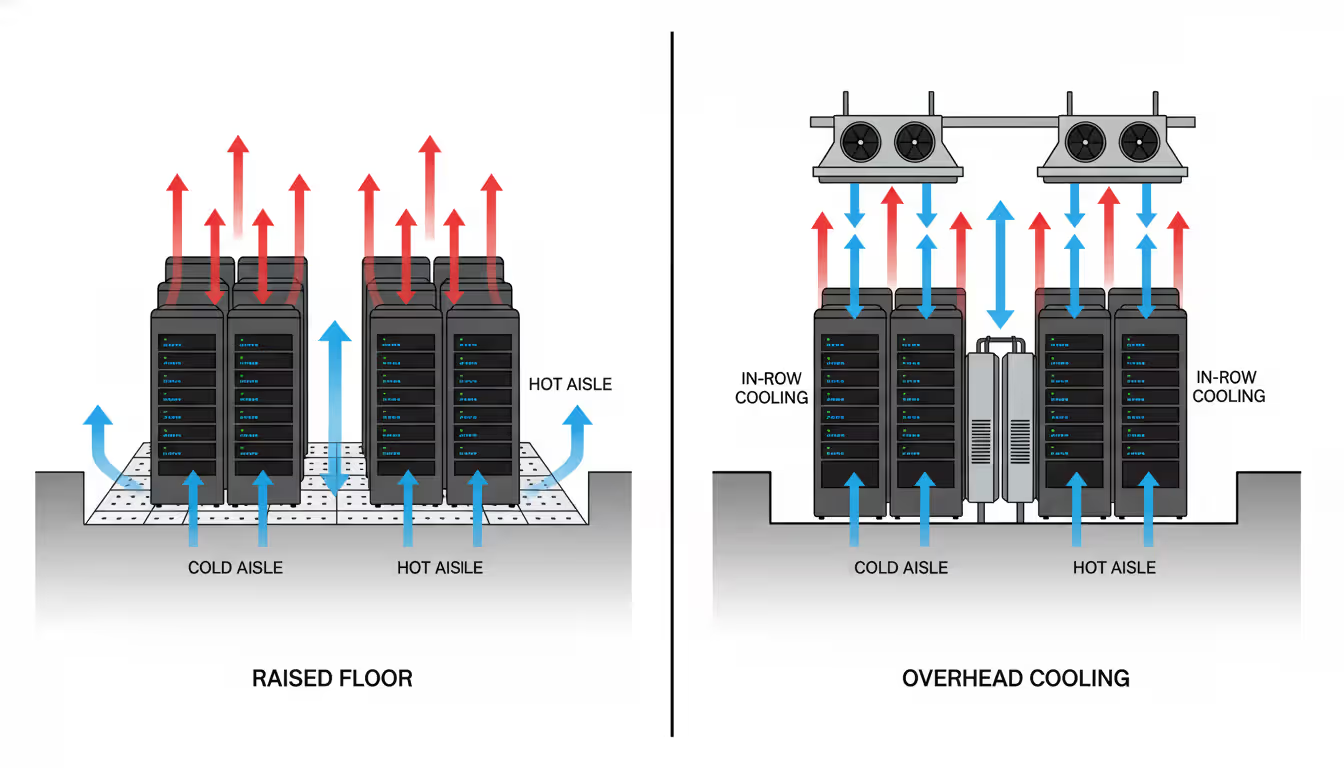
Effective space planning starts with calculating power density per square foot and determining how many racks the facility can support. Cold aisle/hot aisle configurations separate intake and exhaust air, improving cooling efficiency by 20-30% compared to random rack placement. Cold aisles face the front of servers where air is drawn in; hot aisles capture exhaust air at the rear and channel it back to cooling units.
Raised floors (typically 18-36 inches) create a plenum for chilled air distribution and simplify cable routing underneath racks. Some newer designs use overhead cooling with in-row units placed directly between racks, eliminating raised floors and reducing construction costs. This approach works well for high-density deployments where traditional underfloor air distribution struggles to deliver sufficient airflow.
Author: Chloe Bramwell;
Source: baltazor.com
Cable management often gets treated as an afterthought but causes real operational problems. Poorly organized cables block airflow, complicate troubleshooting, and increase the risk of accidental disconnections during maintenance. Overhead cable trays, vertical cable managers on racks, and proper labeling prevent these issues. Budget 15-20% of rack space for cable management accessories.
Physical security zones separate public areas from critical infrastructure. Visitors might access a lobby or customer viewing area, but only authorized personnel enter the data hall. Separate cages or lockable cabinets within the data hall provide additional isolation for customers in colocation facilities or for sensitive workloads in enterprise environments.
Tier Standards and Redundancy Levels
The Uptime Institute's tier classification system provides a common language for discussing availability and redundancy. Each tier represents a step up in fault tolerance and maintenance capability:
Tier Level
Uptime %
Redundancy
Downtime per Year
Typical Use Cases
Tier I
99.671%
None (N)
28.8 hours
Small businesses, dev/test environments, non-critical workloads
Financial services, healthcare, mission-critical systems
Tier I facilities have a single path for power and cooling with no redundant components. Any maintenance requires a full shutdown. Tier II adds some redundancy (N+1 components) but still uses a single distribution path, so planned maintenance causes downtime.
Tier III introduces concurrent maintainability—you can service any component without taking systems offline. This requires multiple distribution paths, though only one is active at a time. Most enterprise workloads land in Tier III as the sweet spot between cost and availability.
Tier IV provides fault tolerance where any single component failure, including distribution paths, has zero impact on operations. This requires fully redundant systems (2N) or redundant systems with additional capacity (2(N+1)). The cost premium over Tier III runs 30-50%, justifiable only when downtime carries severe financial or safety consequences.
One common mistake: assuming tier certification guarantees uptime. The tier rating describes the facility's capability, not how well it's operated. Poor change management, inadequate staff training, or deferred maintenance can cause outages in even a Tier IV facility.
Data Center Networking and Connectivity Systems
Network architecture determines how efficiently data moves between servers, storage, and external users. Traditional three-tier designs (core, aggregation, access layers) worked well when most traffic flowed north-south between users and servers. Modern applications generate substantial east-west traffic between servers, requiring different topologies.
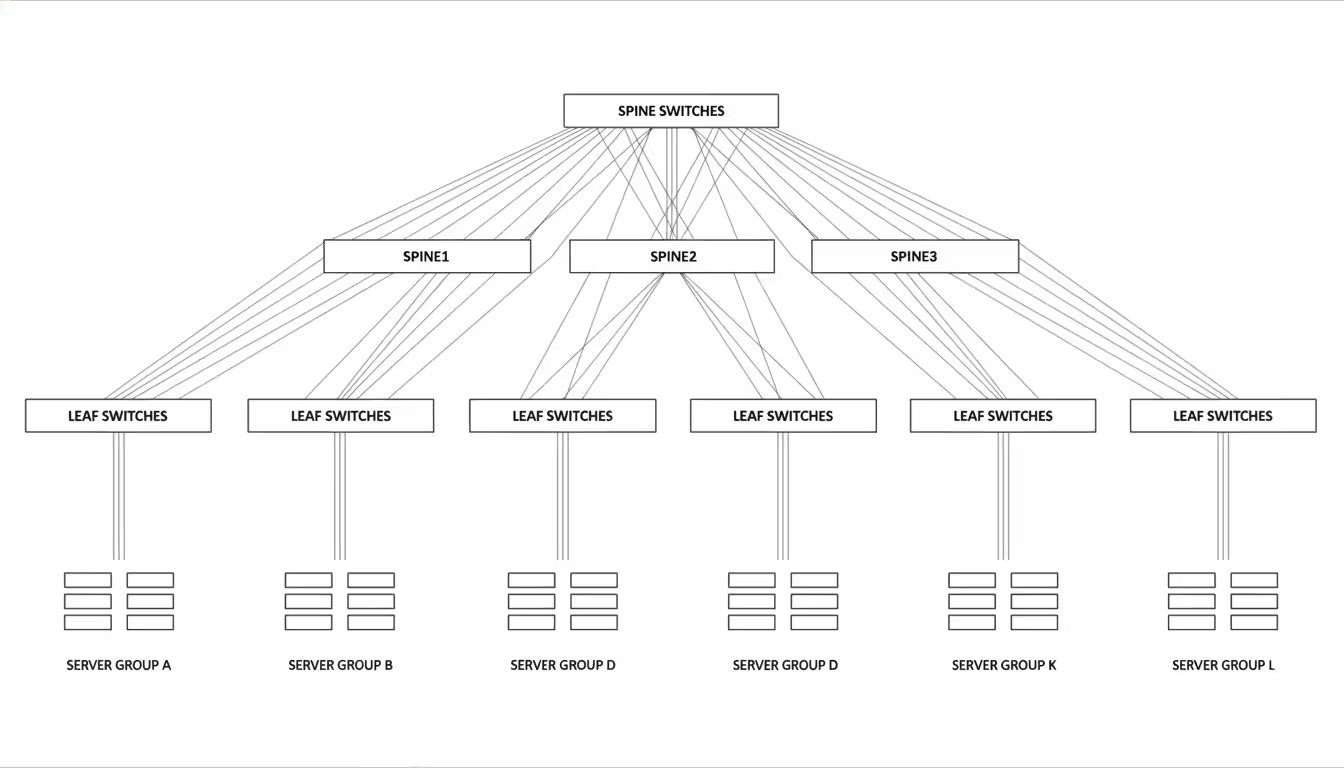
Spine-leaf architecture has become standard for cloud-scale deployments. Every leaf switch (connected to servers) links to every spine switch (core layer), creating multiple equal-cost paths between any two servers. This design eliminates oversubscription bottlenecks common in traditional architectures and simplifies capacity planning—you add spine switches as you scale rather than redesigning the core.
Top-of-rack (ToR) switches connect servers within a rack, typically providing 48 ports at 10GbE or 25GbE with uplinks at 40GbE or 100GbE to aggregation switches. End-of-row (EoR) designs place switches at the end of a row of racks, reducing switch count but increasing cable runs. ToR designs dominate because they limit blast radius—a failed switch affects only one rack instead of an entire row.
Author: Chloe Bramwell;
Source: baltazor.com
Load balancers distribute incoming requests across multiple servers, preventing any single server from becoming overwhelmed. Modern application delivery controllers (ADC) add features like SSL offloading, web application firewalls, and traffic shaping. For high-availability applications, deploy load balancers in active-active pairs across separate failure domains.
Data center interconnect (DCI) technologies link multiple facilities for disaster recovery, workload mobility, and geographic distribution. Dark fiber provides the highest bandwidth and lowest latency but only works across limited distances (typically under 100 km) and requires significant upfront investment. MPLS circuits from carriers offer predictable performance with service-level agreements but cost more than internet connectivity. SD-WAN overlays create encrypted tunnels across multiple transport types (MPLS, broadband, LTE), providing flexibility and cost savings at the expense of slightly higher latency variation.
For enterprises running hybrid cloud architectures, direct connections like AWS Direct Connect or Azure ExpressRoute bypass the public internet, offering more consistent performance and better security than VPN tunnels. These connections typically run at 1-10 Gbps and cost $0.02-0.10 per GB transferred, making them economical for applications that move large datasets between on-premises and cloud environments.
Network monitoring tools track utilization, latency, packet loss, and error rates across all links. Set alerts at 70% utilization to investigate before reaching saturation. Many outages trace back to a single congested link that created a cascade of retransmissions and timeouts.
Environmental Monitoring and Control
Environmental systems prevent hardware failures caused by temperature extremes, humidity problems, water leaks, and power anomalies. ASHRAE guidelines recommend server inlet temperatures between 64.4-80.6°F (18-27°C), though most operators target 68-72°F for a safety margin. Humidity should stay between 40-60% relative humidity; lower levels increase static electricity risk, while higher levels promote condensation.
Computer room air conditioning (CRAC) units use mechanical refrigeration to chill air, while computer room air handlers (CRAH) use chilled water from a central plant. CRACs offer simpler installation but consume more energy. CRAHs require more complex infrastructure (chillers, cooling towers, pumps) but deliver better efficiency in large facilities. Expect power usage effectiveness (PUE) of 1.4-1.6 with CRAC systems versus 1.2-1.3 with well-designed CRAH systems.
In-row cooling units sit between server racks, placing cooling capacity close to heat sources. This approach handles high-density racks (>15 kW) more effectively than perimeter cooling. Rear-door heat exchangers mount on rack backs, cooling exhaust air before it enters the room. These passive devices require no power but need chilled water infrastructure.
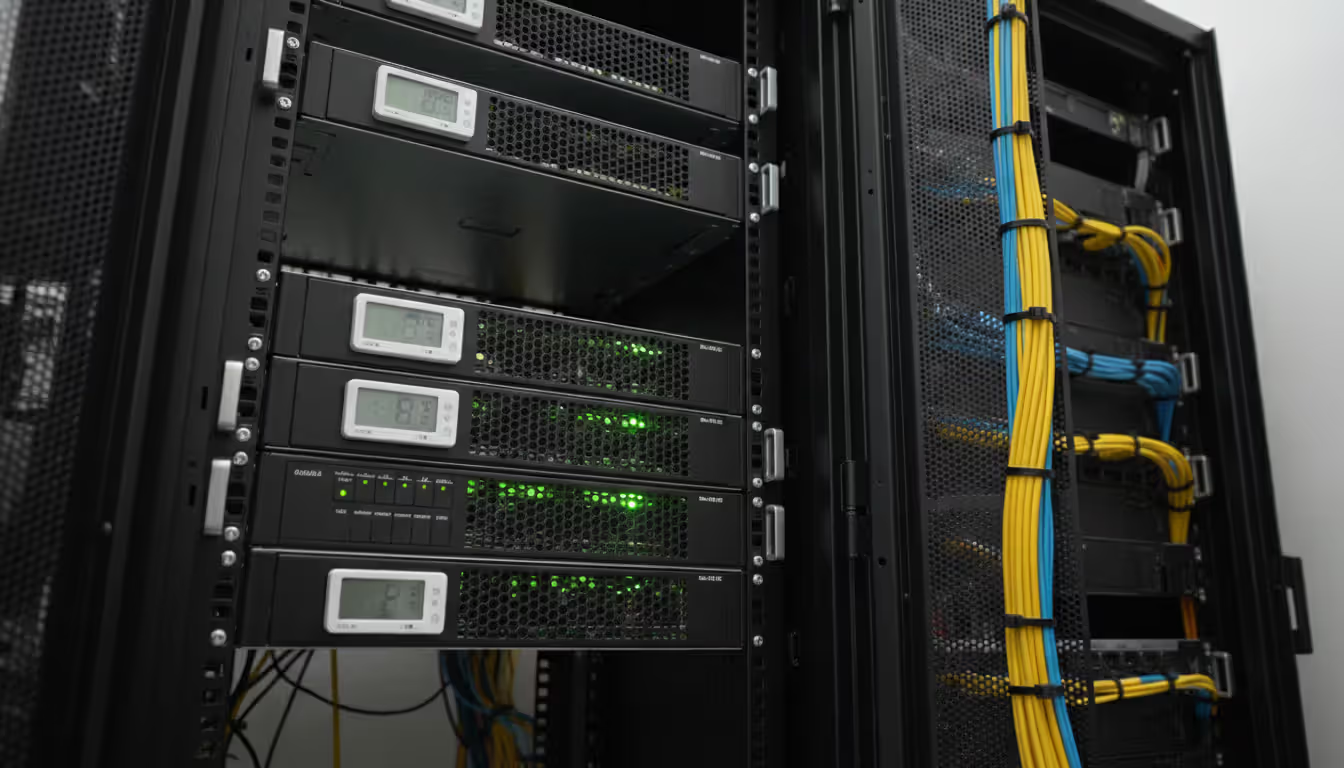
Temperature and humidity sensors should be placed at server air intakes (front of racks), not at cooling unit returns. Many facilities monitor room temperature while servers experience much higher inlet temperatures due to hot air recirculation. Deploy sensors every 3-5 racks and at multiple heights (bottom, middle, top) since temperature stratification can create 10-15°F variations within a single rack.
Author: Chloe Bramwell;
Source: baltazor.com
Water leak detection cables run under raised floors near cooling units, pipe connections, and along exterior walls. These sensors trigger alarms before water reaches equipment. In areas with seismic activity, install seismic shut-off valves that automatically close water lines when ground motion exceeds safe thresholds.
Power distribution units (PDU) meter electricity consumption at the rack level, revealing which equipment draws the most power. This data informs capacity planning and identifies opportunities to consolidate workloads onto fewer servers. Intelligent PDUs allow remote power cycling of individual outlets, letting you reboot frozen equipment without a site visit.
Data center infrastructure management (DCIM) software aggregates data from all these sensors into a single dashboard. Modern DCIM platforms use machine learning to predict failures—a gradual temperature increase in one rack might indicate a failing fan or blocked airflow. Addressing these issues during scheduled maintenance prevents emergency outages.
Fire suppression systems use clean agents (FM-200, Novec 1230) or inert gases (Inergen) that extinguish fires without damaging electronics or leaving residue. Water-based sprinklers work in office areas and electrical rooms but should never be used in data halls. Pre-action systems require two triggers (smoke detection plus heat) before releasing suppressant, reducing false discharge risk.
Environmental monitoring isn't just about preventing disasters—it's about optimizing efficiency.We've seen facilities reduce cooling costs by 25% simply by analyzing sensor data and adjusting airflow patterns. The ROI on a comprehensive monitoring system pays back within 18 months through energy savings alone
— Marcus Chen
Virtualization in Modern Data Centers
Virtualization abstracts physical resources into logical pools that can be allocated dynamically, improving utilization and operational flexibility. Most organizations virtualize servers, storage, and increasingly their networks.
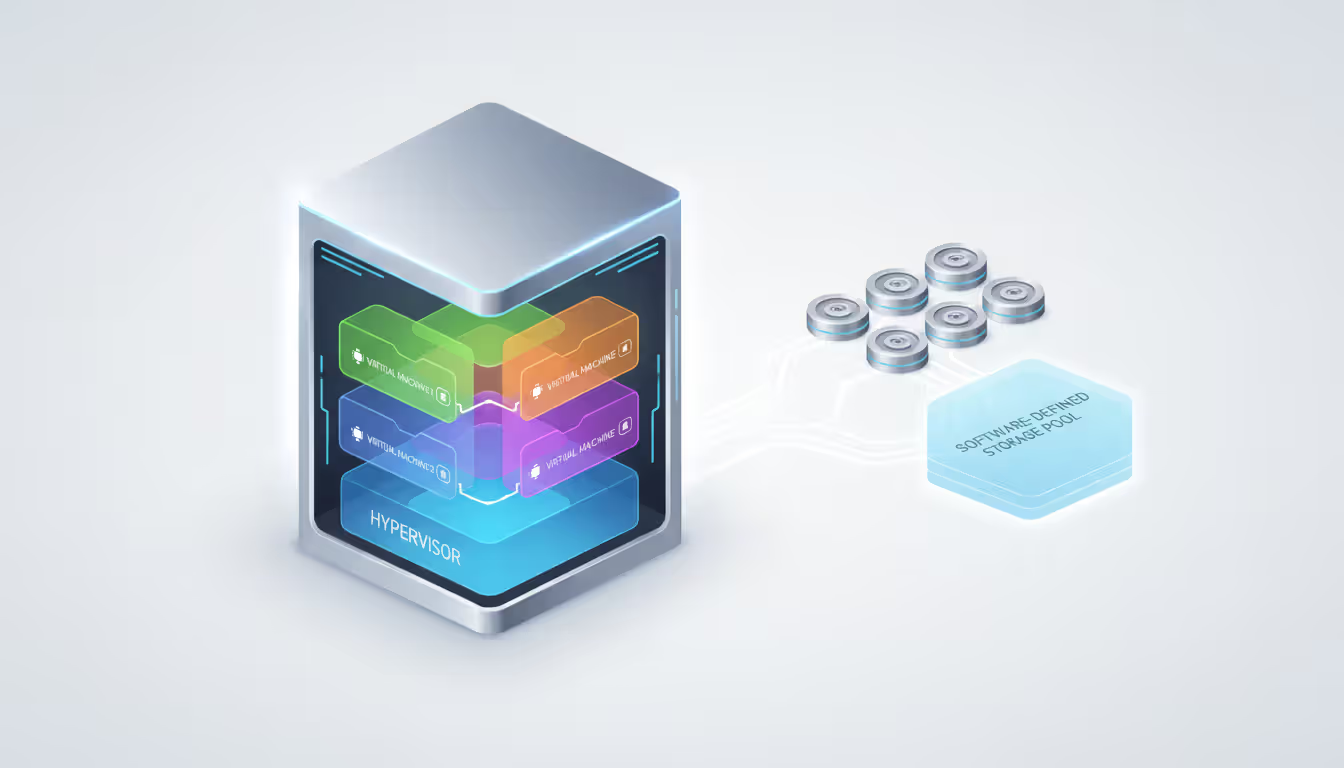
Server virtualization runs multiple virtual machines (VM) on a single physical host using a hypervisor like VMware vSphere, Microsoft Hyper-V, or open-source KVM. This approach increases server utilization from typical rates of 15-20% for physical servers to 60-80% for virtualized hosts. Consolidation ratios of 10:1 or higher are common, meaning one physical server replaces ten standalone machines.
Resource pooling across multiple hosts enables live migration—moving running VMs between servers without downtime. This capability allows maintenance windows without service interruptions and automatic workload balancing when hosts become overloaded. Distributed resource scheduling (DRS) continuously monitors resource usage and migrates VMs to maintain optimal performance.
Storage virtualization pools capacity from multiple arrays into a single logical volume that can be carved into smaller virtual disks. Software-defined storage (SDS) platforms like VMware vSAN or Nutanix create storage pools from local disks in each server, eliminating expensive SAN infrastructure. This hyperconverged approach simplifies management and scales linearly—adding a server adds compute, storage, and network capacity simultaneously.
Author: Chloe Bramwell;
Source: baltazor.com
Network virtualization overlays logical networks on top of physical infrastructure using protocols like VXLAN. Software-defined networking (SDN) separates the control plane (which decides where traffic goes) from the data plane (which forwards packets). This separation enables centralized policy management and rapid provisioning of network segments without touching physical switches.
Network functions virtualization (NFV) replaces dedicated appliances (firewalls, load balancers, WAN optimizers) with software running on standard servers. A single physical host might run firewall, routing, and load balancing functions as separate VMs, reducing capital costs and simplifying deployment. The trade-off: NFV introduces CPU overhead that dedicated appliances avoid, so performance-critical functions may still warrant hardware appliances.
Container platforms like Kubernetes provide lighter-weight virtualization than VMs. Containers share the host operating system kernel, starting in milliseconds versus seconds for VMs and consuming less memory overhead. Many organizations run containers inside VMs, getting the isolation benefits of VMs with the density and speed of containers.
Virtualization reduces infrastructure costs but introduces new management complexity. You need tools to monitor virtual resource allocation, prevent VM sprawl (creating VMs that are never decommissioned), and ensure proper backup coverage. Many organizations save 40-60% on hardware costs through virtualization but must invest 15-20% of those savings in management tools and training.
Common Infrastructure Design Mistakes
Learning from others' mistakes costs less than repeating them. These issues appear frequently in both new builds and retrofit projects:
Inadequate cooling capacity for future density increases. Designing for 5 kW per rack made sense in 2020 but leaves no headroom for GPU servers or high-frequency trading systems that can hit 25-30 kW per rack. Build cooling infrastructure for 1.5-2x your initial density requirements, or at least ensure physical space and power for future cooling upgrades.
Poor cable management that blocks airflow. Stuffing cables under raised floors creates obstructions that reduce airflow by 30-40%. Cables draped across the top of racks block hot air exhaust. Use cable trays, vertical managers, and proper routing to maintain clear air paths. The $200 spent on cable management accessories per rack prevents $2,000 in additional cooling costs.
Insufficient power redundancy at the rack level. Dual power supplies in servers provide no protection if both plug into the same PDU or circuit. Install A and B power feeds from separate UPS systems to each rack. Configure server power supplies to active-active mode so both draw power continuously—this prevents surprises when the primary feed fails and the backup supply can't handle full load.
Lack of monitoring tools or ignoring alerts. Buying sensors accomplishes nothing if nobody watches the dashboards or responds to alerts. Assign clear responsibility for monitoring environmental systems and establish escalation procedures. Weekly review of trend data catches gradual degradation before it causes failures.
Ignoring future scalability in network design. Oversubscribed network fabrics work fine at 30% utilization but collapse when traffic doubles. Design for 50% utilization at peak load, leaving room for growth and traffic spikes. Budget for network upgrades every 3-4 years as link speeds increase and traffic grows.
Mixing workload tiers in the same facility. Production and development environments should be physically separated, either in different cages, different rooms, or different facilities. This separation prevents test activities from impacting production and simplifies security controls. The cost of separate infrastructure is minor compared to revenue lost during an outage caused by development work.
Insufficient documentation and labeling. Every cable, circuit, rack, and device should be labeled with a consistent naming scheme. Maintain up-to-date diagrams showing power distribution, network topology, and equipment locations. Outdated documentation wastes hours during troubleshooting and increases the risk of errors during maintenance.
FAQ
What are the main types of data center infrastructure?
Infrastructure divides into physical systems (power distribution, cooling equipment, building structure, security controls) and logical systems (network architecture, virtualization platforms, management software). Physical infrastructure keeps equipment running and protected from environmental threats. Logical infrastructure determines how computing resources are allocated and managed. Both layers must work together—adequate power and cooling mean nothing if network bottlenecks prevent applications from delivering services.
How does data center interconnect improve performance?
DCI technologies link multiple facilities with high-bandwidth, low-latency connections that enable workload distribution and disaster recovery. Applications can run simultaneously in multiple locations with data replication between sites. Users connect to the nearest facility, reducing latency. If one site fails, traffic automatically shifts to surviving locations. DCI also allows organizations to place data near users for compliance (keeping EU customer data in EU data centers) while maintaining central management.
What tier level do most enterprises need?
Tier III meets the needs of most enterprise workloads, providing 99.982% uptime with concurrent maintainability. This allows scheduled maintenance without downtime while keeping costs reasonable. Tier IV makes sense only for applications where even 1.6 hours of annual downtime creates unacceptable financial or safety consequences—think financial trading platforms, emergency services dispatch, or healthcare systems. Many organizations use Tier IV for their most critical systems while running less-critical workloads in Tier II or III facilities.
Why is environmental monitoring critical for uptime?
Hardware failures increase exponentially when temperature or humidity exceeds safe ranges. A server running at 95°F (35°C) has a 50% higher failure rate than one at 72°F (22°C). Monitoring catches problems early—a gradual temperature increase might indicate a failing cooling unit, blocked airflow, or excessive heat load. Addressing these issues during scheduled maintenance prevents emergency outages. Monitoring also optimizes efficiency by identifying areas with excessive cooling or opportunities to raise temperature setpoints without impacting reliability.
How does virtualization reduce infrastructure costs?
Virtualization increases server utilization from 15-20% (typical for physical servers) to 60-80%, meaning fewer physical servers are needed for the same workload. This reduces hardware purchase costs, power consumption, cooling requirements, and data center space. A 10:1 consolidation ratio cuts server hardware costs by 70-80% after accounting for more powerful virtualization hosts. Operational costs drop through simplified management, faster provisioning, and automated resource allocation. Most organizations achieve 40-60% total cost reduction through virtualization.
What is the difference between edge and core data center infrastructure?
Core data centers are large centralized facilities (10,000+ square feet) housing most enterprise IT infrastructure with full redundancy and extensive connectivity. Edge data centers are smaller distributed facilities (500-5,000 square feet) placed near users to reduce latency for applications like content delivery, IoT data processing, or real-time analytics. Edge sites typically have less redundancy (Tier I or II) and rely on the core for backup and heavy processing. Core facilities emphasize maximum uptime and capacity; edge sites prioritize low latency and geographic distribution.
Building and operating reliable infrastructure requires careful attention to power, cooling, networking, and environmental controls. The decisions you make during initial design—tier level, cooling architecture, network topology, physical layout—shape operational costs and capabilities for years. Virtualization and software-defined infrastructure add flexibility but introduce new management requirements.
Start with clear requirements: what uptime do your applications actually need? What growth rate should you plan for? How will you handle disaster recovery? These questions drive tier selection, redundancy levels, and whether you need multi-site connectivity. Avoid overbuilding (Tier IV infrastructure for non-critical workloads) and underbuilding (insufficient cooling capacity for planned growth).
Invest in monitoring tools and establish processes for reviewing environmental data, capacity trends, and performance metrics. The best infrastructure design fails without operational discipline. Regular maintenance, prompt response to alerts, and careful change management prevent most outages.
Whether you're building a new facility, upgrading existing infrastructure, or evaluating colocation providers, understanding these foundational systems helps you make informed decisions that balance cost, reliability, and scalability.
Software-defined WAN transforms network architecture by enabling intelligent traffic routing across multiple connection types. Learn how SD-WAN works, security considerations, deployment options, and when your business should adopt this technology for improved performance and cost savings
Remote work has made remote access essential for millions. This comprehensive guide explains remote access meaning, compares VPN solutions against remote desktop programs, covers security risks, and helps you choose the right remote access program for your needs
Multi cloud architectures now power 87% of enterprise infrastructure strategies. This comprehensive guide examines how multi cloud works, why businesses adopt it, key components including platforms, storage, data architecture, and IAM, plus practical strategies for implementation and management
Hybrid cloud combines on-premises infrastructure with public cloud services through secure, orchestrated connections. This comprehensive guide covers hybrid cloud architecture, common deployment models, security best practices, implementation challenges, and when organizations should choose a hybrid cloud environmen
The content on this website is provided for general informational and educational purposes only. It is intended to explain concepts related to cloud computing, computer networking, infrastructure, and modern IT systems.
All information on this website, including articles, guides, and examples, is presented for general educational purposes. Technology implementations may vary depending on specific environments, business needs, infrastructure design, and technical requirements.
This website does not provide professional IT, engineering, or technical advice, and the information presented should not be used as a substitute for consultation with qualified IT professionals.
The website and its authors are not responsible for any errors or omissions, or for any outcomes resulting from decisions made based on the information provided on this website.