Laptop on a clean desk displaying abstract cloud storage visualization with floating file folders connected to a cloud icon, smartphone and coffee cup nearby, blue and white minimalist tones
A handful of tech giants have dominated cloud storage for years, but that's changing fast. Maybe you're tired of price hikes every time your storage needs grow. Maybe you've read one too many privacy policy updates that made your stomach turn. Or maybe you just need features those big-name providers don't care about because you're not an enterprise customer writing six-figure checks.
Whatever brought you here, you'll find the landscape has shifted dramatically. Dozens of specialized providers now serve specific needs better than trying to be everything to everyone.
Let's talk about why people actually switch away from household-name providers—and it's rarely just one reason.
The pricing trap catches almost everyone. You sign up for what seems like a reasonable monthly fee. Maybe you're paying $9.99 for 2TB, thinking that's plenty. Two years later, you're suddenly at 5TB, and your bill has jumped to $35 monthly—even though storage hardware keeps getting cheaper every year. That's not inflation. That's just how they've structured their tiers.
Then there's the privacy situation. Most mainstream services hold onto your encryption keys. They'll tell you everything's encrypted, which sounds great until you realize they can decrypt and read your files whenever they want. That might not bother you for family photos, but what about tax returns? Client contracts? Medical records? Every time you upload something, you're trusting not just the company's policies but also their employees, their response to government requests, and their ability to resist hacking attempts.
Feature gaps become obvious when you need something specific. I've talked to wedding photographers who can't get the metadata preservation they need. Development teams frustrated by primitive permission controls. Nonprofits that can't find providers meeting their data residency requirements. The big players focus on the features that matter to millions of users, which means niche needs get ignored.
And good luck getting help when something breaks. Individual users and small businesses get routed through chatbots and help articles. Meanwhile, enterprise clients—the ones actually generating meaningful revenue—get dedicated account managers. It's a two-tier system, and you're not in the top tier.
Top Cloud Storage Alternatives by Use Case
Rather than trying to beat mainstream providers at their own game, newer alternatives have carved out specialties. Here's what's actually working for different types of users.
Privacy-Focused Options
Zero-knowledge encryption changes the entire game. With Tresorit, Sync.com, or pCloud's Crypto feature, your files get encrypted on your laptop or phone before they ever leave your device. The company running the servers receives only encrypted gibberish—they literally cannot read your files even if they wanted to.
Where the company operates matters here. Tresorit runs under Swiss privacy laws. Sync.com operates from Canada. These jurisdictions take data protection seriously in ways that translate to real legal protections for users. A European medical practice storing patient records can point to GDPR compliance that's baked into the architecture, not just promised in marketing materials.
You do give up some convenience. Since the provider can't see inside your files, features like generating thumbnails in the web interface or previewing documents without downloading them become tricky. Some zero-knowledge providers have worked around this, but it requires extra steps.
Author: Ethan Norwood;
Source: baltazor.com
Budget-Friendly Solutions
Providers like Internxt, Icedrive, and Filen charge 40-60% less than mainstream options—not through introductory discounts that disappear, but as their actual business model. They're running newer infrastructure, spending less on advertising, and operating leaner teams.
Icedrive's lifetime plans flip the whole subscription model upside down. Pay $199 once, get 1TB forever. No monthly fees, no surprise increases, no subscription fatigue. If you've got relatively stable storage needs, the math makes that $199 disappear in about 18 months compared to traditional pricing.
These work beautifully for straightforward needs: backing up your hard drive, storing a media library, archiving old files. Where they sometimes stumble is in collaboration features and ecosystem integrations. You won't find the same level of polish you'd get from services that have been iterating for a decade.
Enterprise and Team Collaboration Tools
Self-hosted solutions like Nextcloud, Seafile, and Owncloud let organizations run storage on their own servers while still getting cloud-like accessibility. Your IT department maintains physical control of the hardware, which matters intensely in certain industries.
Law firms deploy Nextcloud to ensure client files never touch servers outside their control—that's not paranoia, it's ethics requirements from state bar associations. University research labs use Seafile for datasets that grant agreements specifically prohibit from leaving institutional infrastructure.
The interface design has caught up dramatically in recent years. These aren't clunky enterprise systems that require a manual anymore. Modern self-hosted platforms offer mobile apps that work as smoothly as commercial alternatives. The complexity lives in setup and maintenance, not day-to-day usage.
Box and Egnyte split the difference—commercial services built specifically for business customers, with audit logs detailed enough to satisfy compliance officers and integrations that enterprise IT departments actually need.
Cloud Storage and Security Considerations
Author: Ethan Norwood;
Source: baltazor.com
Security differences between providers aren't subtle. Understanding these distinctions helps you match a service to your actual risk profile rather than just picking whichever one has the most security-related buzzwords in their marketing.
Transport encryption (TLS/SSL) is universal now—your files travel encrypted between your device and their servers. That's baseline, not a selling point. The meaningful differences emerge in how providers handle encryption for stored files.
Server-side encryption means the provider encrypts your data using keys they control. This protects against external hackers breaking into their data centers, but the provider (and their employees, and anyone who can legally compel them) can still access your files. You're trusting their operational security, their hiring practices, and their legal jurisdiction.
Client-side encryption flips this completely. Encryption happens on your device before upload. The service receives only encrypted data and never holds decryption keys. Maximum privacy—but lose your password and your files are gone forever. No backdoor recovery, no customer service workaround. Just permanently encrypted data.
Third-party certifications mean an auditor has verified the provider's claims. A SOC 2 Type II audit examines security processes over time, not just at a single point. ISO 27001 looks at information security management across the organization. For healthcare data, HIPAA compliance isn't optional. Government contractors need FedRAMP authorization. These certifications cost money and require real security practices—they're not just checkboxes.
Where data physically lives determines which government can access it through legal channels. A German company might specifically choose EU-only data centers to stay clearly within GDPR protections. Canadian organizations sometimes need domestic storage for provincial privacy laws.
Two-factor authentication should be automatic at this point, but verify the provider supports authenticator apps or hardware keys. SMS-based codes remain vulnerable—SIM swapping attacks have become disturbingly common.
Organizations make a dangerous assumption that all cloud storage offers equivalent security. A provider can talk about encryption all day, but if they control the keys, you're betting on their operational security, their staff, and their legal situation. When data is genuinely sensitive, zero-knowledge architecture isn't excessive caution—it's basic due diligence
— Maria Chen
Cloud Storage Integration Capabilities
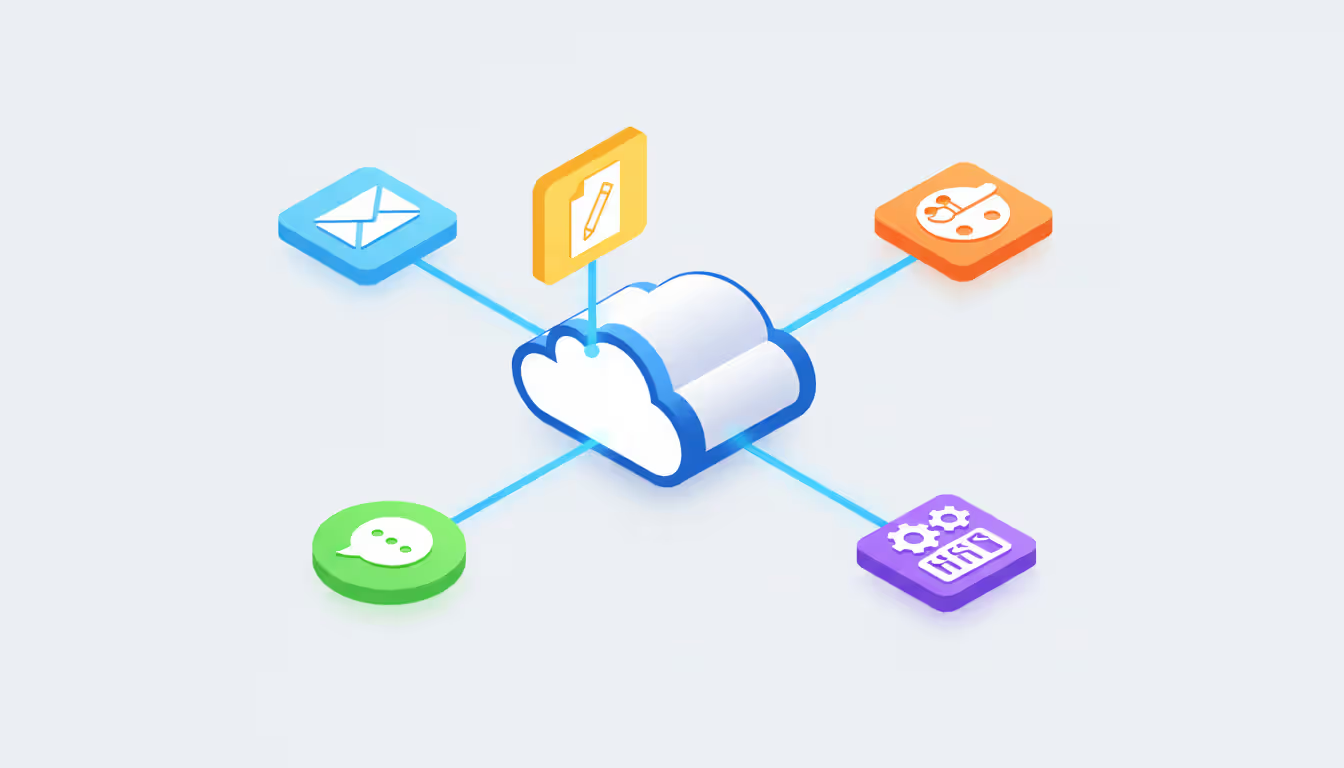
Cloud storage becomes exponentially more valuable when it connects seamlessly into your existing workflow instead of existing as an isolated island where files live.
API access determines whether you can build automation or connect cloud storage to custom applications. Well-documented REST APIs let developers route files automatically between systems. A marketing agency could configure approved assets to flow automatically from project management software into designated folders—no manual downloading and re-uploading.
Third-party app ecosystems vary wildly. Mainstream providers connect to thousands of applications. Alternatives might offer dozens, or you might need custom development. Before committing, verify your essential tools—accounting systems, CRM platforms, design software—work with your chosen provider.
WebDAV support offers a workaround when direct integration doesn't exist. This standardized protocol lets you mount cloud storage as a network drive. Any application can then access it like local storage. Works across Windows, Mac, and Linux, though you might notice slower performance compared to native integration.
Automation services like Zapier or Make can bridge gaps between systems. A photographer might set up a watch on a specific cloud folder that automatically adds new images to their portfolio website. These no-code automation platforms have become remarkably capable—though you'll pay monthly fees on top of your storage costs.
Platform compatibility matters more than people realize until they hit a wall. Verify mobile apps, desktop clients, and web interfaces support the operating systems your team actually uses. A provider with excellent Windows support but a buggy Linux client creates ongoing friction for development teams.
How reliably the sync engine handles conflicts and simultaneous edits will determine whether cloud integration saves time or creates headaches. Selective sync lets you choose which folders appear on devices with limited storage—essential when your laptop has 256GB but your cloud storage holds 2TB. Watch how providers handle situations where two people edit the same spreadsheet simultaneously. Do you get clear conflict resolution? Duplicate copies? Lost work?
Cloud Storage Migration Process
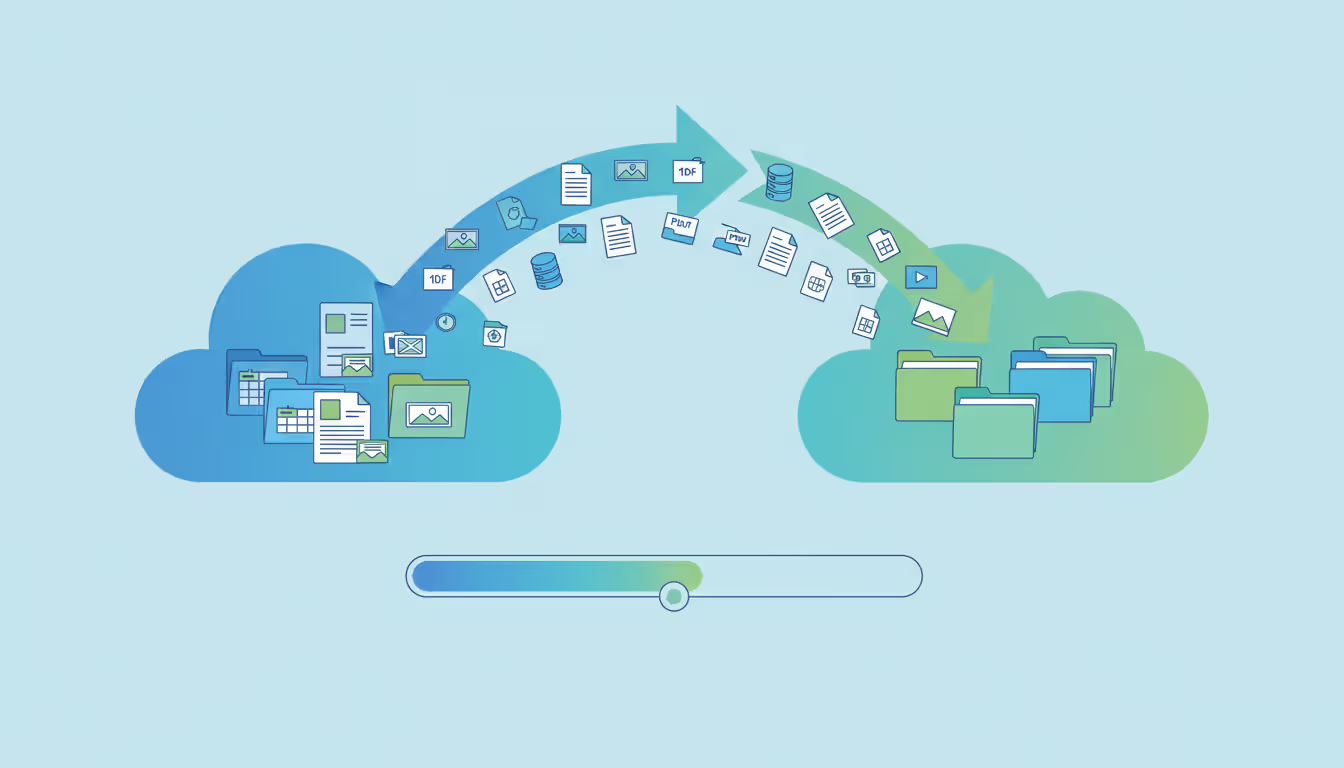
Moving between providers involves more than just downloading files and uploading them elsewhere—especially when you're dealing with terabytes or complex permission structures.
Planning Your Data Transfer
Start by figuring out what actually needs to move. That 800GB of current storage probably contains 200GB of duplicates, abandoned downloads, and files from projects you finished three years ago. Clean house first. You'll save hours of transfer time and potentially move down a pricing tier at your new provider.
Map your folder structure and document who has access to what. Which folders are shared? Do any public links exist that need recreating? Have you tagged files or added metadata that might not survive the move?
Your migration method depends on volume. Under 100GB? Download to your computer and re-upload—simple enough. Beyond that point, direct cloud-to-cloud transfer services make more sense. Tools like MultCloud, CloudFuze, or Microsoft's Mover connect to both providers and handle transfers on their servers. Your computer can shut down—the transfer continues.
Internet speeds create bottlenecks people don't anticipate. Transferring 1TB on a 100 Mbps connection should theoretically take 22 hours. But real conditions—network congestion, provider throttling, random interruptions—typically stretch that to two or three days of elapsed time.
Schedule major migrations during low-activity periods. A business shouldn't move critical files on a Tuesday afternoon. Plan for weekends or holidays when employees won't notice if access is temporarily weird. Keep your old storage active during transition instead of canceling the second you start migrating.
Author: Ethan Norwood;
Source: baltazor.com
Common Migration Challenges
File path length restrictions kill migrations more often than you'd think. Windows caps paths at 260 characters total. Those deeply nested folders that worked fine at your old provider might fail at the new one. Flatten your structure beforehand or shorten folder names.
Special characters cause unpredictable problems. A file named "Q1 Results: 2025/2026" might migrate perfectly or might throw errors depending on how each provider interprets colons and slashes. Rename problem files before starting rather than troubleshooting mid-migration.
Sharing permissions almost never transfer automatically. Plan to manually recreate shared access and collaborative spaces. Document existing permissions carefully so you can replicate them accurately at your destination.
Version history disappears during migration. If you rely on restoring previous file versions, either accept losing that history or maintain temporary access to your old provider specifically for recovery purposes.
Large individual files create issues when they exceed size limits. That 20GB video project file might transfer smoothly, or it might time out repeatedly depending on provider limits and network conditions. For anything over 5GB, verify both providers support it and consider moving those files separately using tools with resume capability.
Comparison Table of Leading Alternatives
Provider
Monthly Cost (1TB)
Maximum Storage
Encryption Method
Device Support
Integration Features
Ideal For
Tresorit
$24
10TB maximum
Client-side (zero-knowledge)
Windows, macOS, Linux, iOS, Android
Limited; API available
Privacy-focused professionals
Sync.com
$8
Unlimited (business accounts)
Client-side (zero-knowledge)
Windows, macOS, iOS, Android
WebDAV, basic third-party
Small businesses valuing privacy
Icedrive
$5 (lifetime options available)
5TB maximum
Server-side (Twofish)
Windows, macOS, Linux, iOS, Android
WebDAV
Budget-conscious individuals
Nextcloud
Varies (self-hosted)
Hardware-dependent
Configurable; end-to-end available
Windows, macOS, Linux, iOS, Android
Extensive app marketplace
Organizations requiring full control
pCloud
$4.99 (Crypto add-on $4.99)
10TB maximum
Server-side (client-side optional)
Windows, macOS, Linux, iOS, Android
Third-party apps, WebDAV
Users wanting flexibility
Box
$17.50
Unlimited (business accounts)
Server-side with enterprise keys
Windows, macOS, iOS, Android
1,500+ integrations
Enterprise collaboration
Internxt
$10.68
10TB maximum
Client-side (zero-knowledge)
Windows, macOS, Linux, iOS, Android
Limited; expanding
Privacy on a budget
Seafile
Self-hosted or $8/user
Unlimited
Server-side (client-side optional)
Windows, macOS, Linux, iOS, Android
WebDAV, API
Teams with large files
Frequently Asked Questions
What is the most secure cloud storage alternative?
Tresorit and Sync.com top the security rankings because of their zero-knowledge encryption—they physically cannot access your files even if compelled by court order. Tresorit adds Swiss legal protections and extensive certifications (GDPR, HIPAA, ISO 27001), making it particularly strong for regulated industries like healthcare and finance. That said, "most secure" depends on your specific threats. A properly configured, self-hosted Nextcloud instance gives you complete control, but only if your IT team has the expertise to maintain it securely. Poor self-hosting creates more vulnerabilities than using a reputable commercial service.
How much does cloud storage migration typically cost?
Costs range from absolutely nothing to several thousand dollars. Free tools like MultCloud handle basic transfers at no charge beyond your time. Professional migration services charge $3-10 per gigabyte for complex projects involving detailed permission mapping and validation testing. Hidden costs include staff time for planning and verification, potential workflow disruptions during transition, and overlap periods where you're paying for both old and new storage simultaneously. A business migrating 5TB realistically spends $500-2,000 when accounting for everything. Personal migrations under 500GB usually cost nothing but a weekend of your time.
Can I integrate alternative cloud storage with Microsoft 365 or Google Workspace?
Integration depth varies dramatically by provider. Box and Egnyte offer native plugins appearing directly in Microsoft 365 and Google Workspace document menus—it feels seamless. Nextcloud provides add-ons for both ecosystems that work reasonably well. Privacy-focused providers like Tresorit offer more limited connections—you might access files through desktop sync folders rather than seeing them appear in Office or Docs. WebDAV support provides a workaround for many applications, though it feels less polished than native integration. Check your specific provider's documentation for your essential applications before making the switch.
Which cloud storage alternative is best for small businesses?
Sync.com hits the sweet spot for most small businesses—you get zero-knowledge security, unlimited storage on business accounts, reasonable pricing, and enough collaboration features without drowning in complexity. If you need extensive third-party integrations and can afford higher costs, Box makes sense despite premium pricing. Businesses with technical staff and strict data control requirements benefit from self-hosted Nextcloud despite the maintenance burden. Budget-constrained startups might begin with pCloud or Icedrive, accepting some security trade-offs for significantly lower costs.
How long does it take to migrate from one cloud storage provider to another?
Transfer time depends on data volume, internet speed, and your chosen method. Figure roughly 1-2 hours per 100GB using cloud-to-cloud services under good conditions. A 1TB migration typically needs 12-24 hours of actual transfer time. But preparation, cleanup, and verification add substantial time on both ends—realistic small business migrations take 2-4 weeks including testing and user training. Personal migrations under 500GB often wrap up in a weekend. Critical rule: never delete your source storage until you've verified everything transferred correctly and remained accessible for at least a week of normal use.
Are free cloud storage alternatives safe to use?
Free tiers from established providers—like Sync.com's 5GB, pCloud's 10GB, or Internxt's 10GB—are generally safe for non-sensitive personal files. These companies offer free storage hoping to convert you to paid plans, not to monetize your data directly. Free storage from unknown providers or those with vague privacy policies might fund operations by analyzing file contents, displaying ads, or selling anonymized usage data. Read privacy policies carefully. Don't store sensitive information on free tiers. Recognize that free services offer minimal support and might discontinue with little warning. For anything genuinely important—tax documents, business files, irreplaceable photos—paid storage from a reputable provider offers better reliability and actual accountability when problems occur.
Cloud storage has evolved well beyond the handful of tech giants that dominated five years ago. Specialized providers now serve specific needs—genuine privacy through zero-knowledge encryption, aggressive pricing that cuts monthly bills in half, or enterprise features that satisfy regulatory requirements while maintaining modern convenience.
Your ideal cloud storage alternative depends entirely on what matters most to you. Security-focused professionals should embrace the trade-offs of zero-knowledge encryption in exchange for actual privacy. Cost-conscious users can sacrifice some features for substantial savings. Organizations with compliance obligations should verify certifications rather than trusting marketing language.
Migration feels daunting but shouldn't prevent you from switching. Most people overestimate the difficulty and underestimate the long-term benefits of moving to a provider that genuinely fits their needs. Start by honestly auditing your current usage. Choose based on your actual requirements, not features you might hypothetically need someday. Execute the migration carefully with proper verification.
The growing number of cloud storage alternatives creates genuine competition that helps everyone through improved pricing, better features, and renewed attention to privacy. You're not stuck choosing between three or four major providers anymore. The alternative matching your specific situation almost certainly exists—you just need to find it.
Software-defined WAN transforms network architecture by enabling intelligent traffic routing across multiple connection types. Learn how SD-WAN works, security considerations, deployment options, and when your business should adopt this technology for improved performance and cost savings
Remote work has made remote access essential for millions. This comprehensive guide explains remote access meaning, compares VPN solutions against remote desktop programs, covers security risks, and helps you choose the right remote access program for your needs
Multi cloud architectures now power 87% of enterprise infrastructure strategies. This comprehensive guide examines how multi cloud works, why businesses adopt it, key components including platforms, storage, data architecture, and IAM, plus practical strategies for implementation and management
Hybrid cloud combines on-premises infrastructure with public cloud services through secure, orchestrated connections. This comprehensive guide covers hybrid cloud architecture, common deployment models, security best practices, implementation challenges, and when organizations should choose a hybrid cloud environmen
The content on this website is provided for general informational and educational purposes only. It is intended to explain concepts related to cloud computing, computer networking, infrastructure, and modern IT systems.
All information on this website, including articles, guides, and examples, is presented for general educational purposes. Technology implementations may vary depending on specific environments, business needs, infrastructure design, and technical requirements.
This website does not provide professional IT, engineering, or technical advice, and the information presented should not be used as a substitute for consultation with qualified IT professionals.
The website and its authors are not responsible for any errors or omissions, or for any outcomes resulting from decisions made based on the information provided on this website.