Modern workspace with a monitor displaying a three-layer cloud infrastructure diagram showing IaaS PaaS and SaaS connected by lines, laptop and coffee cup on desk, city skyline through window
Walk into any modern office, and you'll find teams using Slack, files stored in Google Drive, customer data flowing through Salesforce—all cloud services. But ask someone to explain the difference between IaaS and PaaS, and you'll likely get blank stares. The cloud isn't mysterious once you see actual products in action.
What Are Cloud Services and Why Examples Matter
Here's what cloud services actually mean: instead of buying a server for $5,000 and maintaining it in your office, you rent computing power from Amazon, Microsoft, or Google. Pay only for what you use. Same goes for software—no more installing programs from CDs (remember those?). Just log into a website.
Companies access servers, storage space, databases, networking tools, complete software applications, and analytics platforms through their internet connection. The pay-as-you-go model means a two-person startup pays $50 monthly while an enterprise spends $50,000, each getting appropriate resources.
Why bother learning specific examples? Because "cloud services" covers everything from basic email hosting to NASA-level computing infrastructure. Your neighborhood coffee shop needs different tools than Netflix. Looking at real products—what they cost, what they do, who uses them—cuts through the marketing hype.
Three main buckets organize these services. Infrastructure as a Service (IaaS) rents you the basic building blocks: virtual computers and storage. Platform as a Service (PaaS) gives developers ready-made environments to build and run applications without managing servers. Software as a Service (SaaS) delivers complete, working programs you access through a browser. Understanding which bucket a product falls into clarifies what you're actually buying.
Infrastructure as a Service Examples
IaaS works like renting an apartment instead of building a house. The provider supplies the building (data center), utilities (power, cooling, network), and structure (servers, storage hardware). You bring everything else: operating systems, applications, data, security configurations.
Storage and Compute Examples
Amazon EC2 launched in 2006 and basically created the modern cloud industry. You click a few buttons, and within 60 seconds, you've got a virtual server running. Need more power? Switch to a bigger "instance type." Done with a project? Delete the server and stop paying. Pixar rendered scenes from their movies using thousands of EC2 instances, then shut them all down when finished. Total cost: exactly what they used, not a dollar more.
Google Compute Engine entered the market later but brought Google's networking expertise. Their global fiber network means data moves between regions faster than competitors. Companies running machine learning workloads often pick Google because Compute Engine connects seamlessly with TensorFlow and other AI tools Google built. Plus, their pricing drops automatically when you run instances longer—no negotiating required.
Microsoft Azure Virtual Machines dominate one specific scenario: you're already running Windows Server and want to move to the cloud. Azure speaks fluent Microsoft. Active Directory integration works flawlessly. SQL Server licenses transfer over. For IT departments managing 500 Windows servers, Azure removes massive headaches their competitors can't match.
DigitalOcean Droplets target the opposite customer: developers who want simple, predictable pricing. Five bucks a month gets you a working server. Their control panel doesn't require a PhD in cloud architecture. A freelance developer building client websites can spin up production infrastructure in 10 minutes.
Author: Ethan Norwood;
Source: baltazor.com
Storage deserves separate mention. Amazon S3 stores over 100 trillion objects as of 2024. Netflix keeps every movie and TV show episode there. Pinterest stores billions of images. Companies upload files through simple API calls, then S3 handles redundancy, backups, and global distribution. Pricing starts at $0.023 per gigabyte monthly—cheaper than buying hard drives yourself once you factor in power, cooling, and replacement costs.
Google Cloud Storage competes directly but adds one killer feature: strong consistency. When you upload a file, every subsequent read gets the latest version immediately, guaranteed. Sounds basic, but S3 originally used "eventual consistency" where updates took seconds to propagate. For applications requiring instant accuracy, Google's approach matters.
Networking Cloud Services Examples
Amazon VPC lets you build private networks in AWS. Define your IP addressing scheme (10.0.0.0/16, for instance), carve out subnets for different application tiers, set up routing tables, configure firewalls. It's like managing a corporate network, except the routers and switches are software you provision instantly instead of ordering hardware and waiting weeks for delivery.
Azure Virtual Network mirrors this functionality while adding ExpressRoute—dedicated fiber connections from your office directly to Azure data centers. Your traffic never touches the public internet. Banks and healthcare companies love this because regulatory compliance often requires private connectivity.
Google Cloud Load Balancing handles traffic distribution across servers worldwide from a single IP address. That e-commerce site mentioned earlier? During normal business, 10 servers handle traffic fine. Black Friday hits, and the load balancer automatically spreads requests across 200 servers. Customers never see slowdowns. After the rush ends, it scales back down. All automatic.
Platform as a Service Examples
PaaS eliminates the "works on my machine" problem. Developers write code, push it to the platform, and it runs—no configuring web servers, no installing dependencies, no debugging why production doesn't match their laptop.
Heroku made deployment dead simple in 2007. You install their command-line tool, type "git push heroku main," and your application goes live. Heroku detects whether you wrote the app in Ruby, Python, Node.js, or Java, then configures everything appropriately. Startups launch products in days instead of months. The tradeoff? Heroku costs roughly 3x what you'd pay managing AWS directly. For a team with no DevOps engineer, that's still cheaper than hiring one.
Google App Engine takes a different approach. Two flavors exist: Standard Environment locks you into specific runtimes but scales instantly from zero to massive traffic. Flexible Environment runs Docker containers, giving more control at the cost of slower scaling. Google manages OS patches, monitoring, logging, and SSL certificates either way.
AWS Elastic Beanstalk sits between IaaS and pure PaaS. Upload your code, and Beanstalk provisions EC2 instances, configures load balancers, sets up auto-scaling groups, and deploys everything. Unlike Heroku, you can SSH into those servers and modify configurations. You see the underlying EC2 instances in your AWS console. This transparency helps when troubleshooting weird bugs.
Microsoft Azure App Service shines for .NET applications. Deploy ASP.NET code with zero changes from your development environment. Azure handles IIS configuration, connection pooling, performance monitoring. Windows shops migrate legacy applications to the cloud without rewriting everything.
Red Hat OpenShift runs on Kubernetes (the container orchestration system) and works across AWS, Azure, Google Cloud, or your own data center. Large banks use OpenShift to standardize deployment everywhere—developers use identical tools whether deploying to the cloud or on-premises mainframes. That consistency matters when you've got 300 development teams.
Author: Ethan Norwood;
Source: baltazor.com
Software as a Service Examples by Business Function
SaaS applications require zero installation. Open a browser, log in, start working. The vendor handles servers, updates, backups, security patches—everything.
Collaboration and Productivity
Microsoft 365 bundles Word, Excel, PowerPoint, Outlook, Teams, OneDrive, and SharePoint for one monthly fee per employee. Microsoft manages the servers, pushes updates automatically, backs up your files. Companies pay $6-$35 per user monthly depending on features needed. Compare that to buying Office 2024 licenses at $400 per person plus email server hardware plus backup systems plus IT staff to maintain everything.
Google Workspace (Gmail, Docs, Sheets, Drive, Meet, Calendar) appeals to organizations that prioritize collaboration. Ten people can edit the same document simultaneously, seeing each other's cursors in real-time. Changes save automatically every few seconds. Version history tracks who modified what and when. Schools and creative agencies love this real-time cooperation.
Slack replaced email for internal communication at thousands of companies. Channels organize conversations by project or topic instead of chaotic email threads. Integrate with GitHub, and code commits post automatically to the engineering channel. Connect Zendesk, and support tickets appear where the support team already works. That integration flexibility drives adoption.
Zoom became a verb during 2020. Schedule meetings, share screens, record sessions, create breakout rooms for small group discussions. The free tier supports 40-minute meetings—enough for most sales calls. Paid plans remove time limits and add features like cloud recording and webinar hosting.
Customer Relationship Management
Salesforce built the first successful SaaS application back in 1999. Sales teams track every customer interaction: phone calls, emails, meetings, proposals, contracts. Managers see pipeline reports showing which deals will close this quarter. Customization options are nearly unlimited—companies build entire custom applications inside Salesforce. That power comes with complexity and cost ($25-$300+ per user monthly).
HubSpot targets smaller businesses with simpler needs. The free tier includes contact management, deal tracking, and basic email marketing. Growing companies upgrade gradually, adding features as revenue increases. This gentle on-ramp beats Salesforce's intimidating enterprise pricing.
Zoho CRM competes on price, starting at $14 per user monthly. Indian company, global customer base, particularly strong in Southeast Asia and Latin America where budget constraints matter more than brand names.
Marketing and Analytics
HubSpot Marketing Hub manages email campaigns, landing pages, social media posts, lead scoring, and analytics in one platform. Marketers see which blog posts generate actual sales instead of just counting page views. That attribution matters when justifying marketing budgets.
Mailchimp started as email marketing software for small businesses. Send newsletters, segment audiences based on purchase behavior, A/B test subject lines, track open rates and clicks. The free tier supports 500 contacts and 1,000 monthly emails—perfect for startups. Mailchimp expanded into landing pages, postcards, and social ads, becoming a complete marketing platform.
Google Analytics tracks website visitors for free (up to 10 million hits monthly—more than 99% of websites need). See traffic sources, popular pages, conversion rates, user demographics. The data helps answer crucial questions: Should we invest more in Instagram ads? Why do mobile users abandon checkout? Which blog topics drive newsletter signups?
Tableau Online and Power BI turn raw business data into visual dashboards. Connect to your sales database, website analytics, inventory system, and financial software. Build charts and graphs showing trends. Share dashboards with executives who check them on iPads during commutes instead of waiting for Friday's weekly report.
Types of Cloud Services Integration in Real Companies
Nobody uses just one cloud service. Real businesses combine dozens, creating workflows that span multiple platforms.
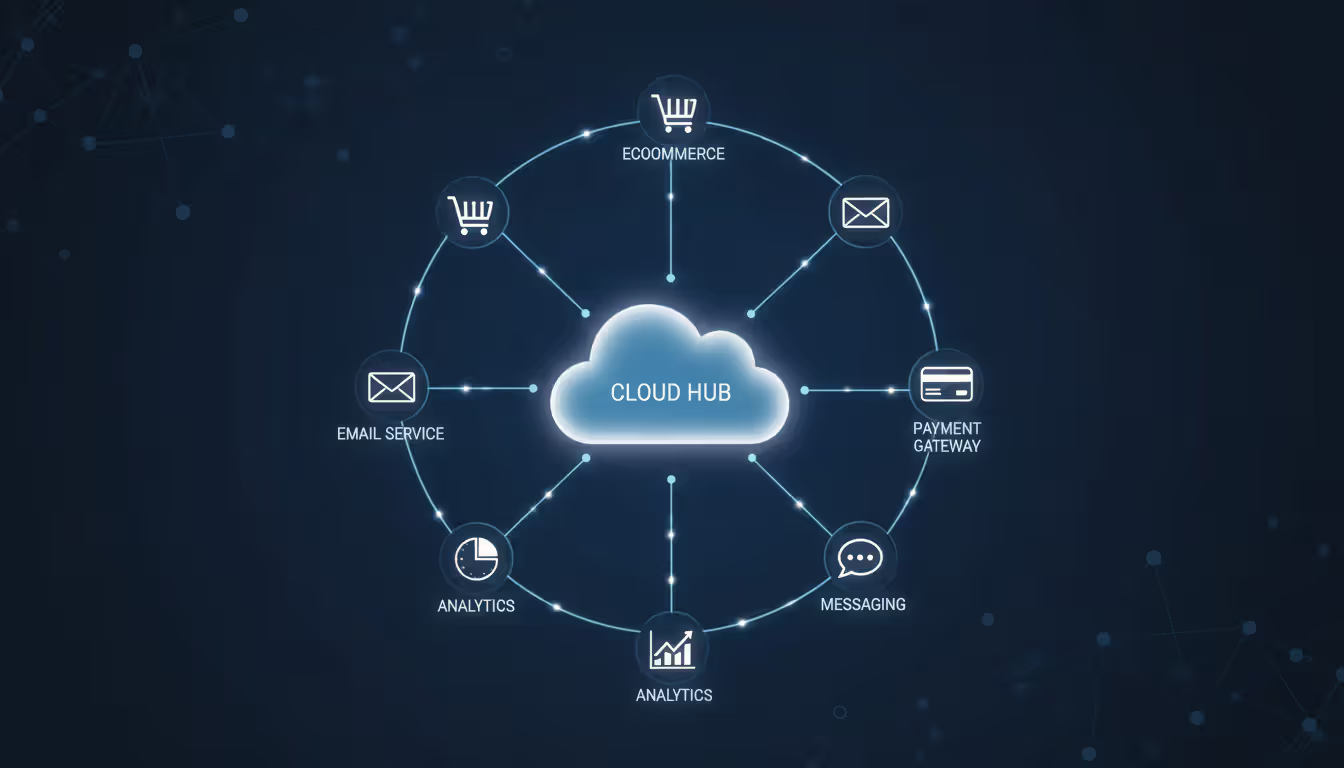
When customers buy something, data flows automatically: Shopify creates the order, Stripe charges the card, Salesforce updates the customer record, Klaviyo queues a confirmation email, Google Analytics tracks the conversion. No human copying data between systems.
This connectivity happens through APIs (Application Programming Interfaces)—standardized ways for software to talk to other software. Modern SaaS applications expose APIs specifically to enable integration.
Zapier connects applications without coding. "When someone fills out this Typeform survey, create a row in Google Sheets and send me a Slack message." Point, click, done. Over 5,000 applications integrate through Zapier. Non-technical teams build automation workflows themselves.
MuleSoft and Dell Boomi handle enterprise complexity: connecting legacy mainframes running COBOL to modern cloud APIs, transforming data formats between incompatible systems, managing thousands of integration workflows. Banks and insurance companies need this industrial-strength middleware.
API gateways like Kong and Amazon API Gateway sit between applications, managing authentication, rate limiting, monitoring, and security. Your mobile app makes one call to the gateway, which then orchestrates requests to 15 different backend services. If one service is slow, the gateway implements timeout logic instead of hanging indefinitely.
Event-driven architecture represents the latest evolution. Instead of Service A directly calling Service B, Service A publishes an event: "Order #12345 was placed." Service B, C, and D all subscribe to order events and react independently. Amazon EventBridge and Azure Event Grid manage this pub/sub messaging. The benefit: loose coupling. If Service D crashes, the others keep working. Events queue until Service D recovers.
Author: Ethan Norwood;
Source: baltazor.com
Cloud Services Brokerage and Multi-Cloud Examples
As companies adopted AWS, Azure, Google Cloud, and hundreds of SaaS tools, managing it all became overwhelming. Cloud brokerages emerged to help.
Rackspace Technology pioneered managed cloud services. They deploy infrastructure across whichever providers make sense for your workload, then handle daily operations. Your team sets strategy; Rackspace handles implementation. Companies without cloud expertise essentially outsource their entire infrastructure team.
Accenture and Deloitte offer enterprise-scale cloud brokerage combined with consulting. Migrating a 40-year-old insurance company to the cloud isn't just technical—it requires change management, training 5,000 employees, renegotiating vendor contracts, and overhauling security policies. These firms handle the complete transformation.
Multi-cloud strategies use several providers simultaneously. Maybe AWS for compute (mature, reliable), Google Cloud for data analytics (BigQuery beats competitors), and Azure for authentication (Active Directory integration). This approach avoids vendor lock-in and leverages each provider's strengths.
The challenge: consistent management. Flexera and CloudBolt provide unified dashboards showing spending across all cloud accounts. You can see total monthly costs, identify underutilized resources, enforce tagging policies, and optimize purchasing strategies from one interface instead of logging into AWS, Azure, and Google Cloud separately.
Hybrid cloud keeps some workloads on-premises while moving others to public cloud. Regulations might require customer data stay in your data center, but you want cloud flexibility for analytics. VMware Cloud runs VMware (which many enterprises already use) on top of AWS, Azure, or Google infrastructure. You manage everything through familiar VMware tools whether it's running in your basement or Amazon's data center.
Azure Arc extends Azure's management plane to servers anywhere—your data center, competitors' clouds, even edge locations. Apply the same security policies, monitoring tools, and update procedures everywhere.
Author: Ethan Norwood;
Source: baltazor.com
How Cloud Services Support Differs by Provider
Organizations that grasp how IaaS, PaaS, and SaaS differ in practice—not just theory—make smarter technology investments. The real question isn't 'Should we use cloud services?' It's 'Which combination delivers what we need at a price we can afford
— Lydia Leong
Support quality becomes critical when your production system crashes at 2 AM and every minute of downtime costs $10,000.
AWS Support offers four levels:
Basic (free): access documentation, community forums, service status dashboard. Good for learning and development environments.
Developer ($29/month): email support during business hours, 12-24 hour response times. Fine for non-critical workloads.
Business (starts at $100/month): 24/7 phone and chat access, one-hour response for production issues, architectural guidance. Most companies running revenue-generating applications choose this tier.
Enterprise ($15,000/month minimum): dedicated Technical Account Manager reviews your architecture quarterly, 15-minute response for critical outages, access to AWS solutions architects. Makes sense when you're spending $100,000+ monthly.
Companies typically upgrade support tiers as revenue grows. Start with Developer support, switch to Business when launching production, consider Enterprise after scaling significantly.
Google Cloud Support structures similarly but emphasizes documentation and community resources. Google's public documentation often answers questions faster than opening tickets. Their Premium Support includes proactive architecture reviews where Google engineers analyze your setup and suggest optimizations before problems occur.
Microsoft Azure Support integrates with existing Microsoft Premier Support contracts. Enterprises already paying Microsoft for support extend coverage to Azure automatically. Azure engineers particularly excel at Windows and SQL Server migrations—they understand both the legacy systems and cloud destinations better than competitors.
SaaS vendor support varies wildly. Salesforce provides 24/7 phone support even on basic plans because CRM downtime directly impacts sales. Many newer SaaS startups offer only email support with 48-hour response times. Enterprise contracts typically include:
Named customer success manager who knows your business
Quarterly strategy reviews
Priority feature requests that actually get considered
Custom training sessions for your team
One-hour response SLAs for critical bugs
Choosing the right support level depends on internal expertise and revenue impact. A team with experienced cloud architects rarely contacts support—they diagnose and fix issues themselves using documentation. Companies lacking deep technical knowledge benefit tremendously from support plans including architectural consultation, not just break-fix assistance.
Service Name
Provider
Category
What It Does
Starting Cost
Amazon EC2
AWS
Infrastructure
Rent virtual servers by the hour
$0.0116/hour
Google Compute Engine
Google Cloud
Infrastructure
Linux and Windows virtual machines
$0.0104/hour
Azure Virtual Machines
Microsoft
Infrastructure
Cloud servers with Windows integration
$0.0096/hour
Amazon S3
AWS
Infrastructure
Store files and data objects
$0.023/GB monthly
Heroku
Salesforce
Platform
Deploy apps without managing servers
$7/month
Google App Engine
Google Cloud
Platform
Auto-scaling application hosting
Free tier, then usage-based
Microsoft 365
Microsoft
Software
Office apps plus email and storage
$6/user monthly
Salesforce
Salesforce
Software
Sales and customer management
$25/user monthly
Slack
Salesforce
Software
Team messaging and collaboration
Free tier, paid from $7.25/user monthly
HubSpot
HubSpot
Software
Marketing automation and CRM
Free tier, paid from $15/month
Prices reflect early 2026 rates and vary by region, usage volume, and contract length
Frequently Asked Questions About Cloud Services
What are the most common cloud services examples for small businesses?
Small businesses usually start with ready-to-use software applications that work immediately: Google Workspace or Microsoft 365 handles email and documents, QuickBooks Online manages accounting, Shopify runs the online store, Mailchimp sends marketing emails. These require zero technical setup—create an account, enter payment info, start working. As needs grow, businesses might add Heroku to run custom applications or DigitalOcean servers for more control. The progression follows technical capability: start simple, add complexity only when necessary.
How do IaaS, PaaS, and SaaS examples differ?
IaaS rents you raw infrastructure. Launch an EC2 instance, and you get a blank virtual server—install the operating system yourself, configure everything, maintain it all. Maximum flexibility, maximum responsibility. PaaS removes infrastructure headaches. Deploy code to Heroku, and it handles servers, scaling, updates automatically. You focus purely on application logic. SaaS provides finished applications. Log into Salesforce, and the CRM works immediately—no installation, no configuration beyond your specific preferences. Each step up the stack sacrifices some control for greater convenience.
What is cloud services integration and why does it matter?
Integration connects separate applications so data flows automatically between them. Without it, employees manually reenter information—type a customer's email into Salesforce, then into Mailchimp, then into your accounting system. Integration eliminates that repetition and the inevitable errors. When a sale closes in Salesforce, integration can automatically generate an invoice in QuickBooks, add the customer to a Mailchimp welcome sequence, create a Slack notification for the shipping department, and update inventory counts. One action triggers five automated consequences.
What does a cloud services brokerage do?
Brokerages help companies select, purchase, and manage multiple cloud providers. They negotiate volume discounts (better prices than you'd get directly), consolidate billing (one invoice instead of dozens), provide management dashboards, and supply expertise for architecture decisions. This particularly helps organizations using AWS plus Azure plus Google Cloud plus 50 different SaaS applications. Instead of managing 53 vendor relationships, you work with one broker who handles everything and often achieves cost savings that exceed their fees.
Which type of cloud services support do I need?
Match support levels to consequences of downtime. Development and testing environments work fine with basic support and online forums—if something breaks, debug it tomorrow. Production systems serving actual customers need faster help. Business-tier support with one-hour response times prevents small issues from becoming revenue-impacting disasters. Mission-critical systems (your entire business stops if they fail) justify premium support with dedicated account managers and 15-minute response commitments. New cloud users benefit from support tiers including architecture reviews and best practice guidance, not just troubleshooting.
Can you use multiple cloud services together?
Absolutely—most organizations use dozens simultaneously. Run infrastructure on AWS, productivity apps on Microsoft 365, CRM on Salesforce, communication on Slack, plus specialized SaaS tools for marketing, HR, project management, and accounting. These integrate through APIs and middleware platforms like Zapier. The challenge shifts from "Can we connect them?" to "How do we manage security policies, monitor performance, and control costs across 40 different services?" Multi-cloud management tools provide unified visibility, but organizational discipline matters more than any specific technology.
Cloud services range from basic storage to sophisticated AI platforms. The examples covered here—EC2, Heroku, Salesforce, dozens more—represent a tiny fraction of available options. But they illustrate the practical reality: flexible resources, predictable pricing, instant provisioning.
Successful cloud strategies match services to capabilities. A three-person startup builds entirely on PaaS and SaaS, moving fast without hiring infrastructure specialists. A 500-person enterprise uses IaaS for custom applications requiring specific configurations while adopting SaaS for standardized functions like email and CRM where customization adds little value.
Integration transforms individual tools into cohesive systems. Salesforce alone tracks customers. Combined with Mailchimp, Slack, QuickBooks, and your analytics platform, it becomes the hub of automated workflows that save hours daily.
Multi-cloud approaches and brokerage services help larger organizations avoid vendor lock-in while managing complexity. The right architecture depends entirely on your situation: industry regulations, team expertise, budget constraints, growth rate all influence optimal choices.
Start with clear requirements. What problems need solving? Who'll manage these systems? What happens if they fail? How much can you spend? Then match those needs to specific products in the appropriate category. Don't adopt technology because competitors use it or analysts recommend it. Choose services that solve your actual problems at acceptable cost and complexity levels.
The cloud will keep evolving—new services launch weekly, pricing changes constantly, capabilities expand continuously. But the fundamental categories remain stable. Understanding IaaS, PaaS, and SaaS through concrete examples provides a framework for evaluating whatever comes next.
Deploying wireless networks without planning software risks coverage gaps and expensive rework. This guide explains how RF modeling tools predict signal behavior, recommend access point placement, and validate designs before installation—saving time and money across small business and enterprise deployments
Network topology defines how devices connect and communicate in your infrastructure. This guide covers topology types (star, mesh, ring, tree, hybrid), creating accurate network topology diagrams, choosing mapping tools, and avoiding common planning mistakes that impact performance and reliability
Network downtime costs US businesses $9,000 per minute. This comprehensive guide covers network management fundamentals, deployment models, key features, provider selection, and solutions to common challenges for modern IT infrastructure
Network diagrams map how devices connect and communicate in your infrastructure. This guide covers everything from basic diagrams to professional documentation, including tool selection, templates, and best practices that prevent costly troubleshooting delays
The content on this website is provided for general informational and educational purposes only. It is intended to explain concepts related to cloud computing, computer networking, infrastructure, and modern IT systems.
All information on this website, including articles, guides, and examples, is presented for general educational purposes. Technology implementations may vary depending on specific environments, business needs, infrastructure design, and technical requirements.
This website does not provide professional IT, engineering, or technical advice, and the information presented should not be used as a substitute for consultation with qualified IT professionals.
The website and its authors are not responsible for any errors or omissions, or for any outcomes resulting from decisions made based on the information provided on this website.