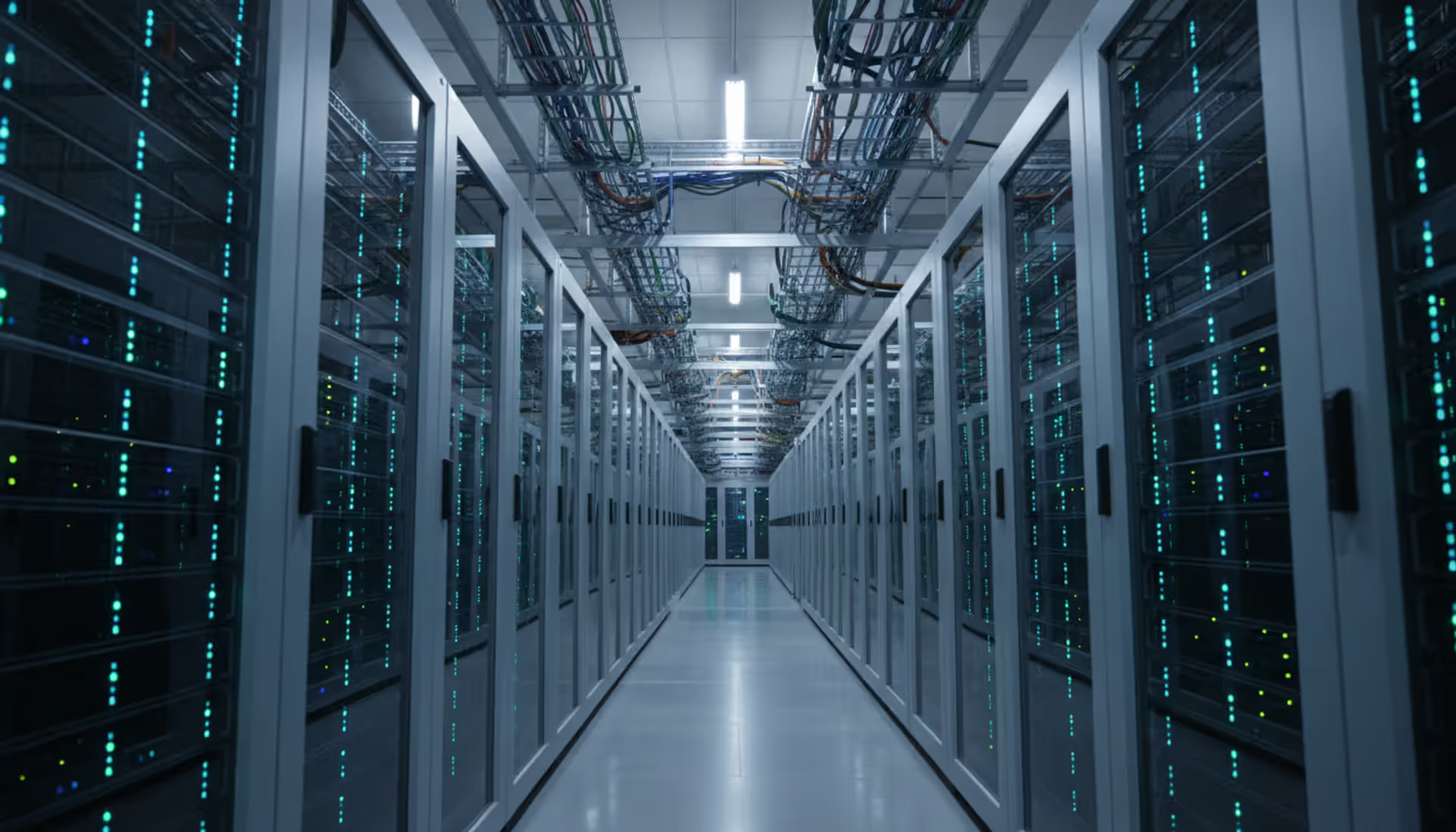
When a weather model needs to simulate millions of atmospheric variables simultaneously, or when a pharmaceutical company must screen billions of molecular combinations overnight, standard desktop computers fail. High performance computing bridges this gap by orchestrating thousands of processors to solve problems that would otherwise take months or remain entirely unsolvable.
What Is High Performance Computing
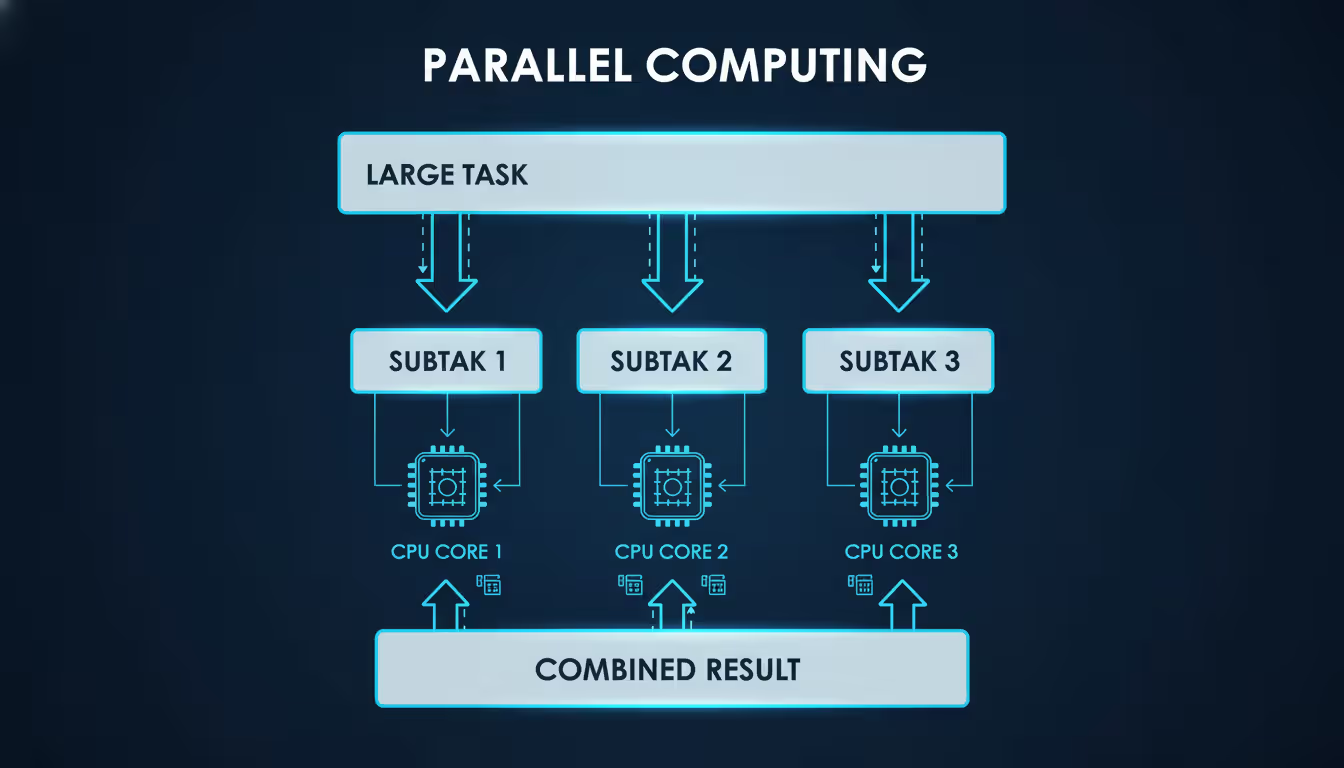
High performance computing represents a category of computing infrastructure designed to process complex calculations at speeds magnitudes faster than conventional systems. Rather than relying on a single processor working sequentially through tasks, HPC systems harness parallel processing—distributing workloads across hundreds or thousands of processors simultaneously.
The distinction between high performance computing and standard computing lies primarily in architecture and purpose. A typical workstation might contain 4-16 processor cores optimized for general tasks like document editing or web browsing. An HPC system, by contrast, aggregates thousands of specialized cores engineered specifically for computational intensity. These systems excel at workloads requiring massive floating-point calculations, large-scale data analysis, or simulations involving millions of variables.
Parallel processing forms the backbone of high performance computing hpc systems. Instead of executing instructions one after another, parallel architectures divide problems into smaller segments that run concurrently. This approach proves particularly effective for "embarrassingly parallel" problems—tasks where individual components require minimal communication with each other. Weather modeling, molecular dynamics simulations, and financial risk calculations all benefit from this parallelization strategy.
HPC workloads typically fall into three categories: tightly coupled applications requiring constant inter-process communication (computational fluid dynamics, crash simulations), loosely coupled workloads with minimal interdependencies (parameter sweeps, Monte Carlo simulations), and data-intensive tasks focused on processing enormous datasets rather than pure computation (genomic sequencing analysis, seismic data processing).
Author: Chloe Bramwell;
Source: baltazor.com
How High Performance Computing Clusters Work
High performance computing clusters function as unified systems composed of multiple independent computers—called nodes—connected through high-speed networks. Each node operates its own operating system but coordinates with others through specialized middleware and job scheduling software.
A typical cluster architecture includes login nodes where users submit jobs, compute nodes that perform actual calculations, and storage nodes managing data access. When a researcher submits a computational job, the cluster's resource manager evaluates available resources, allocates appropriate nodes, and monitors execution until completion. This orchestration happens transparently; users interact with the cluster as if it were a single, powerful machine.
Network fabric plays a critical role in cluster performance. While standard Ethernet suffices for some applications, latency-sensitive workloads demand specialized interconnects like InfiniBand or proprietary fabrics offering microsecond-level latency and bandwidths exceeding 200 Gbps per link. The network topology—how nodes connect to each other—affects both performance and cost. Fat-tree topologies provide excellent bandwidth but increase expense, while dragonfly topologies reduce cabling costs at the expense of potential congestion under specific traffic patterns.
Key Components of an HPC Cluster
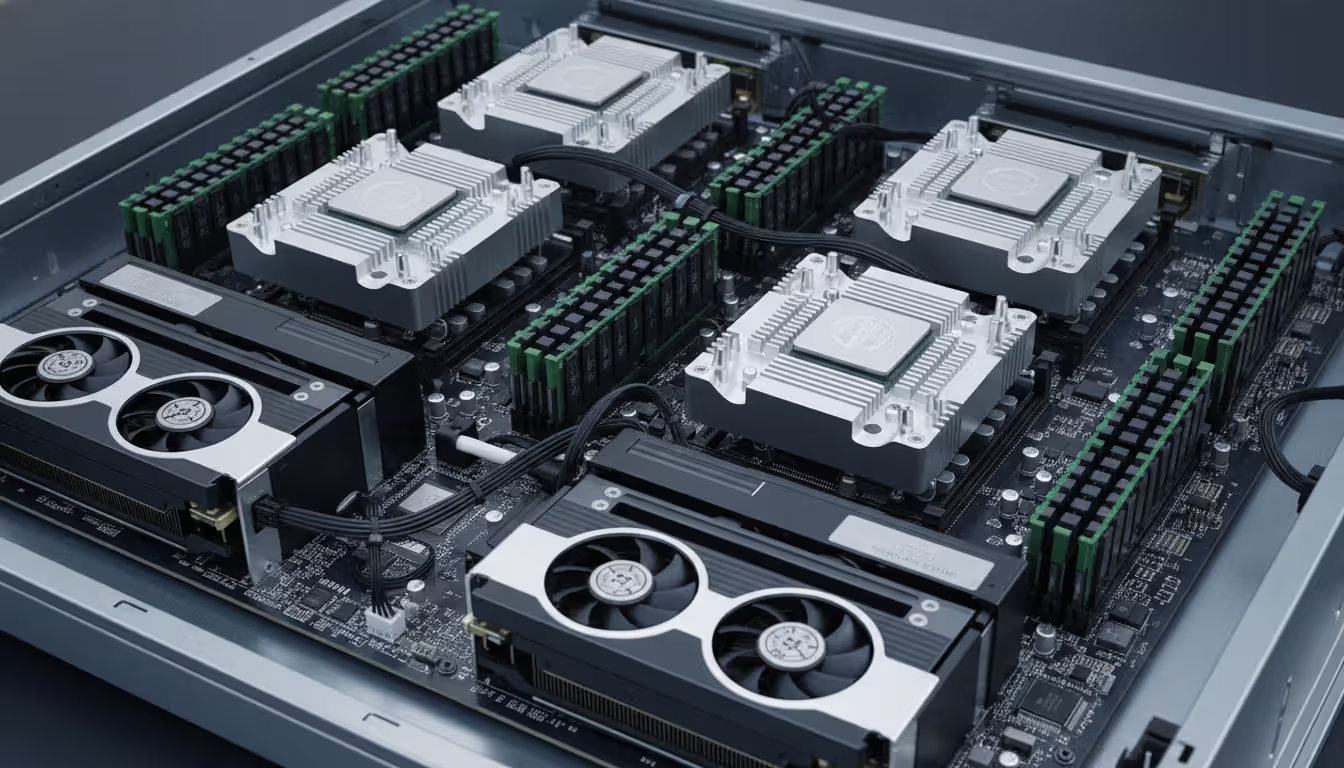
Every high performance computing cluster relies on several fundamental components working in concert. Compute nodes contain the processors (CPUs) and often accelerators like GPUs or specialized AI chips. Modern HPC nodes typically house 32-128 CPU cores, with GPU-accelerated nodes adding 4-8 graphics processors capable of handling thousands of simultaneous threads.
Memory architecture significantly impacts application performance. Each node contains local RAM—often 256 GB to several terabytes—but memory bandwidth (how quickly processors access data) matters as much as capacity. Applications that repeatedly access the same data benefit from large cache hierarchies, while streaming workloads require high memory bandwidth to feed processors continuously.
Author: Chloe Bramwell;
Source: baltazor.com
The resource management layer includes job schedulers like Slurm, PBS Pro, or LSF. These systems queue incoming jobs, match resource requests with available hardware, enforce usage policies, and provide accounting data. A scheduler might prioritize jobs from certain research groups, reserve nodes for maintenance windows, or implement backfill algorithms that run small jobs in gaps between larger reservations.
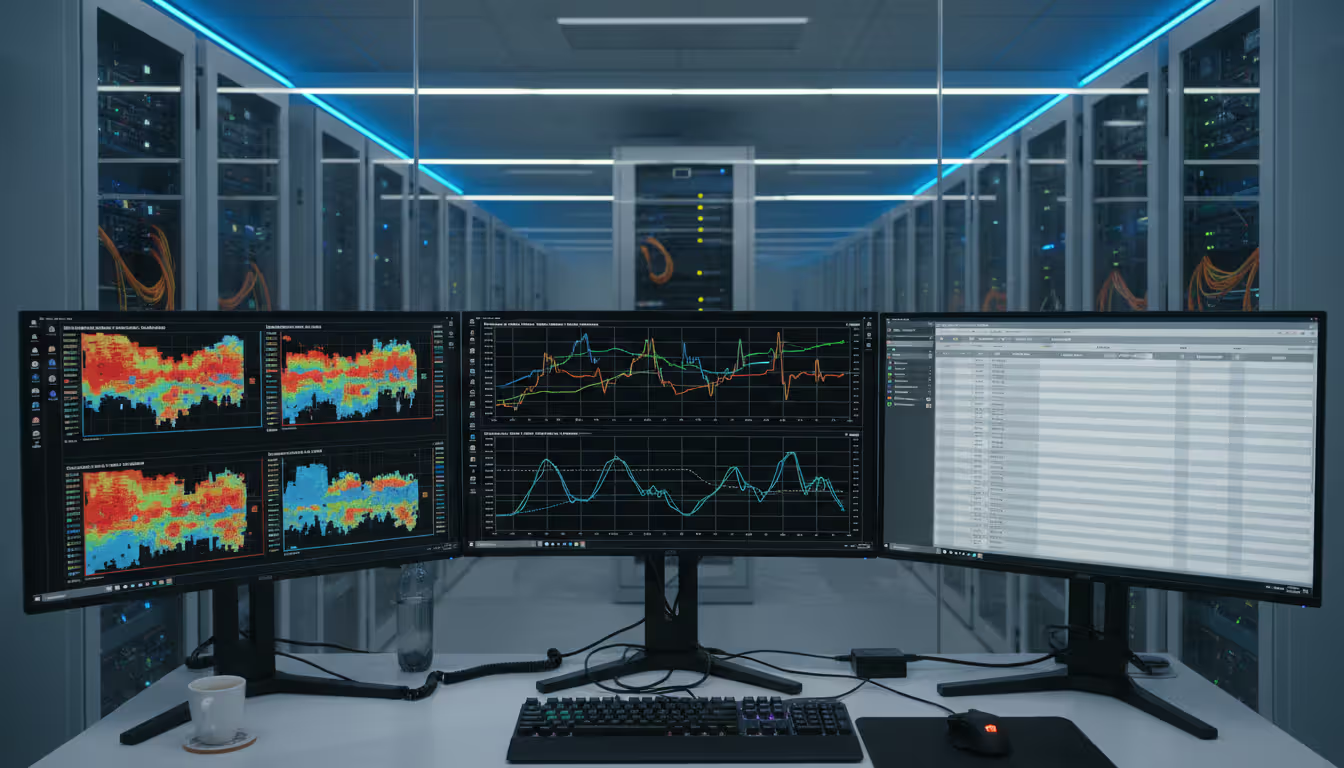
Monitoring infrastructure tracks thousands of metrics: node temperatures, power consumption, network utilization, job completion rates, and hardware failures. Effective monitoring prevents small issues from cascading into cluster-wide outages and helps administrators identify bottlenecks before they impact users.
Processing and Storage Architecture
Processing architecture in high performance computing clusters has evolved considerably. Early systems relied exclusively on traditional CPUs, but heterogeneous computing—mixing CPUs with GPUs or other accelerators—now dominates many workloads. A single NVIDIA H100 GPU can deliver more than 60 teraflops of mixed-precision performance, equivalent to hundreds of CPU cores for appropriate algorithms.
However, GPUs excel only at specific workload types. Applications must be explicitly programmed using frameworks like CUDA, OpenCL, or HIP to leverage GPU parallelism. Code that branches frequently or requires complex logic often runs faster on CPUs despite their lower theoretical peak performance. Many clusters deploy both CPU-only and GPU-accelerated nodes, allowing users to select hardware matching their application characteristics.
Storage architecture presents unique challenges in high performance computing environments. Compute nodes might generate petabytes of data during simulations, requiring storage systems capable of sustaining hundreds of gigabytes per second of aggregate throughput. Parallel file systems like Lustre, GPFS, or BeeGFS stripe data across dozens of storage servers, enabling multiple nodes to read and write simultaneously without contention.
Storage tiers optimize cost and performance. High-speed NVMe flash serves as a scratch space for active jobs, spinning disk arrays provide capacity for intermediate results, and tape libraries archive completed simulations. Automated tiering systems migrate data between layers based on access patterns, keeping frequently used files on fast media while moving cold data to economical archival storage.
High Performance Computing in Cloud Computing
The emergence of high performance computing in cloud computing has fundamentally altered how organizations approach computational infrastructure. Rather than purchasing and maintaining physical clusters, teams can rent HPC resources on-demand from providers like AWS, Microsoft Azure, Google Cloud, or Oracle Cloud Infrastructure.
Cloud HPC deployments offer compelling advantages for specific use cases. Organizations with variable computational needs—running intensive simulations quarterly rather than continuously—avoid paying for idle hardware. Academic researchers can access cutting-edge systems without competing for limited on-premises resources. Startups can prototype computationally intensive products without million-dollar infrastructure investments.
Scalability represents cloud computing's most significant benefit. An on-premises cluster with 1,000 cores cannot suddenly expand to 10,000 cores when a project deadline looms. Cloud environments scale elastically; users can launch thousands of instances for days or hours, then terminate them when work completes. This burst capacity proves invaluable for deadline-driven projects or exploring multiple design alternatives in parallel.
Cost models differ substantially between deployment types. On-premises clusters require significant upfront capital expenditure—purchasing servers, networking equipment, and cooling infrastructure—followed by ongoing operational costs for power, maintenance, and staff. Cloud deployments convert capital expense to operational expense; organizations pay only for resources consumed, but per-hour costs typically exceed the amortized cost of owned hardware for continuous workloads.
Major cloud providers have invested heavily in HPC-specific offerings. AWS provides EC2 instances with up to 192 cores and 100 Gbps networking, plus managed services like AWS ParallelCluster for deploying traditional HPC environments. Azure offers HBv4 instances optimized for computational fluid dynamics and CycleCloud for cluster orchestration. Google Cloud emphasizes integration with data analytics tools alongside traditional HPC capabilities.
Latency and data gravity considerations affect cloud HPC viability. Applications requiring microsecond-level inter-node latency may underperform in cloud environments despite providers offering enhanced networking. Similarly, workloads processing petabytes of existing on-premises data face prohibitive transfer costs and time moving information to the cloud. Hybrid approaches—maintaining primary data on-premises while bursting computation to the cloud—mitigate some limitations but introduce architectural complexity.
Requires dedicated staff for hardware, software, security patches
Provider manages infrastructure; user manages applications
Time to Deployment
3–18 months from purchase to production
Hours to days for initial cluster
Best Use Case
Continuous, predictable workloads; sensitive data requiring physical control
Variable workloads; burst capacity; prototyping; limited capital budget
Common Use Cases and Industries
Scientific research institutions pioneered high performance computing and remain among the heaviest users. Climate scientists run earth system models incorporating atmospheric physics, ocean currents, and ice sheet dynamics to project future climate scenarios. These simulations divide the planet into millions of grid cells, calculating energy transfers and chemical reactions at each point across simulated decades. A single high-resolution climate projection might consume 100,000 core-hours.
Financial services firms employ HPC for risk analysis and algorithmic trading. A bank evaluating portfolio risk might run millions of Monte Carlo simulations, each modeling potential market movements under different economic scenarios. High-frequency trading systems require microsecond-level latencies to analyze market data and execute trades before competitors. These workloads demand both computational power and extremely low-latency networking.
Author: Chloe Bramwell;
Source: baltazor.com
Artificial intelligence and machine learning training has become a dominant HPC application. Training large language models or computer vision systems involves processing billions of examples across neural networks containing hundreds of billions of parameters. These workloads heavily utilize GPU accelerators and can consume thousands of GPU-days for a single training run. Organizations like OpenAI, Meta, and Google operate some of the world's largest HPC systems primarily for AI research.
Weather forecasting services run operational models multiple times daily, ingesting satellite data, weather station observations, and radar imagery to predict conditions hours to weeks ahead. The European Centre for Medium-Range Weather Forecasts operates systems capable of 20+ petaflops, running ensemble forecasts that generate dozens of slightly varied predictions to quantify uncertainty.
Oil and gas companies process seismic survey data to identify potential hydrocarbon deposits. Three-dimensional seismic imaging transforms terabytes of raw sensor data into detailed underground visualizations through computationally intensive algorithms. A single offshore survey might require months of processing on substantial HPC resources.
Genomics and drug discovery increasingly rely on computational approaches. Sequencing a human genome generates hundreds of gigabytes of raw data requiring alignment, variant calling, and annotation—processes that parallelize effectively across HPC clusters. Pharmaceutical companies screen millions of candidate molecules against protein targets through molecular docking simulations, identifying promising compounds for laboratory testing.
Engineering firms simulate product behavior under various conditions before building physical prototypes. Automotive manufacturers crash-test virtual vehicles thousands of times, varying impact angles, speeds, and vehicle configurations. Aerospace companies simulate airflow over wing designs, optimizing fuel efficiency. These computational fluid dynamics and finite element analyses often require days on hundreds of cores per simulation.
Choosing a High Performance Computing Solution
Selecting an appropriate high performance computing solution begins with workload characterization. Does your application scale efficiently across many nodes, or does it hit performance ceilings beyond a certain core count? Applications with good parallel efficiency might justify large cluster investments, while those that scale poorly may benefit more from fewer, more powerful nodes.
Memory requirements often constrain system design. Applications processing datasets larger than available node memory must either distribute data across multiple nodes or employ out-of-core algorithms that stream data from storage. Some workloads require high memory bandwidth—the rate at which processors access RAM—making memory architecture as important as processor speed. Determine your application's memory footprint and access patterns before specifying hardware.
Budget considerations extend beyond initial hardware costs. A $2 million cluster incurs ongoing expenses for power (often $200K–$500K annually), cooling, maintenance contracts, software licenses, and staff salaries. Cloud deployments eliminate most infrastructure costs but can become expensive for continuous workloads. Calculate total cost of ownership over three to five years, including all operational expenses.
Software compatibility deserves careful attention. Some commercial applications require specific operating systems, compiler versions, or library implementations. Verify that your essential software stack supports your chosen hardware architecture, particularly when considering GPU accelerators or ARM processors. Licensing costs for commercial HPC applications sometimes exceed hardware expenses.
Support requirements vary by organizational maturity. Groups with experienced HPC administrators might manage complex custom-built systems effectively. Organizations new to HPC often benefit from turnkey solutions or managed cloud services despite higher per-computation costs. Consider whether your team can troubleshoot interconnect issues, optimize job schedulers, and maintain parallel file systems before committing to self-managed infrastructure.
Scalability needs should account for growth projections. A system adequate for today's workloads might prove insufficient in two years. Modular architectures allow incremental expansion, but networking and storage infrastructure must accommodate future growth. Cloud solutions provide ultimate flexibility but may not offer the specialized hardware or network performance some applications require.
High performance computing has transitioned from a specialized tool for national laboratories to an essential capability for competitive advantage across industries.Organizations that effectively leverage HPC can iterate faster, explore more design alternatives, and solve problems their competitors cannot approach
— Susan Mille
Implementation Challenges and Best Practices
Deploying a high performance computing solution presents numerous technical and organizational challenges. Application porting—adapting software written for workstations to run efficiently on clusters—often proves more difficult than anticipated. Code must be parallelized, which may require substantial rewrites for applications originally designed for single processors. Even explicitly parallel applications may need tuning for specific cluster architectures.
I/O bottlenecks frequently limit performance. Applications that frequently write small amounts of data can overwhelm parallel file systems designed for large sequential transfers. A common mistake involves having every process write individual output files, generating millions of small files that degrade file system performance. Best practice consolidates output, having one process per node collect results from local processes and write larger, fewer files.
Resource utilization optimization requires ongoing attention. Users often request far more resources than applications actually use—asking for 100 cores when code scales to only 20, or requesting 256 GB of memory while using 50 GB. These inefficiencies waste capacity and increase queue times for all users. Implement monitoring to track actual resource consumption and educate users about right-sizing requests.
Author: Chloe Bramwell;
Source: baltazor.com
Security considerations in high performance computing clusters differ from traditional IT infrastructure. Compute nodes often run minimal operating systems without security agents that might interfere with performance. Network segmentation isolates clusters from general corporate networks. Authentication typically relies on SSH keys rather than passwords. Data encryption at rest and in transit becomes particularly important when processing sensitive information like patient health records or proprietary designs.
Software environment management grows complex in multi-user HPC environments. Different users require incompatible software versions—one researcher needs Python 3.8 with TensorFlow 2.10, while another requires Python 3.11 with PyTorch 2.1. Environment modules or container technologies like Singularity provide isolation, allowing users to load specific software stacks without conflicts.
Cooling and power infrastructure deserves attention even in cloud deployments. On-premises clusters generate enormous heat loads; a rack of high-density servers might dissipate 30-40 kilowatts, requiring sophisticated cooling systems. Power distribution must provide sufficient capacity with redundancy. Even cloud users should understand power costs, as some providers charge separately for power consumption beyond baseline allocations.
Maintenance windows and upgrade cycles require planning. Unlike web servers that can be upgraded with rolling deployments, HPC clusters often require full downtime for system software updates or hardware maintenance. Schedule maintenance during low-usage periods and communicate clearly with users. Maintain test environments for validating updates before applying them to production systems.
FAQ
What is the difference between HPC and regular computing?
Regular computing systems—desktops, laptops, and typical servers—optimize for general-purpose tasks and sequential processing. HPC systems prioritize parallel processing of computationally intensive workloads, aggregating thousands of processors to solve problems requiring massive calculations. While your laptop might have 4-8 cores, an HPC cluster contains thousands of cores with specialized high-speed networking enabling them to work together efficiently.
How much does a high performance computing cluster cost?
Entry-level HPC clusters start around $100,000 for small systems with 10-20 nodes, suitable for departmental research or small engineering teams. Mid-range clusters serving 50-100 users typically cost $500,000 to $2 million. Large institutional systems can exceed $50 million for cutting-edge supercomputers. Cloud HPC eliminates upfront costs but charges $1-$10+ per core-hour depending on instance type, potentially costing more for continuous workloads but less for intermittent use.
Can small businesses benefit from HPC?
Small businesses increasingly access HPC capabilities through cloud services without massive capital investments. A startup developing AI products can rent GPU clusters for training runs, paying only for hours used. Engineering firms can run computational fluid dynamics simulations on cloud HPC rather than maintaining dedicated infrastructure. The key is matching workload patterns to deployment models—continuous needs may justify small on-premises systems, while sporadic intensive computing suits cloud approaches.
Is cloud HPC better than on-premises for most organizations?
Neither deployment model universally dominates; the optimal choice depends on usage patterns, data characteristics, and organizational capabilities. Cloud HPC excels for variable workloads, burst capacity needs, and organizations lacking HPC expertise. On-premises clusters prove more cost-effective for continuous, predictable workloads and situations requiring specialized hardware or data sovereignty. Many organizations adopt hybrid approaches, maintaining base capacity on-premises while bursting to the cloud for peak demands.
What software runs on high performance computing systems?
HPC systems run specialized scientific and engineering applications like GROMACS (molecular dynamics), OpenFOAM (computational fluid dynamics), VASP (materials science), and WRF (weather modeling). Commercial packages include ANSYS (engineering simulation), Gaussian (quantum chemistry), and MATLAB (numerical computing). Machine learning frameworks like TensorFlow, PyTorch, and JAX increasingly dominate GPU-accelerated systems. Most HPC software runs on Linux, though some commercial applications support Windows HPC environments.
How do I get started with high performance computing?
Begin by characterizing your computational workload: Does your application parallelize effectively? What are memory and storage requirements? For initial exploration, cloud HPC services offer low-risk entry points—AWS, Azure, and Google Cloud provide tutorials and free credits. Universities often provide researchers access to institutional clusters with training programs. Consider consulting with HPC specialists to assess whether your applications justify HPC investment and which deployment model suits your needs. Start small, validate performance improvements, then scale infrastructure as requirements clarify.
High performance computing has evolved from exotic infrastructure reserved for national laboratories into an accessible capability reshaping industries from drug discovery to financial modeling. Whether through on-premises clusters, cloud deployments, or hybrid approaches, organizations can now tackle computational challenges that would have remained unsolvable a decade ago.
Success with HPC requires more than powerful hardware. Effective implementations carefully match infrastructure to workload characteristics, optimize applications for parallel execution, and establish processes for resource management and user support. The choice between on-premises and cloud deployments depends on usage patterns, budget structures, and organizational capabilities rather than universal superiority of either approach.
As computational demands continue growing—driven by increasingly complex simulations, larger datasets, and more sophisticated AI models—HPC capabilities will become even more central to competitive advantage across research and industry. Organizations that develop HPC expertise and infrastructure today position themselves to solve tomorrow's most challenging problems.
Virtual desktop infrastructure represents a fundamental shift in how organizations deliver computing resources. Learn about VDI architecture, deployment models (on-premises, cloud, hybrid), implementation costs, use cases, and how to select the right solution for remote work and centralized management needs
Network administrators who rely on hourly snapshots discover problems only after users complain. A real time network traffic monitor shows what's happening at this exact moment—every packet, every connection, every anomaly as it occurs. Learn how these systems work and how to implement them effectively
Public cloud storage has become the backbone of modern data infrastructure, powering everything from smartphone photo backups to enterprise disaster recovery systems. Learn how it works, key benefits and limitations, security considerations, and how to choose the right provider for your needs
Choosing between on-premise and cloud infrastructure affects budget, security, compliance, and agility. Understand cost structures, security trade-offs, and migration planning to make informed decisions aligned with your business requirements and strategic goals
The content on this website is provided for general informational and educational purposes only. It is intended to explain concepts related to cloud computing, computer networking, infrastructure, and modern IT systems.
All information on this website, including articles, guides, and examples, is presented for general educational purposes. Technology implementations may vary depending on specific environments, business needs, infrastructure design, and technical requirements.
This website does not provide professional IT, engineering, or technical advice, and the information presented should not be used as a substitute for consultation with qualified IT professionals.
The website and its authors are not responsible for any errors or omissions, or for any outcomes resulting from decisions made based on the information provided on this website.